<?xml version="1.0" encoding="UTF-8"?>
<feed xmlns="http://www.w3.org/2005/Atom">
                        <id>https://pociot.dev/feed</id>
                                <link href="https://pociot.dev/feed"></link>
                                <title><![CDATA[pociot.dev - all blogposts]]></title>
                                <description></description>
                                <language></language>
                                <updated>Tue, 31 Dec 2024 12:00:00 +0100</updated>
                        <entry>
            <title><![CDATA[2024 - My year in review]]></title>
            <link rel="alternate" href="https://pociot.dev/36-2024-my-year-in-review" />
            <id>https://pociot.dev/36</id>
            <author>
                <name> <![CDATA[Marcel Pociot]]></name>
            </author>
            <summary type="html">
                <![CDATA[<h1 id="2024-in-review">2024 in review <a href="#2024-in-review" class="permalink">#</a></h1>
<p>Wow - I just noticed that I did not write any review blog posts for the last 3 years! I actually really like these review blog posts, as they allow me to reflect on all the things that happened throughout the year, so here it goes.</p>
<h2 id="laracon-eu">Laracon EU <a href="#laracon-eu" class="permalink">#</a></h2>
<p>I think it's safe to say that the overall &quot;motto&quot; of 2024 for me work-wise was <a href="https://herd.laravel.com">Laravel Herd</a>.</p>
<p>Laravel Herd was released at Laracon US 2023 in July 2023. The first version was for macOS only and had a very minimal feature set.</p>
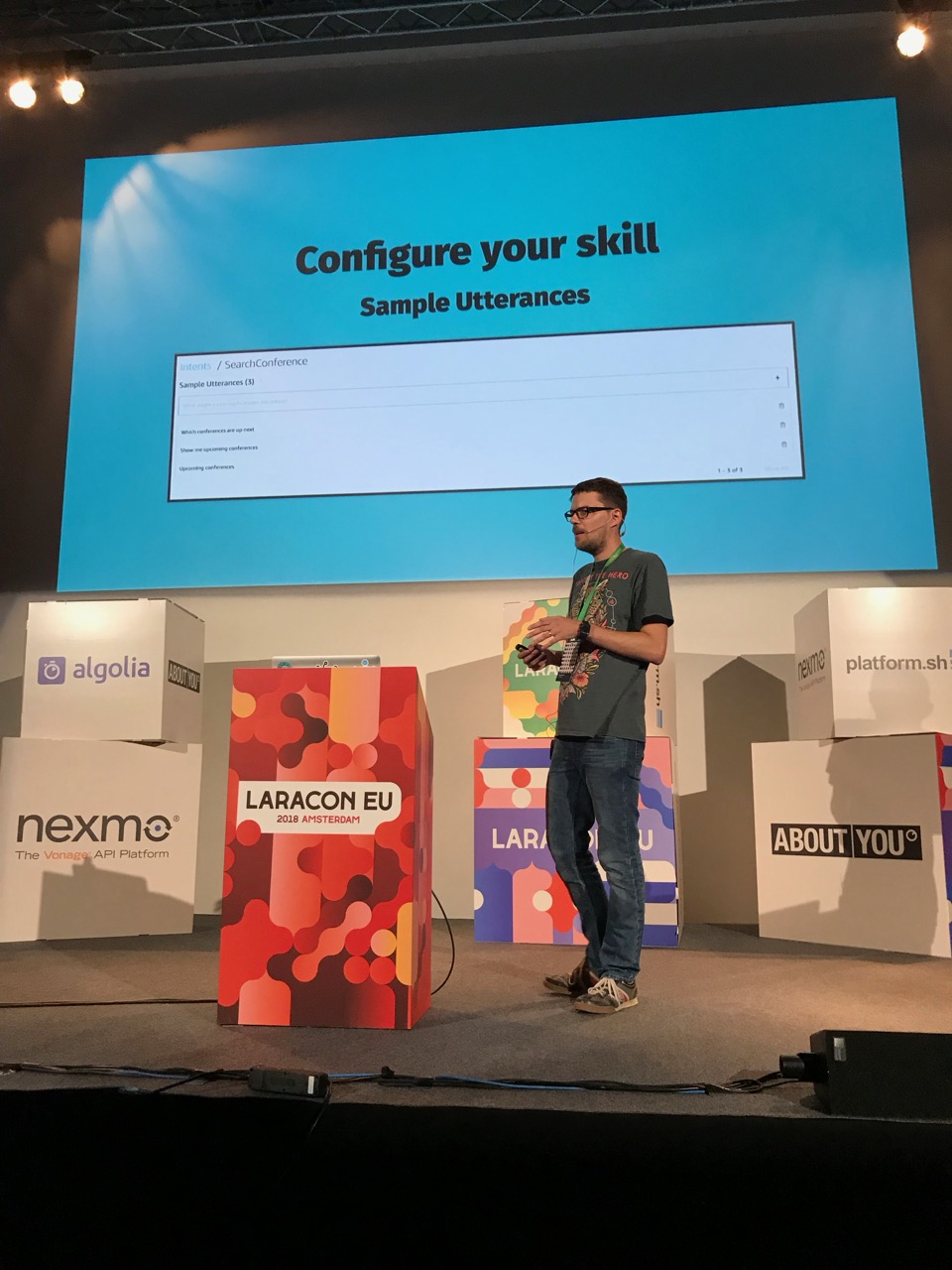
<p>Coming into 2024, we had a rough Windows version at our hands and Taylor and I decided to announce the upcoming Windows release at Laracon EU 2024 in Amsterdam.
In addition to the Windows release however, we very also busy working on &quot;Herd Pro&quot; – a commercial offering of Laravel Herd, that adds additional debugging and development features such as:</p>
<ul>
<li>Intercepting Dumps</li>
<li>Built-in Mailserver</li>
<li>Log Viewer</li>
<li>Automatic Xdebug detection</li>
</ul>
<p>The idea was to release Herd Pro at the day of Laracon EU – how exciting, right?
Well, it was <em>very</em> exciting indeed, and I am not exaggerating when I tell you that this was the most nerve-wracking conference experience for me.</p>
<p>Launching Herd Pro was a huge task that required us to prepare a whole bunch of things (secretly) and then flip a switch during Taylor's talk at Laracon EU.</p>
<p>We had to:</p>
<ul>
<li>Prepare the new landing page</li>
<li>Implement a checkout flow</li>
<li>Implement a licensing system</li>
<li>Test and release the actual Herd app</li>
</ul>
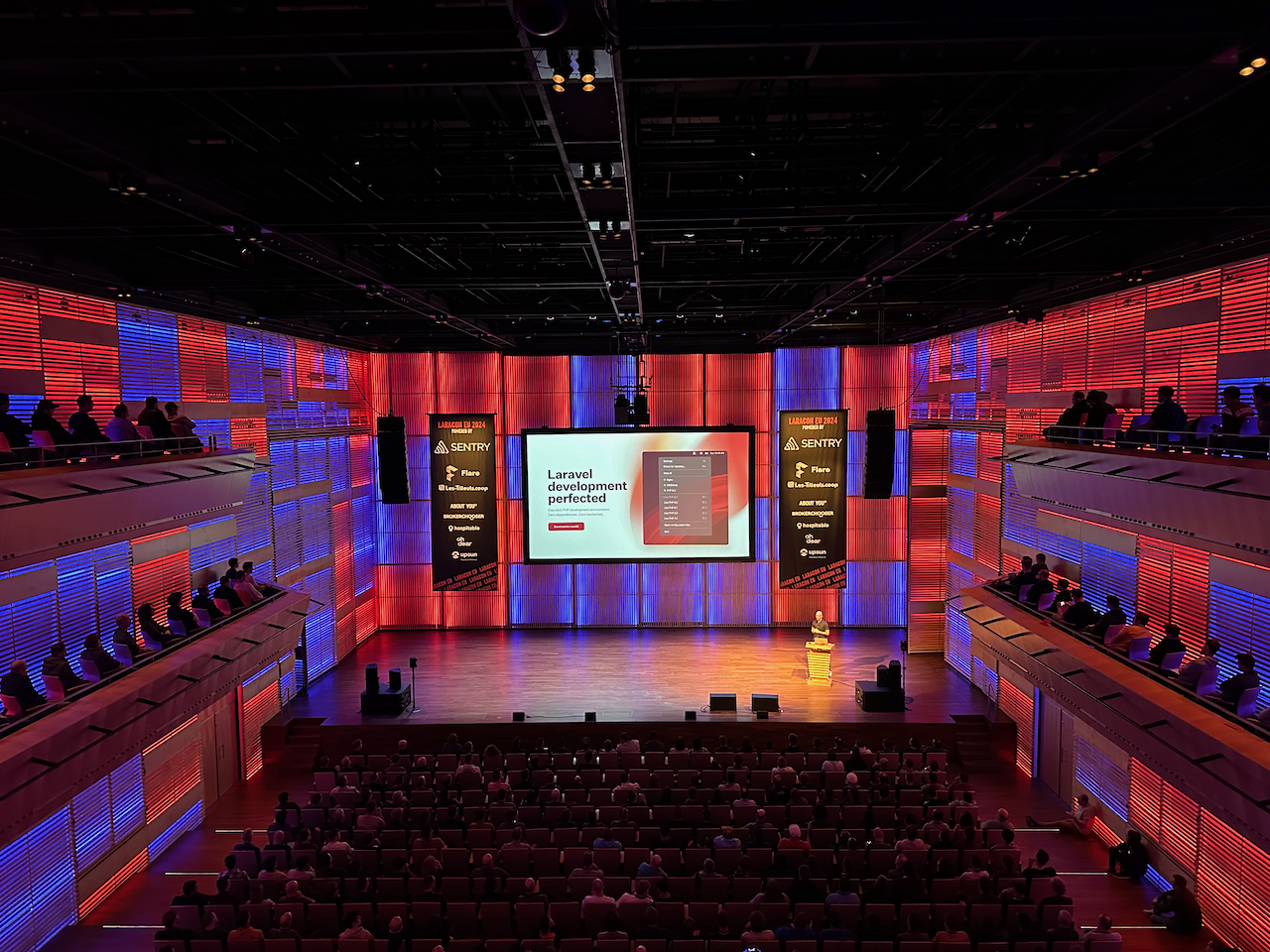
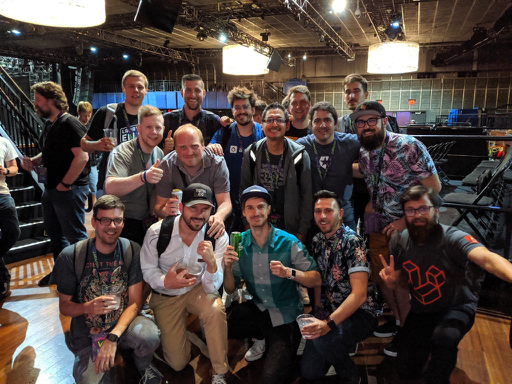
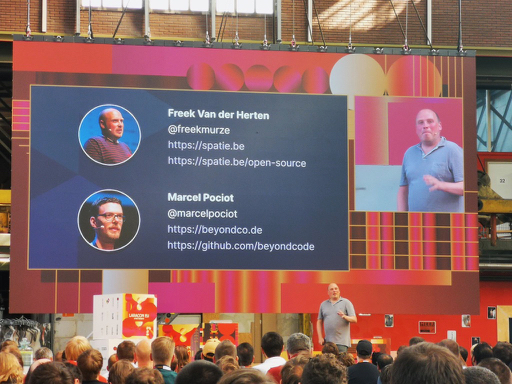
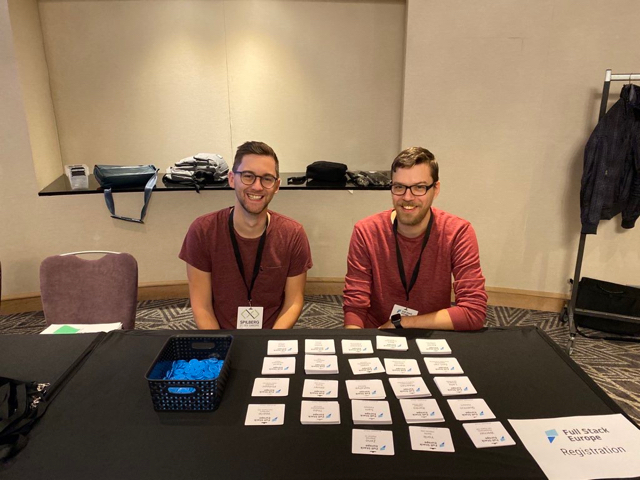
<p>Both <a href="https://twitter.com/dianawebdev">Diana</a> and I were busy preparing the launch of this during the conference, and we've both been extremely nervous during Taylor's talk. But hey - we all made it!</p>
<p>Herd for Windows was announced and Herd Pro was released 😮‍💨</p>
<p><img src="https://pociot.dev/storage/54/IMG_5242.jpeg" alt="" /></p>
<h2 id="herd-for-windows-and-more">Herd for Windows and more... <a href="#herd-for-windows-and-more" class="permalink">#</a></h2>
<p>Once Herd Pro was released, we continued working on Herd for Windows, as we planned on releasing it ~2 weeks after the conference.</p>
<blockquote class="twitter-tweet"><p lang="en" dir="ltr">Game == changed. <br><br>The absolute easiest way to get started with PHP and Laravel on Windows. Available now. ❤️ <a href="https://t.co/nfFWLNBs3S">https://t.co/nfFWLNBs3S</a></p>&mdash; Taylor Otwell ☁️ 🦹 (@taylorotwell) <a href="https://twitter.com/taylorotwell/status/1772637787100999846?ref_src=twsrc%5Etfw">March 26, 2024</a></blockquote> <script async src="https://platform.twitter.com/widgets.js" charset="utf-8"></script>
<p>Another huge milestone for Laravel Herd was the release of Herd Pro's services.
This allows you to quickly spin up Redis, MySQL, PostgreSQL, Meilisearch, etc. on your local development environment.</p>
<p>This one was another huge release, as we now had to implement it for two operating systems.</p>
<p>So yeah, overall we have released <strong>32</strong> updates to Laravel Herd in 2024!</p>
<h2 id="phpnew">php.new <a href="#phpnew" class="permalink">#</a></h2>
<p>Besides working on Laravel Herd, I also worked on <a href="https://php.new">php.new</a>. You can think of this as some sort of &quot;Herd Lite&quot;. It's a one-line bash script that gives you PHP, composer , and the Laravel installer.</p>
<p>Together with Herd, this is the absolute dream-team to set up development environments on your machines!</p>
<h2 id="expose-v3">Expose v3 <a href="#expose-v3" class="permalink">#</a></h2>
<p>At the end of 2024 we've been very busy working on an entirely new version of <a href="https://expose.dev">Expose</a>, our open-source tunneling software written entirely in PHP.
We already launched the new landing page for Black Friday, but the new version of Expose will follow shortly in early 2025.</p>
<p>It will come with a bunch of really cool new features that I loved to use myself when I migrated from Paddle Classic to Paddle Billing for Laravel Herd - so stay tuned for this!</p>
<h2 id="other-conferences">Other conferences <a href="#other-conferences" class="permalink">#</a></h2>
<p>Besides Laracon EU, which I couldn't truly &quot;enjoy&quot; as I was too busy stressing out about Herd's release, I've been to a bunch of other conferences that have all been amazing.</p>
<p>Most importantly LaravelLive Denmark, Laracon US in Dallas and Laracon AU in Brisbane.</p>
<p>Unfortunately, I got pretty sick in Dallas and had the worst headache for pretty much 3 weeks non-stop. So if I acted weird and was a bit less approachable at that conference - I'm sorry 😅</p>
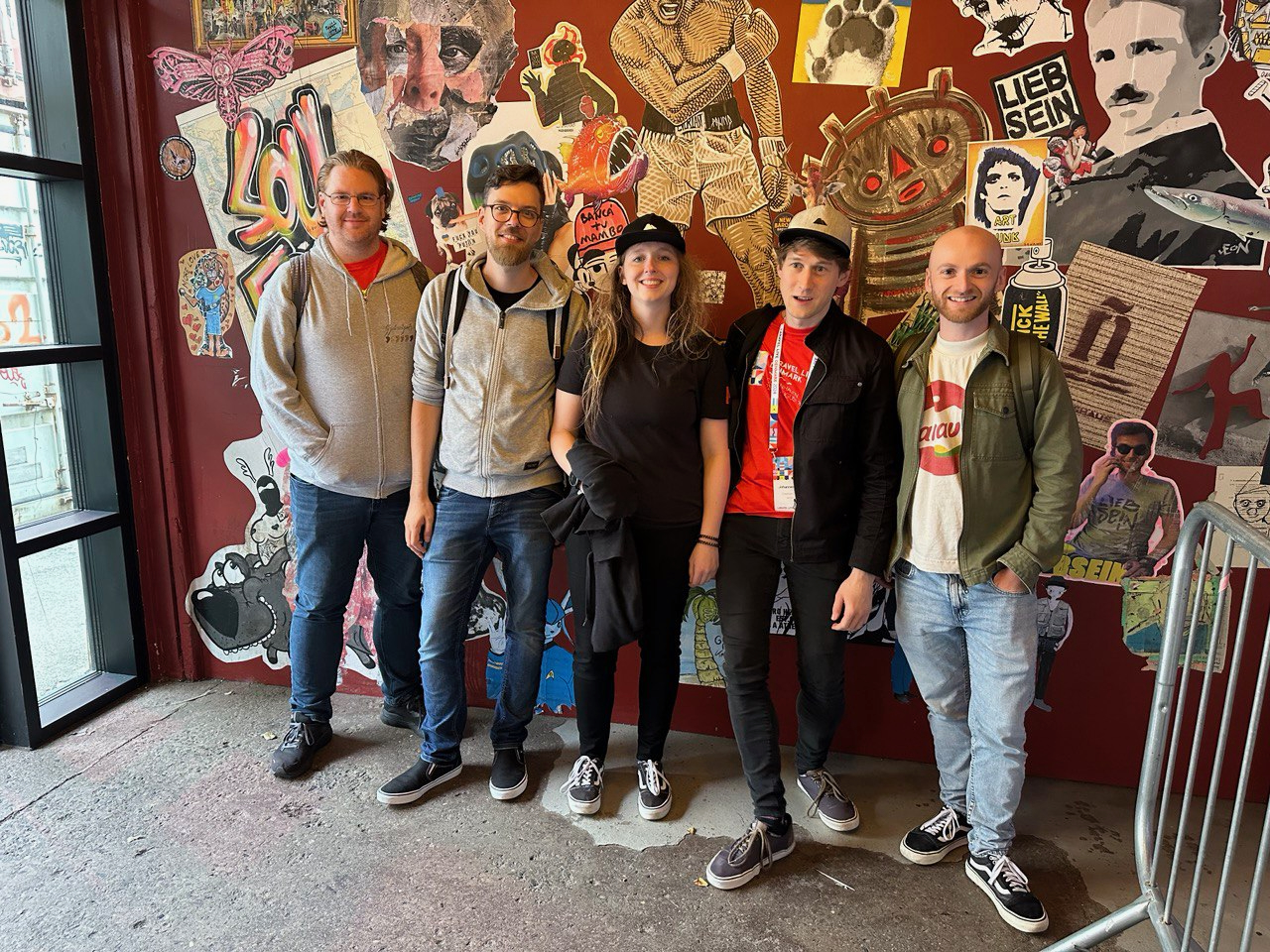
<p>But it's been great to see and meet so many old and new friends from all over the Laravel community! ❤️
I can't wait to go to more conferences in 2025.</p>
<p><img src="https://pociot.dev/storage/55/IMG_7074.jpeg" alt="" /></p>
<h2 id="personal-life">Personal life <a href="#personal-life" class="permalink">#</a></h2>
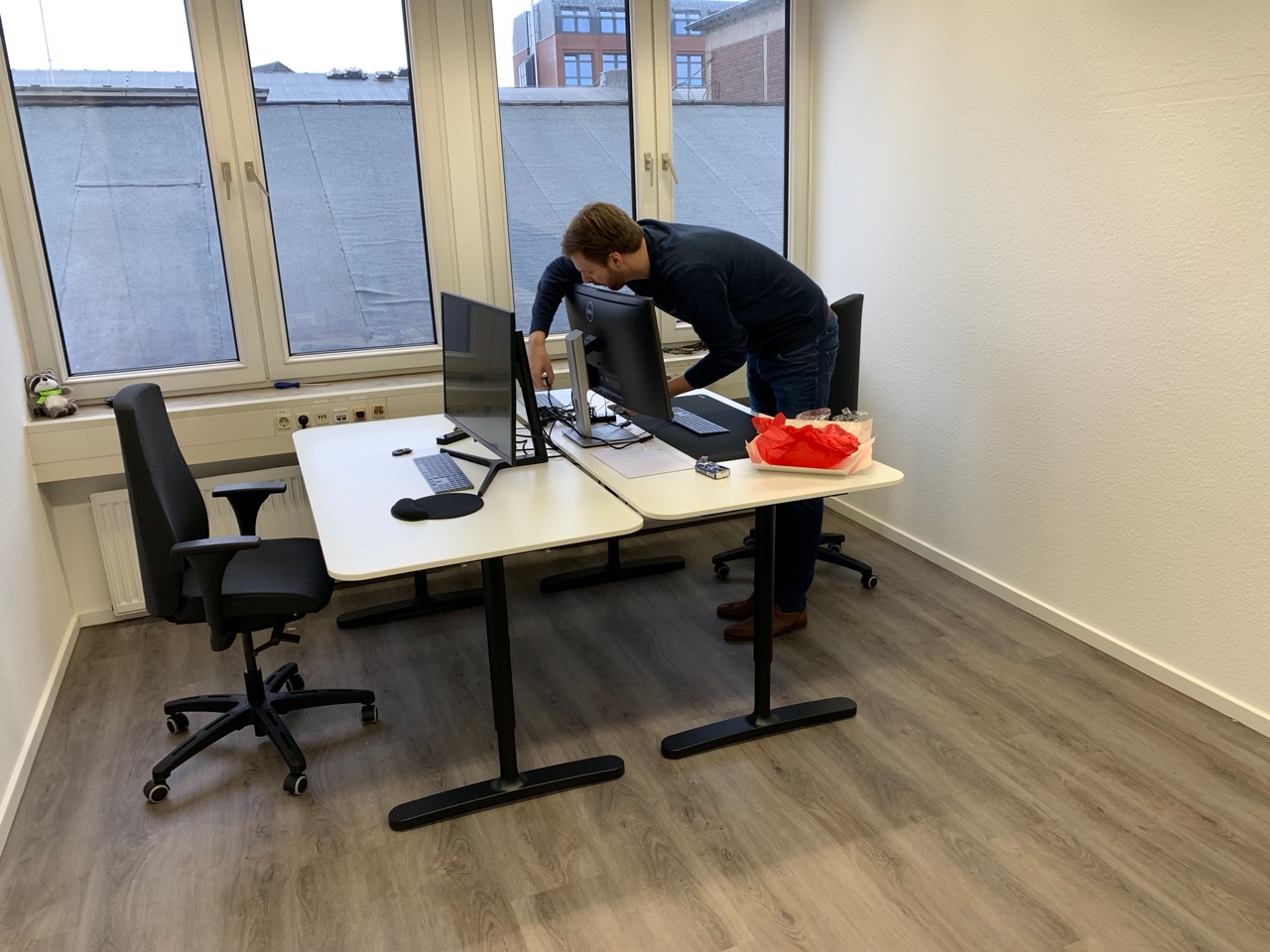
<p>My personal life was a bit stressful as well, as we moved out of our apartment into a new house in 2024. The new place is only ~200 meters down the road from our previous apartment, but moving is still stressful.
But hey, now I no longer need to share my &quot;office&quot; with my wife and finally have an entire room all for myself hah</p>
<h2 id="2025">2025 <a href="#2025" class="permalink">#</a></h2>
<p>If you made it this far, I hope that we get a chance to meet in person at a conference around the globe in 2025. I can't wait to ship more exciting things to make your development life easier.</p>
<p>Thank you all for using the apps and services that I'm fortunate enough to work on. It really means a lot to me ❤️</p>
]]>
            </summary>
                        <category type="html">
                <![CDATA[]]>

            </category>
            <updated>Tue, 31 Dec 2024 12:00:00 +0100</updated>
        </entry>
            <entry>
            <title><![CDATA[Blazing fast search with MeiliSearch and Laravel Forge]]></title>
            <link rel="alternate" href="https://pociot.dev/35-blazing-fast-search-with-meilisearch-and-laravel-forge" />
            <id>https://pociot.dev/35</id>
            <author>
                <name> <![CDATA[Marcel Pociot]]></name>
            </author>
            <summary type="html">
                <![CDATA[<p>As I am currently writing documentation for <a href="https://invoker.dev">Invoker</a>, I noticed something that was lacking on our <a href="https://beyondco.de">Beyond Code website</a>. All documentation pages were missing a search option.
Now I could've chosen Algolia for this, or possibly even try and implement a fulltext search on MySQL myself. But instead I decided to go with <a href="https://github.com/meilisearch/MeiliSearch">MeiliSearch</a>. A &quot;Lightning Fast, Ultra Relevant, and Typo-Tolerant Search Engine&quot;.
It also has support for Laravel Scout, which is pretty nice. Even though we're not going to use it on our own website.</p>
<!--more-->
<h2 id="setting-up-meilisearch">Setting up MeiliSearch <a href="#setting-up-meilisearch" class="permalink">#</a></h2>
<p>MeiliSearch itself is fully open-source and you can host and run your own search server. I decided to simply use one of our Laravel Forge provisioned servers for this.
To install MeiliSearch, you can SSH onto your server and install the latest available version using this script:</p>
<pre><code class="language- hljs " data-lang=""># Install MeiliSearch latest version from the script
$ curl -L https://install.meilisearch.com | sh
</code></pre>
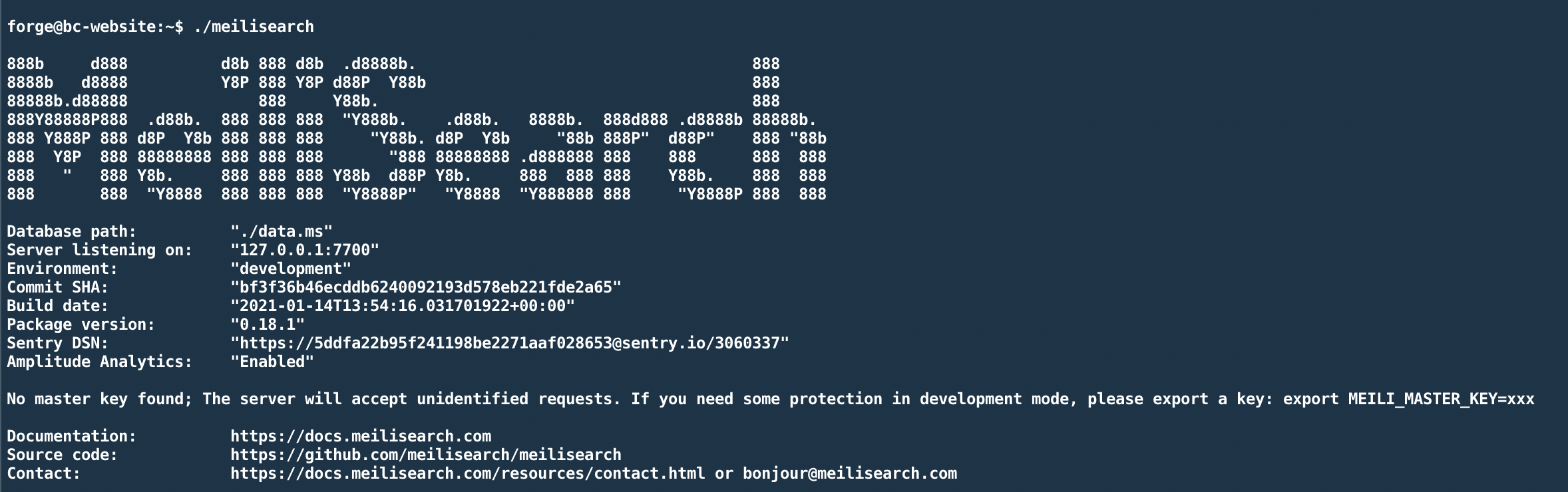
<p>To try out if everything worked, you can start the server by running <code>./meilisearch</code>. You should see an output similar to this:</p>
<p><img src="https://pociot.dev/storage/53/Screenshot-2021-01-25-at-21.56.21.png" alt="" /></p>
<p>Alright, so our server is running on port 7700. But there's one important note here saying: &quot;No master key found; The server will accept unidentified requests.&quot;</p>
<p>Uh oh, that does not sound like something we want. To run MeiliSearch in a production environment, and with a master key, modify the script like this:</p>
<pre><code class="language- hljs " data-lang="">./meilisearch \
--env production \
--http-addr 127.0.0.1:7700 \
--master-key YOUR-SECRET-MASTER-KEY
</code></pre>
<p>This will do a couple of things:</p>
<ul>
<li>Start MeiliSearch in production mode (this means that a master key is mandatory)</li>
<li>We only accept HTTP requests coming from our own machine/network on port 7700</li>
<li>We provide a very secret master key.</li>
</ul>
<p>You can use any random string as the master key, just be sure to keep it secret. We will need this key later.</p>
<h2 id="accessing-our-server-from-the-internet">Accessing our server from the internet <a href="#accessing-our-server-from-the-internet" class="permalink">#</a></h2>
<p>As mentioned above, we start the server and only allow access to it from the machine running the server instance itself. But in reality, we want to access the search server from the internet.
Now we could of course expose port 7700 and access the search engine via HTTP - but we can do better than that.</p>
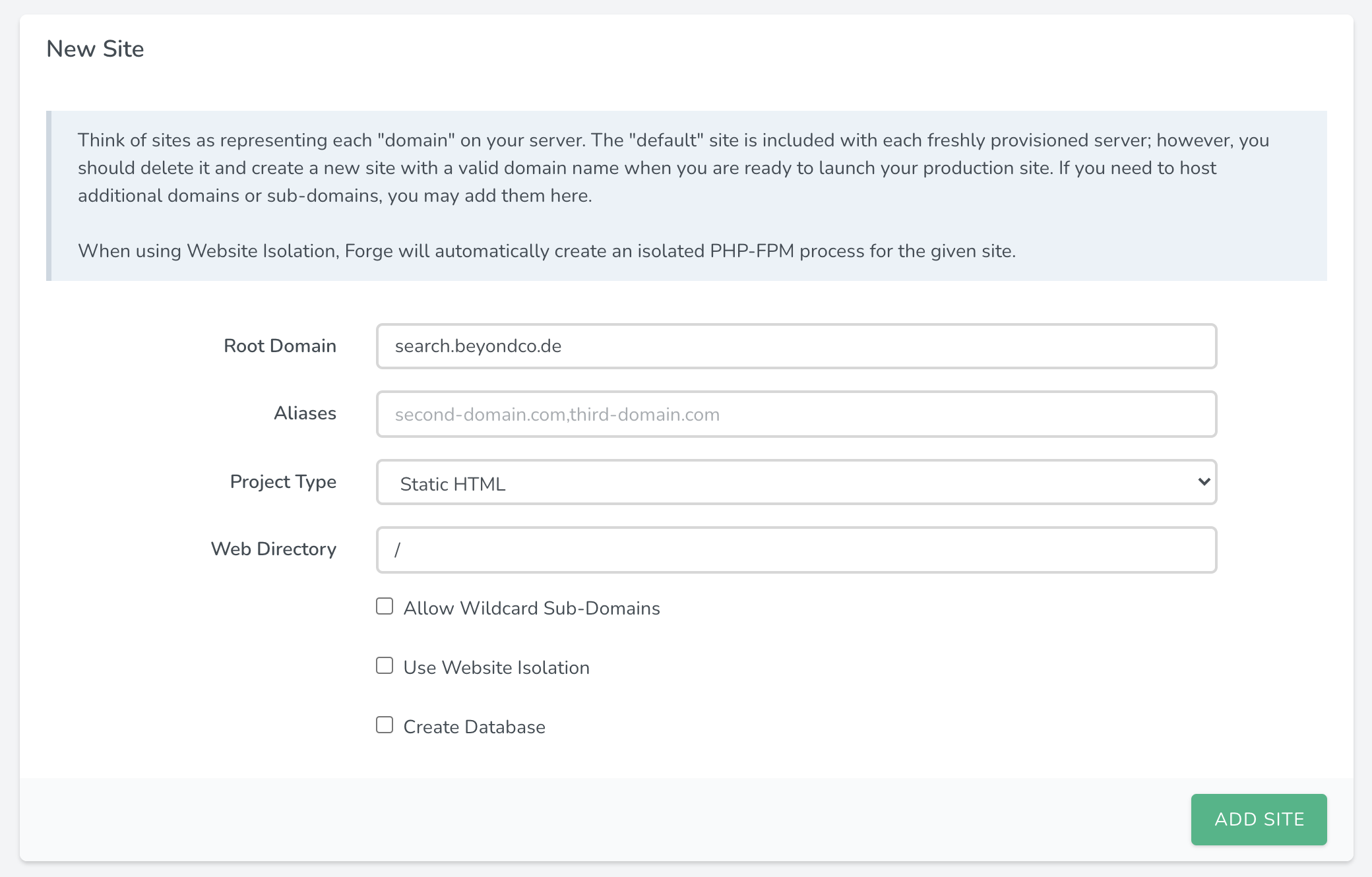
<p>Since all sites on Forge come with LetsEncrypt support out of the box, lets add a new site on our server that we will use as a reverse proxy for MeiliSearch.</p>
<p><img src="https://pociot.dev/storage/47/Screenshot-2021-01-25-at-20.39.52.png" alt="" /></p>
<p>I simply added a new subdomain on one of our servers and chose &quot;Static HTML&quot; as the project type. Since we are not going to deploy any actual code on this site, it doesn't really matter. Next, be sure to point your subdomain's DNS entries to your Forge provisioned server.</p>
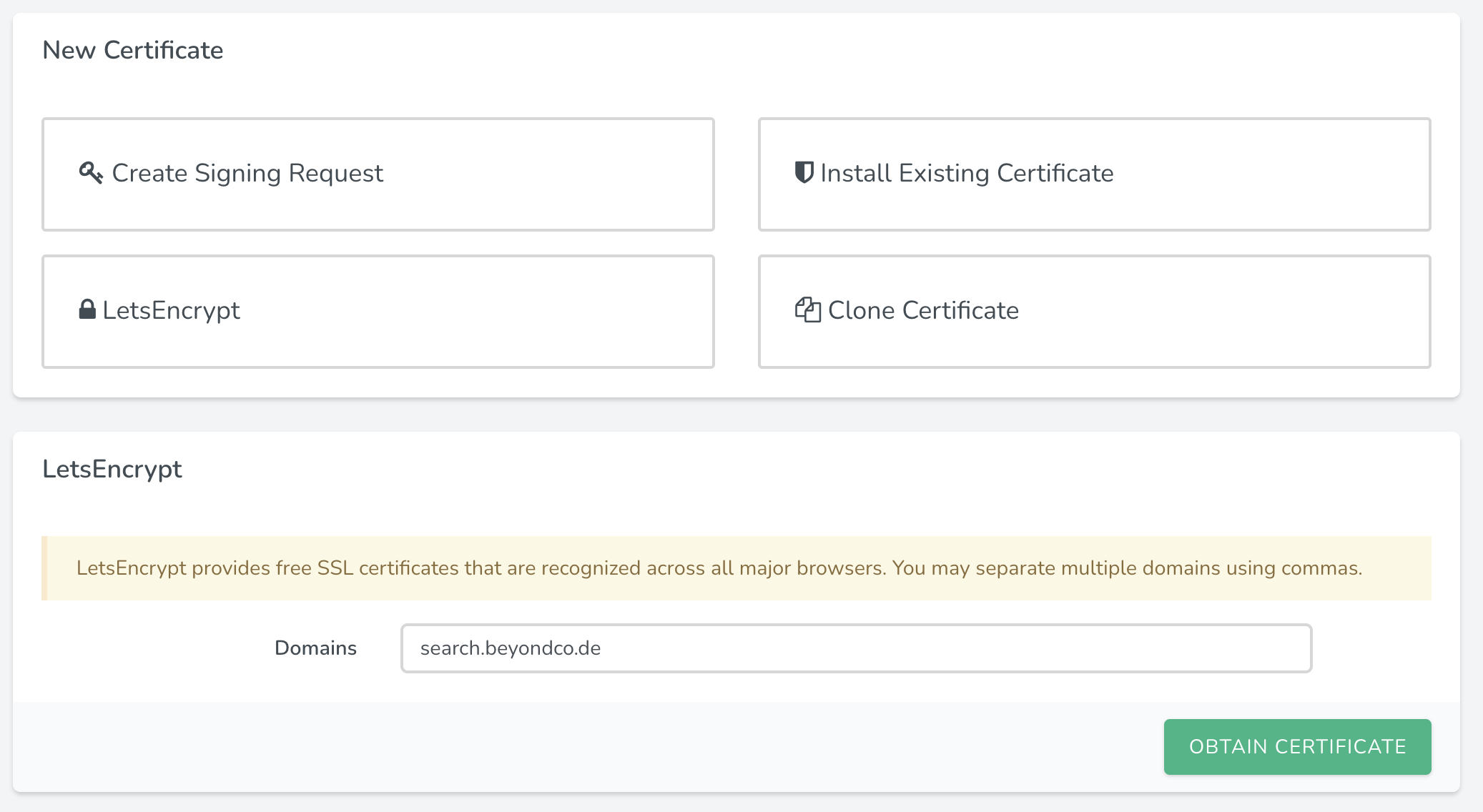
<p>After that is done, we can instruct Forge to obtain an LetsEncrypt certificate for us. The benefit is that Forge is going to take care of renewing our SSL certificate, whenever needed.</p>
<p><img src="https://pociot.dev/storage/48/Screenshot-2021-01-25-at-20.41.16.png" alt="" /></p>
<p>Alright, so now we have a subdomain with SSL - but it does not yet allow us to access our MeiliSearch server. Next, we are going to modify the Nginx configuration for this site and use it as a reverse proxy for our MeiliSearch instance.</p>
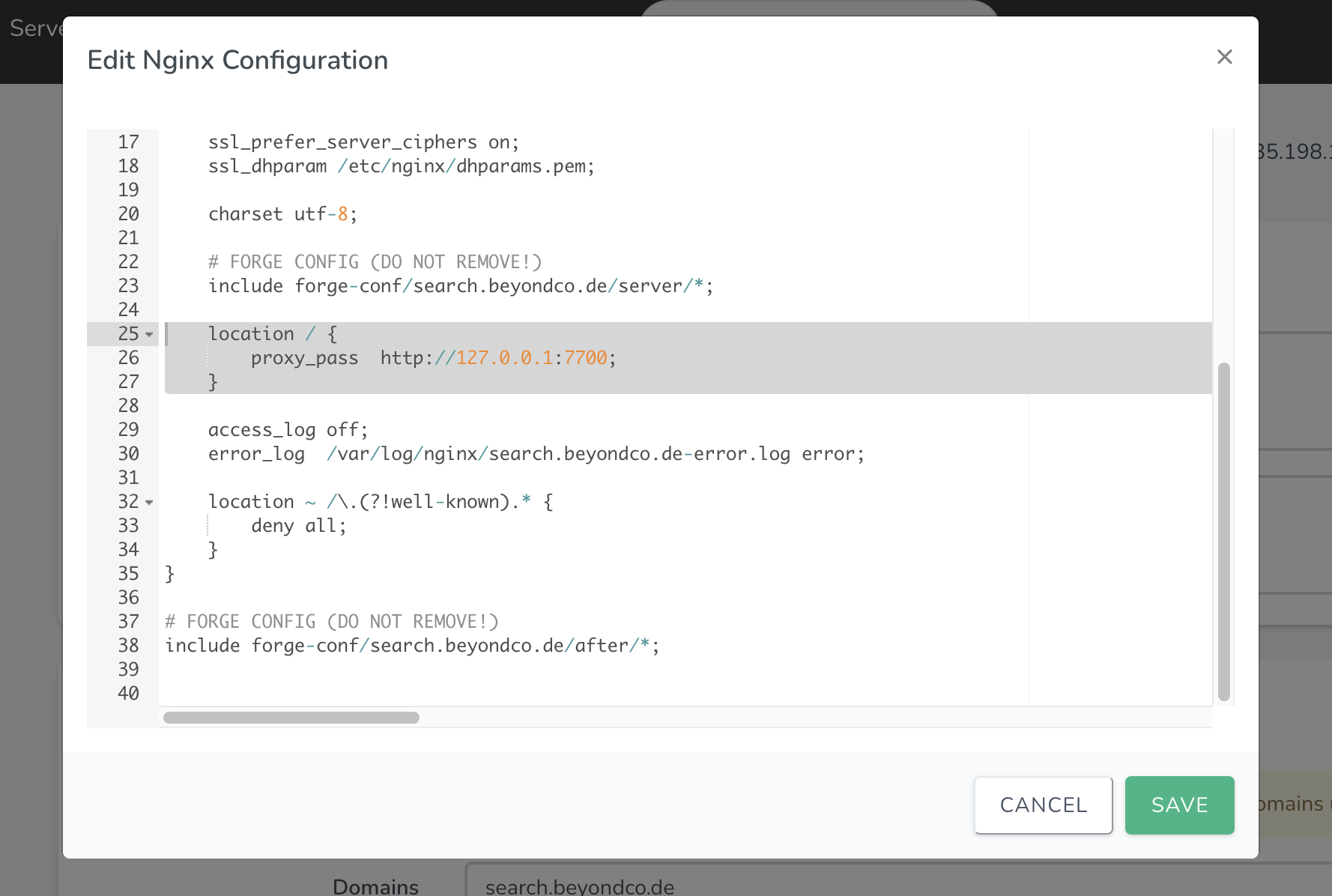
<p>Thankfully, this can all be done in the UI of Forge itself. You can do this by selecting &quot;Files / Edit Nginx configuration&quot;</p>
<p><img src="https://pociot.dev/storage/50/Screenshot-2021-01-25-at-20.43.28.png" alt="" /></p>
<p>In here you should remove everything PHP related, as we do not want to host actual PHP files from our site. But instead we want to add this snippet:</p>
<pre><code class="language- hljs " data-lang="">location / {
    proxy_pass  http://127.0.0.1:7700;
}
</code></pre>
<p>This tells Nginx to pass all traffic to http://127.0.0.1:7700 - which is our MeiliSearch instance.</p>
<p>After you save the Nginx settings, you can ensure that you can access MeiliSearch on your site, by visiting <code>https://your.subdomain.com/instances</code>.</p>
<p>You should see a JSON response similar to this:</p>
<pre><code class="language- hljs " data-lang="">{
	"message": "You must have an authorization token",
	"errorCode": "missing_authorization_header",
	"errorType": "authentication_error",
	"errorLink": "https://docs.meilisearch.com/errors#missing_authorization_header"
}
</code></pre>
<p>Okay - so our server is accessible, but how can we add data to it/search it?</p>
<h2 id="retrieving-our-keys">Retrieving our keys <a href="#retrieving-our-keys" class="permalink">#</a></h2>
<p>In order to either retrieve or store data in our search index, we need a private/public key combination, which we can retrieve using our master key. The one we set up when we started our search server, remember?</p>
<p>You can use something like Postman/Paw, or simply use curl to make this request and see the keys:</p>
<pre><code class="language- hljs " data-lang="">curl \
  -H "X-Meili-API-Key: 123"
  -X GET 'https://your.subdomain.com/keys'
</code></pre>
<p>The response should be something like this:</p>
<pre><code class="language- hljs " data-lang="">{
  "private": "8c222193c4dff5a19689d637416820bc623375f2ad4c31a2e3a76e8f4c70440d",
  "public": "948413b6667024a0704c2023916c21eaf0a13485a586c43e4d2df520852a4fb8"
}
</code></pre>
<h2 id="adding-the-documentation">Adding the documentation <a href="#adding-the-documentation" class="permalink">#</a></h2>
<p>From this point on, you are able to use your MeiliSearch server with the official <a href="https://github.com/meilisearch/meilisearch-laravel-scout">Laravel Scout driver</a>.
In my case, I want to add the content of our documentation sites to MeiliSearch. The content is already online and gets generated from various markdown files. So I could either build some kind of markdown parser myself and then pass the parsed data to MeiliSearch - or use the awesome <a href="https://github.com/meilisearch/docs-scraper">docs-scraper</a> from MeiliSearch.</p>
<p>This is a python script, that allows you to do just that - it scrapes your documentation websites and you provide it a configuration file with the start/stop URLs or a sitemap , as well as some CSS selectors for the different heading levels and texts.</p>
<p>This gets written to a <code>config.json</code> file. In the case of our Beyond Code documentation, it looks like this:</p>
<pre><code class="language- hljs " data-lang="">{
  "index_uid": "docs_websockets",
  "selectors_exclude": ["a.ml-2.text-hulk-50.font-sans"],
  "start_urls": ["https://beyondco.de/docs/laravel-websockets/"],
  "stop_urls": [],
  "selectors": {
    "lvl0": {
      "selector": ".menu.hidden ul:nth-child(1) &gt; li.active &gt; a",
      "global": true
    },
    "lvl1": {
      "selector": ".markdown h1",
      "global": true
    },
    "lvl2": ".markdown h2",
    "lvl3": ".markdown h3",
    "lvl4": ".markdown h4",
    "lvl5": ".markdown h5",
    "lvl6": ".markdown h6",
    "text": ".markdown"
  }
}
</code></pre>
<p>Now when we run the docs scraper, it creates a new index called &quot;docs_websockets&quot; and parses the HTML from <code>https://beyondco.de/docs/laravel-websockets/</code> and follows all of its links within the same root URL.</p>
<p>For me, the easiest way to actually run the scraper was using Docker:</p>
<pre><code class="language- hljs " data-lang="">docker run -t --rm \
    -e MEILISEARCH_HOST_URL=https://your.subdomain.com \
    -e MEILISEARCH_API_KEY=your-private-key \
    -v ABSOLUTE-PATH-TO-YOUR/config.json:/docs-scraper/config.json \
    getmeili/docs-scraper:latest pipenv run ./docs_scraper config.json
</code></pre>
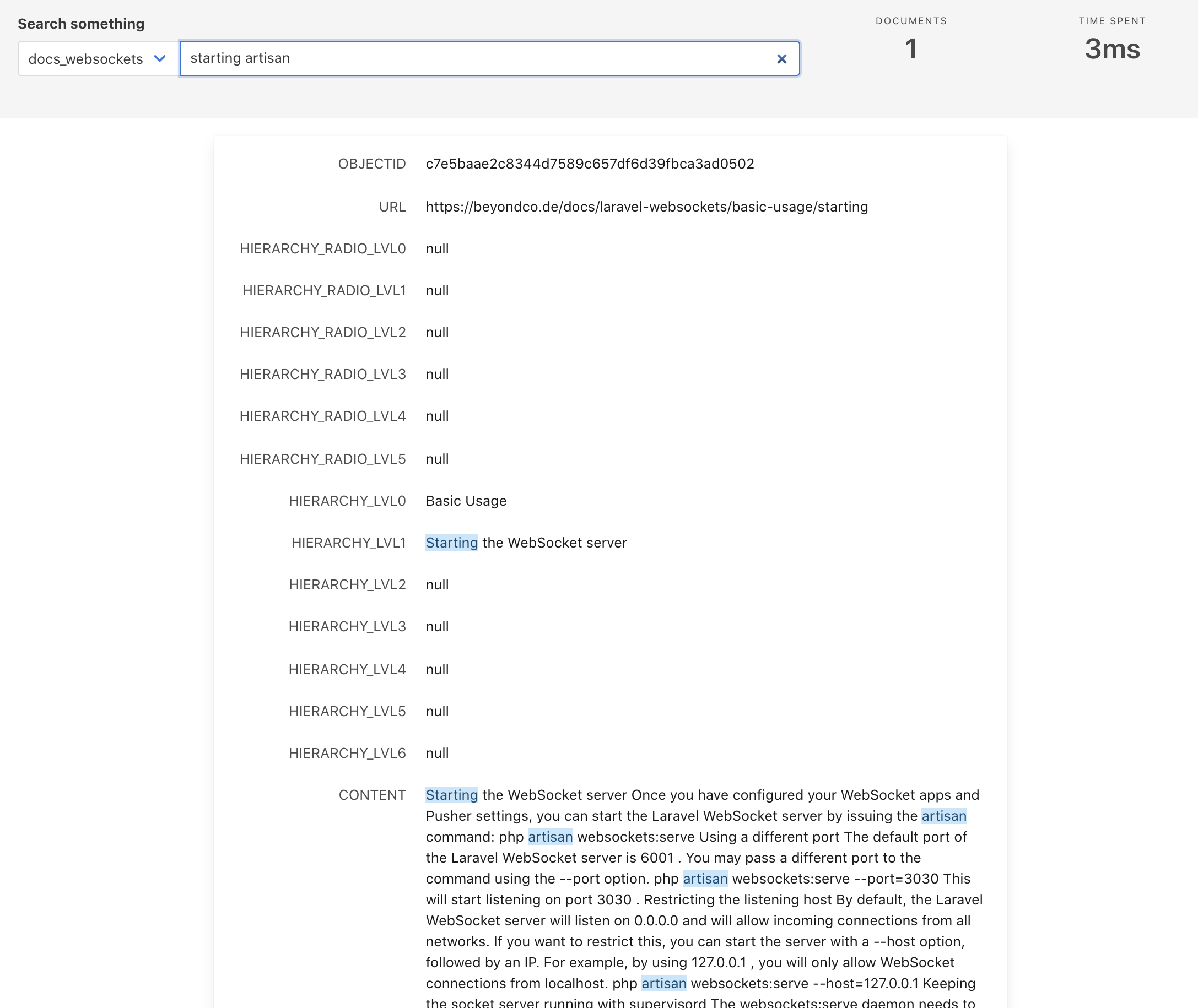
<p>This is a test search result after the first scraping:</p>
<p><img src="https://pociot.dev/storage/51/Screenshot-2021-01-25-at-20.59.27.png" alt="" /></p>
<h2 id="adding-the-frontend">Adding the frontend <a href="#adding-the-frontend" class="permalink">#</a></h2>
<p>This basically was the required backend part of our search server. Now that the documentation is scraped, we can add a frontend component to show the search results as we type.</p>
<p>Luckily, MeiliSearch offers something out-of-the-box as well: <a href="https://github.com/meilisearch/docs-searchbar.js">docs-searchbar.js</a>.</p>
<p>Here's a very simple implementation of the searchbar:</p>
<pre><code class="language- hljs " data-lang="">&lt;!DOCTYPE html&gt;
&lt;html&gt;
  &lt;head&gt;
    &lt;link
      rel="stylesheet"
      href="https://cdn.jsdelivr.net/npm/docs-searchbar.js/dist/cdn/docs-searchbar.min.css"
    /&gt;
  &lt;/head&gt;

  &lt;body&gt; 
    Search: 
    &lt;input type="search" id="search-bar-input" /&gt;
    &lt;script src="https://cdn.jsdelivr.net/npm/docs-searchbar.js/dist/cdn/docs-searchbar.min.js"&gt;&lt;/script&gt;
    
    &lt;script&gt;
      docsSearchBar({
        hostUrl: "https://your.subdomain.com",
        apiKey: "YOUR-PUBLIC-KEY",
        indexUid: "YOUR-SEARCH-INDEX",
        inputSelector: "#search-bar-input",
        debug: true, // Set debug to true if you want to inspect the dropdown
      });
    &lt;/script&gt;
  &lt;/body&gt;
&lt;/html&gt; 
</code></pre>
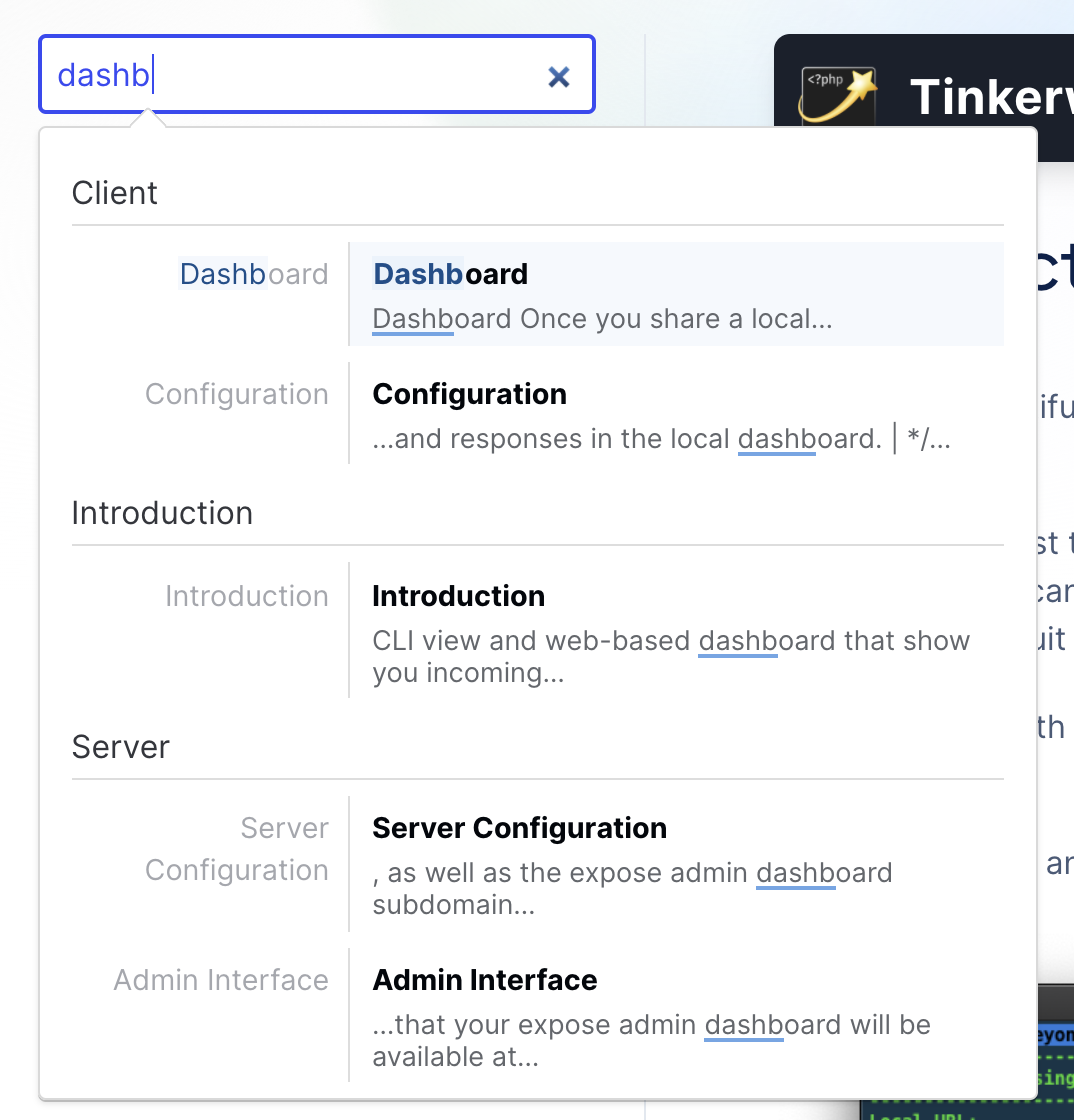
<p>And that's about it. Now we have our own search server up and running behind an Nginx reverse proxy - and our own frontend solution to search and query it. If you want to customize the look and feel of it, check out the <a href="https://github.com/meilisearch/docs-searchbar.js#customization">customization section</a> of docs-searchbar.js.</p>
<p><img src="https://pociot.dev/storage/52/Screenshot-2021-01-25-at-21.42.51.png" alt="" /></p>
<p>You can see the new documentation search in action <a href="https://beyondco.de/docs/expose/introduction">on our website</a>.</p>
]]>
            </summary>
                        <category type="html">
                <![CDATA[]]>
            </category>
            <updated>Mon, 25 Jan 2021 21:47:08 +0100</updated>
        </entry>
            <entry>
            <title><![CDATA[2020 - My year in review]]></title>
            <link rel="alternate" href="https://pociot.dev/34-2020-my-year-in-review" />
            <id>https://pociot.dev/34</id>
            <author>
                <name> <![CDATA[Marcel Pociot]]></name>
            </author>
            <summary type="html">
                <![CDATA[<p>Just like <a href="https://pociot.dev/23-2019-my-year-in-review">last year</a>, I want to write a recap blog post about all the things that happened for me in 2020. I mean there has been the obvious one, which is Corona - but on a personal note, my family and I luckily stayed healthy throughout the year, which I'm very thankful for.</p>
<p>I haven't really touched my Macbook for the last couple of days, which is quite unusual for me, as my biggest hobbie is also my job - but the last couple of days were quite relaxing, so I'm a bit late to the &quot;recap blog post&quot; party.</p>
<!--more-->
<h2 id="public-speaking">Public Speaking <a href="#public-speaking" class="permalink">#</a></h2>
<p>I love public speaking, and since 2019 was a phenomal year with a ton of exciting conferences that I was lucky enough to speak at, 2020 slowed things down quite a lot - mostly because of the Coronavirus of course. But I still spoke at a couple of great conferences this year.</p>
<h3 id="laracon-eu-online">Laracon EU Online <a href="#laracon-eu-online" class="permalink">#</a></h3>
<p>2019 marked the first edition of Laracon EU Madrid - and the overall experience was fantastic. A small venue than the usual Laracon conferences, single tracks, and 30 minute talk slots. So I was really looking forward to meet with the Laravel community in Madrid again this year. Unfortunately this wasn't possible, so instead the conference was held online. I gave a talk about the powerful new Laravel Blade components. You can see the talk on YouTube, if you want:</p>
<iframe width="560" height="315" src="https://www.youtube.com/embed/u_H1aamwmh8?start=122" frameborder="0" allow="accelerometer; autoplay; clipboard-write; encrypted-media; gyroscope; picture-in-picture" allowfullscreen></iframe>
<h3 id="laracon-us">Laracon US <a href="#laracon-us" class="permalink">#</a></h3>
<p>The &quot;main&quot; Laracon, which was held in New York last year, was supposed to take place in Atlanta in 2020. I already booked my hotel, and planned a nice family trip around the conference. We initially wanted to go and fly to New York for a couple of days, where I would then fly to Atlanta for the conference. Once again, this was not possible this year - instead Laracon US got renamed to &quot;Laracon&quot; and became the biggest Laravel online conference. I gave my first ever &quot;soft talk&quot; called &quot;Refactoring to simplicity&quot; - which was a very cool experience for me. I was a bit afraid of how people would react to it, but the feedback has been extreely good.
Just like last years Laracon Online, giving a conference talk to thousands of people watching live, while you are standing in front of your desk in your appartment, is still something that felt very strange. My talk is not yet available to watch for free, but you can watch it at <a href="https://laracon.net/">laracon.net</a>.</p>
<p>And I think that's it already for conferences that I spoke at in 2020. I'll keep my fingers crossed that 2021 will allow us to travel again and meet in person. I really missed that a lot this year. Even though online conferences are great - and allow many more people to watch the talks - meeting with different developers and having a chat is still missing.</p>
<p>Up next, I'm excited to speak at Laracon EU on January 18-20, which will be held online of course. I will give an introductionary talk about ReactPHP.</p>
<h2 id="beyond-code">Beyond Code <a href="#beyond-code" class="permalink">#</a></h2>
<p><a href="https://beyondco.de">Beyond Code</a>, despite all the things happening in 2020, had the most successful year ever. We can't really pin it down to a single product or course, but it's been the mix of great free courses and services that we released this year, as well as some exciting new paid courses and apps.</p>
<h3 id="video-courses">Video Courses <a href="#video-courses" class="permalink">#</a></h3>
<p>Last year, I released the <a href="https://phppackagedevelopment.com">PHP Package Development</a> video course - which as the one big video course that I focused working on. This year, we managed to release not one, but three video courses - two of which are completely free.</p>
<h4 id="a-hrefhttpbeyondcodevideo-courseslearning-reactphplearning-reactphpa"><a href="http://beyondco.de/video-courses/learning-reactphp">Learning ReactPHP</a> <a href="#a-hrefhttpbeyondcodevideo-courseslearning-reactphplearning-reactphpa" class="permalink">#</a></h4>
<p><img src="https://beyondco.de/img/courses/course-reactphp.png" alt="" /></p>
<p>Learning ReactPHP is a completely free 10-part video course about how ReactPHP works and why you should use it. It explains various ReactPHP specific concepts, such as the Event loop, streams, promises and sockets. ReactPHP is the library that powers Laravel WebSockets, as well as Expose.</p>
<h4 id="a-hrefhttpsbeyondcodecoursewhats-new-in-php-8new-featuresunion-typeswhats-new-in-php-8a"><a href="https://beyondco.de/course/whats-new-in-php-8/new-features/union-types">What's new in PHP 8</a> <a href="#a-hrefhttpsbeyondcodecoursewhats-new-in-php-8new-featuresunion-typeswhats-new-in-php-8a" class="permalink">#</a></h4>
<p><img src="https://beyondco.de/img/courses/course-php8.png" alt="" /></p>
<p>As 2020 also marks the release of a new major version of PHP, we released a video course showing you all the new features that were added in PHP 8. Once again, this course is entirely free to watch.</p>
<h4 id="a-hrefhttpsdesktopappswithelectroncomdesktop-apps-with-electrona"><a href="https://desktopappswithelectron.com">Desktop apps with Electron</a> <a href="#a-hrefhttpsdesktopappswithelectroncomdesktop-apps-with-electrona" class="permalink">#</a></h4>
<p><img src="https://beyondco.de/courses/electron.png" alt="" /></p>
<p>Last year, we launched &quot;Tinkerwell&quot; - our first desktop application. Version 1 was written in Swift, but 2.x is now completely rewritten in Electron, which allows us to bring the app to Windows, Linux and MacOS all from one codebase. The video course contains everything that I have learned over the last years about writing successful desktop applications with Electron, using VueJS and Tailwind CSS.</p>
<p>It definitely became a commercial success, and a lot of people already approached me and showed me the great apps that they built after watching my course. So if you are thinking about writing a desktop application with web technologies, you should give it a try.</p>
<h3 id="apps">Apps <a href="#apps" class="permalink">#</a></h3>
<p>2020 definitely marked the year for Beyond Code where we developed a lot of desktop applications for our portfolio.</p>
<h4 id="a-hrefhttpstinkerwellapptinkerwell-2a"><a href="https://tinkerwell.app">Tinkerwell 2</a> <a href="#a-hrefhttpstinkerwellapptinkerwell-2a" class="permalink">#</a></h4>
<p><img src="https://tinkerwell.app/images/tinkerwell_example.gif" alt="" /></p>
<p>As mentioned above, in 2019 we released the first version of Tinkerwell, which quickly became a massive success and improved peoples dev live - which is simply amazing! Because of the demand of having Tinkerwell available on Windows and Linux, I have rewritten the application using Electron. Tinkerwell 2 also allows users to tinker with <strong>any</strong> PHP application - not just Laravel, thanks to the underlying &quot;driver&quot; architecture.
So far, Tinkerwell has out-of-the-box support for every major PHP framework/e-commerce system out there and is the perfect companion app.</p>
<p>Over the course of 2020, we have released a lot of new functionality to Tinkerwell, such as a table mode, Docker support, Laravel Vapor support, and a stand-alone PHPStorm plugin. We still have a lot of ideas for Tinkerwell to improve it for the upcoming year(s).</p>
<p>At the time of writing this blog post, we have sold 5,976 Tinkerwell licenses, which is simply mind-blowing! I still use it <em>every single day</em> myself - which is the best evaluation you can have.</p>
<h4 id="a-hrefhttpsusehelocomheloa"><a href="https://usehelo.com">HELO</a> <a href="#a-hrefhttpsusehelocomheloa" class="permalink">#</a></h4>
<p><img src="https://usehelo.com/screenshots/debug.png" alt="" /></p>
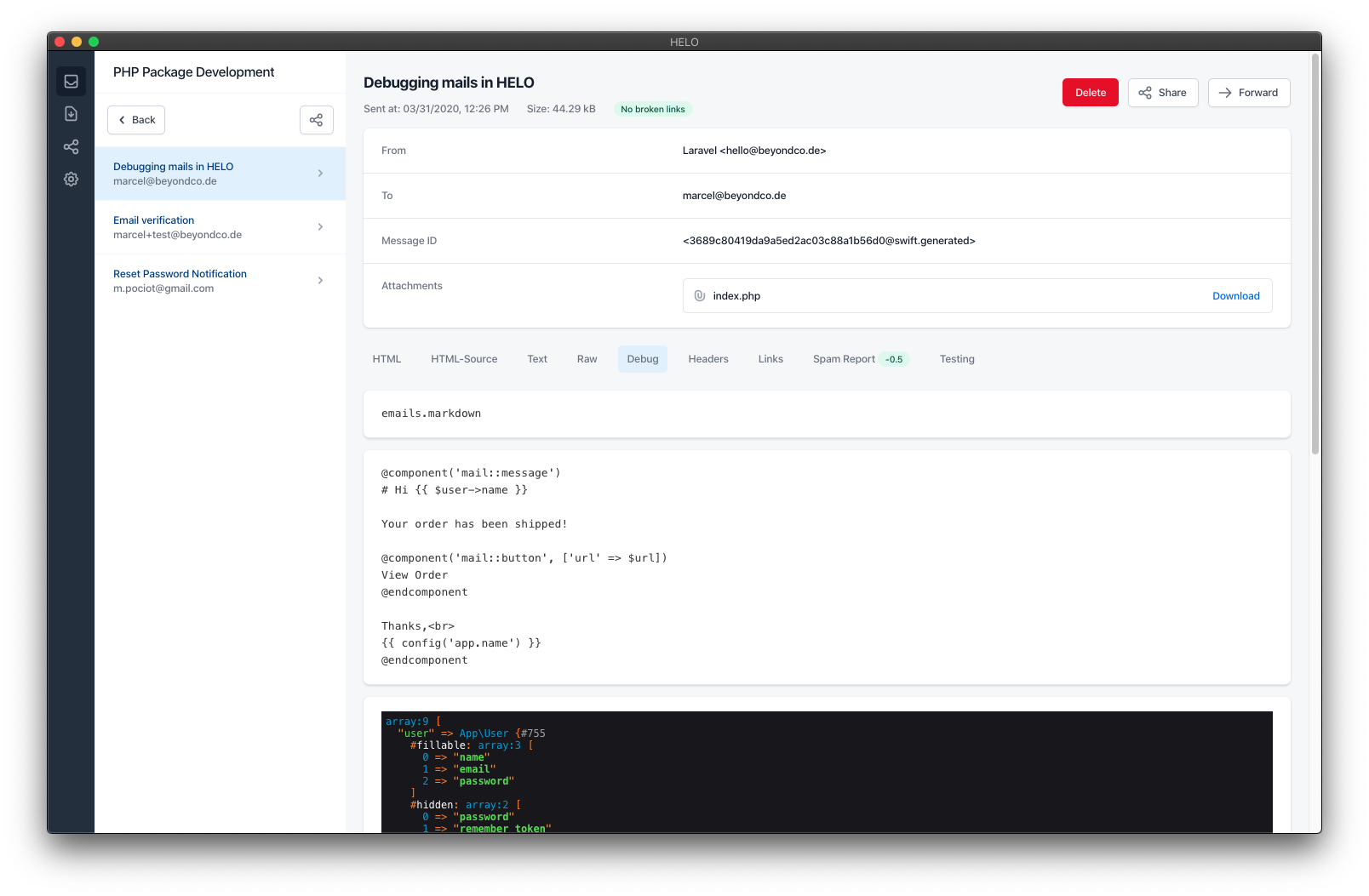
<p>We also released HELO - a desktop application to easily test your local (or even remote) emails. It basically acts as a local email client/server combination. So you can send emails from your PHP/Laravel applications and then see them in HELO, where you can preview the HTML content, check the mail for broken links, or even use a third-party service to test your email on various real email clients (such as Outlook, or mobile clients).</p>
<p>I think HELO is the best and easiest way to work with your local emails. We're happy with the progress that we have made - the application itself is extremely stable and there are almost no support requests coming in. I think that we can still improve the marketing for HELO, but this is something that we want to focus on in 2021.</p>
<h4 id="a-hrefhttpsinvokerdevinvokera"><a href="https://invoker.dev">Invoker</a> <a href="#a-hrefhttpsinvokerdevinvokera" class="permalink">#</a></h4>
<p>Invoker is an extremely exciting application. It allows you to instantly turn any Laravel application into a developer-friendly admin interface - without you having to write a single line of code.
The first version of Invoker was written and released by <a href="https://lepikhin.com/">Boris Lepikhin</a> in 2019.
We acquired Invoker in 2020 and put a lot of time and energy into Invoker 2.0, which we are going to release in January 2021!
This was the first ever acquisition that we made with Beyond Code, and the overall process was extremely pleasant, thanks to Boris.</p>
<p>I can't wait to share Invoker 2 with all of you very soon!</p>
<p>You can read our <a href="https://beyondco.de/news/invoker-acquisition">acquisition announcement</a> on our website.</p>
<h4 id="a-hrefhttpsusewindycomwindya"><a href="https://usewindy.com">Windy</a> <a href="#a-hrefhttpsusewindycomwindya" class="permalink">#</a></h4>
<p>Windy was actually kind of a &quot;surprise product&quot; for us. We were in the middle of polishing Invoker and making everything ready for the release. The idea was to release Invoker in November, together with the Black Friday sale that we had. But during this time, I had the idea of a browser extension that could transform existing DOM elements to HTML with their appropriate Tailwind CSS classes. I started working on a prototype for this, which I got working in ~2 days.</p>
<blockquote class="twitter-tweet"><p lang="en" dir="ltr">Non-Tailwind to Tailwind in 2 seconds ✨ <a href="https://t.co/9TSUjg5yh0">pic.twitter.com/9TSUjg5yh0</a></p>&mdash; Marcel Pociot 🧙‍♂️ (@marcelpociot) <a href="https://twitter.com/marcelpociot/status/1325579304370102274?ref_src=twsrc%5Etfw">November 8, 2020</a></blockquote> <script async src="https://platform.twitter.com/widgets.js" charset="utf-8"></script>
<p>As I had already written a browser extension quite some time ago, the overall process was pretty smooth. We then decided to release Windy as &quot;early access&quot;, and the launch feedback was simply phenomenal. We got more than 700 upvotes on ProductHunt and got a lot of extremely good feedback - even though the extension is still in &quot;early access&quot;. We have since released a couple of bugfix releases, and will bring Safari support, as well as additional new features and performance improvements to Windy next year.</p>
<p>If you haven't heard of Windy before, be sure to check out the <a href="https://usewindy.com">official website</a>, where you can try Windy in your browser.</p>
<h4 id="regexpress">RegExpress <a href="#regexpress" class="permalink">#</a></h4>
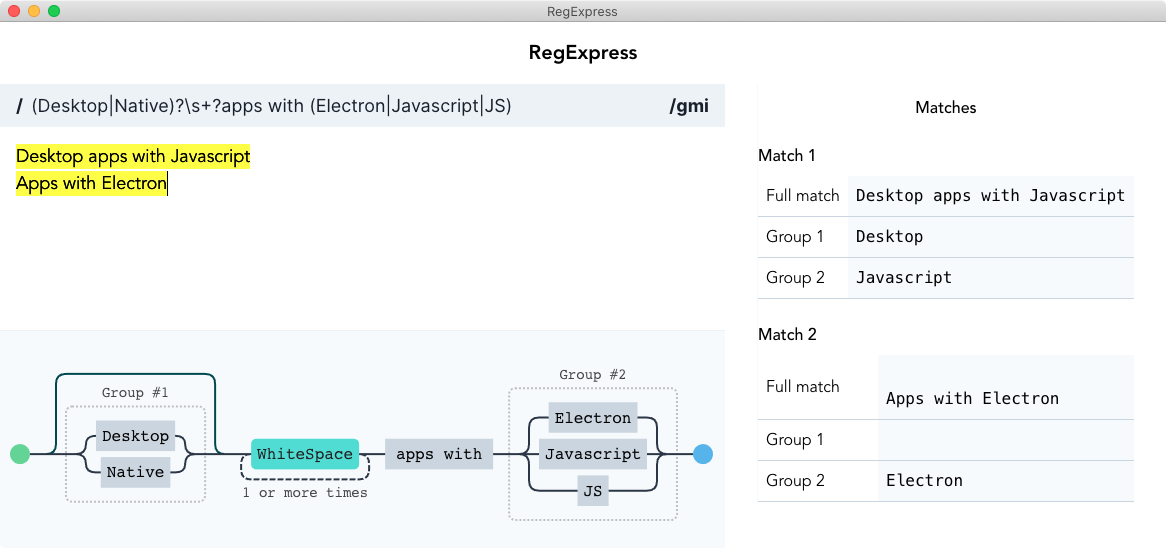
<p>Together with the &quot;Desktop apps with Electron&quot; video course, we also released a free application called &quot;RegExpress&quot;. An app that allows you to visualize your regular expressions.</p>
<p><img src="https://desktopappswithelectron.com/electron/img/regexpress_screenshot.png" alt="" /></p>
<p>This app was a lot of fun to build, as I recorded the whole process for the video course. The application itself is entirely free, and you can get access to it once you sign up for the newsletter on the Desktop apps with electron <a href="https://desktopappswithelectron.com">course website</a>.</p>
<h3 id="services-open-source">Services / Open Source <a href="#services-open-source" class="permalink">#</a></h3>
<p>In addition to those apps, we also released a lot of free services and open source tools this year:</p>
<h4 id="a-hrefhttpsbeyondcodedocsexposeintroductionexposea"><a href="https://beyondco.de/docs/expose/introduction">Expose</a> <a href="#a-hrefhttpsbeyondcodedocsexposeintroductionexposea" class="permalink">#</a></h4>
<p><img src="https://beyondco.de/img/services/expose.png" alt="" /></p>
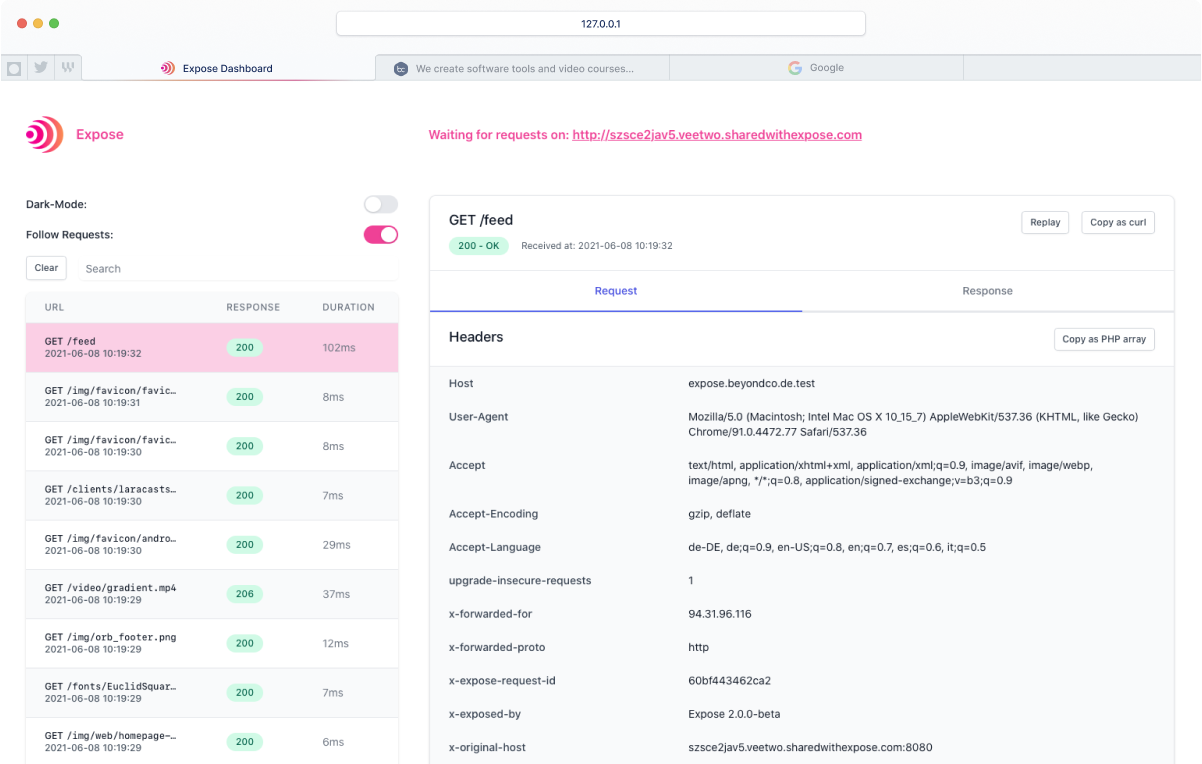
<p>Expose is an entirely open-source tunneling server/client written in PHP. Building Expose was a ton of fun, as this was pretty challenging to make this work in PHP. I have to thank <a href="https://twitter.com/another_clue">Christian Lück</a> and <a href="https://twitter.com/WyriHaximus">Cees-Jan Kiewiet</a> for helping me throughout the entire process.
Since releasing Expose, we have multiple thousand users registered for the free Expose server and have shared thousands of websites - all for free! Here is <a href="https://pociot.dev/28-introducing-expose-an-easy-to-use-tunneling-service-implemented-in-pure-php">my announcement blog post</a>.</p>
<p>Taylor Otwell even uses Expose to offer a free share functionality for Laravel Sail!</p>
<p>Over the course of the year, I have worked quite a lot on version 2 of Expose, which will bring exciting new features such as TCP port sharing, a built-in fileserver, and reserved subdomains.</p>
<h4 id="a-hrefhttpslaravelplaygroundcomlaravel-playgrounda"><a href="https://laravelplayground.com/#/">Laravel Playground</a> <a href="#a-hrefhttpslaravelplaygroundcomlaravel-playgrounda" class="permalink">#</a></h4>
<p><img src="https://beyondco.de/img/services/laravel-playground.png" alt="" /></p>
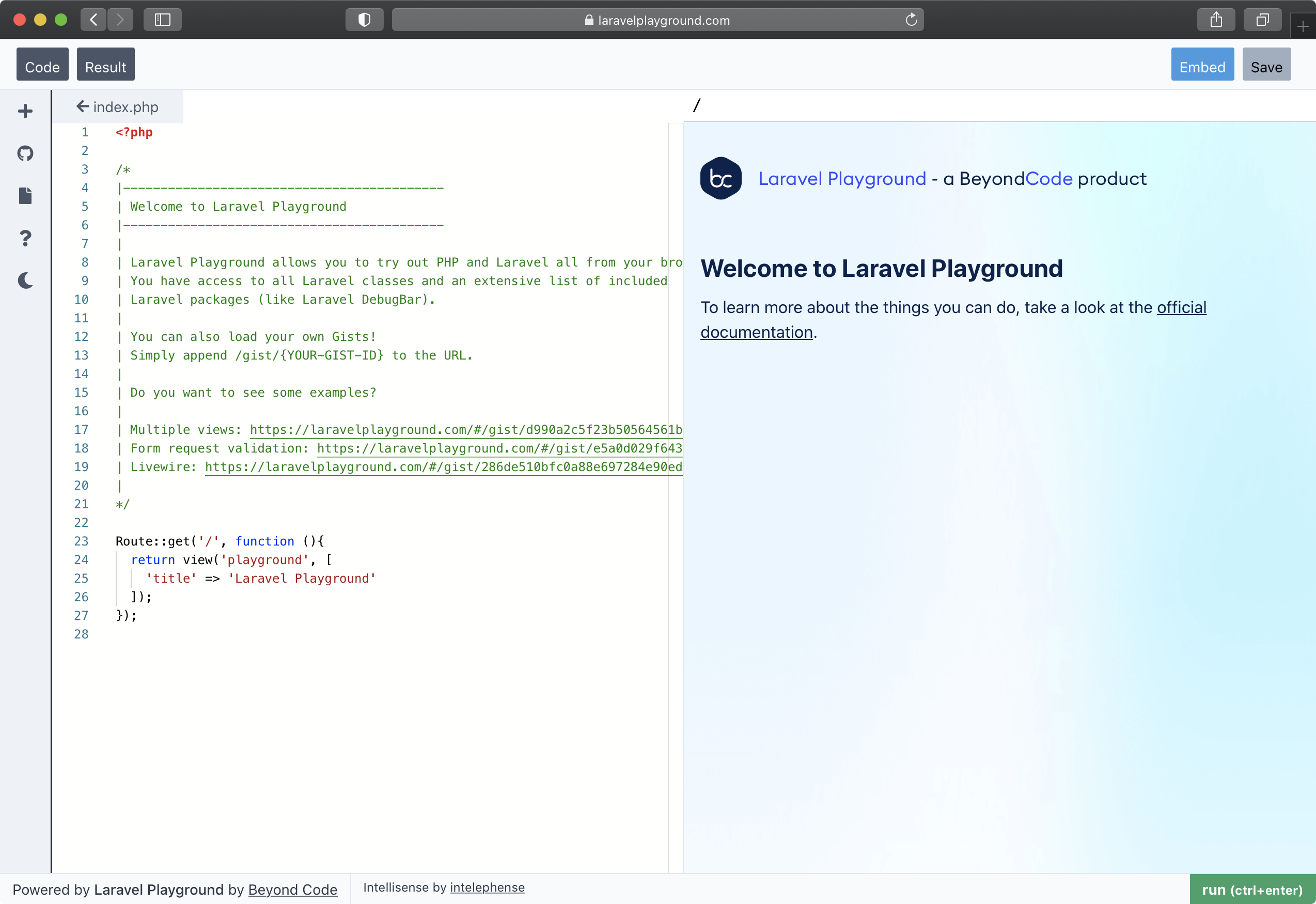
<p>Laravel Playground is a free services that allows you to run Laravel and PHP code online, right from your browser. You can load GitHub gists, or save your own code snippets and even embed them responsively in your own websites or blog posts.</p>
<p>Building this once again was a lot of fun and quite challenging. Laravel Playground itself is hosted using Vercel. I wrote an in-depth blog post introducing Laravel Playground, which you can <a href="https://pociot.dev/29-introducing-laravel-playground">read here</a>.</p>
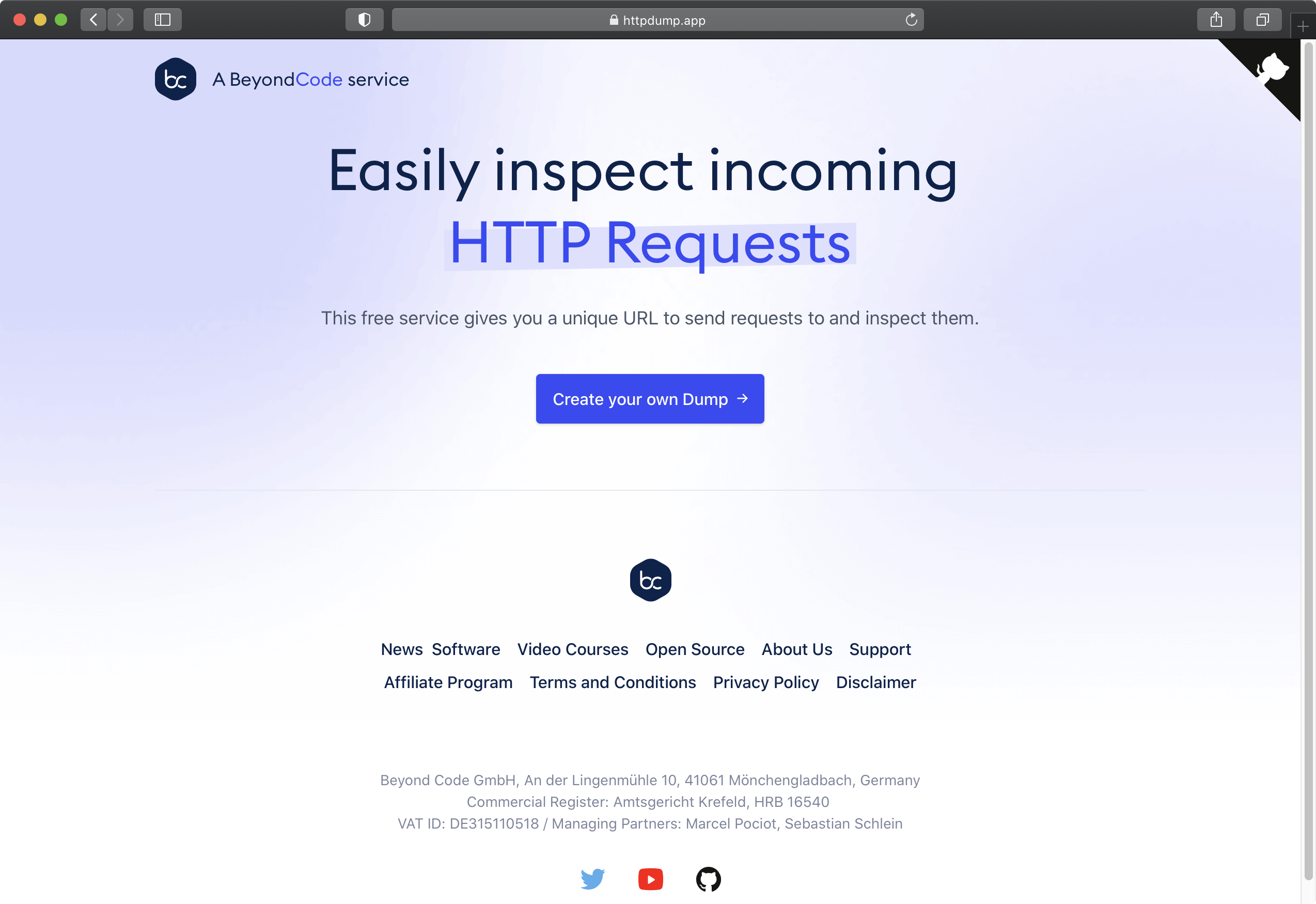
<h4 id="a-hrefhttpshttpdumpapphttp-dumpa"><a href="https://httpdump.app/">HTTP Dump</a> <a href="#a-hrefhttpshttpdumpapphttp-dumpa" class="permalink">#</a></h4>
<p><img src="https://beyondco.de/img/services/httpdump.png" alt="" /></p>
<p>HTTPDump is a completely free and open-source solution that allows you to generate a unique URL where you can send any kind of request to it. You can then inspect and debug the request data. It is written using Laravel and stores the data itself in Redis. If you're interested in the code, check out the <a href="https://github.com/beyondcode/httpdump">GitHub repository</a>.</p>
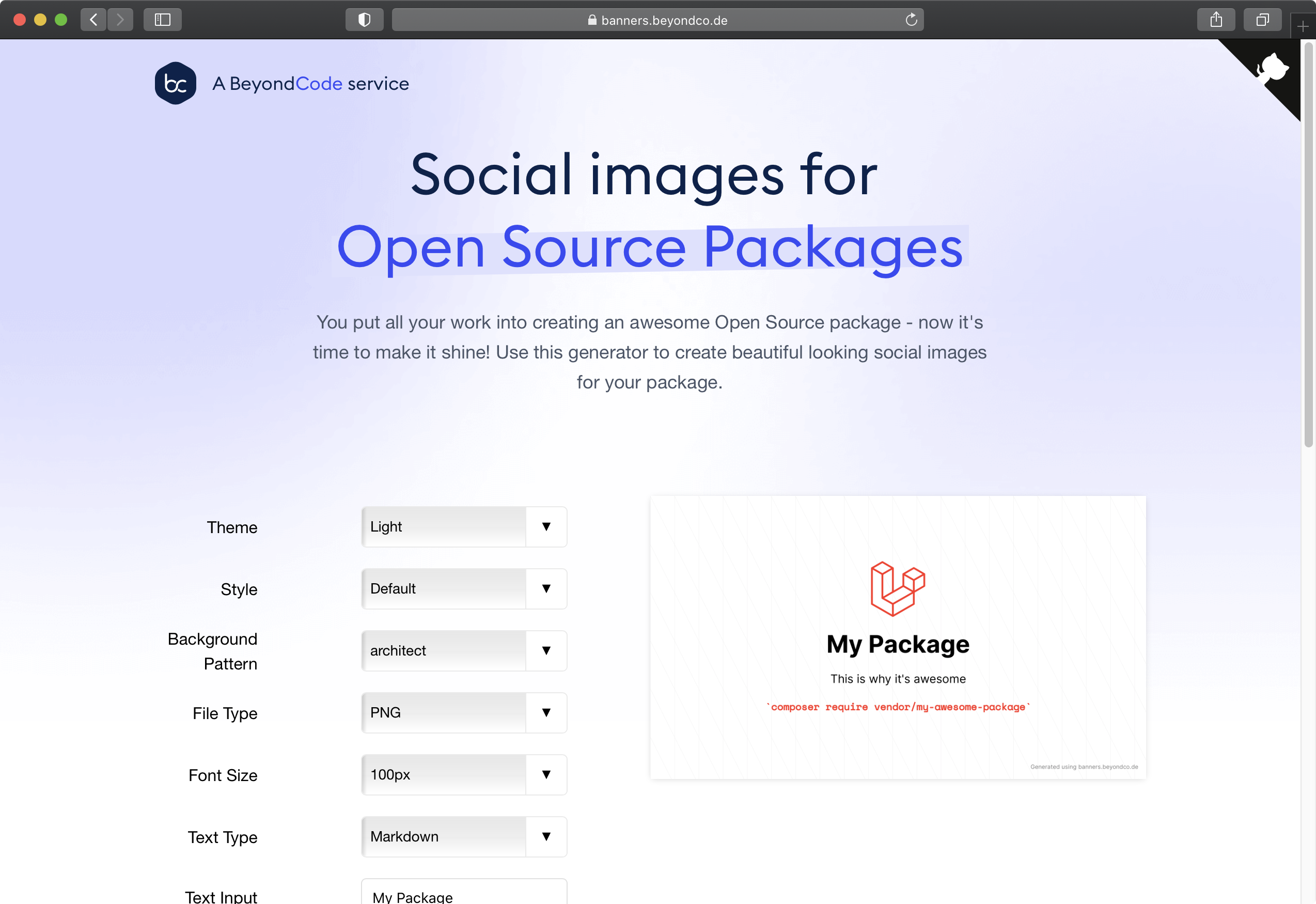
<h4 id="a-hrefhttpsbannersbeyondcodebannersa"><a href="https://banners.beyondco.de">Banners</a> <a href="#a-hrefhttpsbannersbeyondcodebannersa" class="permalink">#</a></h4>
<p><img src="https://beyondco.de/img/services/banners.png" alt="" /></p>
<p>Banners is a free service that allows you to generate social/open-graph images for your open source projects. The app is hosted on Vercel and uses a headless chrome browser to generate those images on-the-fly, which is pretty cool. I wrote about how it works under the hood, in <a href="https://pociot.dev/33-dynamically-generate-open-graph-images">this blog post</a>.</p>
<h3 id="flare">Flare <a href="#flare" class="permalink">#</a></h3>
<p>A big part of my time in 2019 was spent on Flare - a Laravel specific error tracking service that we built together with Spatie. We (Beyond Code) are no longer working on Flare, and it now belongs 100% to Spatie. I'm still very proud of what we achieved with Flare and we wish them all the best with the service.</p>
<h2 id="2021">2021 <a href="#2021" class="permalink">#</a></h2>
<p>I am very much looking forward to 2021 and all the exciting things that we at Beyond Code will achieve next year. I started writing this post thinking &quot;Let's see, I guess it won't be much this year&quot; and man, I was wrong. I couldn't be prouder of what we at Beyond Code achieved this year - especially as we are a two-man company. Sebastian and I are super excited for the next months, as we have a lot of exciting things that we are going to share with you very soon.</p>
<p>If you made it this far, I really hope that 2021 will allow us to meet in person again, at a conference somewhere all around the globe.
Thank you all for using our services and apps, learning together with me in our courses, and sending us the extremely positive feedback that we received.</p>
]]>
            </summary>
                        <category type="html">
                <![CDATA[]]>
            </category>
            <updated>Tue, 29 Dec 2020 11:00:00 +0100</updated>
        </entry>
            <entry>
            <title><![CDATA[Dynamically generate open graph images]]></title>
            <link rel="alternate" href="https://pociot.dev/33-dynamically-generate-open-graph-images" />
            <id>https://pociot.dev/33</id>
            <author>
                <name> <![CDATA[Marcel Pociot]]></name>
            </author>
            <summary type="html">
                <![CDATA[<h1 id="dynamically-generate-open-graph-images">Dynamically generate open graph images <a href="#dynamically-generate-open-graph-images" class="permalink">#</a></h1>
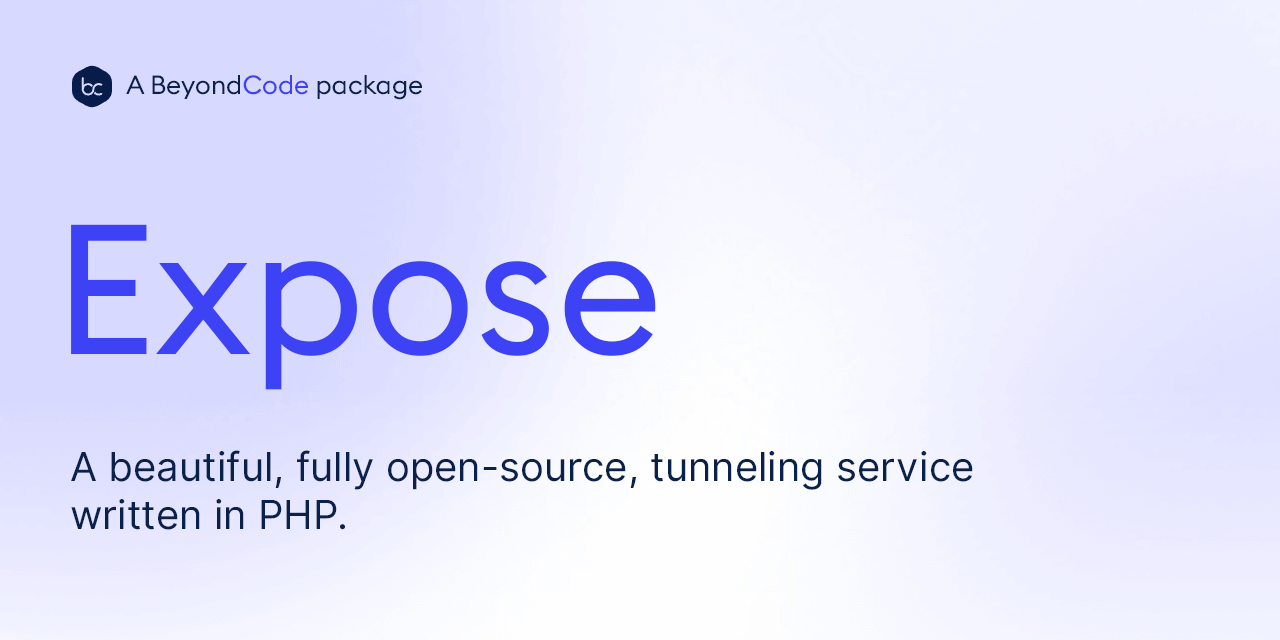
<p>At <a href="https://beyondco.de">Beyond Code</a>, we have a lot of <a href="https://beyondco.de/open-source">open source packages</a>. To make our documentation pages look nicer, when being shared on Twitter, Slack or Facebook, I manually create open graph images, like this one:</p>
<p><img src="https://beyondco.de/img/docs/expose/img/card.png" alt="" /></p>
<!--more-->
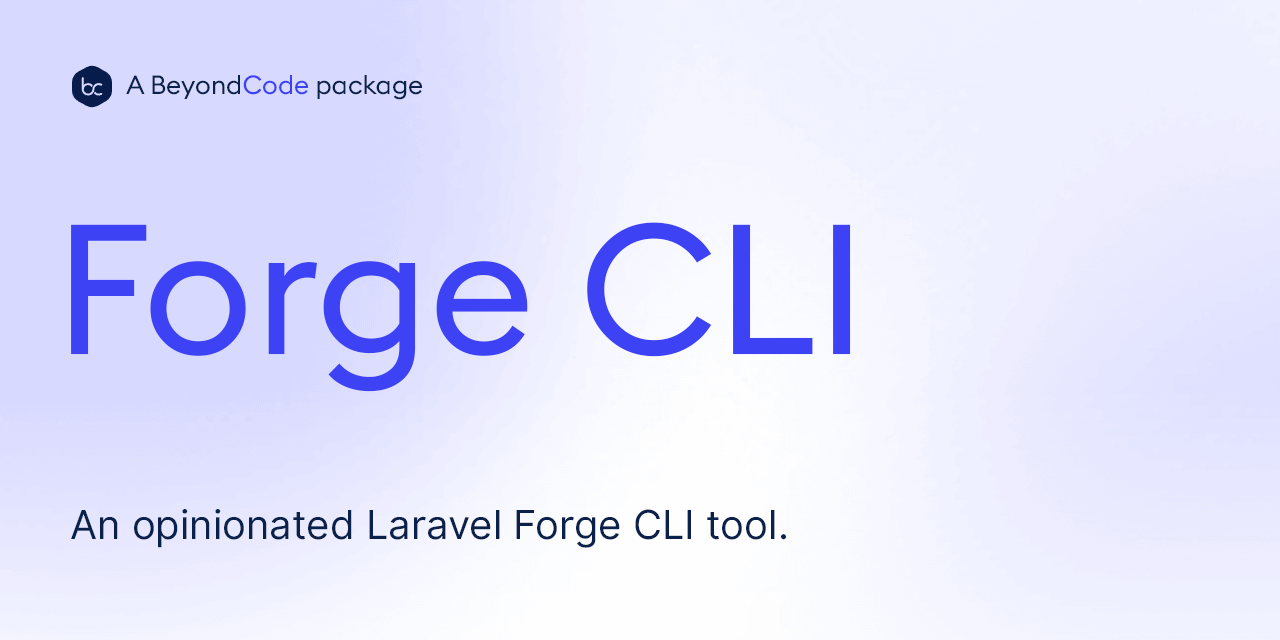
<p>Or this one:</p>
<p><img src="https://beyondco.de/img/docs/forge-cli/img/card.png" alt="" /></p>
<p>And this is quite a time consuming task having to do this manually every time. As every good developer is lazy, I looked around to see how I could generate those images myself.</p>
<h2 id="generate-the-image-yourself-via-php">Generate the image yourself via PHP <a href="#generate-the-image-yourself-via-php" class="permalink">#</a></h2>
<p>One possible option would've been to use a headless chrome (by using something like Puppeteer) on my Laravel Forge provisioned server and handle the image generation myself. While this would work, I don't like this approach for a couple of reasons:</p>
<ul>
<li>It requires me to have chromium installed and running on my Forge server</li>
<li>Dynamically invoking the image generation can quickly eat up a lot of resources</li>
</ul>
<p>I want this service to generate the images on-the-fly. So running software on my own server definitely is a no-go for this.</p>
<h2 id="the-better-approach">The better approach <a href="#the-better-approach" class="permalink">#</a></h2>
<p>The alternative is to make use of serverless ✨ functions for this. Every time a new image URL gets requested, a service could simply run headless chrome, generate the image and cache it forever in case it gets requested again. This way I don't need to deal with resources and caching myself.</p>
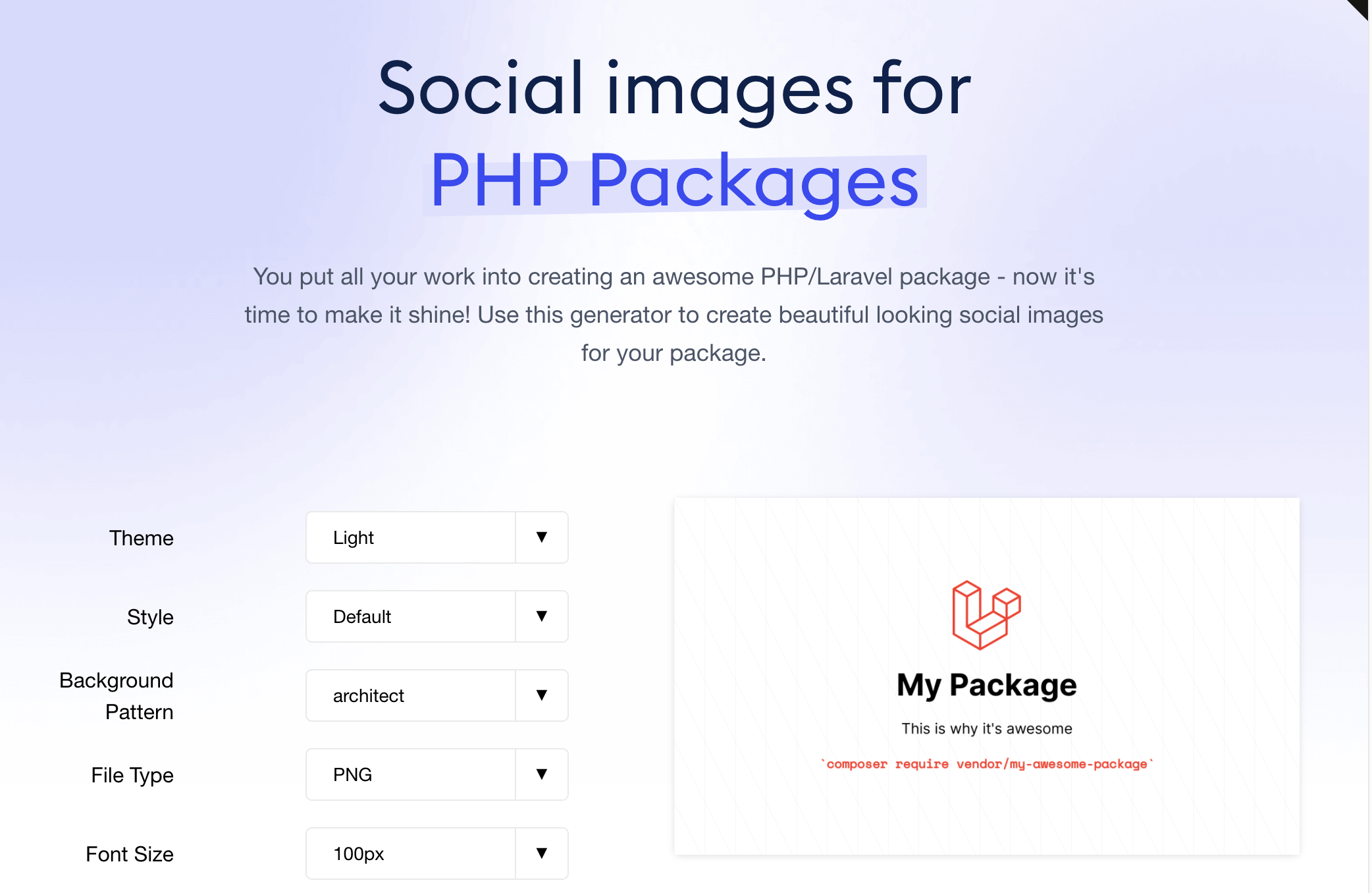
<p>If you are curious about the end result, you can take a look at <a href="https://banners.beyondco.de/">https://banners.beyondco.de</a> - a free service that lets you generate beautiful open graph images for PHP packages.</p>
<p><img src="https://pociot.dev/storage/46/Screenshot-2020-11-03-at-21.21.12.png" alt="" /></p>
<h2 id="how-does-it-work">How does it work <a href="#how-does-it-work" class="permalink">#</a></h2>
<p>To get started, you need to create a free <a href="https://vercel.com">Vercel account</a>. This will allow us to make use of serverless computing and deploy our actual application. Once you have created your account, install the <code>vercel</code> NPM package in order to trigger deployments.
You can either use NPM or Yarn for this:</p>
<pre><code class="language- hljs " data-lang="">yarn global add vercel
npm i -g vercel
</code></pre>
<p>Luckily, Vercel has <a href="https://github.com/vercel/og-image">already created</a> a dynamic open graph image generation service, which we can use as a starting point and modify it to fit our needs.</p>
<p>To deploy and modify this application, you first need to fork and clone it. Press the fork button at the top right of Github on the <a href="https://github.com/vercel/og-image">og-image repository</a>.</p>
<p>After forking it, go ahead and clone your fork into a local folder:</p>
<pre><code class="language- hljs " data-lang="">git clone URL_OF_FORKED_REPO_HERE
</code></pre>
<p>Next, let's change into the directory using <code>cd og-image</code>.</p>
<p>Without making any modifications, lets try and get the project running locally. All you need to do is run:</p>
<pre><code class="language- hljs " data-lang="">yarn
vercel dev
</code></pre>
<p>On your first run, Vercel is configuring the future deployment for you. You can confirm leave everything to the provided defaults.</p>
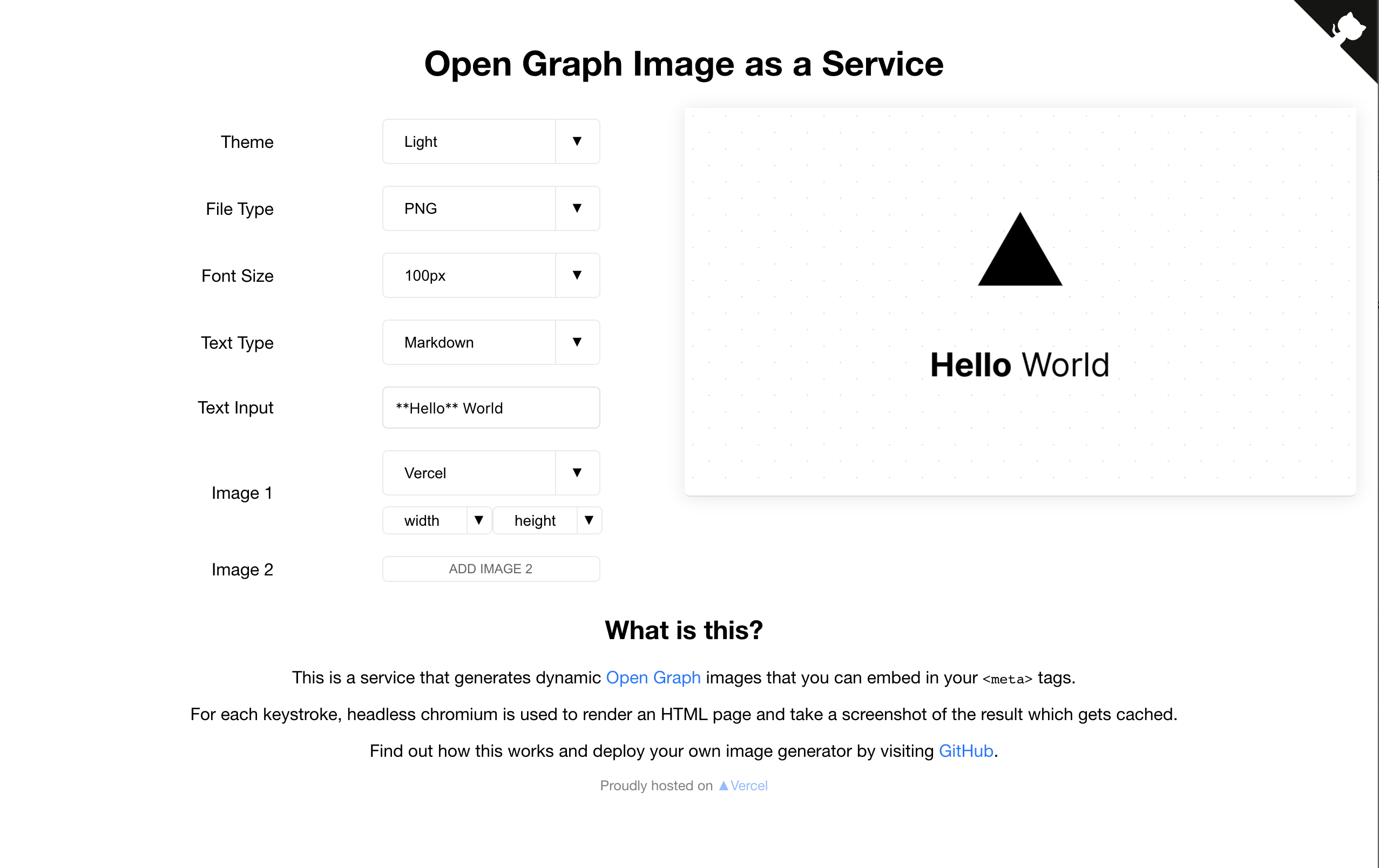
<p>If everything worked correctly, you should be able to access <code>http://localhost:3000</code> and see the service:</p>
<p><img src="https://pociot.dev/storage/45/Screenshot-2020-11-03-at-21.09.51.png" alt="" /></p>
<h2 id="making-changes">Making changes <a href="#making-changes" class="permalink">#</a></h2>
<p>Now that we got <code>vercel dev</code> running, this also takes care of watching our files for changes.
The project itself consists of two main pieces:</p>
<ul>
<li>The frontend, which happens inside the <code>/web/index.ts</code> file. This takes care of rendering the dropdowns and input fields that you see in your browser.</li>
<li>The backend image generator, located at <code>/api/index.ts</code>. This takes care of actually creating a screenshot using chromium and returning it.</li>
</ul>
<p>Without worrying about the frontend, the heart of the generated image is the <code>/api/lib/template.ts</code> file. This file contains the actual HTML code that will be used to generate the image.</p>
<pre><code class="language- hljs " data-lang="">export function getHtml(parsedReq: ParsedRequest) {
    const { text, theme, md, fontSize, images, widths, heights } = parsedReq;
    return `&lt;!DOCTYPE html&gt;
&lt;html&gt;
    &lt;meta charset="utf-8"&gt;
    &lt;title&gt;Generated Image&lt;/title&gt;
    &lt;meta name="viewport" content="width=device-width, initial-scale=1"&gt;
    &lt;style&gt;
        ${getCss(theme, fontSize)}
    &lt;/style&gt;
    &lt;body&gt;
        &lt;div&gt;
            &lt;div class="spacer"&gt;
            &lt;div class="logo-wrapper"&gt;
                ${images.map((img, i) =&gt;
                    getPlusSign(i) + getImage(img, widths[i], heights[i])
                ).join('')}
            &lt;/div&gt;
            &lt;div class="spacer"&gt;
            &lt;div class="heading"&gt;${emojify(
                md ? marked(text) : sanitizeHtml(text)
            )}
            &lt;/div&gt;
        &lt;/div&gt;
    &lt;/body&gt;
&lt;/html&gt;`;
}
</code></pre>
<p>Now you can go ahead and modify the HTML returned from that function, reload your browser and see the changes in the generated image.</p>
<p>You can also speed up the development, by disabling the image generation and instead just return the HTML that gets used for the generation. This way, you do not need to actually invoke Chrome screenshots locally.</p>
<p>To start your app in this mode use:</p>
<pre><code class="language- hljs " data-lang="">export OG_HTML_DEBUG=1 &amp;&amp; vercel dev
</code></pre>
<p>This will set the <code>OG_HTML_DEBUG</code> environment variable and start vercel in development mode. When you now visit <code>http://localhost:3000</code>, you won't see an image generated, as we explicitly skip this step.
Instead, click on the div that would contain the image to copy the URL to your clipboard. You can then visit this page in your browser instead and get the HTML.</p>
<h2 id="deploying-to-vercel">Deploying to Vercel <a href="#deploying-to-vercel" class="permalink">#</a></h2>
<p>Once you have made all the changes that you need, its time to deploy your application to Vercel.
For this, all you have to do is run:</p>
<pre><code class="language- hljs " data-lang="">vercel
</code></pre>
<p>This will deploy your application to the cloud and Vercel will give you a unique URL which you can use to see your image generation service in action.</p>
<h2 id="banners">Banners <a href="#banners" class="permalink">#</a></h2>
<p>As I said, we have released <a href="https://banners.beyondco.de">&quot;Banners&quot;</a> - our own free to use service to generate open graph images for PHP / Laravel packages. It is also based on Vercels <code>og-image</code> repository. Feel free to look around and see how we added custom background patterns, Heroicons and more. The code is <a href="https://github.com/beyondcode/banners">available on GitHub</a>.</p>
]]>
            </summary>
                        <category type="html">
                <![CDATA[]]>
            </category>
            <updated>Tue, 03 Nov 2020 12:00:00 +0100</updated>
        </entry>
            <entry>
            <title><![CDATA[PHP 8 - try out all new features]]></title>
            <link rel="alternate" href="https://pociot.dev/32-php-8-try-out-all-new-features" />
            <id>https://pociot.dev/32</id>
            <author>
                <name> <![CDATA[Marcel Pociot]]></name>
            </author>
            <summary type="html">
                <![CDATA[<h1 id="php-8-try-out-all-new-features">PHP 8 - try out all new features <a href="#php-8-try-out-all-new-features" class="permalink">#</a></h1>
<p>PHP 8 is already in it's release candidate stage, with RC 3 being released on October 29th, and the general availability release targeted for November 26th. So it is time to take a look at all the new and upcoming features of PHP 8. You can take a look at PHP 8's <a href="https://wiki.php.net/todo/php80">release schedule here</a>.</p>
<p><strong>UPDATE: Free video course</strong>
If you're more of a visual learner, check out <a href="https://beyondco.de/video-courses">my entirely free video course</a>, covering all new features in PHP 8.</p>
<p>Every feature that you see in this blogpost comes with an interactive embedded editor, where you can modify the PHP code and evaluate the results yourself.</p>
<p>The official upgrade guide can be found on <a href="https://github.com/php/php-src/blob/PHP-8.0/UPGRADING">GitHub</a>.</p>
<!--more-->
<p>Editing and evaluating the code requires cross-site cookies. If you have those disabled, you can click &quot;Edit on Laravel Playground&quot; to jump into the code examples and edit them.</p>
<h1 id="new-features">New Features <a href="#new-features" class="permalink">#</a></h1>
<h2 id="added-support-for-union-types-a-hrefhttpswikiphpnetrfcunion-types-v2rfca">Added support for union types (<a href="https://wiki.php.net/rfc/union_types_v2">RFC</a>) <a href="#added-support-for-union-types-a-hrefhttpswikiphpnetrfcunion-types-v2rfca" class="permalink">#</a></h2>
<p>A union type accepts values of multiple different types, rather than a single one.</p>
<pre class="laravel-playground" data-theme="light" data-filename="index.php" data-php="8"><pre data-filename="index.php">&lt;?php
declare(strict_types=1);
 
class Number {
    private int|float $number;
 
    public function setNumber(int|float $number): void {
        $this->number = $number;
    }
 
    public function getNumber(): int|float {
        return $this->number;
    }
}

/**
 * We can pass both floats or integer values
 * to the number object. Try passing a string.
 */
$number = new Number();

$number->setNumber(5);

dump($number->getNumber());

$number->setNumber(11.54);

dump($number->getNumber());

exit;
</pre>
</pre>
<h2 id="added-weakmap-a-hrefhttpswikiphpnetrfcweak-mapsrfca">Added WeakMap (<a href="https://wiki.php.net/rfc/weak_maps">RFC</a>) <a href="#added-weakmap-a-hrefhttpswikiphpnetrfcweak-mapsrfca" class="permalink">#</a></h2>
<blockquote>
<p>Weak maps allow creating a map from objects to arbitrary values (similar to SplObjectStorage) without preventing the objects that are used as keys from being garbage collected. If an object key is garbage collected, it will simply be removed from the map.</p>
</blockquote>
<p>This is a very useful new feature, as it allows users to worry even less about leaving memory leaks in their code. While this might not be an issue for most PHP developers, it is certainly something to watch out for when writing long-running processes, for example using ReactPHP. With WeakMaps, references to an object automatically get garbage collected, once the object is no longer available.</p>
<p>If you would do the same thing with an array, you would still have a reference to the object, thus leaking memory.</p>
<pre class="laravel-playground" data-theme="light" data-filename="index.php" data-php="8"><pre data-filename="index.php">&lt;?php
declare(strict_types=1);
 

class FooBar {
    public WeakMap $cache;
    
    public function __construct() {
    	$this->cache = new WeakMap();
    }
 
    public function getSomethingWithCaching(object $obj) {
        return $this->cache[$obj] ??= $this->computeSomethingExpensive($obj);
    }
    
    public function computeSomethingExpensive(object $obj) {
		dump("I got called");
		return rand(1, 100);
    }
}

$cacheObject = new stdClass;

$obj = new FooBar;
// "I got called" only will be printed once
$obj->getSomethingWithCaching($cacheObject);

dump(count($obj->cache));

// When unsetting our object, the WeakMap frees up memory
unset($cacheObject);

dump(count($obj->cache));

exit;
</pre>
</pre>
<h2 id="new-codevalueerrorcode-exception">New <code>ValueError</code> Exception <a href="#new-codevalueerrorcode-exception" class="permalink">#</a></h2>
<p>PHP 8 introduces a new built-in exception class called <code>ValueError</code>. It extends <code>\Exception</code> and PHP throws this exception, every time you pass a value to a function, which has a valid type - but can not be used for the operation. Prior to PHP 8, this would result in a warning.</p>
<p>Here are some examples:</p>
<pre class="laravel-playground" data-theme="light" data-filename="index.php" data-php="8"><pre data-filename="index.php">&lt;?php
declare(strict_types=1);
 
/**
 * We pass an array to array_rand,
 * which is of the correct type. But
 * array_rand expects non-empty arrays.
 *
 * This throws a ValueError exception.
 */
array_rand([], 0);

/**
 * The depth argument for json_decode is a
 * valid integer, but it must be greater than 0
 */
json_decode('{}', true, -1);
</pre>
</pre>
<h2 id="allowing-variadic-argument-when-overriding-functions">Allowing variadic argument when overriding functions <a href="#allowing-variadic-argument-when-overriding-functions" class="permalink">#</a></h2>
<blockquote>
<p>Any number of function parameters may now be replaced by a variadic argument, as long as the types are compatible. For example, the following code is now allowed:</p>
</blockquote>
<pre class="laravel-playground" data-theme="light" data-filename="index.php" data-php="8"><pre data-filename="index.php">&lt;?php
declare(strict_types=1);

class A {
    public function method(int $many, string $parameters, $here) {

    }
}
class B extends A {
    public function method(...$everything) {
        dd($everything);
    }
}

$b = new B();
$b->method('i can be overwritten!');
exit;
</pre>
</pre>
<h2 id="static-return-type-a-hrefhttpswikiphpnetrfcstatic-return-typerfca">Static return type (<a href="https://wiki.php.net/rfc/static_return_type">RFC</a>) <a href="#static-return-type-a-hrefhttpswikiphpnetrfcstatic-return-typerfca" class="permalink">#</a></h2>
<p>The <code>static</code> return type may now be used in PHP 8 to identify that a method returns the class, that this method was actually called on - even if it was inherited (late static binding).</p>
<pre class="laravel-playground" data-theme="light" data-filename="index.php" data-php="8"><pre data-filename="index.php">&lt;?php
declare(strict_types=1);

class Test {
    public function doWhatever(): static {
        // Do whatever.
        return $this;
    }
}

exit;
</pre>
</pre>
<h2 id="class-name-literal-on-object-a-hrefhttpswikiphpnetrfcclass-name-literal-on-objectrfca">Class name literal on object (<a href="https://wiki.php.net/rfc/class_name_literal_on_object">RFC</a>) <a href="#class-name-literal-on-object-a-hrefhttpswikiphpnetrfcclass-name-literal-on-objectrfca" class="permalink">#</a></h2>
<p>It is now possible to fetch the class name of an object using <code>$object::class</code>. The result is the same as <code>get_class($object)</code>.</p>
<pre class="laravel-playground" data-theme="light" data-filename="index.php" data-php="8"><pre data-filename="index.php">&lt;?php
declare(strict_types=1);

auth()->loginUsingId(1);

dump(auth()->user()::class);

// Or with a temporary variable
$user = auth()->user();

dump($user::class);
exit;
</pre>
</pre>
<h2 id="variable-syntax-tweaks-a-hrefhttpswikiphpnetrfcvariable-syntax-tweaksrfca">Variable Syntax Tweaks (<a href="https://wiki.php.net/rfc/variable_syntax_tweaks">RFC</a>) <a href="#variable-syntax-tweaks-a-hrefhttpswikiphpnetrfcvariable-syntax-tweaksrfca" class="permalink">#</a></h2>
<p>New and instanceof can now be used with arbitrary expressions, using <code>new (expression)(...$args)</code> and <code>$obj instanceof (expression)</code>.</p>
<pre class="laravel-playground" data-theme="light" data-filename="index.php" data-php="8"><pre data-filename="index.php">&lt;?php
declare(strict_types=1);

class Foo {}
class Bar {}


$class = new (collect(['Foo', 'Bar'])->random());

dd($class);

exit;
</pre>
</pre>
<h2 id="stringable-interface-a-hrefhttpswikiphpnetrfcstringablerfca">Stringable interface (<a href="https://wiki.php.net/rfc/stringable">RFC</a>) <a href="#stringable-interface-a-hrefhttpswikiphpnetrfcstringablerfca" class="permalink">#</a></h2>
<p>PHP 8 introduces a new <code>Stringable</code> interfaces, which gets automatically added, once a class implements the <code>__toString</code> method. You do not need to explicitly implement this interface.</p>
<pre class="laravel-playground" data-theme="light" data-filename="index.php" data-php="8"><pre data-filename="index.php">&lt;?php
declare(strict_types=1);

class Foo {
    public function __toString() {
        return 'I am a class';
    }
}

$obj = new Foo;
dump($obj instanceof Stringable);

exit;
</pre>
</pre>
<h2 id="traits-can-now-define-abstract-private-methods-a-hrefhttpswikiphpnetrfcabstract-trait-method-validationrfca">Traits can now define abstract private methods (<a href="https://wiki.php.net/rfc/abstract_trait_method_validation">RFC</a>) <a href="#traits-can-now-define-abstract-private-methods-a-hrefhttpswikiphpnetrfcabstract-trait-method-validationrfca" class="permalink">#</a></h2>
<pre class="laravel-playground" data-theme="light" data-filename="index.php" data-php="8"><pre data-filename="index.php">&lt;?php
declare(strict_types=1);


trait MyTrait {
    abstract private function neededByTheTrait(): string;
 
    public function doSomething() {
        return strlen($this->neededByTheTrait());
    }
}
 
class TraitUser {
    use MyTrait;
 
    // This is allowed:
    private function neededByTheTrait(): string { }
 
    // This is forbidden (incorrect return type)
    // private function neededByTheTrait(): stdClass { }
 
    // This is forbidden (non-static changed to static)
    // private static function neededByTheTrait(): string { }
}

exit;
</pre>
</pre>
<h2 id="codethrowcode-can-now-be-used-as-an-expression-a-hrefhttpswikiphpnetrfcthrow-expressionrfca"><code>throw</code> can now be used as an expression (<a href="https://wiki.php.net/rfc/throw_expression">RFC</a>) <a href="#codethrowcode-can-now-be-used-as-an-expression-a-hrefhttpswikiphpnetrfcthrow-expressionrfca" class="permalink">#</a></h2>
<p>The <code>throw</code> statement can now be used in places where only expressions are allowed, like arrow functions, the coalesce operator and the ternary/elvis operator.</p>
<pre class="laravel-playground" data-theme="light" data-filename="index.php" data-php="8"><pre data-filename="index.php">&lt;?php
declare(strict_types=1);

$callable = fn() => throw new Exception();

$nullableValue = null;

// $value is non-nullable.
$value = $nullableValue ?? throw new \InvalidArgumentException();


exit;
</pre>
</pre>
<h2 id="an-optional-trailing-comma-is-now-allowed-in-parameter-lists-a-hrefhttpswikiphpnetrfctrailing-comma-in-parameter-listrfca">An optional trailing comma is now allowed in parameter lists (<a href="https://wiki.php.net/rfc/trailing_comma_in_parameter_list">RFC</a>) <a href="#an-optional-trailing-comma-is-now-allowed-in-parameter-lists-a-hrefhttpswikiphpnetrfctrailing-comma-in-parameter-listrfca" class="permalink">#</a></h2>
<p>Similar to the trailing comma in arrays, you can now define a trailing comma in a parameter list.</p>
<pre class="laravel-playground" data-theme="light" data-filename="index.php" data-php="8"><pre data-filename="index.php">&lt;?php
declare(strict_types=1);

function method_with_many_arguments(
    $a, 
    $b,
    $c,
    $d,
) {
	dump("this is valid syntax");
}

method_with_many_arguments(
    1,
    2,
    3,
    4,
);

exit;
</pre>
</pre>
<h2 id="catching-exceptions-without-storing-in-a-variable-a-hrefhttpswikiphpnetrfcnon-capturing-catchesrfca">Catching exceptions without storing in a variable (<a href="https://wiki.php.net/rfc/non-capturing_catches">RFC</a>) <a href="#catching-exceptions-without-storing-in-a-variable-a-hrefhttpswikiphpnetrfcnon-capturing-catchesrfca" class="permalink">#</a></h2>
<p>It is now possible to write <code>catch (Exception)</code> to catch an exception without storing it in a variable.</p>
<pre class="laravel-playground" data-theme="light" data-filename="index.php" data-php="8"><pre data-filename="index.php">&lt;?php
declare(strict_types=1);

$nullableValue = null;

try {
	$value = $nullableValue ?? throw new \InvalidArgumentException();
} catch (\InvalidArgumentException) {
	dump("Something went wrong");
}


exit;
</pre>
</pre>
<h2 id="added-support-for-codemixedcode-type-a-hrefhttpswikiphpnetrfcmixed-type-v2rfca">Added support for <code>mixed</code> type (<a href="https://wiki.php.net/rfc/mixed_type_v2">RFC</a>) <a href="#added-support-for-codemixedcode-type-a-hrefhttpswikiphpnetrfcmixed-type-v2rfca" class="permalink">#</a></h2>
<p>PHP 8 introduces a new type called <code>mixed</code> that you can use. A type of mixed would be equivalent to array|bool|callable|int|float|null|object|resource|string.</p>
<pre class="laravel-playground" data-theme="light" data-filename="index.php" data-php="8"><pre data-filename="index.php">&lt;?php
declare(strict_types=1);

function debug_function(mixed ...$data) {
	dump($data);
}

debug_function(1, 'string', []);

exit;
</pre>
</pre>
<h2 id="added-support-for-attributes">Added support for Attributes <a href="#added-support-for-attributes" class="permalink">#</a></h2>
<p>PHP 8's attributes actually consist of a number of RFCs:</p>
<ul>
<li>RFC: <a href="https://wiki.php.net/rfc/attributes_v2">https://wiki.php.net/rfc/attributes_v2</a>
</li>
<li>RFC: <a href="https://wiki.php.net/rfc/attribute_amendments">https://wiki.php.net/rfc/attribute_amendments</a>
</li>
<li>RFC: <a href="https://wiki.php.net/rfc/shorter_attribute_syntax">https://wiki.php.net/rfc/shorter_attribute_syntax</a>
</li>
<li>RFC: <a href="https://wiki.php.net/rfc/shorter_attribute_syntax_change">https://wiki.php.net/rfc/shorter_attribute_syntax_change</a>
</li>
</ul>
<p>Attributes are definitely one of the biggest changes in PHP 8, and they can be a bit tricky to understand at first. In short, attributes allow you to add meta-data to PHP functions, parameters, classes, etc.
This meta-data can then be retrieved programatically - whereas in PHP 7 and lower, you would need to parse doclocks, attributes allow you to access this information deeply integrated into PHP itself.</p>
<p>To make this a bit clearer, lets say that you want to allow users to add a middleware to a controller class/method by using an attribute.</p>
<pre class="laravel-playground" data-theme="light" data-filename="index.php" data-php="8"><pre data-filename="index.php">&lt;?php
declare(strict_types=1);
// First, we need to define the attribute. An Attribute itself is just a plain PHP class, that is annotated as an Attribute itself.

#[Attribute]
class ApplyMiddleware
{
    public array $middlware = [];

    public function __construct(...$middleware) {
        $this->middleware = $middleware;
    }
}

// This adds the attribute to the MyController class, with the "auth" middleware as an argument.

#[ApplyMiddleware('auth')]
class MyController
{
    public function index() {}
}

// We can then retrieve all ApplyMiddleware attributes on our class using reflection
// And read the given middleware arguments.

$reflectionClass = new ReflectionClass(MyController::class);

$attributes = $reflectionClass->getAttributes(ApplyMiddleware::class);

foreach ($attributes as $attribute) {
    $middlewareAttribute = $attribute->newInstance();
    dump($middlewareAttribute->middleware);
}

exit;
</pre>
</pre>
<h2 id="added-support-for-constructor-property-promotion-a-hrefhttpswikiphpnetrfcconstructor-promotionrfca">Added support for constructor property promotion (<a href="https://wiki.php.net/rfc/constructor_promotion">RFC</a>) <a href="#added-support-for-constructor-property-promotion-a-hrefhttpswikiphpnetrfcconstructor-promotionrfca" class="permalink">#</a></h2>
<p>This RFC proposes to introduce a short hand syntax, which allows combining the definition of properties and the constructor:</p>
<pre class="laravel-playground" data-theme="light" data-filename="index.php" data-php="8"><pre data-filename="index.php">&lt;?php
declare(strict_types=1);

class User {
    public function __construct(
        public int $id,
        public string $name,
    ) {}
}

$user = new User(1, 'Marcel');

dump($user->id);
dump($user->name);

exit;
</pre>
</pre>
<h2 id="added-support-for-codematchcode-expression-a-hrefhttpswikiphpnetrfcmatch-expression-v2rfca">Added support for <code>match</code> expression. (<a href="https://wiki.php.net/rfc/match_expression_v2">RFC</a>) <a href="#added-support-for-codematchcode-expression-a-hrefhttpswikiphpnetrfcmatch-expression-v2rfca" class="permalink">#</a></h2>
<p>This RFC proposes adding a new match expression that is similar to switch but with safer semantics and the ability to return values.</p>
<pre class="laravel-playground" data-theme="light" data-filename="index.php" data-php="8"><pre data-filename="index.php">&lt;?php
declare(strict_types=1);

echo match (1) {
    0 => 'Foo',
    1 => 'Bar',
    2 => 'Baz',
};

exit;
</pre>
</pre>
<h2 id="added-support-for-nullsafe-operator-code-gtcode-a-hrefhttpswikiphpnetrfcnullsafe-operatorrfca">Added support for nullsafe operator (<code>?-&gt;</code>) (<a href="https://wiki.php.net/rfc/nullsafe_operator">RFC</a>) <a href="#added-support-for-nullsafe-operator-code-gtcode-a-hrefhttpswikiphpnetrfcnullsafe-operatorrfca" class="permalink">#</a></h2>
<blockquote>
<p>When the left hand side of the operator evaluates to null the execution of the entire chain will stop and evalute to null. When it is not null it will behave exactly like the normal -&gt; operator.</p>
</blockquote>
<pre class="laravel-playground" data-theme="light" data-filename="index.php" data-php="8"><pre data-filename="index.php">&lt;?php
declare(strict_types=1);

class User {
	public function getAddress() {}
}

$user = new User();

$country = $user?->getAddress()?->country?->iso_code;

dump($country);

exit;
</pre>
</pre>
<h2 id="added-support-for-named-arguments-a-hrefhttpswikiphpnetrfcnamed-paramsrfca">Added support for named arguments (<a href="https://wiki.php.net/rfc/named_params">RFC</a>) <a href="#added-support-for-named-arguments-a-hrefhttpswikiphpnetrfcnamed-paramsrfca" class="permalink">#</a></h2>
<blockquote>
<p>Named arguments allow passing arguments to a function based on the parameter name, rather than the parameter position. This makes the meaning of the argument self-documenting, makes the arguments order-independent, and allows skipping default values arbitrarily.</p>
</blockquote>
<pre class="laravel-playground" data-theme="light" data-filename="index.php" data-php="8"><pre data-filename="index.php">&lt;?php
declare(strict_types=1);

array_fill(start_index: 0, num: 100, value: 50);

exit;
</pre>
</pre>
<script type="text/javascript" src="https://embed.laravelplayground.com"></script>
]]>
            </summary>
                        <category type="html">
                <![CDATA[]]>
            </category>
            <updated>Mon, 26 Oct 2020 12:00:00 +0100</updated>
        </entry>
            <entry>
            <title><![CDATA[Announcing Forge CLI]]></title>
            <link rel="alternate" href="https://pociot.dev/31-announcing-forge-cli" />
            <id>https://pociot.dev/31</id>
            <author>
                <name> <![CDATA[Marcel Pociot]]></name>
            </author>
            <summary type="html">
                <![CDATA[<h1 id="announcing-forge-cli">Announcing Forge CLI <a href="#announcing-forge-cli" class="permalink">#</a></h1>
<p><img src="https://beyondco.de/img/docs/forge-cli/img/deploy.png" alt="" /></p>
<p>Today I'm happy to tag version 1.0 of <a href="https://beyondco.de/docs/forge-cli/introduction">Forge CLI</a> - our latest open source package.</p>
<p>Now you might wonder: Forge CLI? Isn't that one of the <a href="https://github.com/svenluijten/forge-cli">many</a>, <a href="https://github.com/bramdevries/forge-cli">many</a> <a href="https://github.com/adamgoose/forge-cli">available</a> Laravel Forge CLI tools? Why do we need another one?</p>
<p>So, yeah - Forge CLI is a CLI tool to interact with your Laravel Forge provisioned server and site. But it works different compared with all the other available tools out there. Let me show you what I mean.</p>
<!--more-->
<h2 id="installation">Installation <a href="#installation" class="permalink">#</a></h2>
<p>You can install Forge CLI by requiring it as a global composer dependency:</p>
<pre><code class="language- hljs " data-lang="">composer global require beyondcode/forge-cli
</code></pre>
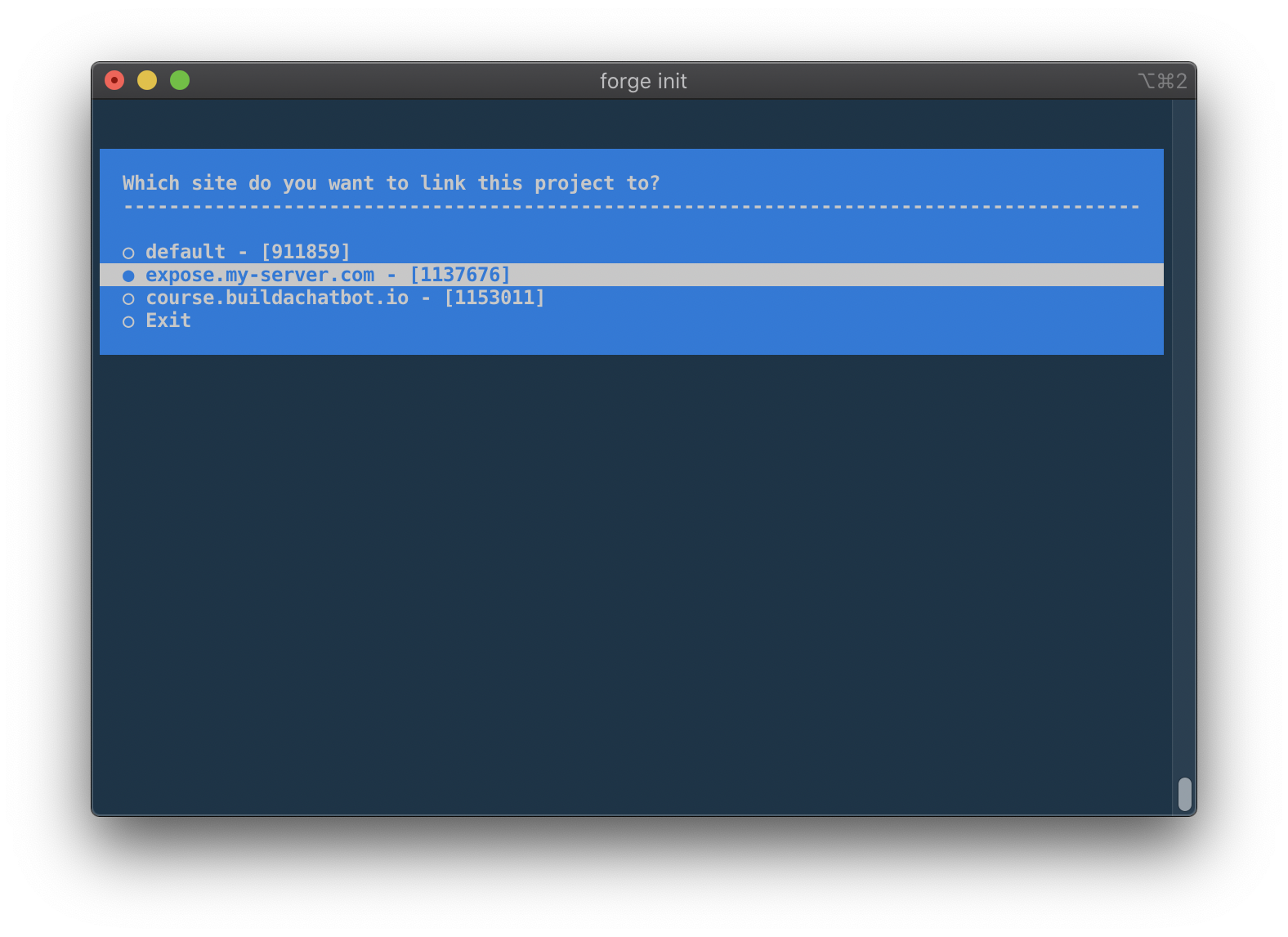
<p>After installing Forge CLI, you can link your local Laravel/PHP projects with existing sites on Laravel Forge:</p>
<p><img src="https://beyondco.de/img/docs/forge-cli/img/init_sites.png" alt="" /></p>
<p>After linking your site with Laravel Forge, the CLI tool will create a file called <code>forge.yml</code> for you. And this is the cool part about Forge CLI.</p>
<p>This YML file contains the site/server configuration that you have on Forge. It gives you the current deployment script, configured daemons, or configured webhooks.</p>
<p>And this makes it great to store this file in your git repository and have a representation of when a part of your Forge configuration was changed.</p>
<p>Forge CLI now knows that the current folder on your system is linked to a specific site and server on Laravel Forge - so all API requests are immediately targeting the correct server and site.</p>
<h2 id="deployments">Deployments <a href="#deployments" class="permalink">#</a></h2>
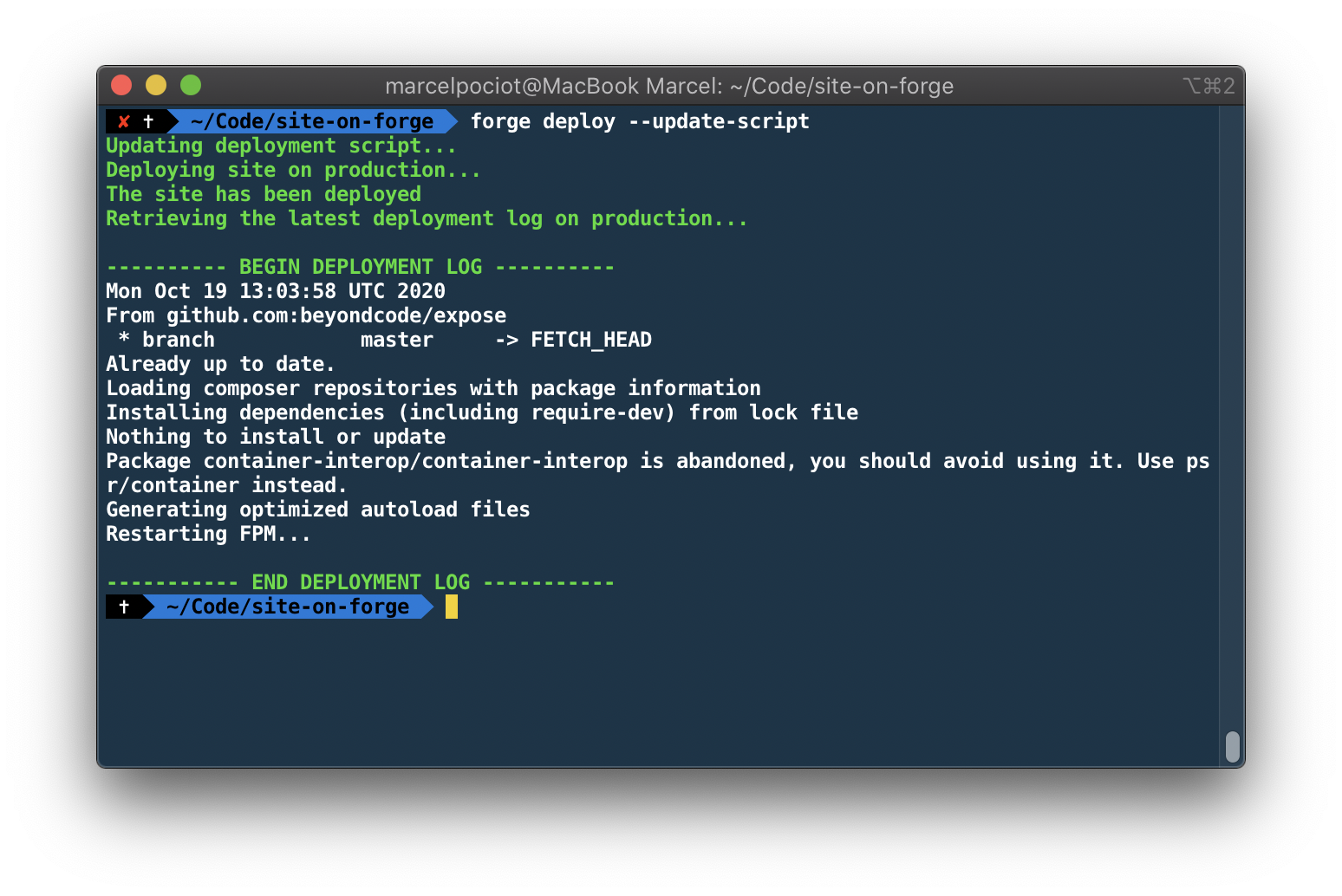
<p>For example, lets say that you want to manually trigger a deployment on your linked Forge site. All you need to do is open the folder in your terminal and run:</p>
<pre><code class="language- hljs " data-lang="">forge deploy
</code></pre>
<p><img src="https://beyondco.de/img/docs/forge-cli/img/deploy.png" alt="" /></p>
<p>Forge CLI will trigger the deployment, and show you the log output for that specific deployment.</p>
<h2 id="multiple-environments">Multiple environments <a href="#multiple-environments" class="permalink">#</a></h2>
<p>Forge CLI also has a concept of multiple environments. So you can link a site/server from Forge to a specific environment in your local directory.</p>
<p>This allows you to keep a single YML file that contains the configuration of both your staging and your production server.
All Forge CLI commands allow you to pass the environment, in order to run this command on the given server.</p>
<p>For example, if we want to run a deployment on our staging environment, you could run this command:</p>
<pre><code class="language- hljs " data-lang="">forge deploy staging
</code></pre>
<h2 id="environment-files">Environment files <a href="#environment-files" class="permalink">#</a></h2>
<p>But Forge CLI allows you to do more than only triggering manual deployments. One common task is updating environment keys on your servers. This requires you to either SSH on your server, or manually edit the .env file via the Forge web-interface.</p>
<p>With Forge CLI, you can simply pull down the current environment file from Forge, edit it in your favorite code editor, and push the changes back to Forge.</p>
<pre><code class="language- hljs " data-lang="">forge env:pull staging

# This will write the environment to .env.forge.staging
# After making changes, you can push the file up to Forge

forge env:push staging
</code></pre>
<h2 id="modifying-the-serversite-configuration">Modifying the server/site configuration <a href="#modifying-the-serversite-configuration" class="permalink">#</a></h2>
<p>As I said, after linking your project with a Forge site, you have the <code>forge.yml</code> file. Now this file would only be half as useful, if it would only work one-way. But Forge CLI also allows you to synchronize the changes that you make to this file, back to Forge.</p>
<p>For example, you could modify the deployment script for your production environment:</p>
<pre><code class="language-yaml hljs yaml" data-lang="yaml"><span class="hljs-attr">production:</span>
<span class="hljs-attr">  id:</span> <span class="hljs-number">1</span>
<span class="hljs-attr">  name:</span> <span class="hljs-string">my-site</span>
<span class="hljs-attr">  server:</span> <span class="hljs-number">1</span>
<span class="hljs-attr">  quick-deploy:</span> <span class="hljs-literal">false</span>
<span class="hljs-attr">  deployment:</span>
<span class="hljs-bullet">    -</span> <span class="hljs-string">'cd /home/forge/my-site'</span>
<span class="hljs-bullet">    -</span> <span class="hljs-string">'git pull origin master'</span>
<span class="hljs-bullet">    -</span> <span class="hljs-string">'$FORGE_COMPOSER install --no-interaction --prefer-dist --optimize-autoloader'</span>
<span class="hljs-bullet">    -</span> <span class="hljs-string">''</span>
<span class="hljs-bullet">    -</span> <span class="hljs-string">'( flock -w 10 9 || exit 1'</span>
<span class="hljs-bullet">    -</span> <span class="hljs-string">'    echo '</span><span class="hljs-string">'Restarting FPM...'</span><span class="hljs-string">'; sudo -S service $FORGE_PHP_FPM reload ) 9&gt;/tmp/fpmlock'</span>
<span class="hljs-bullet">    -</span> <span class="hljs-string">''</span>
<span class="hljs-bullet">    -</span> <span class="hljs-string">'if [ -f artisan ]; then'</span>
<span class="hljs-bullet">    -</span> <span class="hljs-string">'    $FORGE_PHP artisan migrate --force'</span>
<span class="hljs-bullet">    -</span> <span class="hljs-string">fi</span>
<span class="hljs-attr">  webhooks:</span>
<span class="hljs-attr">  daemons:</span>
</code></pre>
<p>After modifying the script, you can run <code>forge config:push</code> to synchronize the files changes with Laravel Forge.</p>
<h2 id="and-much-more">And much more... <a href="#and-much-more" class="permalink">#</a></h2>
<p>But there is a lot more that you can do with Forge CLI:</p>
<ul>
<li>Restart system services</li>
<li>Restart your server</li>
<li>Create new Daemons and Webhooks</li>
<li>Push and pull nginx configuration</li>
<li>Read log files from your server</li>
</ul>
<p>and much more...</p>
<p>So be sure to checkout the <a href="https://beyondco.de/docs/forge-cli">official documentation of Forge CLI</a>.</p>
]]>
            </summary>
                        <category type="html">
                <![CDATA[]]>
            </category>
            <updated>Mon, 19 Oct 2020 17:02:57 +0200</updated>
        </entry>
            <entry>
            <title><![CDATA[From idea to 5,000+ licenses sold in 12 months]]></title>
            <link rel="alternate" href="https://pociot.dev/30-from-idea-to-5000-licenses-sold-in-12-months" />
            <id>https://pociot.dev/30</id>
            <author>
                <name> <![CDATA[Marcel Pociot]]></name>
            </author>
            <summary type="html">
                <![CDATA[<p>Almost exactly one year ago I was sitting down with <a href="https://twitter.com/seb_sebsn">Sebastian</a> to have lunch, where we discussed new Beyond Code product ideas.
Up until that point we have already launched two successful video course:</p>
<ul>
<li>
<a href="https://buildachatbot.io">Build A Chatbot</a> - a video course about how to create your own PHP based chatbots</li>
<li>
<a href="https://phppackagedevelopment.com">PHP Package Development</a> - a video course about how to write and structure your PHP applications in packages</li>
</ul>
<!--more-->
<h2 id="scratch-your-own-itch">Scratch your own itch <a href="#scratch-your-own-itch" class="permalink">#</a></h2>
<p>While brainstorming about new and interesting product ideas, I remember that I mentioned to Sebastian that it's super annoying to use &quot;php artisan tinker&quot; in your projects in a good way. You first have to use your terminal of choice, open the folder, run &quot;php artisan tinker&quot; and then write the code that you want.
If you want to write code that includes multiple lines of code, editing this can become pretty time consuming and cumbersome. Also, &quot;php artisan tinker&quot; does not immediately reflect code changes, as it requires you to manually restart the process.
And if you want to use tinker via SSH, you have to do all of this via an active SSH connection.</p>
<p>So I knew that this is something that bugs me personally and something that I wanted to see improved - if only for myself.</p>
<h2 id="build-publicly">Build publicly <a href="#build-publicly" class="permalink">#</a></h2>
<p>On October 11th. 2019, I went to Twitter and asked about opinions on how I could write a native Mac application using JavaScript:</p>
<blockquote class="twitter-tweet"><p lang="en" dir="ltr">If you would decide to create a native Mac app, preferably with javascript, how would you do it?<br><br>Electron?<br>React Native (is there a good MacOS fork?)<br>Something else?</p>&mdash; Marcel Pociot 🧙‍♂️ (@marcelpociot) <a href="https://twitter.com/marcelpociot/status/1182665279052111872?ref_src=twsrc%5Etfw">October 11, 2019</a></blockquote> <script async src="https://platform.twitter.com/widgets.js" charset="utf-8"></script>
<p>At that time, I didn't want to use Electron, because I believed that Electron would be slow and perform poorly. And this is a pretty common misconception of Electron - but I'll get to that later.</p>
<p>So even though people mentioned other technologies like Xamarin, Nativescript or React native, I went for the complete native approach and build the starting working on the first prototype of <a href="https://tinkerwell.app/">Tinkerwell</a> in Swift.
I have quite a good background in Objective-C, so the lightweight alternative of Swift - with it's Javascripty syntax felt really good and I was making a lot of progress real fast. I actually had planned some days off of work during that time and so most of the development happened in the evenings, after spending time with my family.</p>
<p>Only two days later - on October 13th - I tweeted this screenshot, of an already running version of Tinkerwell.</p>
<blockquote class="twitter-tweet"><p lang="en" dir="ltr">Right from <a href="https://twitter.com/taylorotwell?ref_src=twsrc%5Etfw">@taylorotwell</a> latest podcast: Scratch your own itch.<br><br>The number of times that I find myself going into a random <a href="https://twitter.com/laravelphp?ref_src=twsrc%5Etfw">@laravelphp</a> project just to tinker with some code really bugs me. That&#39;s why I started working on a Mac app that lets me do just that - tinker with Laravel. <a href="https://t.co/b5Wf2MzkA9">pic.twitter.com/b5Wf2MzkA9</a></p>&mdash; Marcel Pociot 🧙‍♂️ (@marcelpociot) <a href="https://twitter.com/marcelpociot/status/1183312823985807361?ref_src=twsrc%5Etfw">October 13, 2019</a></blockquote> <script async src="https://platform.twitter.com/widgets.js" charset="utf-8"></script>
<p>Basically the whole development of Tinkerwell was done publicly via Twitter. I had no idea if this is a product that would only be interesting to me, but after tweeting about it I received a lot of very positive feedback from others, that had the same issues with the current &quot;php artisan tinker&quot; solution that I had.</p>
<p>So tinkering with local Laravel projects was pretty much done in a proof of concept way in ~2 days and I showed this to Sebastian and we talked about the possible use cases for this, and Sebastian was extremely excited about it. But, his personal use case was more about looking into client projects, not just local development projects. So this means that he wanted to, for example, quickly perform an Eloquent query on a client project that is on a staging server.</p>
<p>So we needed a way of running Tinkerwell via SSH.</p>
<p>October 14th, one day later, I got this working. And most importantly, this did not modify your code in any way, or had you to install any third party packages. It was just plug-and-play, ready to tinker!</p>
<blockquote class="twitter-tweet"><p lang="en" dir="ltr">Right from <a href="https://twitter.com/taylorotwell?ref_src=twsrc%5Etfw">@taylorotwell</a> latest podcast: Scratch your own itch.<br><br>The number of times that I find myself going into a random <a href="https://twitter.com/laravelphp?ref_src=twsrc%5Etfw">@laravelphp</a> project just to tinker with some code really bugs me. That&#39;s why I started working on a Mac app that lets me do just that - tinker with Laravel. <a href="https://t.co/b5Wf2MzkA9">pic.twitter.com/b5Wf2MzkA9</a></p>&mdash; Marcel Pociot 🧙‍♂️ (@marcelpociot) <a href="https://twitter.com/marcelpociot/status/1183312823985807361?ref_src=twsrc%5Etfw">October 13, 2019</a></blockquote> <script async src="https://platform.twitter.com/widgets.js" charset="utf-8"></script>
<p>Over the coming days, I spent a lot of time polishing the user interface so that it does not look like a proof-of-concept anymore.</p>
<h2 id="determining-the-product-type">Determining the product type <a href="#determining-the-product-type" class="permalink">#</a></h2>
<p>As I said, while building Tinkerwell, I was mostly scratching my own itch. But as the feedback was so positive, we quickly realized that we are onto something that might be interesting for a lot of developers - not just Sebastian and me.
That's also when we realized that we are able to sell this product - instead of simply giving it away for free.</p>
<p>But this also came with its own problems to solve. Having only sold video courses so far, we had to think about two solutions:</p>
<h4 id="how-would-the-licensing-work">How would the licensing work? <a href="#how-would-the-licensing-work" class="permalink">#</a></h4>
<p>As we have only sold online licenses to our video course platform up to this point, selling actual license keys for a software product was a completely different task. Let alone the fact, that we needed a payment provider to easily sell Tinkerwell within the EU, as we are a Germany based company.</p>
<p>After some research, I found out about <a href="https://paddle.com">Paddle</a> - which is a fantastic service, that takes care of all the VAT mess when you sell digital goods. In addition to this, Paddle also provides a software development kit, to easily add licensing into your application.</p>
<p>Adding this to the Swift based version of Tinkerwell was really just adding 5 lines of code and we had solved the problem of selling and accessing our application.</p>
<h4 id="how-can-we-make-sure-to-keep-the-app-updated-for-our-end-users">How can we make sure to keep the app updated for our end users? <a href="#how-can-we-make-sure-to-keep-the-app-updated-for-our-end-users" class="permalink">#</a></h4>
<p>Distributing web applications is easy, when it comes to updates. If something crashes for you or your users, you can simply deploy a new update and you're good to go. In most cases, your users might not even notice that something was buggy and not working.
If you ship software on the other hand, this becomes a lot harder. Once a version is published and downloaded by your users, they have this version installed. And if there's a bug in this version, you can't simply &quot;hot patch&quot; it, but you will need to roll out a separate update.</p>
<p>For the Swift based version, we used a framework called <a href="https://sparkle-project.org/">Sparkle</a> that did all the heavy lifting of checking for updates, notifying users, showing release notes, etc.</p>
<h2 id="time-to-launch">Time to launch <a href="#time-to-launch" class="permalink">#</a></h2>
<p>Before we launched Tinkerwell, I gave access to the application to some of my friends and asked them about any bug-reports and their feedback, which has been really valuable. So after taking care of the initial batch of little bugs, it was time to release Tinkerwell.</p>
<p>Exactly 25 days after I asked on Twitter about a possible technology to use for a native Mac app, Tinkerwell was ready to go and I made the annonucement tweet:</p>
<blockquote class="twitter-tweet"><p lang="en" dir="ltr">I&#39;m happy to announce that Tinkerwell is now available! <br><br>It is packed with awesome features that will let you tinker with your <a href="https://twitter.com/laravelphp?ref_src=twsrc%5Etfw">@laravelphp</a> apps like never before.<br><br>- A built-in Laravel app<br>- Tinker via SSH<br>- Tinker with local projects<br>- And much more...<a href="https://t.co/WhYQ5bKaBg">https://t.co/WhYQ5bKaBg</a></p>&mdash; Marcel Pociot 🧙‍♂️ (@marcelpociot) <a href="https://twitter.com/marcelpociot/status/1191656467625136129?ref_src=twsrc%5Etfw">November 5, 2019</a></blockquote> <script async src="https://platform.twitter.com/widgets.js" charset="utf-8"></script>
<p>I didn't know what to expect from this launch at all. The only promotion that I did was keep posting about building Tinkerwell publicly and that's pretty much it. Tinkerwell is not a SaaS where you have a trial period. You either go and buy it, or you don't.</p>
<p>On the launch day itself, we sold 325 Tinkerwell licenses, resulting in a net revenue of 4,133 Euros. That was simply amazing, especially given the super short development time that went into a verison 1.</p>
<h2 id="moving-to-electron">Moving to Electron <a href="#moving-to-electron" class="permalink">#</a></h2>
<p>The next days and weeks passed and we continued to release a lot of new features and updates to the Swift based version of Tinkerwell. But as the user base grew, more people were asking for a Linux and Windows version of Tinkerwell.
At first I wanted to write these versions completely native as well, and started writing some C#, but I quickly realized that we at Beyond Code simply would not be able to deliver support and feature parity for a software that would be written in multiple languages.</p>
<p>During December of 2019, I started rewriting Tinkerwell from scratch using Electron. It actually wasn't as time consuming as you might think, because I was already using an HTML based code editor in Swift - and the code evaluation itself happens in a PHAR file. So I was actually able to reuse quite a lot of code while making the switch over to Electron.</p>
<p>As I said, I was first against writing Electron based applications, because I heard so much negative feedback about this. But once I started working with Electron, I noticed that most of the negative feedback is complete nonsense.
Yes, there are poorly performing and sluggish Electron apps out there - but most of those apps are based on poorly performing and sluggish web experiences.</p>
<p>So when making the move to Electron, I did not notice any performance loss <em>at all</em>, which was great - because that's what I feared the most.</p>
<p>And in addition to this, moving to Electron allowed us to support Windows, Linux and macOS all using the same code base, which was amazing!</p>
<p>But it also required us to handle the whole licensing ourselves. Paddle unfortunately does not offer a SDK for Electron, so we had to build that from scratch. It now consists of a Laravel backend that validates the licenses and keeps track of license activations, as well as the application logic used to verify and activate the licenses.</p>
<p>Moving to Electron even lead me to record a complete stand-alone video course about <a href="https://desktopappswithelectron.com">writing Desktop applications with Electron</a> - where I teach others how to implement things like licensing, auto-updated etc. in their own applications.</p>
<p>So overall, it maybe took me a month of rewriting Tinkerwell (again mostly in the evenings) and soon version 2 of Tinkerwell was ready to be released. It not only brought Windows and Linux support, but it also added the ability to be framework agnostic and supported Laravel and WordPress out of the box.</p>
<blockquote class="twitter-tweet"><p lang="en" dir="ltr">I&#39;m happy to announce that Tinkerwell is now available! <br><br>It is packed with awesome features that will let you tinker with your <a href="https://twitter.com/laravelphp?ref_src=twsrc%5Etfw">@laravelphp</a> apps like never before.<br><br>- A built-in Laravel app<br>- Tinker via SSH<br>- Tinker with local projects<br>- And much more...<a href="https://t.co/WhYQ5bKaBg">https://t.co/WhYQ5bKaBg</a></p>&mdash; Marcel Pociot 🧙‍♂️ (@marcelpociot) <a href="https://twitter.com/marcelpociot/status/1191656467625136129?ref_src=twsrc%5Etfw">November 5, 2019</a></blockquote> <script async src="https://platform.twitter.com/widgets.js" charset="utf-8"></script>
<p>In the meantime, the supported frameworks by Tinkerwell have been extended to include:</p>
<ul>
<li>Laravel</li>
<li>Symfony</li>
<li>Statamic</li>
<li>WordPress</li>
<li>Magento</li>
<li>Shopware</li>
<li>Typo3</li>
</ul>
<p>and many more. You can even create your own custom drivers!</p>
<h2 id="one-year-later">One year later <a href="#one-year-later" class="permalink">#</a></h2>
<p>Since the release of Tinkerwell 2.0, we added a ton of new features, like support for Laravel Vapor or Docker, improved the overall user experience and updated the built-in Laravel version and I still use Tinkerwell every single day.</p>
<p>More than 5,000 people have already bought Tinkerwell and for most of them, it drastically changed the way that they work with their Laravel projects - which is extremely amazing.</p>
<p>We can't wait to share upcoming new Tinkerwell features with you and I'm very grateful for every developer that we are able to help with our software tools and video courses - not only <a href="https://tinkerwell.app">Tinkerwell</a>, but also <a href="https://usehelo.com">HELO</a> and <a href="https://invoker.dev">Invoker</a>.</p>
]]>
            </summary>
                        <category type="html">
                <![CDATA[]]>
            </category>
            <updated>Wed, 30 Sep 2020 12:00:00 +0200</updated>
        </entry>
            <entry>
            <title><![CDATA[Introducing Laravel Playground]]></title>
            <link rel="alternate" href="https://pociot.dev/29-introducing-laravel-playground" />
            <id>https://pociot.dev/29</id>
            <author>
                <name> <![CDATA[Marcel Pociot]]></name>
            </author>
            <summary type="html">
                <![CDATA[<h1 id="introducing-laravel-playground">Introducing Laravel Playground <a href="#introducing-laravel-playground" class="permalink">#</a></h1>
<p>I'm super excited to finally reveal a project that I have been working on for a couple of months already. The overall development was pretty time consuming and it involves a lot of interesting challenges to make this work - but I feel like it's finally in a state that I feel good about sharing with others.</p>
<p>Say hello to <strong>Laravel Playground</strong>:</p>
<div class="laravel-playground" data-readonly="true" data-theme="dark"></div>
<h2 id="what-is-laravel-playground">What is Laravel Playground? <a href="#what-is-laravel-playground" class="permalink">#</a></h2>
<p>Laravel Playground is a sandbox for your Laravel code and the spiritual successor of <a href="https://web.tinkerwell.app">Tinkerwell Web</a>. Laravel Playground makes it easy to quickly tinker with any PHP and Laravel code right in your browser. You can embed it into your blog, documentation or website easily!</p>
<p>While the code for Tinkerwell Web was running entirely in your browser, Laravel Playground is running your code on actual servers.
This allows you to quickly try out features such as request validation, multiple Laravel routes or even Livewire components!</p>
<p>To get started with Laravel Playground, you can go ahead and take a look at this basic example:</p>
<div class="laravel-playground" data-filename="index.php" data-gist="d990a2c5f23b50564561b9266252f501"></div>
<p>In this example, we are creating two Laravel routes that each display a simple view.
Try clicking on the link to the other route and you will see that the URL changes and the other view gets loaded.</p>
<p>This embedded Playground is also editable. You can click on the arrow next to the filename to open the file selection.
Feel free to modify one of the views or the route definition file. Now press Ctrl+Enter to reload the code - boom you have updated the snippet right in your browser!</p>
<p>If you want to open the playground in a full-screen editor, just click on the &quot;Edit on Laravel Playground&quot; link on the upper right of the embed. This will open up <a href="https://laravelplayground.com">https://laravelplayground.com</a> with your embedded code prefilled.
There you have the same ability to edit your code snippet and run your code.</p>
<h2 id="livewire-support">Livewire support <a href="#livewire-support" class="permalink">#</a></h2>
<p>Laravel Playground comes pre-installed with a hand full of useful Laravel packages. As you can see, the Laravel Debugbar is enabled by default.
Another package that you can make use of is <a href="https://laravel-livewire.com">Livewire</a>.</p>
<p>Let's take a look at how this works:</p>
<div class="laravel-playground" data-theme="light" data-filename="index.php" data-playground="f3ac46df-871d-48f8-9ceb-c758353a118e" ></div>
<p>As you can see, this playground gives you a ready-to-use Livewire component that you can modify and play with.</p>
<p>When you are on the Laravel Playground website, you can quickly create a new Livewire project (or choose from one of the other available presets) by clicking on the &quot;+&quot; button.</p>
<p><img src="https://beyondco.de/img/docs/laravel-playground/img/presets.png" alt="" /></p>
<h2 id="eloquent-models-and-database-support">Eloquent models and database support <a href="#eloquent-models-and-database-support" class="permalink">#</a></h2>
<p>Laravel playground also allows you to persist data to a SQLite database within each playground. All migrations that you create will automatically be migrated.</p>
<div class="laravel-playground" data-theme="light" data-filename="index.php" data-gist="a51c2e6eb0a53d0a62114f9ed25cb739" ></div>
<h2 id="embedding-playgrounds">Embedding Playgrounds <a href="#embedding-playgrounds" class="permalink">#</a></h2>
<p>As you can already see in this blog posts, embedding your code is a big feature of Laravel Playground.
That's why we made it extremely simple to embed your code - while still maintaining total control of your code on your own website, documentation or blog.</p>
<p>Let's say that you want to include this piece of PHP code in your blog post:</p>
<pre><code class="language-php hljs php" data-lang="php">$slice = Str::of(<span class="hljs-string">'This is my name'</span>)-&gt;after(<span class="hljs-string">'This is'</span>);
</code></pre>
<p>Laravel Playgrounds prefill embeds can now <strong>execute</strong> this PHP code for you in a sandboxed environment. This means that you keep your code on your website and Laravel Playground executes and renders it for you.</p>
<p>Here's the example code embedded:</p>
<div
  class="laravel-playground"
data-height="500px"
>
<pre data-filename="index.php">
&lt;?php
$slice = Str::of('This is my name')->after('This is');
dd($slice);
</pre>
</div>
<p>The embed code that makes this work is very developer friendly. You can keep your code wrapped in <code>&lt;pre&gt;</code> or <code>&lt;code&gt;</code> blocks on your website and wrap them in a <code>&lt;div&gt;</code> with attributes that control the embed, like this:</p>
<pre><code class="language-html hljs xml" data-lang="html"><span class="hljs-tag">&lt;<span class="hljs-name">div</span>
    <span class="hljs-attr">class</span>=<span class="hljs-string">"laravel-playground"</span>
    <span class="hljs-attr">data-height</span>=<span class="hljs-string">"500px"</span>
&gt;</span>
<span class="hljs-tag">&lt;<span class="hljs-name">pre</span> <span class="hljs-attr">data-filename</span>=<span class="hljs-string">"index.php"</span>&gt;</span>
&amp;lt;?php
$slice = Str::of('This is my name')-&gt;after('This is');
dd($slice);
<span class="hljs-tag">&lt;/<span class="hljs-name">pre</span>&gt;</span>
<span class="hljs-tag">&lt;/<span class="hljs-name">div</span>&gt;</span>
<span class="hljs-tag">&lt;<span class="hljs-name">script</span> <span class="hljs-attr">src</span>=<span class="hljs-string">"https://embed.laravelplayground.com"</span>&gt;</span><span class="hljs-tag">&lt;/<span class="hljs-name">script</span>&gt;</span>
</code></pre>
<p>When embedding your code you can configure and customize quite a lot of things, such as the theme, making embeds read-only, which file to open by default, to show or hide the result/code view, etc.</p>
<h2 id="closing-note">Closing note <a href="#closing-note" class="permalink">#</a></h2>
<p>As I said in the beginning of this post: I'm super excited to finally share this with all of you as I've been working on this for a very long time. I hope you like Laravel Playground as much as I do and I can't wait
to see it being used in blog-posts all over the place.</p>
<p>If you want to learn more, check out the official documentation on the <a href="https://beyondco.de/docs/laravel-playground">Beyond Code website</a>.</p>
<script type="text/javascript" src="https://embed.laravelplayground.com"></script>
]]>
            </summary>
                        <category type="html">
                <![CDATA[]]>
            </category>
            <updated>Fri, 10 Jul 2020 12:00:00 +0200</updated>
        </entry>
            <entry>
            <title><![CDATA[Introducing Expose – an easy to use tunneling service implemented in pure PHP]]></title>
            <link rel="alternate" href="https://pociot.dev/28-introducing-expose-an-easy-to-use-tunneling-service-implemented-in-pure-php" />
            <id>https://pociot.dev/28</id>
            <author>
                <name> <![CDATA[Marcel Pociot]]></name>
            </author>
            <summary type="html">
                <![CDATA[<h1 id="introducing-expose-an-easy-to-use-tunneling-service-implemented-in-pure-php">Introducing Expose – an easy to use tunneling service implemented in pure PHP <a href="#introducing-expose-an-easy-to-use-tunneling-service-implemented-in-pure-php" class="permalink">#</a></h1>
<p><a href="https://github.com/beyondcode/expose">Expose</a> is a PHP package that you can use to share your locally accessible websites with a publicly accessible web-server. Expose comes with a free-to-use server out of the box, but you are free to host your own server and use your own custom domain. Think of it as a completely open-source alternative to services such as <a href="https://ngrok.io">ngrok</a>. The package has a <a href="https://beyondco.de/docs/expose">extensive documentation</a> and I've spent most of my time over the last weeks working on this.</p>
<p>In this blog post I want to guide you through some technical details, as well as tell you all about Expose and how you can get started.</p>
<p><img src="https://beyondco.de/img/docs/expose/img/expose_dashboard_details.png" alt="" /></p>
<h2 id="what-is-a-tunneling-service">What is a tunneling service? <a href="#what-is-a-tunneling-service" class="permalink">#</a></h2>
<p>A tunneling service allows you to make your local websites available via a &quot;tunnel&quot; connection. Have you ever wanted to share the current state of your local Laravel package with a colleague? Or maybe you needed to test a webhook but want it to point to your local development environment. That's when you use a tunneling service such as Expose.
If set up properly, you can even use this to avoid firewalls when sharing your local websites.</p>
<h2 id="what-is-expose">What is Expose? <a href="#what-is-expose" class="permalink">#</a></h2>
<p>Expose is such a tunneling service - written in pure PHP. It comes with a client and server, so you have complete freedom over how you want to share - and host your own website tunnels.</p>
<p>The Expose client has a beautiful local dashboard that is served via a webserver implemented in PHP. On the dashboard you can see all incoming requests and their responses in real-time.</p>
<p>The Expose server takes care of accepting the local shared websites from the client and is <strong>highly</strong> configurable. You can configure a message of the day that your users see when they connect to your Expose server, you can enforce authentication tokens to only allow authenticated users to connect and share their sites, limit the maximum connection time and much more.</p>
<p>But don't worry - if you would rather not host your own Expose server, we are providing our own server for free!</p>
<p>Both, the server and the client, are powered by <a href="https://reactphp.org">ReactPHP</a> - an amazing and battle tested PHP library that allows you to write non-blocking, event-driven PHP code. The package also powers our <a href="https://beyondco.de/docs/laravel-websockets">Laravel WebSockets</a> package and I even recorded a <a href="https://beyondco.de/video-courses">free video course</a> about ReactPHP, in case you want to know more about the nitty gritty details.</p>
<h3 id="sharing-your-local-websites">Sharing your local websites <a href="#sharing-your-local-websites" class="permalink">#</a></h3>
<p>The easiest way to get started with Expose is by installing it as a global Composer dependency:</p>
<pre><code class="language-bash hljs bash" data-lang="bash">composer global require beyondcode/expose
</code></pre>
<p>Make sure to add your composer binary folder to your <code>PATH</code> environment variable so that the <code>expose</code> command is globally accessible.</p>
<p>If you are using Laravel Valet, or host your local sites using the <code>.test</code> TLD, sharing a site is as easy as this:</p>
<pre><code class="language-bash hljs bash" data-lang="bash"><span class="hljs-built_in">cd</span> my-site/

expose
</code></pre>
<p>This will automatically connect to our Expose server and share a local website called <code>my-site.test</code>. For sharing the site, it will try and register a subdomain called <code>my-site.sharedwithexpose.com</code>. Of course, if you host the Expose server on your own domain, this would be your domain instead.</p>
<p>If you use a different TLD than .test, or you just do not follow the convention of having the folder-name being the same as your local website name, you can also explicitly share a URL with expose:</p>
<pre><code class="language-bash hljs bash" data-lang="bash">expose share my-local-website.local
</code></pre>
<p>This is going to share <code>my-local-website.local</code> - but instead of giving you a fixed subdomain, the Expose server will generate a random subdomain name for you.
If you would rather use your own subdomain name, you can define it like this:</p>
<pre><code class="language-bash hljs bash" data-lang="bash">expose share my-local-website.local --sudomain=website
</code></pre>
<h2 id="using-the-sharedwithexposecom-server">Using the sharedwithexpose.com server <a href="#using-the-sharedwithexposecom-server" class="permalink">#</a></h2>
<p>If you are running expose for the very first time, you will need to provide an auth-token in order to connect to our free Expose server.</p>
<p>To get your token, simply create a free <a href="https://beyondco.de/login">Beyond Code account</a> – or login with your existing credentials. That's the account that you already have, if you've watched any of my video courses or if you use <a href="https://beyondco.de/software">our desktop apps</a>.</p>
<p>To register your token with expose, simply call:</p>
<pre><code class="language-bash hljs bash" data-lang="bash">expose token [YOUR-TOKEN]
</code></pre>
<p>If you would rather host your own Expose server, you do not need to obtain an auth token from us.</p>
<h2 id="how-does-all-of-this-work">How does all of this work? <a href="#how-does-all-of-this-work" class="permalink">#</a></h2>
<p>There's a lot more to be said about how to get expose up and running, but this process is already covered in the <a href="https://beyondco.de/docs/expose">Expose documentation</a>.</p>
<p>So let's take a look at how this works.</p>
<p>Before I started working on this, I sat down with <a href="https://twitter.com/another_clue">Christian Lück</a> who is in the core-team of ReactPHP. In a Zoom session, we came up with the basic idea of how a sequence diagram of Expose should look like:</p>
<p><img src="https://www.websequencediagrams.com/cgi-bin/cdraw?lz=dGl0bGUgCgpwYXJ0aWNpcGFudCAiSW50ZXJuZXQiIGFzIHcgAA8ORXhwb3NlIFNlcnZlcgAdBXMADBVDbGllbgA9BmMAUQ5Mb2NhbCBXZWJzaXRlAF8FYQpjLT5zOkNvbnRyb2wgQ29ubmVjdGlvbiBlc3RhYmxpc2hlZAp3LT5zOkhUVFAgcmVxdWVzdCB0byBcbiBoZWxsby13b3JsZC5zaGFyZWR3aXRoZQCBIwUuY29tLwAWCwpzLT5jOlBsZWFzZSBjAGIGIGJhY2sAfAZPcGVuIGRhdGEAFAhpb24ALQZTZW5kIGluY29taW5nIAB6DApjLT5hOkZvcndhcmQAgQ8MbACBYwVVUkwKYS0-YwCBMghzcG9uc2UAgWsGUmVjZWl2ZWQASAgAFQdzLT53AGsGdHVubmVsZWQALwk&amp;s=default" alt="" /></p>
<p>So in theory this is relatively simple:</p>
<ol>
<li>The Expose client connects to the server and establishes a &quot;control connection&quot; over which the server and client can talk.</li>
<li>When an incoming HTTP request comes in, the server looks up the matching client control connection and asks it to open a new connection for the incoming request/response data</li>
<li>The Expose client connects to the server and establishes a &quot;proxy connection&quot;</li>
<li>The Expose server sends the incoming HTTP request to the client</li>
<li>The client sends the incoming HTTP request to the local destination URL and sends the response back to the Expose server</li>
<li>The Expose server takes the response from the client and sends it to the browser</li>
</ol>
<p>Let's go through these steps in the code.</p>
<h2 id="the-control-connection">The control connection <a href="#the-control-connection" class="permalink">#</a></h2>
<p>When you run <code>expose share my-url.test</code>, the Expose client first connects to the configured Expose server. This connection is established via a WebSocket connection. This has the advantage that Firewalls can be avoided, as the traffic is a regular HTTP(S) traffic – and by using WebSockets, we can make sure that the connection stays alive all the time.</p>
<p>Since all traffic from the Expose client to the server is HTTP based, the server needs to have a route available, that accepts incoming WebSocket connections.</p>
<pre><code class="language-php hljs php" data-lang="php"><span class="hljs-keyword">protected</span> <span class="hljs-function"><span class="hljs-keyword">function</span> <span class="hljs-title">addControlConnectionRoute</span><span class="hljs-params">()</span>: <span class="hljs-title">WsServer</span>
</span>{
    $wsServer = <span class="hljs-keyword">new</span> WsServer(app(ControlMessageController::class));

    <span class="hljs-keyword">$this</span>-&gt;router-&gt;addSymfonyRoute(<span class="hljs-string">'expose-control'</span>,
        <span class="hljs-keyword">new</span> Route(<span class="hljs-string">'/expose/control'</span>, [
            <span class="hljs-string">'_controller'</span> =&gt; $wsServer,
        ], [], [], <span class="hljs-string">''</span>, [], [], <span class="hljs-string">'request.headers.get("x-expose-control") matches "/enabled/i"'</span>));

    <span class="hljs-keyword">return</span> $wsServer;
}
</code></pre>
<p>The <code>/expose/control</code> is being added to the router with a restriction - it will only accept connections, when the request has a <code>X-Expose-Control</code> header with the value <code>enabled</code>.</p>
<p>This is to prevent route collisions, in case you share a local website that has a <code>/expose/control</code> route itself.</p>
<p>Now the client connects to this endpoint using <a href="https://github.com/ratchetphp/Pawl/">Pawl</a>: A WebSocket client written in PHP.</p>
<pre><code class="language-php hljs php" data-lang="php">connect($wsProtocol.<span class="hljs-string">"://{$this-&gt;configuration-&gt;host()}:{$this-&gt;configuration-&gt;port()}/expose/control?authToken={$authToken}"</span>, [], [
    <span class="hljs-string">'X-Expose-Control'</span> =&gt; <span class="hljs-string">'enabled'</span>,
], <span class="hljs-keyword">$this</span>-&gt;loop)
    -&gt;then(<span class="hljs-function"><span class="hljs-keyword">function</span> <span class="hljs-params">(WebSocket $clientConnection)</span> <span class="hljs-title">use</span> <span class="hljs-params">($sharedUrl, $subdomain, $deferred, $authToken)</span> </span>{
        <span class="hljs-keyword">$this</span>-&gt;connectionRetries = <span class="hljs-number">0</span>;

        $connection = ControlConnection::create($clientConnection);

        $connection-&gt;authenticate($sharedUrl, $subdomain);
        
        <span class="hljs-comment">// ...</span>
});
</code></pre>
<p>Over this WebSocket connection, the server and the client simply exchange JSON data. So when a client <code>authenticated</code>, it sends along the URL that should be shared and an optional subdomain that it wants for this shared URL:</p>
<pre><code class="language-php hljs php" data-lang="php"><span class="hljs-keyword">public</span> <span class="hljs-function"><span class="hljs-keyword">function</span> <span class="hljs-title">authenticate</span><span class="hljs-params">(string $sharedHost, string $subdomain)</span>
</span>{
    <span class="hljs-keyword">$this</span>-&gt;socket-&gt;send(json_encode([
        <span class="hljs-string">'event'</span> =&gt; <span class="hljs-string">'authenticate'</span>,
        <span class="hljs-string">'data'</span> =&gt; [
            <span class="hljs-string">'host'</span> =&gt; $sharedHost,
            <span class="hljs-string">'subdomain'</span> =&gt; <span class="hljs-keyword">empty</span>($subdomain) ? <span class="hljs-keyword">null</span> : $subdomain,
        ],
    ]));
}
</code></pre>
<p>The server then stores the client connection and associates it with a subdomain - if no subdomain was specified during the authentication, it will generate a random subdomain instead.</p>
<p>The server confirms the authentication with an <code>authenticated</code> event:</p>
<pre><code class="language-php hljs php" data-lang="php">$connection-&gt;send(json_encode([
    <span class="hljs-string">'event'</span> =&gt; <span class="hljs-string">'authenticated'</span>,
    <span class="hljs-string">'data'</span> =&gt; [
        <span class="hljs-string">'message'</span> =&gt; config(<span class="hljs-string">'expose.admin.messages.message_of_the_day'</span>),
        <span class="hljs-string">'subdomain'</span> =&gt; $connectionInfo-&gt;subdomain,
        <span class="hljs-string">'client_id'</span> =&gt; $connectionInfo-&gt;client_id
    ],
]));
</code></pre>
<p>The client can then show the user the information that the connection was established and that incoming requests will be visible in the dashboard:</p>
<pre><code class="language-php hljs php" data-lang="php">$connection-&gt;on(<span class="hljs-string">'authenticated'</span>, <span class="hljs-function"><span class="hljs-keyword">function</span> <span class="hljs-params">($data)</span> <span class="hljs-title">use</span> <span class="hljs-params">($deferred, $sharedUrl)</span> </span>{
    $httpProtocol = <span class="hljs-keyword">$this</span>-&gt;configuration-&gt;port() === <span class="hljs-number">443</span> ? <span class="hljs-string">"https"</span> : <span class="hljs-string">"http"</span>;
    $host = <span class="hljs-keyword">$this</span>-&gt;configuration-&gt;host();

    <span class="hljs-keyword">if</span> ($httpProtocol !== <span class="hljs-string">'https'</span>) {
        $host .= <span class="hljs-string">":{$this-&gt;configuration-&gt;port()}"</span>;
    }

    <span class="hljs-keyword">$this</span>-&gt;logger-&gt;info($data-&gt;message);
    <span class="hljs-keyword">$this</span>-&gt;logger-&gt;info(<span class="hljs-string">"Local-URL:\t\t{$sharedUrl}"</span>);
    <span class="hljs-keyword">$this</span>-&gt;logger-&gt;info(<span class="hljs-string">"Dashboard-URL:\t\thttp://127.0.0.1:"</span>.config()-&gt;get(<span class="hljs-string">'expose.dashboard_port'</span>));
    <span class="hljs-keyword">$this</span>-&gt;logger-&gt;info(<span class="hljs-string">"Expose-URL:\t\t{$httpProtocol}://{$data-&gt;subdomain}.{$host}"</span>);
    <span class="hljs-keyword">$this</span>-&gt;logger-&gt;line(<span class="hljs-string">''</span>);

    <span class="hljs-keyword">static</span>::$subdomains[] = <span class="hljs-string">"{$httpProtocol}://{$data-&gt;subdomain}.{$host}"</span>;

    $deferred-&gt;resolve($data);
});
</code></pre>
<p>Alright, we have our control connection established.</p>
<p>Now a HTTP request comes in on our Expose server. In order to accept all incoming HTTP requests, the server sets up a catch-all route. This ensures that every incoming HTTP request will hit the <code>TunnelMessageController</code> class.</p>
<pre><code class="language-php hljs php" data-lang="php"><span class="hljs-keyword">protected</span> <span class="hljs-function"><span class="hljs-keyword">function</span> <span class="hljs-title">addTunnelRoute</span><span class="hljs-params">()</span>
</span>{
    <span class="hljs-keyword">$this</span>-&gt;router-&gt;addSymfonyRoute(<span class="hljs-string">'tunnel'</span>,
        <span class="hljs-keyword">new</span> Route(<span class="hljs-string">'/{__catchall__}'</span>, [
            <span class="hljs-string">'_controller'</span> =&gt; app(TunnelMessageController::class),
        ], [
            <span class="hljs-string">'__catchall__'</span> =&gt; <span class="hljs-string">'.*'</span>
        ]));
}
</code></pre>
<p>The TunnelMessageController now needs to figure out the subdomain that the incoming HTTP request is trying to access.</p>
<p>If no subdomain is given, the Expose server will return a <code>homepage</code> view that can be customized.</p>
<p>If a subdomain is provided, the server tries to find a control connection for this subdomain. If no control connection is available, the server responds with a 404 page and status code.
Otherwise the traffic needs to be sent to the control connection:</p>
<pre><code class="language-php hljs php" data-lang="php"><span class="hljs-keyword">public</span> <span class="hljs-function"><span class="hljs-keyword">function</span> <span class="hljs-title">handle</span><span class="hljs-params">(Request $request, ConnectionInterface $httpConnection)</span>
</span>{
    $subdomain = <span class="hljs-keyword">$this</span>-&gt;detectSubdomain($request);

    <span class="hljs-keyword">if</span> (is_null($subdomain)) {
        $httpConnection-&gt;send(
            respond_html(<span class="hljs-keyword">$this</span>-&gt;getView($httpConnection, <span class="hljs-string">'server.homepage'</span>), <span class="hljs-number">200</span>)
        );
        $httpConnection-&gt;close();
        <span class="hljs-keyword">return</span>;
    }

    $controlConnection = <span class="hljs-keyword">$this</span>-&gt;connectionManager-&gt;findControlConnectionForSubdomain($subdomain);

    <span class="hljs-keyword">if</span> (is_null($controlConnection)) {
        $httpConnection-&gt;send(
            respond_html(<span class="hljs-keyword">$this</span>-&gt;getView($httpConnection, <span class="hljs-string">'server.errors.404'</span>, [<span class="hljs-string">'subdomain'</span> =&gt; $subdomain]), <span class="hljs-number">404</span>)
        );
        $httpConnection-&gt;close();
        <span class="hljs-keyword">return</span>;
    }

    <span class="hljs-keyword">$this</span>-&gt;sendRequestToClient($request, $controlConnection, $httpConnection);
}
</code></pre>
<p>Sending the request to the control connection involves a couple of steps. First, we need to prepare the request and slightly modify it, before we can pass it along to the control connection.</p>
<p>But first, let's take a look at the code:</p>
<pre><code class="language-php hljs php" data-lang="php"><span class="hljs-keyword">protected</span> <span class="hljs-function"><span class="hljs-keyword">function</span> <span class="hljs-title">sendRequestToClient</span><span class="hljs-params">(Request $request, ControlConnection $controlConnection, ConnectionInterface $httpConnection)</span>
</span>{
    $request = <span class="hljs-keyword">$this</span>-&gt;prepareRequest($request, $controlConnection);

    $requestId = $request-&gt;header(<span class="hljs-string">'X-Expose-Request-ID'</span>);

    $httpConnection = <span class="hljs-keyword">$this</span>-&gt;connectionManager-&gt;storeHttpConnection($httpConnection, $requestId);

    transform(<span class="hljs-keyword">$this</span>-&gt;passRequestThroughModifiers($request, $httpConnection), <span class="hljs-function"><span class="hljs-keyword">function</span> <span class="hljs-params">(Request $request)</span> <span class="hljs-title">use</span> <span class="hljs-params">($controlConnection, $httpConnection, $requestId)</span> </span>{
        $controlConnection-&gt;once(<span class="hljs-string">'proxy_ready_'</span> . $requestId, <span class="hljs-function"><span class="hljs-keyword">function</span> <span class="hljs-params">(ConnectionInterface $proxy)</span> <span class="hljs-title">use</span> <span class="hljs-params">($request)</span> </span>{
            <span class="hljs-comment">// Convert the Laravel request into a PSR7 request</span>
            $psr17Factory = <span class="hljs-keyword">new</span> Psr17Factory();
            $psrHttpFactory = <span class="hljs-keyword">new</span> PsrHttpFactory($psr17Factory, $psr17Factory, $psr17Factory, $psr17Factory);
            $request = $psrHttpFactory-&gt;createRequest($request);

            $binaryMsg = <span class="hljs-keyword">new</span> Frame(str($request), <span class="hljs-keyword">true</span>, Frame::OP_BINARY);
            $proxy-&gt;send($binaryMsg);
        });

        $controlConnection-&gt;registerProxy($requestId);
    });
}
</code></pre>
<p>As you can see there is a <code>prepareRequest</code> call - and this one is necessary for the local webserver on the computer that wants to share the local website, to give a valid response.</p>
<p>If we would simply forward the incoming HTTP request data as-is, the local web-server on the Expose client computer would not know what to do with this.
We would forward a HTTP request to <code>some-subdomain.sharedwithexpose.com</code> - while our actual URL is at <code>my-site.test</code>.</p>
<p>So instead, we are adding a couple of headers to our request:</p>
<pre><code class="language-php hljs php" data-lang="php"><span class="hljs-keyword">protected</span> <span class="hljs-function"><span class="hljs-keyword">function</span> <span class="hljs-title">prepareRequest</span><span class="hljs-params">(Request $request, ControlConnection $controlConnection)</span>: <span class="hljs-title">Request</span>
</span>{
    $request::setTrustedProxies([$controlConnection-&gt;socket-&gt;remoteAddress, <span class="hljs-string">'127.0.0.1'</span>], Request::HEADER_X_FORWARDED_ALL);

    $host = <span class="hljs-keyword">$this</span>-&gt;configuration-&gt;hostname();

    <span class="hljs-keyword">if</span> (!$request-&gt;isSecure()) {
        $host .= <span class="hljs-string">":{$this-&gt;configuration-&gt;port()}"</span>;
    }

    $request-&gt;headers-&gt;set(<span class="hljs-string">'Host'</span>, $controlConnection-&gt;host);
    $request-&gt;headers-&gt;set(<span class="hljs-string">'X-Forwarded-Proto'</span>, $request-&gt;isSecure() ? <span class="hljs-string">'https'</span> : <span class="hljs-string">'http'</span>);
    $request-&gt;headers-&gt;set(<span class="hljs-string">'X-Expose-Request-ID'</span>, uniqid());
    $request-&gt;headers-&gt;set(<span class="hljs-string">'Upgrade-Insecure-Requests'</span>, <span class="hljs-number">1</span>);
    $request-&gt;headers-&gt;set(<span class="hljs-string">'X-Exposed-By'</span>, config(<span class="hljs-string">'app.name'</span>) . <span class="hljs-string">' '</span> . config(<span class="hljs-string">'app.version'</span>));
    $request-&gt;headers-&gt;set(<span class="hljs-string">'X-Original-Host'</span>, <span class="hljs-string">"{$controlConnection-&gt;subdomain}.{$host}"</span>);

    <span class="hljs-keyword">return</span> $request;
}
</code></pre>
<p>We modify the <code>Host</code> header and set it to the host that was actually specified, when the control connection was established. For example <code>my-site.test</code>.</p>
<p>In addition, we set <code>X-Forwarded-Proto</code> headers, in case we are forwarding our traffic over a different protocol than our local website would speak to us, as well as the <code>X-Original-Host</code> header, which contains the original URL that this request is coming from.</p>
<p>Once we have prepared the request data, we set a one-time event listener to the control connection. When the proxy, for the incoming request ID is ready, we will send the incoming HTTP request over to the Expose client via this newly established proxy connection.</p>
<p>And last but not least, we ask the Expose client to connect back to us:</p>
<pre><code class="language-php hljs php" data-lang="php"><span class="hljs-keyword">public</span> <span class="hljs-function"><span class="hljs-keyword">function</span> <span class="hljs-title">registerProxy</span><span class="hljs-params">($requestId)</span>
</span>{
    <span class="hljs-keyword">$this</span>-&gt;socket-&gt;send(json_encode([
        <span class="hljs-string">'event'</span> =&gt; <span class="hljs-string">'createProxy'</span>,
        <span class="hljs-string">'data'</span> =&gt; [
            <span class="hljs-string">'request_id'</span> =&gt; $requestId,
            <span class="hljs-string">'client_id'</span> =&gt; <span class="hljs-keyword">$this</span>-&gt;client_id,
        ],
    ]));
}
</code></pre>
<p>The Expose client then establishes a new WebSocket connection and registers a new proxy connection for the request ID.
Once this proxy connection is established, the Expose client accepts the incoming HTTP request and will perform the HTTP request against &quot;itself&quot; or its local webserver.</p>
<pre><code class="language- hljs " data-lang="">$proxyConnection-&gt;on('message', function ($message) use ($proxyConnection, $connectionData) {
    $this-&gt;performRequest($proxyConnection, $connectionData-&gt;request_id, (string)$message);
});

$proxyConnection-&gt;send(json_encode([
    'event' =&gt; 'registerProxy',
    'data' =&gt; [
        'request_id' =&gt; $connectionData-&gt;request_id ?? null,
        'client_id' =&gt; $clientId,
    ],
]));
</code></pre>
<p>So when performing the actual local request, the client first parses the incoming raw HTTP message into a more useful request object.</p>
<p>This object will be passed to the request logger, that takes care of making the request and response data available on the dashboard and in your CLI. The local dashboard itself also uses a built-in WebSocket server to read the incoming requests in real-time.</p>
<p>Once the request is logged, it can be passed to various &quot;modifiers&quot;. These modifiers can modify the incoming HTTP request and optionally abort sending the request to the local URL.</p>
<p>An example for this would be the ability to dynamically add basic authentication in front of your shared sites.</p>
<pre><code class="language-php hljs php" data-lang="php"><span class="hljs-keyword">public</span> <span class="hljs-function"><span class="hljs-keyword">function</span> <span class="hljs-title">performRequest</span><span class="hljs-params">(string $requestData, WebSocket $proxyConnection = null, string $requestId = null)</span>
</span>{
    <span class="hljs-keyword">$this</span>-&gt;request = <span class="hljs-keyword">$this</span>-&gt;parseRequest($requestData);

    <span class="hljs-keyword">$this</span>-&gt;logger-&gt;logRequest($requestData, <span class="hljs-keyword">$this</span>-&gt;request);

    $request = <span class="hljs-keyword">$this</span>-&gt;passRequestThroughModifiers(parse_request($requestData), $proxyConnection);

    transform($request, <span class="hljs-function"><span class="hljs-keyword">function</span> <span class="hljs-params">($request)</span> <span class="hljs-title">use</span> <span class="hljs-params">($proxyConnection)</span> </span>{
        <span class="hljs-keyword">$this</span>-&gt;sendRequestToApplication($request, $proxyConnection);
    });
}
</code></pre>
<p>Alright, so our Expose client now has performed the request and passed it back via our proxy connection to the Expose server. The incoming HTTP request from the browser is still &quot;pending&quot; and waiting for a response.</p>
<p>So now, the expose server looks up the HTTP connection for the request ID where it received the data over the proxy connection and sends it to the browser:</p>
<pre><code class="language-php hljs php" data-lang="php"><span class="hljs-keyword">protected</span> <span class="hljs-function"><span class="hljs-keyword">function</span> <span class="hljs-title">sendResponseToHttpConnection</span><span class="hljs-params">(string $requestId, $response)</span>
</span>{
    $httpConnection = <span class="hljs-keyword">$this</span>-&gt;connectionManager-&gt;getHttpConnectionForRequestId($requestId);

    $httpConnection-&gt;send($response);
}
</code></pre>
<p>Phew - that's one roundtrip. We have successfully tunneled a HTTP connection from the browser to the Expose server, to the connected client and back.</p>
<h2 id="extendability">Extendability <a href="#extendability" class="permalink">#</a></h2>
<p>Since Expose is written entirely in PHP, extending it and adding custom functionality to your own client and/or server is a breeze.</p>
<p>A lot of the things that you can customize can be found in the extensive configuration file.
You can publish the configuration file using the <code>publish</code> command:</p>
<pre><code class="language-bash hljs bash" data-lang="bash">expose publish
</code></pre>
<p>This will write a config file into the following location:</p>
<pre><code class="language- hljs " data-lang="">~/.expose/config.php
</code></pre>
<p>This is the content of this configuration file:</p>
<pre><code class="language-php hljs php" data-lang="php"><span class="hljs-meta">&lt;?php</span>

<span class="hljs-keyword">return</span> [

    <span class="hljs-comment">/*
    |--------------------------------------------------------------------------
    | Host
    |--------------------------------------------------------------------------
    |
    | The expose server to connect to. By default, expose is using the free
    | expose.dev server, offered by Beyond Code. You will need a free
    | Beyond Code account in order to authenticate with the server.
    | Feel free to host your own server and change this value.
    |
    */</span>
    <span class="hljs-string">'host'</span> =&gt; <span class="hljs-string">'sharedwithexpose.com'</span>,

    <span class="hljs-comment">/*
    |--------------------------------------------------------------------------
    | Port
    |--------------------------------------------------------------------------
    |
    | The port that expose will try to connect to. If you want to bypass
    | firewalls and have proper SSL encrypted tunnels, make sure to use
    | port 443 and use a reverse proxy for Expose.
    |
    | The free default server is already running on port 443.
    |
    */</span>
    <span class="hljs-string">'port'</span> =&gt; <span class="hljs-number">443</span>,

    <span class="hljs-comment">/*
    |--------------------------------------------------------------------------
    | Auth Token
    |--------------------------------------------------------------------------
    |
    | The global authentication token to use for the expose server that you
    | are connecting to. You can let expose automatically update this value
    | for you by running
    |
    | &gt; expose token YOUR-AUTH-TOKEN
    |
    */</span>
    <span class="hljs-string">'auth_token'</span> =&gt; <span class="hljs-string">''</span>,

    <span class="hljs-comment">/*
    |--------------------------------------------------------------------------
    | Default TLD
    |--------------------------------------------------------------------------
    |
    | The default TLD to use when sharing your local sites. Expose will try
    | to look up the TLD if you are using Laravel Valet automatically.
    | Otherwise you can specify it here manually.
    |
    */</span>
    <span class="hljs-string">'default_tld'</span> =&gt; <span class="hljs-string">'test'</span>,

    <span class="hljs-comment">/*
    |--------------------------------------------------------------------------
    | Maximum Logged Requests
    |--------------------------------------------------------------------------
    |
    | The maximum number if requests to keep in memory when inspecting your
    | requests and responses in the local dashboard.
    |
    */</span>
    <span class="hljs-string">'max_logged_requests'</span> =&gt; <span class="hljs-number">25</span>,

    <span class="hljs-comment">/*
    |--------------------------------------------------------------------------
    | Maximum Allowed Memory
    |--------------------------------------------------------------------------
    |
    | The maximum memory allocated to the expose process.
    |
    */</span>
    <span class="hljs-string">'memory_limit'</span> =&gt; <span class="hljs-string">'128M'</span>,

    <span class="hljs-comment">/*
    |--------------------------------------------------------------------------
    | Maximum Allowed Memory
    |--------------------------------------------------------------------------
    |
    | Sometimes, some responses don't need to be logged. Some are too big,
    | some can't be read (like compiled assets). This configuration allows you
    | to be as granular as you wish when logging the responses.
    |
    | If you run constantly out of memory, you probably need to set some of these up.
    |
    | Keep in mind, by default, BINARY requests/responses are not logged.
    | You do not need to add video/mp4 for example to this list.
    |
    */</span>
    <span class="hljs-string">'skip_body_log'</span> =&gt; [
        <span class="hljs-comment">/**
         | Skip response logging by HTTP response code. Format: 4*, 5*
         */</span>
        <span class="hljs-string">'status'</span> =&gt; [
            <span class="hljs-comment">// "4*"</span>
        ],
        <span class="hljs-comment">/**
         | Skip response logging by HTTP response content type. Ex: "text/css"
         */</span>
        <span class="hljs-string">'content_type'</span> =&gt; [
            <span class="hljs-comment">//</span>
        ],
        <span class="hljs-comment">/**
         | Skip response logging by file extension. Ex: ".js.map", ".min.js", ".min.css"
         */</span>
        <span class="hljs-string">'extension'</span> =&gt; [
            <span class="hljs-string">'.js.map'</span>,
            <span class="hljs-string">'.css.map'</span>,
        ],
        <span class="hljs-comment">/**
         | Skip response logging if response size is greater than configured value.
         | Valid suffixes are: B, KB, MB, GB.
         | Ex: 500B, 1KB, 2MB, 3GB
         */</span>
        <span class="hljs-string">'size'</span> =&gt; <span class="hljs-string">'1MB'</span>,
    ],

    <span class="hljs-string">'admin'</span> =&gt; [

        <span class="hljs-comment">/*
        |--------------------------------------------------------------------------
        | Database
        |--------------------------------------------------------------------------
        |
        | The SQLite database that your expose server should use. This datbaase
        | will hold all users that are able to authenticate with your server,
        | if you enable authentication token validation.
        |
        */</span>
        <span class="hljs-string">'database'</span> =&gt; implode(DIRECTORY_SEPARATOR, [
            $_SERVER[<span class="hljs-string">'HOME'</span>] ?? <span class="hljs-keyword">__DIR__</span>,
            <span class="hljs-string">'.expose'</span>,
            <span class="hljs-string">'expose.db'</span>
        ]),

        <span class="hljs-comment">/*
        |--------------------------------------------------------------------------
        | Validate auth tokens
        |--------------------------------------------------------------------------
        |
        | By default, once you start an expose server, anyone is able to connect to
        | it, given that they know the server host. If you want to only allow the
        | connection from users that have valid authentication tokens, set this
        | setting to true. You can also modify this at runtime in the server
        | admin interface.
        |
        */</span>
        <span class="hljs-string">'validate_auth_tokens'</span> =&gt; <span class="hljs-keyword">false</span>,

        <span class="hljs-comment">/*
        |--------------------------------------------------------------------------
        | Maximum connection length
        |--------------------------------------------------------------------------
        |
        | If you want to limit the amount of time that a single connection can
        | stay connected to the expose server, you can specify the maximum
        | connection length in minutes here. A maximum length of 0 means that
        | clients can stay connected as long as they want.
        |
        */</span>
        <span class="hljs-string">'maximum_connection_length'</span> =&gt; <span class="hljs-number">0</span>,

        <span class="hljs-comment">/*
        |--------------------------------------------------------------------------
        | Subdomain
        |--------------------------------------------------------------------------
        |
        | This is the subdomain that your expose admin dashboard will be available at.
        | The given subdomain will be reserved, so no other tunnel connection can
        | request this subdomain for their own connection.
        |
        */</span>
        <span class="hljs-string">'subdomain'</span> =&gt; <span class="hljs-string">'expose'</span>,

        <span class="hljs-comment">/*
        |--------------------------------------------------------------------------
        | Subdomain Generator
        |--------------------------------------------------------------------------
        |
        | This is the subdomain generator that will be used, when no specific
        | subdomain was provided. The default implementation simply generates
        | a random string for you. Feel free to change this.
        |
        */</span>
        <span class="hljs-string">'subdomain_generator'</span> =&gt; \App\Server\SubdomainGenerator\RandomSubdomainGenerator::class,

        <span class="hljs-comment">/*
        |--------------------------------------------------------------------------
        | Users
        |--------------------------------------------------------------------------
        |
        | The admin dashboard of expose is protected via HTTP basic authentication
        | Here you may add the user/password combinations that you want to
        | accept as valid logins for the dashboard.
        |
        */</span>
        <span class="hljs-string">'users'</span> =&gt; [
            <span class="hljs-string">'username'</span> =&gt; <span class="hljs-string">'password'</span>
        ],

        <span class="hljs-comment">/*
        |--------------------------------------------------------------------------
        | User Repository
        |--------------------------------------------------------------------------
        |
        | This is the user repository, which by default loads and saves all authorized
        | users in a SQLite database. You can implement your own user repository
        | if you want to store your users in a different store (Redis, MySQL, etc.)
        |
        */</span>
        <span class="hljs-string">'user_repository'</span> =&gt; \App\Server\UserRepository\DatabaseUserRepository::class,

        <span class="hljs-comment">/*
        |--------------------------------------------------------------------------
        | Messages
        |--------------------------------------------------------------------------
        |
        | The default messages that the expose server will send the clients.
        | These settings can also be changed at runtime in the expose admin
        | interface.
        |
        */</span>
        <span class="hljs-string">'messages'</span> =&gt; [
            <span class="hljs-string">'message_of_the_day'</span> =&gt; <span class="hljs-string">'Thank you for using expose.'</span>,

            <span class="hljs-string">'invalid_auth_token'</span> =&gt; <span class="hljs-string">'Authentication failed. Please check your authentication token and try again.'</span>,

            <span class="hljs-string">'subdomain_taken'</span> =&gt; <span class="hljs-string">'The chosen subdomain :subdomain is already taken. Please choose a different subdomain.'</span>,
        ]
    ]
];
</code></pre>
<p>I'm not going to cover the individual configuration settings in detail here, but I'm sure that there is plenty that you will find useful to adjust it to your needs.</p>
<h2 id="the-local-dashboard">The local dashboard <a href="#the-local-dashboard" class="permalink">#</a></h2>
<p>The local dashboard in Expose can be accessed at http://127.0.0.1:4040, once Expose has established a connection to the server.
The dashboard also shows you a big QR code that points to your shared tunnel, in case you want to test one of your local sites on your phone or tablet.</p>
<p><img src="https://beyondco.de/img/docs/expose/img/expose_qr.png" alt="" /></p>
<p>When you click on an individual request, you can see all of the request query parameters, post parameters, headers as well as the response information. What I found extremely handy is the ability to copy query/post parameters as PHP arrays.
I've already used this multiple times to get real-world data that I could use when testing my webhook endpoints.</p>
<p><img src="https://beyondco.de/img/docs/expose/img/expose_dashboard_details.png" alt="" /></p>
<h2 id="the-server-ui">The server UI <a href="#the-server-ui" class="permalink">#</a></h2>
<p>The Expose server comes with a beautiful admin interface, that allows you to inspect all currently connected and shared sites, list and modify users, as well as change a lot of the Expose configuration on the fly.</p>
<p><img src="https://beyondco.de/img/docs/expose/img/expose_admin.png" alt="" /></p>
<p>The admin UI itself is always scoped to one specific subdomain on the Expose server. This subdomain can not be claimed by incoming control connections.</p>
<p>Here's the route definition for the admin interface:</p>
<pre><code class="language-php hljs php" data-lang="php"><span class="hljs-keyword">protected</span> <span class="hljs-function"><span class="hljs-keyword">function</span> <span class="hljs-title">addAdminRoutes</span><span class="hljs-params">()</span>
</span>{
    $adminCondition = <span class="hljs-string">'request.headers.get("Host") matches "/^'</span>.config(<span class="hljs-string">'expose.admin.subdomain'</span>).<span class="hljs-string">'\\\\./i"'</span>;

    <span class="hljs-keyword">$this</span>-&gt;router-&gt;get(<span class="hljs-string">'/'</span>, RedirectToUsersController::class, $adminCondition);
    <span class="hljs-keyword">$this</span>-&gt;router-&gt;get(<span class="hljs-string">'/users'</span>, ListUsersController::class, $adminCondition);
    <span class="hljs-keyword">$this</span>-&gt;router-&gt;get(<span class="hljs-string">'/settings'</span>, ShowSettingsController::class, $adminCondition);
    <span class="hljs-keyword">$this</span>-&gt;router-&gt;get(<span class="hljs-string">'/sites'</span>, ListSitesController::class, $adminCondition);

    <span class="hljs-keyword">$this</span>-&gt;router-&gt;get(<span class="hljs-string">'/api/settings'</span>, GetSettingsController::class, $adminCondition);
    <span class="hljs-keyword">$this</span>-&gt;router-&gt;post(<span class="hljs-string">'/api/settings'</span>, StoreSettingsController::class, $adminCondition);
    <span class="hljs-keyword">$this</span>-&gt;router-&gt;get(<span class="hljs-string">'/api/users'</span>, GetUsersController::class, $adminCondition);
    <span class="hljs-keyword">$this</span>-&gt;router-&gt;post(<span class="hljs-string">'/api/users'</span>, StoreUsersController::class, $adminCondition);
    <span class="hljs-keyword">$this</span>-&gt;router-&gt;delete(<span class="hljs-string">'/api/users/{id}'</span>, DeleteUsersController::class, $adminCondition);
    <span class="hljs-keyword">$this</span>-&gt;router-&gt;get(<span class="hljs-string">'/api/sites'</span>, GetSitesController::class, $adminCondition);
    <span class="hljs-keyword">$this</span>-&gt;router-&gt;delete(<span class="hljs-string">'/api/sites/{id}'</span>, DisconnectSiteController::class, $adminCondition);
}
</code></pre>
<p>The <code>$adminCondition</code> ensures that thouse routes only match, when the configured admin subdomain is hit.
The admin routes itself are protected by basic authentication. This was the easiest way to add authentication to thouse routes. At first I thought about logging in users in a session, but since the whole web server is written in PHP itself I would've needed to take care of session handling myself too.</p>
<pre><code class="language-php hljs php" data-lang="php"><span class="hljs-keyword">abstract</span> <span class="hljs-class"><span class="hljs-keyword">class</span> <span class="hljs-title">AdminController</span> <span class="hljs-keyword">extends</span> <span class="hljs-title">Controller</span>
</span>{
    <span class="hljs-keyword">protected</span> <span class="hljs-function"><span class="hljs-keyword">function</span> <span class="hljs-title">shouldHandleRequest</span><span class="hljs-params">(Request $request, ConnectionInterface $httpConnection)</span>: <span class="hljs-title">bool</span>
    </span>{
        <span class="hljs-keyword">try</span> {
            $authorization = Str::after($request-&gt;header(<span class="hljs-string">'Authorization'</span>), <span class="hljs-string">'Basic '</span>);
            $authParts = explode(<span class="hljs-string">':'</span>, base64_decode($authorization), <span class="hljs-number">2</span>);
            <span class="hljs-keyword">list</span>($user, $password) = $authParts;

            <span class="hljs-keyword">if</span> (! <span class="hljs-keyword">$this</span>-&gt;credentialsAreAllowed($user, $password)) {
                <span class="hljs-keyword">throw</span> <span class="hljs-keyword">new</span> \InvalidArgumentException(<span class="hljs-string">'Invalid Login'</span>);
            }
            <span class="hljs-keyword">return</span> <span class="hljs-keyword">true</span>;
        } <span class="hljs-keyword">catch</span> (\Throwable $e) {
            $httpConnection-&gt;send(str(<span class="hljs-keyword">new</span> Response(<span class="hljs-number">401</span>, [
                <span class="hljs-string">'WWW-Authenticate'</span> =&gt; <span class="hljs-string">'Basic realm="Expose"'</span>
            ])));
        }
        <span class="hljs-keyword">return</span> <span class="hljs-keyword">false</span>;
    }

    <span class="hljs-keyword">protected</span> <span class="hljs-function"><span class="hljs-keyword">function</span> <span class="hljs-title">credentialsAreAllowed</span><span class="hljs-params">(string $user, string $password)</span>
    </span>{
        <span class="hljs-keyword">return</span> config(<span class="hljs-string">'expose.admin.users.'</span>.$user) === $password;
    }
}
</code></pre>
<p>When a request for an admin route comes in, the <code>shouldHandleRequest</code> method on the controller gets called. This method then validates the provided username/password combination. If no valid credentials were found (or even provided), the server is going to respond with a <code>WWW-Authenticate</code> header, which tells the browser to ask for credentials.</p>
<p>If all is good, the request will go through and end up serving the admin interface.</p>
<h2 id="closing-notes">Closing notes <a href="#closing-notes" class="permalink">#</a></h2>
<p>I could not be more excited about Expose. It's a project that I've spent a lot of my spare time on during the last couple of weeks and I am so happy to be able to share it with all of you now.
I think it is a great alternative to ngrok - especially since you can self-host and easily customize it.</p>
<p>If you want to know more about Expose be sure to read the <a href="https://beyondco.de/docs/expose">extensive documentation</a>. You can take a look at the source code on <a href="https://github.com/beyondcode/expose">this GitHub repo</a>.</p>
<p>I also want to thank the beta testers of Expose and especially Cees-Jan Kiewiet and Christian Lück for helping me with ReactPHP issues and edge-cases I ran into. Over the last weeks they have used Expose to develop packages, such as <a href="https://github.com/laravel/cashier-paddle">Cashier Paddle</a> and the feedback was extremely valuable for me throughout building Expose.</p>
<p>I hope that you will find Expose as helpful and easy to use as I do.</p>
]]>
            </summary>
                        <category type="html">
                <![CDATA[]]>
            </category>
            <updated>Wed, 17 Jun 2020 12:00:00 +0200</updated>
        </entry>
            <entry>
            <title><![CDATA[HELO giveaway]]></title>
            <link rel="alternate" href="https://pociot.dev/27-helo-giveaway" />
            <id>https://pociot.dev/27</id>
            <author>
                <name> <![CDATA[Marcel Pociot]]></name>
            </author>
            <summary type="html">
                <![CDATA[<p>Last week I announced that we at Beyond Code have been working on a pretty cool new app called HELO.</p>
<p>It's a desktop application for Windows, Mac and Linux that will make it super easy to test and debug your application mails during development.</p>
<!--more-->
<p>Here's a screenshot of how it will look like:</p>
<p><img src="https://usehelo.com/screenshots/debug.png" alt="" /></p>
<p>The feedback from beta testers already is great!</p>
<p>You can learn all about HELO's features at <a href="https://usehelo.com">usehelo.com</a>!</p>
<p>We hope to launch HELO in the coming two weeks and we are giving away 3 HELO licenses, including a year of HELO cloud!</p>
<p>You can enter the giveaway using the form below:</p>
<p><a href="#" id="MrvZV1P"></a></p>
<script src="https://embed.contestkit.com/iframe/MrvZV1P" data-ck-MrvZV1P data-ck-element-id="MrvZV1P"></script>
]]>
            </summary>
                        <category type="html">
                <![CDATA[]]>
            </category>
            <updated>Wed, 08 Apr 2020 12:00:00 +0200</updated>
        </entry>
            <entry>
            <title><![CDATA[Carbon for your desktop]]></title>
            <link rel="alternate" href="https://pociot.dev/26-carbon-for-your-desktop" />
            <id>https://pociot.dev/26</id>
            <author>
                <name> <![CDATA[Marcel Pociot]]></name>
            </author>
            <summary type="html">
                <![CDATA[<p>🎨 Create and share beautiful images of your source code.</p>
<p>I'm a huge fan of <a href="https://carbon.now.sh/">Carbon</a> - an open source project and website that lets you easily create and download great looking code snippets, like this one here:</p>
<p><img src="https://pociot.dev/storage/44/carbon-example.png" alt="" /></p>
<!--more-->
<p>I constantly use Carbon to create these shareable images for Twitter. Now for some reason, I would rather have a native application on my mac for this. I don't have to remember the URL, and it all just feels a bit more accessible to me.</p>
<p>So I created just that: a native desktop app, that is a wrapper for Carbon.</p>
<p>Here's what the application looks like on OSX:</p>
<p><img src="https://pociot.dev/storage/43/Screen-Shot-2020-04-03-at-12.01.11-PM.png" alt="https://github.com/beyondcode/carbon-desktop-app/releases/tag/1.0.0" /></p>
<p>If you want to use the Carbon app yourself, go ahead and download the latest release from <a href="https://github.com/beyondcode/carbon-desktop-app/releases/tag/1.0.0">Github</a>.</p>
<h2 id="creating-your-own-wrapper-app">Creating your own wrapper app <a href="#creating-your-own-wrapper-app" class="permalink">#</a></h2>
<p>If you want to go and create your own wrapper application for a URL, here's how you can do it.</p>
<p>For this project, I've used an open-source project called <a href="https://github.com/jiahaog/nativefier">nativefier</a> - and as the name suggests, it lets you turn any web page into a desktop application.</p>
<p>To use nativefier, you first have to install it via npm/yarn:</p>
<pre><code class="language- hljs " data-lang="">npm install nativefier -g
</code></pre>
<p>Once installed, you can instruct nativefier to wrap any given URL into its own application. Let's say you want to create a Laravel Forge desktop application:</p>
<pre><code class="language- hljs " data-lang="">nativefier https://forge.laravel.com
</code></pre>
<p>This will create a packaged application that, when opened, will open the given url.</p>
<h2 id="modifying-nativefier">Modifying nativefier <a href="#modifying-nativefier" class="permalink">#</a></h2>
<p>But there is a lot more that you can do with nativefier. One of the coolest features is that it allows you to inject custom Javascript and CSS files into the website that you wrap.</p>
<pre><code class="language- hljs " data-lang="">nativefier https://forge.laravel.com --inject custom-js.js --inject custom-css.css
</code></pre>
<p>The CSS and Javascript files will be evaluated/injected <strong>after</strong> the DOMContentLoaded event, so you can assume that everything was successfully loaded and available.</p>
<p>Inside of these Javascript files you can go crazy and do any kind of manipulations that you want. In case of the Carbon wrapper, I am injecting jQuery, to make it easier to manipulate the DOM:</p>
<pre><code class="language-javascript hljs javascript" data-lang="javascript">(<span class="hljs-function"><span class="hljs-keyword">function</span> (<span class="hljs-params"></span>) </span>{

	<span class="hljs-keyword">let</span> loadingContainer = <span class="hljs-built_in">document</span>.createElement(<span class="hljs-string">'div'</span>);
	loadingContainer.id = <span class="hljs-string">'loadingContainer'</span>;
	loadingContainer.style.cssText = <span class="hljs-string">`
		position: absolute;
		top: 0;
		left: 0;
		height: 100%;
		width: 100%;
		background-color: #000000;
		z-index: 100000;
	`</span>;
    <span class="hljs-built_in">document</span>.getElementsByTagName(<span class="hljs-string">'body'</span>)[<span class="hljs-number">0</span>].appendChild(loadingContainer);

    <span class="hljs-function"><span class="hljs-keyword">function</span> <span class="hljs-title">loadScript</span>(<span class="hljs-params">url, callback</span>) </span>{

        <span class="hljs-keyword">let</span> script = <span class="hljs-built_in">document</span>.createElement(<span class="hljs-string">'script'</span>)
        script.type = <span class="hljs-string">'text/javascript'</span>;

        script.onload = callback;

        script.src = url;
        <span class="hljs-built_in">document</span>.getElementsByTagName(<span class="hljs-string">'head'</span>)[<span class="hljs-number">0</span>].appendChild(script);
    }

    loadScript(<span class="hljs-string">'//code.jquery.com/jquery-3.2.1.min.js'</span>, <span class="hljs-function"><span class="hljs-keyword">function</span> (<span class="hljs-params"></span>) </span>{
         jQuery(<span class="hljs-string">'#loadingContainer'</span>).remove();
         jQuery(<span class="hljs-string">'.toast'</span>).remove();
         jQuery(<span class="hljs-string">'header'</span>).remove();
         jQuery(<span class="hljs-string">'.header-content'</span>).remove();
         jQuery(<span class="hljs-string">'.login-button-container'</span>).remove();
         jQuery(<span class="hljs-string">'button:contains("Tweet")'</span>).remove()
         jQuery(<span class="hljs-string">'.export-row button:contains("Open")'</span>).remove()
         jQuery(<span class="hljs-string">'button:contains("Export")'</span>).on(<span class="hljs-string">'click'</span>, <span class="hljs-function"><span class="hljs-keyword">function</span>(<span class="hljs-params"></span>) </span>{
             setTimeout(<span class="hljs-function"><span class="hljs-params">()</span> =&gt;</span> {
                jQuery(<span class="hljs-string">'.export-row button:contains("Open")'</span>).remove()
            }, <span class="hljs-number">50</span>);
         });
         jQuery(<span class="hljs-string">'footer'</span>).empty().html(<span class="hljs-string">`
         	created by &lt;a style="color: #F8E81C" href="https://twitter.com/carbon_app"&gt;@carbon_app&lt;/a&gt; and &lt;a style="color: #F8E81C" href="https://beyondco.de"&gt;Beyond Code&lt;/a&gt;
     	`</span>)
    });


})();
</code></pre>
<p>And I also load a bit of custom CSS to make the website feel a bit more like it belongs into a desktop application:</p>
<pre><code class="language-css hljs css" data-lang="css"><span class="hljs-selector-tag">html</span>, <span class="hljs-selector-tag">body</span> {
	<span class="hljs-attribute">min-height</span>: auto <span class="hljs-meta">!important</span>;
}
<span class="hljs-selector-tag">body</span> {
	<span class="hljs-attribute">display</span>: flex;
	<span class="hljs-attribute">align-items</span>: baseline;
	<span class="hljs-attribute">justify-content</span>: center;
}
<span class="hljs-selector-tag">main</span> {
	<span class="hljs-attribute">margin</span>: <span class="hljs-number">0px</span> <span class="hljs-meta">!important</span>;
}
<span class="hljs-selector-class">.editor</span> {
	<span class="hljs-attribute">border</span>: none <span class="hljs-meta">!important</span>;
	<span class="hljs-attribute">padding</span>: <span class="hljs-number">25px</span>;
}
</code></pre>
<p>If you are interested in creating your own custom wrapper application, be sure to check out the extensive <a href="https://github.com/jiahaog/nativefier/blob/master/docs/api.md">nativefier API documentation</a> as there are a lot of cool features that you can use.</p>
]]>
            </summary>
                        <category type="html">
                <![CDATA[]]>
            </category>
            <updated>Fri, 03 Apr 2020 12:00:00 +0200</updated>
        </entry>
            <entry>
            <title><![CDATA[PHP Package Development giveaway!]]></title>
            <link rel="alternate" href="https://pociot.dev/25-php-package-development-giveaway" />
            <id>https://pociot.dev/25</id>
            <author>
                <name> <![CDATA[Marcel Pociot]]></name>
            </author>
            <summary type="html">
                <![CDATA[<p>I'm super excited to announce that we are giving away <strong>5 <a href="https://phppackagedevelopment.com/">PHP Package Development Pro video courses</a></strong>!</p>
<p>More than 2,000 developers have already taken my course and learned how to build reusable PHP packages. The video course contains more than 30 lessons and covers all topics required for you to start writing your own PHP package. It not only focuses on generic PHP packages but also contains a lot of extra videos that cover Laravel specific PHP package development!</p>
<p>You can enter the giveaway using the form below:</p>
<p><a href="#" id="V4zZ60z"></a></p>
<script src="https://embed.contestkit.com/iframe/V4zZ60z" data-ck-V4zZ60z data-ck-element-id="V4zZ60z"></script>
]]>
            </summary>
                        <category type="html">
                <![CDATA[]]>
            </category>
            <updated>Mon, 16 Mar 2020 12:00:00 +0100</updated>
        </entry>
            <entry>
            <title><![CDATA[Laravel Server Timing]]></title>
            <link rel="alternate" href="https://pociot.dev/24-laravel-server-timing" />
            <id>https://pociot.dev/24</id>
            <author>
                <name> <![CDATA[Marcel Pociot]]></name>
            </author>
            <summary type="html">
                <![CDATA[<p>I just tagged version 1.0.0 of my latest package, called <a href="https://github.com/beyondcode/laravel-server-timing">laravel-server-timing</a>. The package provides a light-weight approach to adding Server Timing headers to your application.</p>
<!--more-->
<h2 id="what-are-server-timing-headers">What are Server Timing headers? <a href="#what-are-server-timing-headers" class="permalink">#</a></h2>
<p>The Server Timing header got introduced ... and provides an easy way of sending timing information from the server to the browser.
You are probably used to the Timing and Performance tab on your browsers dev-tools. It gives you an easy-to-understand overview of all the resources and requests that your browser has made, along with information about how long every request took.</p>
<p><img src="/storage/41/Screen-Shot-2020-02-03-at-9.02.08-AM.png" alt="Dev Tools Performance" /></p>
<p>This information is very valuable as it allows us to optimize our websites performance, for example by minimizing our CSS and Javascript, as well as changing image dimensions or compression algorithms.</p>
<p>With the Server Timing header, you are now also able to send timing information from your server side. Here is an example of what this looks like:</p>
<p><img src="/storage/42/Screen-Shot-2020-02-03-at-9.04.28-AM.png" alt="Server Timing information" /></p>
<p>In fact, this blog is exposing the server timing as well. So feel free to check out how it looks like in your dev tools.</p>
<h2 id="how-to-add-server-timing-headers">How to add Server Timing headers <a href="#how-to-add-server-timing-headers" class="permalink">#</a></h2>
<p>Adding server timing response headers to your own application is very simple. All you need to do is require the package and use it as a global middleware:</p>
<pre><code class="language- hljs " data-lang="">composer require beyondcode/laravel-server-timing
</code></pre>
<p>In your <code>app/Http/Kernel.php</code> file, make sure that you load the middleware as the top-most one, so that the timing information is most accurate.</p>
<pre><code class="language-php hljs php" data-lang="php"><span class="hljs-class"><span class="hljs-keyword">class</span> <span class="hljs-title">Kernel</span> <span class="hljs-keyword">extends</span> <span class="hljs-title">HttpKernel</span>
</span>{
    <span class="hljs-keyword">protected</span> $middleware = [
        \BeyondCode\ServerTiming\Middleware\ServerTimingMiddleware::class,
        \Illuminate\Foundation\Http\Middleware\CheckForMaintenanceMode::class,
        \Illuminate\Foundation\Http\Middleware\ValidatePostSize::class,
        \App\Http\Middleware\TrimStrings::class,
        <span class="hljs-comment">// ...</span>
    ];

    <span class="hljs-comment">// ...</span>
</code></pre>
<p>And that's all you need to do.
By default, the package is going to collect timing information about how long your app needs to &quot;bootstrap&quot;. That is the time it takes until the Server Timing middleware gets called.</p>
<p>Every additional middleware that comes afterwards - up until the point where you send a response - will be measured as the &quot;App&quot; timing.</p>
<p>You can of course add your own custom events and measure them. The easiest way to do this is by using the <code>ServerTiming</code> facade and the <code>start</code> and <code>stop</code> methods.</p>
<pre><code class="language-php hljs php" data-lang="php">ServerTiming::start(<span class="hljs-string">"Running expensive database query"</span>);

<span class="hljs-comment">// your code</span>

ServerTiming::stop(<span class="hljs-string">"Running expensive database query"</span>);
</code></pre>
<p>If you already collected timing information from somewhere else, you can also directly add a new measured event using the <code>setDuration</code> method. The duration should be given in miliseconds.</p>
<pre><code class="language-php hljs php" data-lang="php">ServerTiming::setDuration(<span class="hljs-string">"This took long"</span>, <span class="hljs-number">1500</span>);
</code></pre>
<h2 id="why-you-should-use-server-timing-information">Why you should use Server Timing information <a href="#why-you-should-use-server-timing-information" class="permalink">#</a></h2>
<p>Because the package is so light-weight, and does not expose any sensitive information by default, I am going to use this package in all of my upcoming projects.
I have never used something like the Laravel Debug Bar in production, because it just feels way too heavy to use it in production. But adding one additional header with custom timing information feels good to me. And I'm sure it will come handy when I need to debug my application performance at some point.</p>
<p>Measuring the execution time does not add any overhead to your applications and allows me to see the timing information in production, all using the browsers dev-tools.</p>
<h2 id="where-to-go-from-here">Where to go from here? <a href="#where-to-go-from-here" class="permalink">#</a></h2>
<p>You can check out the package on <a href="https://github.com/beyondcode/laravel-server-timing">Github</a>.</p>
<p>If you want to learn more about how you can create your own PHP / Laravel package, check out my <a href="https://phppackagedevelopment.com">PHP Package Development video course</a></p>
]]>
            </summary>
                        <category type="html">
                <![CDATA[]]>
            </category>
            <updated>Mon, 03 Feb 2020 09:00:00 +0100</updated>
        </entry>
            <entry>
            <title><![CDATA[2019 - My year in review]]></title>
            <link rel="alternate" href="https://pociot.dev/23-2019-my-year-in-review" />
            <id>https://pociot.dev/23</id>
            <author>
                <name> <![CDATA[Marcel Pociot]]></name>
            </author>
            <summary type="html">
                <![CDATA[<p>A lot of other people, like my friends <a href="https://freek.dev/1522-a-recap-of-2019">Freek</a>, <a href="https://driesvints.com/blog/2019-recap/">Dries</a> and <a href="https://nunomaduro.com/a-recap-of-2019/">Nuno</a> have already posted their 2019 recap posts and I'm a bit late to the party, so here goes mine.</p>
<p>I've been enjoying the christmas holidays and haven't touched my Macbook for the last 10 days, which was super relaxing for me, as I tend to become quite a &quot;workaholic&quot;. So being calm enough to just relax over the last couple of days has been really good for me.</p>
<h2 id="public-speaking">Public Speaking <a href="#public-speaking" class="permalink">#</a></h2>
<p>Alright, 2019 was a really good year for me. Let's start with the conference speaking gigs I had in 2019.<br />
I thought that 2018 has already been a phenomenal year when it comes to my public speaking, but 2019 was even better. So here are the conferences that I was able to speak at this year:</p>
<h3 id="laracon-online">Laracon Online <a href="#laracon-online" class="permalink">#</a></h3>
<p>This year I spoke at my first online-only conference - Laracon Online. The whole conference experience has been really great, yet totally different from any other conference that I've previously spoken at, since the conference is online only. So after giving my talk I went to the kitchen and had dinner with my family - which was both really nice, and very strange since I gave all my energy into my talk and then there was just this black hole. Nevertheless I am looking forward to Laracon Online 2020 and hope to be able to become a part of it again in the future.</p>
<p><img src="https://pociot.dev/storage/32/laracon_online.jpg" alt="Laracon Online" /></p>
<h3 id="laracon-eu-madrid">Laracon EU Madrid <a href="#laracon-eu-madrid" class="permalink">#</a></h3>
<p>In May this year, I traveled to Madrid to speak at the very first Laracon EU Madrid - the slightly smaller version of the big Laracon EU that has taken place in Amsterdam for a couple of years already. The whole conference experience has been great - the conference is a single-track conference and it was amazing to meet and see so many Laravel friends in Madrid. Speaking of friends, I was fortunate enough to travel to Madrid together with my pals Dries, Nuno, Christoph and Freek.</p>
<p><img src="https://pociot.dev/storage/40/madrid.jpg" alt="Laracon EU Madrid" /></p>
<h3 id="php-serbia">PHP Serbia <a href="#php-serbia" class="permalink">#</a></h3>
<p>RIght after Laracon EU in Madrid, I flew to from Madrid to Serbia to speak at PHP Serbia. I personally do not think that I want to chain conferences together like this, as this was quite stressful for me (and my family) - but the whole trip still was really cool as I could travel to Serbia along with Nuno, who also gave a talk at the conference. We had a great time at the conference - I've already been there in 2018 and it's one of the best conferences I have ever been to! But I also just had a lot of fun hanging out with Nuno and to once again meet fellow Laravel people all aorund the world!</p>
<p><img src="https://pociot.dev/storage/38/serbia.jpg" alt="PHP Serbia" /></p>
<h3 id="laravel-live-uk">Laravel Live UK <a href="#laravel-live-uk" class="permalink">#</a></h3>
<p>The next conference that I spoke at was Laravel Live UK, organized by Jonty Behr. I fell in love with London sevearl years ago when I first visited the city with my girlfriend, now wife. So the conference alone being in London was great for me - and the event itself was very good too. I once again had the chance to travel with Dries, Nuno, Freek, Bobby and Christoph. I was super nervous before my talk since I did a live-coding-only talk for the very first time - but the aweseome reviews of my talk afterwards proved me that all the talk preparation was totally worth it!</p>
<p><img src="https://pociot.dev/storage/37/laravellive.jpg" alt="Laravel Live UK" /></p>
<h3 id="laracon-us">Laracon US <a href="#laracon-us" class="permalink">#</a></h3>
<p>Then came one of the most amazing conferences I have ever been to. Together with my business partner Sebastian, we flew to New York to be at the Laracon US. After being at Laracon EU for multiple years in a row, I always wanted to go and see the &quot;original&quot; Laracon conference - and this year I was fortunate enough to not only attend Laracon, but also to speak at the conference. The trip alone was just amazing. New York is a great city and I can not wait to travel to New York again together with my son and my wife. The conference itself has been exactly how I imagined it to be - simply great. And just like the other conferences this year I was able to experience it all with my travel buddies Sebastian, Freek, Dries, Nuno, Christoph and Bobby.</p>
<p><img src="https://pociot.dev/storage/36/newyork.jpg" alt="Laracon US" /></p>
<h3 id="laracon-eu">Laracon EU <a href="#laracon-eu" class="permalink">#</a></h3>
<p>Next up was Laracon EU - as I mentioned I've been to this conference a couple of times already and spoke at the conference twice - but I have never been this nervous before a talk in my entire life. The talk that I gave in Amsterdam was very special to me, as I was on stage together with Freek and we unveiled the project that we have been working on for 8 months full-time this year. The Laravel exception tracker called <a href="https://flareapp.io">Flare</a>. Freek and I practiced our talk like crazy, even on the day of the talk itself we rehearsed it twice in Freeks hotel room (a rocking boat).</p>
<p><img src="https://pociot.dev/storage/35/amsterdam.jpg" alt="Laracon EU" /></p>
<p>But after seeing our talk again, I think we definitely nailed the announcement.</p>
<p>The conference itself was very short for me, as I only arrived the night before my talk and left the day after. And while I was so nervous during the conference, I could not really enjoy any other talks this year.</p>
<h3 id="fullstack-europe">Fullstack Europe <a href="#fullstack-europe" class="permalink">#</a></h3>
<p>This year, my friends Freek and Dries organized their first conference called Fullstack Europe that took place in Antwerpes and I was happy to help them out by volunteering. I had the pleasure of meeting James and Robin during the task of packing some hundred goodie bags, and it seems like I have found my lost twin-brother :D</p>
<p><img src="https://pociot.dev/storage/34/fullstack.jpg" alt="Fullstack Europe" /></p>
<h3 id="laracon-au">Laracon AU <a href="#laracon-au" class="permalink">#</a></h3>
<p>The last conference of the year was Laracon AU in Sydney, Australia - and wow...this has been a blast. The fact alone that I am fortunate enough to travel the world and see Australia just because I like to share my knowledge about Laravel and PHP is simply mind-blowing.<br />
Just like many other conferences this year I was not traveling alone, but together with Freek, which made the whole trip even more enjoyable since we got the chance to experience all of this together. We also took a pretty rough boat trip with JMac.<br />
The conference was amazing, the people I talked to and met in Australia have all been extremely nice and I can not wait to come back to a Laracon in Australia again.</p>
<p><img src="https://pociot.dev/storage/33/sidney.jpg" alt="Laracon AU" /></p>
<p>Alright, those were the conferences that I could speak at this year! For 2020 I won't do as many conferences, as my wife is having here final year in her studies and she needs my support at home. But I'll try to be at some conferences, like Laracon US in Atlanta.</p>
<h2 id="beyond-code">Beyond Code <a href="#beyond-code" class="permalink">#</a></h2>
<p>Beyond Code, the company that Sebastian and I started almost exactly 2 years ago is still going strong. We still are only two people within the company and want to keep it like that and try to grow the company with our software and video-courses, rather than by growing the company with more people on board. 2019 definitely was a big part of this ongoing plan as we have accomplished some of our goals to slowly transform from a consultancy to a product/software company.<br />
We still have our cozy little office room, that we visit ~2 times per week. The rest of our work is done remotely in our homeoffice and I still like it every day.</p>
<p><img src="https://pociot.dev/storage/zvac8IdffA2dvAPjmWNBwqbirhWYP9NNwdJsiLJf.png" alt="" /></p>
<p>In February 2019 I released my second video course called <a href="https://phppackagedevelopment.com">PHP Package Development</a> and the launch has been really amazing. Also much better than my first <a href="https://course.buildachatbot.io">Build A Chatbot</a> video course. I think part of it is that I have released some free video series on Laracasts in the meantime so that people know the quality of content they can expect from me, and I generally just became more known in the Laravel community.</p>
<p>Over the last 12 months, we have sold more than 1.3k video courses, which was a big success and I can't wait to announce my latest video course early next year.</p>
<h2 id="facade-flare">Facade / Flare <a href="#facade-flare" class="permalink">#</a></h2>
<p>Besides working on client projects or on my video course, for me the majority of 2019 was spent on a SaaS project that I worked on fulltime from January to August of 2019. It's called <a href="https://flareapp.io">Flare</a> and is an exception tracker built specifically for Laravel. In addition to Flare, we also launched <a href="https://flareapp.io/ignition">Ignition</a> the free new error page in all Laravel applications starting with Laravel 6.0.</p>
<p>I think the whole idea began sometime in November / December of 2018 shortly after working together with Freek on our first open-source package called Laravel WebSockets. After sending some thoughts of the idea of an error tracker back and forth, we decided that we will need to start a new company for that, so that everything will be (legally) correct. And then we, Spatie and Beyond Code, started our new company called Facade, under which Flare is running.</p>
<p>Working with Freek and everyone else at Spatie has been such a pleasant experience and I can't wait to show you the cool things that we have planned for Flare in the coming months.</p>
<p>You can see Freeks and mine announcement of Flare at Laracon EU here:</p>
<iframe width="560" height="315" src="https://www.youtube.com/embed/RP1mU4gfNeQ" frameborder="0" allow="accelerometer; autoplay; encrypted-media; gyroscope; picture-in-picture" allowfullscreen></iframe>
<h3 id="tinkerwell">Tinkerwell <a href="#tinkerwell" class="permalink">#</a></h3>
<p><img src="https://tinkerwell.app/images/icon.png" alt="" /></p>
<p>Coming to the end of 2019, together with Sebastian, I built a native MacOS application called <a href="https://tinkerwell.app">Tinkerwell</a>. It allows you to &quot;tinker&quot; with your Laravel/PHP projects. No matter if those projects are running local or securely via SSH.</p>
<p>I had the idea of Tinkerwell while having dinner with Sebastian and I was complaining that I always find myself spinning up new Laravel projects, create test routes or test artisan commands just to quickly try out some code snippets - there certainly must be an easier way.</p>
<p>And with Tinkerwell there now is an easier way to do it. The launch was a massive hit, letting us sell more than 1.500 licenses in the first 6 weeks. And seeing that Taylor Otwell himself is using Tinkerwell on a daily basis just makes me even happier. I am overwhelmed by all the positive feedback that I have received for this little tool in such a short amount of time.</p>
<p>From a technical standpoint, Tinkerwell was also a really cool and fun project for me, since it allowed me to escape a bit from my day-to-day Laravel routine and explore some Swift programming. Tinkerwell 1.0 is written entirely in Swift, so building the application itself was a lot of fun (and I have to say that I am amazed at how few bugs there are in the application, given that I'm not a Swift developer).<br />
I can already tell you that the next version of Tinkerwell will be released in January 2020 and this version is completely rewritten using Electron.
The reason for this is quite simple: A <strong>lot</strong> of people are demanding a Windows and Linux version of Tinkerwell, and since Beyond Code only consists of two people, we simply can not maintain three different codebases for different operation systems.</p>
<p>The next Tinkerwell version is also going to bring some really cool new features, that I will blog about soon.</p>
<h3 id="tinkerwell-web">Tinkerwell Web <a href="#tinkerwell-web" class="permalink">#</a></h3>
<p>A couple weeks ago I released <a href="https://web.tinkerwell.app">Tinkerwell Web</a> which I think is really groundbreaking. It is a completely free version of Tinkerwell running <em>entirely in your browser!</em> That's right, PHP is compiled to Web Assembly and is running right in your browser. This allows you to try out Laravel documentation examples in a matter of seconds, since you don't need to setup anything locally - it <strong>just works</strong> right in your browser.<br />
I am already talking with Matt Stauffer about how this can be used in his upcoming project Onramp, to help developers that are new to Laravel and/or PHP to learn what they can do and I hope to bring Tinkerwell Web to even more sites and services in the next year!</p>
<h3 id="laravel-lunch-break">Laravel Lunch Break <a href="#laravel-lunch-break" class="permalink">#</a></h3>
<p>Together with my friend Dries, I started a (not so regular) podcast called <a href="https://laravellunchbreak.com">Laravel Lunchbreak</a> and I still need to edit the latest episode (sorry Dries). But the whole podcast experience is really great and I can't wait to record more episodes with Dries. It's just me and Dries talking casually about what we both have been up to since the last episode and I really enjoy taking the time to do this. Go check it out.</p>
<h2 id="personal">Personal <a href="#personal" class="permalink">#</a></h2>
<p>I don't want to talk too much about my private life when looking back at 2019, but there are some things that I think are worth sharing.</p>
<p>After having worked on Flare for 8 months straight, with Laracon EU as a fixed deadline that can not be moved, I started to feel a bit &quot;burned out&quot;. I poured my heart into this one project for such a long time,  worked countless nights and even weekends, had the project stuck in my head during family holidays, etc. that it was very hard for me to let it go and let it rest for a little while after it was finished. Especially the last 4-6 weeks prior to the deadline have been really stressful for me. One way I figure this out for myself is that my feet are starting to feel a little bit numb. So after noticing this for some time, I decided to go and talk to someone about it. I started to go to a therapy session / coaching session.</p>
<p>A big motivation for this also was Justin Jacksons great talk at Laracon US in New York.</p>
<p>And I can't tell you how good it felt to just brain-dump everything, every other week. It really helped me a lot to regain energy and just see my personal and professional life in a different light.<br />
So to everyone who needs to read this: Going to therapy is nothing to be afraid of, and I am quite sure that it would help <em>everyone</em> no matter if you feel like you need to do it or not. It's just great to be able to talk about anything that comes to your mind for an entire hour and then you no longer have that mental overhead and carry it around with you.</p>
<p>Phew...I probably forgot some things, but I feel like this has been most of what needs to be said about my year 2019.</p>
<p>Thanks to everyone I met this year - I can't wait to see what 2020 brings me :)</p>
]]>
            </summary>
                        <category type="html">
                <![CDATA[]]>
            </category>
            <updated>Sun, 29 Dec 2019 12:00:00 +0100</updated>
        </entry>
            <entry>
            <title><![CDATA[Laravel Form Requests - more than validation]]></title>
            <link rel="alternate" href="https://pociot.dev/22-laravel-form-requests-more-than-validation" />
            <id>https://pociot.dev/22</id>
            <author>
                <name> <![CDATA[Marcel Pociot]]></name>
            </author>
            <summary type="html">
                <![CDATA[<p>Laravel form requests are one of the most underrated features, maybe even a bit &quot;hidden&quot; inside the Laravel framework.</p>
<p>Don't just take my word for granted - here's what Taylor Otwell thinks about it:</p>
<blockquote class="twitter-tweet"><p lang="en" dir="ltr">Truth 👌 <a href="https://t.co/dug8Gxi1u6">https://t.co/dug8Gxi1u6</a></p>&mdash; Taylor Otwell 🏝 (@taylorotwell) <a href="https://twitter.com/taylorotwell/status/1181204258605211649?ref_src=twsrc%5Etfw">October 7, 2019</a></blockquote> <script async src="https://platform.twitter.com/widgets.js" charset="utf-8"></script>
<p>Let me show you what form requests can do for you - and how you can make use of them to write beautiful, expressive APIs.</p>
<h2 id="what-are-form-requests">What are form requests? <a href="#what-are-form-requests" class="permalink">#</a></h2>
<p>Laravels form request classes have been around since the release of Laravel 5.0 - so they've been around since February 2015! When we take a look at the <a href="https://laravel.com/docs/5.0/validation#form-request-validation">documentation of Laravel 5.0</a> you can see the definition of form request classes as this:</p>
<blockquote>
<p>Form requests are custom request classes that contain validation logic.</p>
</blockquote>
<p>Alright, so the official documentation says that form requests are meant to be used with validation logic. Let's take a look at how a bare-bone form request class looks like, when we generate it using <code>php artisan make:request</code></p>
<pre><code class="language-php hljs php" data-lang="php"><span class="hljs-keyword">namespace</span> <span class="hljs-title">App</span>\<span class="hljs-title">Http</span>\<span class="hljs-title">Requests</span>;

<span class="hljs-keyword">use</span> <span class="hljs-title">Illuminate</span>\<span class="hljs-title">Foundation</span>\<span class="hljs-title">Http</span>\<span class="hljs-title">FormRequest</span>;

<span class="hljs-class"><span class="hljs-keyword">class</span> <span class="hljs-title">ExampleRequest</span> <span class="hljs-keyword">extends</span> <span class="hljs-title">FormRequest</span>
</span>{
    <span class="hljs-comment">/**
     * Determine if the user is authorized to make this request.
     *
     * <span class="hljs-doctag">@return</span> bool
     */</span>
    <span class="hljs-keyword">public</span> <span class="hljs-function"><span class="hljs-keyword">function</span> <span class="hljs-title">authorize</span><span class="hljs-params">()</span>
    </span>{
        <span class="hljs-keyword">return</span> <span class="hljs-keyword">false</span>;
    }

    <span class="hljs-comment">/**
     * Get the validation rules that apply to the request.
     *
     * <span class="hljs-doctag">@return</span> array
     */</span>
    <span class="hljs-keyword">public</span> <span class="hljs-function"><span class="hljs-keyword">function</span> <span class="hljs-title">rules</span><span class="hljs-params">()</span>
    </span>{
        <span class="hljs-keyword">return</span> [
            <span class="hljs-comment">//</span>
        ];
    }
}
</code></pre>
<h2 id="validation-with-form-requests">Validation with form requests <a href="#validation-with-form-requests" class="permalink">#</a></h2>
<p>So out of the box, we get two methods that we can fill with our own implementation logic.</p>
<p>The <code>authorize</code> methods that holds all logic related to the information if the request can be performed. In here you could check for access rights / guards of your current user and return true or false. Returning false will result in a 403 Forbidden response.<br />
And the <code>rules</code> method where we can define custom validation rules that should get applied to the request parameters in this specific request. This can be very handy when you want to encapsulate your validation logic into their own form request classes.</p>
<p>To actually use a form request class, all you need to do is type-hint it in your controller method like this:</p>
<pre><code class="language-php hljs php" data-lang="php"><span class="hljs-class"><span class="hljs-keyword">class</span> <span class="hljs-title">StoreBlogPostController</span> </span>{

    <span class="hljs-keyword">public</span> <span class="hljs-function"><span class="hljs-keyword">function</span> <span class="hljs-title">__invoke</span><span class="hljs-params">(BlogPostRequest $request)</span> </span>{
    	Post::create($request-&gt;validated());
    }

}
</code></pre>
<p>This looks really simple but it does a lot of cool things under the hood. By using method injection in our controller method, Laravel knows that the request needs to be authorized. So before the controller method gets called, Laravel is looking at the <code>authorize</code> result of your form request class. If it returns false, the user gets a 403 response.
When the <code>authorize</code> method returns true, Laravel will look at your <code>rules</code> and automatically validates the request data against this set of rules. If one or multiple of them do not pass, Laravel is going to redirect the user back to the previous page with an <code>$errors</code> message bag that you can use to display validation errors.
If everything goes through - so the <code>authorize</code> method returns true and all <code>rules</code> can be validated - finally your controller method gets called.</p>
<p>This encapsulation is really nice, because you do not need to worry about the logic inside of your controller. Once the controller gets executed, you can be sure that your data is valid and the user is authorized.</p>
<p>Now since the Laravel documentation mentions the primary use case for form requests is validation, are we done yet? No - not at all! Let me show you how else you can use form request classes.</p>
<h2 id="beyond-validation">Beyond validation <a href="#beyond-validation" class="permalink">#</a></h2>
<p>Since form requests are just custom classes, they allow you to add additional logic to your requests. This allows us to create very expressive and beautiful APIs for our applications. Let me give you an example, of how I'm personally using form requests in my projects.</p>
<p>This request is taken from our <a href="https://phppackagedevelopment.com">video course and product platform</a> and is being used when a payment webhook from Paddle, the service we're using to sell the courses and <a href="https://tinkerwell.app">Tinkerwell</a>, comes in:</p>
<pre><code class="language-php hljs php" data-lang="php"><span class="hljs-keyword">namespace</span> <span class="hljs-title">App</span>\<span class="hljs-title">Http</span>\<span class="hljs-title">Requests</span>;

<span class="hljs-keyword">use</span> <span class="hljs-title">App</span>\<span class="hljs-title">Packages</span>\<span class="hljs-title">CourseRepository</span>;
<span class="hljs-keyword">use</span> <span class="hljs-title">App</span>\<span class="hljs-title">Packages</span>\<span class="hljs-title">Package</span>;
<span class="hljs-keyword">use</span> <span class="hljs-title">Illuminate</span>\<span class="hljs-title">Foundation</span>\<span class="hljs-title">Http</span>\<span class="hljs-title">FormRequest</span>;

<span class="hljs-class"><span class="hljs-keyword">class</span> <span class="hljs-title">PaddlePurchaseRequest</span> <span class="hljs-keyword">extends</span> <span class="hljs-title">FormRequest</span>
</span>{
    <span class="hljs-keyword">public</span> <span class="hljs-function"><span class="hljs-keyword">function</span> <span class="hljs-title">authorize</span><span class="hljs-params">()</span>
    </span>{
        <span class="hljs-keyword">return</span> <span class="hljs-keyword">true</span>;
    }


    <span class="hljs-keyword">public</span> <span class="hljs-function"><span class="hljs-keyword">function</span> <span class="hljs-title">rules</span><span class="hljs-params">()</span>
    </span>{
        <span class="hljs-keyword">return</span> [];
    }

    <span class="hljs-keyword">public</span> <span class="hljs-function"><span class="hljs-keyword">function</span> <span class="hljs-title">getPackage</span><span class="hljs-params">()</span>: ?<span class="hljs-title">Package</span>
    </span>{
        <span class="hljs-keyword">return</span> CourseRepository::findPackageForPaddleIdle(<span class="hljs-keyword">$this</span>-&gt;product_id);
    }

    <span class="hljs-keyword">public</span> <span class="hljs-function"><span class="hljs-keyword">function</span> <span class="hljs-title">isBlackFridayBundle</span><span class="hljs-params">()</span>: <span class="hljs-title">bool</span>
    </span>{
        <span class="hljs-keyword">return</span> <span class="hljs-keyword">$this</span>-&gt;product_id == config(<span class="hljs-string">'courses.blackfriday.bundle_id'</span>);
    }

    <span class="hljs-keyword">public</span> <span class="hljs-function"><span class="hljs-keyword">function</span> <span class="hljs-title">isVideoCourse</span><span class="hljs-params">()</span>: <span class="hljs-title">bool</span>
    </span>{
        <span class="hljs-keyword">return</span> ! is_null(CourseRepository::findPackageForPaddleIdle(<span class="hljs-keyword">$this</span>-&gt;product_id));
    }

    <span class="hljs-keyword">public</span> <span class="hljs-function"><span class="hljs-keyword">function</span> <span class="hljs-title">isTinkerwell</span><span class="hljs-params">()</span>: <span class="hljs-title">bool</span>
    </span>{
        <span class="hljs-keyword">return</span> is_null(CourseRepository::findPackageForPaddleIdle(<span class="hljs-keyword">$this</span>-&gt;product_id));
    }
}

</code></pre>
<p>Woah - no validation is in here?
As you can see, I am not using the form request for the &quot;intended&quot; purpose - or at least not for the purpose that is mentioned in the Laravel documentation. Instead I'm solely using the form request class to attach additional methods on it, so that I can use them in my controller.</p>
<p>To understand what this request is doing, let me quickly explain to you how the Paddle webhook works. In my video course platform, I have multiple &quot;Packages&quot; - such as the &quot;Basic&quot; and &quot;Pro&quot; package of my <a href="https://phppackagedevelopment.com">PHP Package Development</a> video course. These packages have a Paddle-ID associated with them, so that I can identify which product was bought and can then send out my own welcome message to the user, add the relation to the database, etc.</p>
<p>So in the <code>PaddlePurchaseRequest</code> class I added some methods that allow me to retrieve the Package class that was bought. This allows me to simply call <code>$request-&gt;getPackage()</code> in my controller. Or in the case of a Tinkerwell license that was bought, I can check against that using the <code>$request-&gt;isTinkerwell()</code> method.</p>
<p>I like to add methods to my request classes that perform logic against the data in the current request. This could be the data that was actively sent, for example within a POST request, but it could also just be the accessed domain, the referer of the request or the currently logged in user.</p>
<p>When you think about it, this makes a lot of sense since you abstract the logic that belongs to &quot;resolving something from the current request&quot; to these specific request classes.<br />
You can even take it a step further and place common request methods that you need inside of abstract form request classes that you extend from.</p>
<p>Take a look at what <a href="https://nova.laravel.com">Laravel Nova</a> does in their form request classes. This is from the dashboard request:</p>
<pre><code class="language-php hljs php" data-lang="php"><span class="hljs-keyword">namespace</span> <span class="hljs-title">Laravel</span>\<span class="hljs-title">Nova</span>\<span class="hljs-title">Http</span>\<span class="hljs-title">Requests</span>;
<span class="hljs-keyword">use</span> <span class="hljs-title">Laravel</span>\<span class="hljs-title">Nova</span>\<span class="hljs-title">Nova</span>;

<span class="hljs-class"><span class="hljs-keyword">class</span> <span class="hljs-title">DashboardCardRequest</span> <span class="hljs-keyword">extends</span> <span class="hljs-title">NovaRequest</span>
</span>{
    <span class="hljs-comment">/**
     * Get all of the possible cards for the request.
     *
     * <span class="hljs-doctag">@param</span>  string  $dashboard
     *
     * <span class="hljs-doctag">@return</span> \Illuminate\Support\Collection
     */</span>
    <span class="hljs-keyword">public</span> <span class="hljs-function"><span class="hljs-keyword">function</span> <span class="hljs-title">availableCards</span><span class="hljs-params">($dashboard)</span>
    </span>{
        <span class="hljs-keyword">if</span> ($dashboard === <span class="hljs-string">'main'</span>) {
            <span class="hljs-keyword">return</span> collect(Nova::$defaultDashboardCards)
                -&gt;unique()
                -&gt;filter
                -&gt;authorize(<span class="hljs-keyword">$this</span>)
                -&gt;values();
        }

        <span class="hljs-keyword">return</span> Nova::availableDashboardCardsForDashboard($dashboard, <span class="hljs-keyword">$this</span>);
    }
}
</code></pre>
<p>Nova not only uses form requests exactly like I mentioned - in the <code>DashboardCardRequest</code> class, we have a method called <code>availableCards</code> that returns all dashboard cards that should be visible to the user within the current request. But Nova also extends all their form request classes from an abstract <code>NovaRequest</code> class that holds additional logic, such as returning the model and the Nova resource that was being accessed in this request.</p>
<h2 id="where-to-go-from-here">Where to go from here? <a href="#where-to-go-from-here" class="permalink">#</a></h2>
<p>Form requests can be a great way to encapsulate request specific logic into their own classes. Don't get too restricted in their usage to only validate or authorize requests, but treat them as what they are: classes that allow you to extend the way you work with a specific type of request.</p>
<p>I'm sure that, when you work on your projects form request classes the next time, you will find plenty of ways on how you can move logic to your form requests and like this create simpler, more beautiful APIs within your applications.</p>
<p>If you find this kind of optimizations of your codebase interesting, I'm happy to let you know that I am currently working on a new video course about the topic of writing more elegant code, using tips and tricks like this. You can stay in the loop about the course and register for the newsletter below:</p>
<!-- Begin Mailchimp Signup Form -->
<link href="//cdn-images.mailchimp.com/embedcode/classic-10_7.css" rel="stylesheet" type="text/css">
<style type="text/css">
	#mc_embed_signup{background:#fff; clear:left; font:14px Helvetica,Arial,sans-serif; }
	/* Add your own Mailchimp form style overrides in your site stylesheet or in this style block.
	   We recommend moving this block and the preceding CSS link to the HEAD of your HTML file. */
</style>
<div id="mc_embed_signup">
<form action="https://phppackagedevelopment.us16.list-manage.com/subscribe/post?u=2bc94708980de7f76aacce188&amp;id=e1ead2c6d8" method="post" id="mc-embedded-subscribe-form" name="mc-embedded-subscribe-form" class="validate" target="_blank" novalidate>
    <div id="mc_embed_signup_scroll">
	<h2>Subscribe</h2>
<div class="mc-field-group">
	<label for="mce-EMAIL">Email Address </label>
	<input type="email" value="" name="EMAIL" class="required email" id="mce-EMAIL">
	<input type="hidden" value="2" name="group[5771][2]" id="mce-group[5771]-5771-1">
</div>
</div>
	<div id="mce-responses" class="clear">
		<div class="response" id="mce-error-response" style="display:none"></div>
		<div class="response" id="mce-success-response" style="display:none"></div>
	</div>    <!-- real people should not fill this in and expect good things - do not remove this or risk form bot signups-->
    <div style="position: absolute; left: -5000px;" aria-hidden="true"><input type="text" name="b_2bc94708980de7f76aacce188_e1ead2c6d8" tabindex="-1" value=""></div>
    <div class="clear"><input type="submit" value="Subscribe" name="subscribe" id="mc-embedded-subscribe" class="button"></div>
    </div>
</form>
</div>
<script type='text/javascript' src='//s3.amazonaws.com/downloads.mailchimp.com/js/mc-validate.js'></script><script type='text/javascript'>(function($) {window.fnames = new Array(); window.ftypes = new Array();fnames[0]='EMAIL';ftypes[0]='email';fnames[1]='FNAME';ftypes[1]='text';fnames[2]='LNAME';ftypes[2]='text';fnames[3]='ADDRESS';ftypes[3]='address';fnames[4]='PHONE';ftypes[4]='phone';}(jQuery));var $mcj = jQuery.noConflict(true);</script>
<!--End mc_embed_signup-->
]]>
            </summary>
                        <category type="html">
                <![CDATA[]]>
            </category>
            <updated>Mon, 25 Nov 2019 10:00:00 +0100</updated>
        </entry>
            <entry>
            <title><![CDATA[Embracing simplicity in your code]]></title>
            <link rel="alternate" href="https://pociot.dev/21-embracing-simplicity-in-your-code" />
            <id>https://pociot.dev/21</id>
            <author>
                <name> <![CDATA[Marcel Pociot]]></name>
            </author>
            <summary type="html">
                <![CDATA[<p>Before I start going into any details in this blog post, I want us to have the same definition of the meaning of &quot;simplicity&quot; and &quot;simple&quot; that I am referring to in this article.<br />
I have created many online video courses over the last couple of years, have given on-site trainings for our clients and gave a workshop at a conference. For all these occasions, I try to have my code samples as &quot;simple&quot; as possible.</p>
<p>Let me give you an example. When I teach people in my package development course about how they can test HTTP responses in their packages, the underlying code that needs to be tested looks like this:</p>
<pre><code class="language-php hljs php" data-lang="php"><span class="hljs-keyword">public</span> <span class="hljs-function"><span class="hljs-keyword">function</span> <span class="hljs-title">getRandomJoke</span><span class="hljs-params">()</span>
</span>{
    $response = <span class="hljs-keyword">$this</span>-&gt;client-&gt;get(<span class="hljs-keyword">self</span>::API_ENDPOINT);

    $joke = json_decode($response-&gt;getBody()-&gt;getContents());

    <span class="hljs-keyword">return</span> $joke-&gt;value-&gt;joke;
}
</code></pre>
<p>This is some very &quot;simple&quot; code. And the reason for that is that, in this specific lesson, it's not about how to use Guzzle or how to ensure that the response is valid. It's all about how you can write a test for this.</p>
<p>So in this example I am achieving simplicity, by removing important real-world pieces of the code. I am assuming that you know how to do this properly in your own codebase, since this is not part of the lesson that I am trying to teach you.<br />
And the intentions behind it are all really positive. I want you to be able to concentrate on that one thing that I'm trying to teach you.</p>
<p>Now the problem with this kind of simplicity is, that it leads to people thinking that you should write code like this (which you shouldn't). There is no error handling involved and a lot of things can (and will) go wrong, when you do this in your production applications.</p>
<h2 id="but-we-know-better-real-life-aint-simple-right">But we know better - real life ain't simple, right? <a href="#but-we-know-better-real-life-aint-simple-right" class="permalink">#</a></h2>
<p>So when I say that real life code needs to be different, this leads to us as developers writing more complex code. We start to reject simplicity, as it can not be applied to our real world code that we have to live with every day. We are not beginners - so why should I write code like a beginner?</p>
<blockquote>
<p>Real programmers don't comment their code. If it was hard to write, it should be hard to understand.   -- unknown</p>
</blockquote>
<p>And sometimes this even leads to us &quot;showing off&quot; a little. Look what I've achieved - this massive pile of code. Amazing, right? We pulled off this one trick in our codebase that we are super proud of.</p>
<p><img src="/storage/30/cologne_cathedral.jpg" alt="Cathedral in Cologne" /></p>
<p>This is an image of the cathedral in Cologne, Germany. And just by the looks of it, you can tell that it probably took a long time to build this. It is very complex and simply an amazing piece of architecture.</p>
<p>Now I went on <a href="https://twitter.com/marcelpociot/status/1181600028282019842">Twitter</a> and asked around what kind of code you saw last, and how you would describe it.<br />
These are some of the results:</p>
<ul>
<li>Messy</li>
<li>Over-Engineered</li>
<li>Too much abstraction</li>
<li>Too verbose</li>
<li>Unmaintainable</li>
<li>Overly complicated</li>
<li>...</li>
</ul>
<p>I would say that these adjectives are not the first ones that come to my mind when I think of &quot;simple&quot; code.</p>
<p>So there is a lot of room for improvement here.</p>
<h2 id="but-what-is-simple-code">But what is simple code? <a href="#but-what-is-simple-code" class="permalink">#</a></h2>
<h3 id="simple-code-is-expressive">Simple code is expressive <a href="#simple-code-is-expressive" class="permalink">#</a></h3>
<p>I want to be able to read my code as if it was written in plain english. It should all make sense when you read it.</p>
<h3 id="simple-code-is-unsurprising">Simple code is unsurprising <a href="#simple-code-is-unsurprising" class="permalink">#</a></h3>
<p>You don't want to get surprised by code that you see. You do not want to spend minutes reading the code, having to build a map in your head about variable names and what content they might have for this specific if case, when that other condition is false etc.</p>
<h3 id="simple-code-is-transparent">Simple code is transparent <a href="#simple-code-is-transparent" class="permalink">#</a></h3>
<p>Similar to how the &quot;simple&quot; code from the screencasts was missing out information, we do not want this to happen in our simple code. It should not obfuscate anything and be transparent about what it does - and why it does it.</p>
<h3 id="simple-code-is-fun-to-maintain">Simple code is fun to maintain <a href="#simple-code-is-fun-to-maintain" class="permalink">#</a></h3>
<p>Yeah, you read that right. Simple code should be fun to read (and maintain). You should write your code, look at it again and think to your self &quot;I want to work with that code in the next 5 years!&quot;.</p>
<h2 id="what-simple-code-is-not">What simple code is not <a href="#what-simple-code-is-not" class="permalink">#</a></h2>
<h3 id="simple-code-is-emnotem-easier-to-write">Simple code is <em>not</em> easier to write <a href="#simple-code-is-emnotem-easier-to-write" class="permalink">#</a></h3>
<p><img src="/storage/29/iceland_church.jpg" alt="Church in Iceland" /></p>
<p>This is an image from a church in Iceland. When you compare it to the church above, it looks a lot simpler, doesn't it? It has less little windows and structures that stick out of it.<br />
But do you think that it is so much easier for an architect to build this and making everything smooth and rounded? The act of making something look simple, certainly requires a lot of time (and practice). So don't assume that writing &quot;simple&quot; code is going to make you write your code faster.</p>
<p>And it requires a certain set of new habits. You have to write your code in a different way. You will start to think of design patterns and method and variable names in a different way. All of this takes time.<br />
And last but not least, this is not going to be a &quot;one time&quot; thing. You will have to revisit your code and refactor it. Move methods around, move abstractions to different places, add abstractions, remove abstractions etc.</p>
<h2 id="the-benefits-of-simpler-code">The benefits of simpler code <a href="#the-benefits-of-simpler-code" class="permalink">#</a></h2>
<p>If writing simple code is not actually faster or easier, what benefits do you gain from doing it like this?</p>
<h3 id="simple-code-has-less-bugs">Simple code has less bugs <a href="#simple-code-has-less-bugs" class="permalink">#</a></h3>
<p>Because you have split your code into smaller pieces of abstraction, you will end up having easier to test pieces of code - which leads to less bugs.</p>
<h3 id="simple-code-can-remove-complexity">Simple code can remove complexity <a href="#simple-code-can-remove-complexity" class="permalink">#</a></h3>
<p>When you start moving a highly complex piece of spaghetti code into neat nested functions and patterns, the whole complexity of it can potentially be removed. Simply by naming things differently or moving pieces of code into different little layers of abstraction.</p>
<h2 id="where-to-start">Where to start? <a href="#where-to-start" class="permalink">#</a></h2>
<p>To actually start writing simple code - you have to know what &quot;simple&quot; looks like. So let's dive into some actual code examples.</p>
<p>This is some (real world) example code. It's coming from an old hobby project that I've worked on, which let you login to a website with your Pokemon Go username and password and then it would give you a profile URL and highscore that you can share with others.</p>
<p>This code is the heart of it all, which is updating the players from the (unofficial) Pokemon Go API.<br />
Lets look at the code:</p>
<pre><code class="language-php hljs php" data-lang="php"><span class="hljs-keyword">public</span> <span class="hljs-function"><span class="hljs-keyword">function</span> <span class="hljs-title">handle</span><span class="hljs-params">()</span>
</span>{
    $players = Player::all();
    <span class="hljs-keyword">foreach</span> ($players <span class="hljs-keyword">as</span> $player) {
        <span class="hljs-keyword">if</span> (!is_null($player-&gt;refresh_token)) {
            $token = APIHelper::getNewAccessTokenForPlayer($player);
            $command = <span class="hljs-string">"python pokecli.py -a google -u "</span> . $token;
        } <span class="hljs-keyword">else</span> {
            $command = <span class="hljs-string">"python pokecli.py -a ptc -u "</span> . Crypt::decrypt($player-&gt;ptc_username) . <span class="hljs-string">" -p "</span>. Crypt::decrypt($player-&gt;ptc_password);
        }
        $process = <span class="hljs-keyword">new</span> Process($command, base_path(<span class="hljs-string">'bin/pgoapi'</span>));
        $process-&gt;run();

        $output = @json_decode($process-&gt;getOutput(), <span class="hljs-keyword">false</span>, <span class="hljs-number">512</span>, JSON_BIGINT_AS_STRING);

        $profile = $output-&gt;responses-&gt;GET_PLAYER-&gt;profile;
        <span class="hljs-comment">// Save player</span>
        $pokecoins = collect($profile-&gt;currency)-&gt;where(<span class="hljs-string">'type'</span>, <span class="hljs-string">'POKECOIN'</span>)-&gt;first();
        $stardust = collect($profile-&gt;currency)-&gt;where(<span class="hljs-string">'type'</span>, <span class="hljs-string">'STARDUST'</span>)-&gt;first();
        $profileData = [
            <span class="hljs-string">'item_storage'</span> =&gt; $profile-&gt;item_storage,
            <span class="hljs-string">'pokecoin'</span> =&gt; <span class="hljs-keyword">isset</span>($pokecoins-&gt;amount) ? $pokecoins-&gt;amount : <span class="hljs-number">0</span>,
            <span class="hljs-string">'stardust'</span> =&gt; <span class="hljs-keyword">isset</span>($stardust-&gt;amount) ? $stardust-&gt;amount : <span class="hljs-number">0</span>,
            <span class="hljs-string">'poke_storage'</span> =&gt; $profile-&gt;poke_storage,
            <span class="hljs-string">'team'</span> =&gt; <span class="hljs-keyword">isset</span>( $profile-&gt;team ) ? $profile-&gt;team : <span class="hljs-number">-1</span>,
        ];
        $player = Player::updateOrCreate([
            <span class="hljs-string">'username'</span> =&gt; $profile-&gt;username,
            <span class="hljs-string">'auth_type'</span> =&gt; <span class="hljs-string">'google'</span>,
            <span class="hljs-string">'creation_time'</span> =&gt; strftime(<span class="hljs-string">"%Y-%m-%d %H:%M:%S"</span>, ($profile-&gt;creation_time/<span class="hljs-number">1000</span>))
        ], $profileData);

        \Cache::forget(<span class="hljs-string">'player_details.'</span>.$player-&gt;getKey());
        APIHelper::updateStatistics($player, $output);

        <span class="hljs-keyword">$this</span>-&gt;info(<span class="hljs-string">'Updated player '</span> . $player-&gt;username);
    }
}
</code></pre>
<p>Now does that code look simple to you, given the understanding of &quot;simple&quot; that we have now?
I don't think it does. There is a lot of stuff going on. And this is not even about giving the code no room to breathe (please give your code spacing).</p>
<p>So how could a &quot;simple&quot; version of this look like? This is what I came up with during my quick 15 minute refactoring. If you want to watch all of it, here you go:</p>
<iframe width="560" height="315" src="https://www.youtube.com/embed/XOA58DMupbE" frameborder="0" allow="accelerometer; autoplay; encrypted-media; gyroscope; picture-in-picture" allowfullscreen></iframe>
<pre><code class="language-php hljs php" data-lang="php"><span class="hljs-keyword">public</span> <span class="hljs-function"><span class="hljs-keyword">function</span> <span class="hljs-title">handle</span><span class="hljs-params">()</span>
</span>{
    Player::query()-&gt;each(<span class="hljs-function"><span class="hljs-keyword">function</span> <span class="hljs-params">(Player $player)</span> </span>{
        $output = <span class="hljs-keyword">$this</span>-&gt;getLatestPokemonProfileFromApi($player);

        $profile = $output-&gt;responses-&gt;GET_PLAYER-&gt;profile;

        $player = <span class="hljs-keyword">$this</span>-&gt;updatePlayerWithPokemonProfile($profile);

        APIHelper::updateStatistics($player, $output);

        <span class="hljs-keyword">$this</span>-&gt;info(<span class="hljs-string">'Updated player '</span> . $player-&gt;username);
    });
}
</code></pre>
<p>Without even going into details about the actual underlying code inside the newly added methods, this code now is <em>simple</em>. You can read it and immediately know what's going on.</p>
<p>Aha, we're getting the latest pokemon profile for this specific player from an API.<br />
Then we update the players profile and finally we update statistics.</p>
<p>Let's look at our definition of simple code:</p>
<ul>
<li>expressive</li>
<li>unsurprising</li>
<li>transparent</li>
<li>fun to maintain</li>
</ul>
<p>I think we have achieved all of this.</p>
<h2 id="where-to-go-from-here">Where to go from here? <a href="#where-to-go-from-here" class="permalink">#</a></h2>
<p>The first step to writing simple code is to actually be able to identify simple code. This code looks simple - this code does not.</p>
<p>So congratulations, you just did the first step of writing better and simpler PHP code.</p>
<p>In the upcoming weeks I am going to share more posts and screencasts about how you can write simple code with very practical examples.</p>
<p>I am even working on a new video course about this topic, that I hope to launch early 2020.</p>
<p>If you want to stay in the loop about the course, you can register for the newsletter below:</p>
<!-- Begin Mailchimp Signup Form -->
<link href="//cdn-images.mailchimp.com/embedcode/classic-10_7.css" rel="stylesheet" type="text/css">
<style type="text/css">
	#mc_embed_signup{background:#fff; clear:left; font:14px Helvetica,Arial,sans-serif; }
	/* Add your own Mailchimp form style overrides in your site stylesheet or in this style block.
	   We recommend moving this block and the preceding CSS link to the HEAD of your HTML file. */
</style>
<div id="mc_embed_signup">
<form action="https://phppackagedevelopment.us16.list-manage.com/subscribe/post?u=2bc94708980de7f76aacce188&amp;id=e1ead2c6d8" method="post" id="mc-embedded-subscribe-form" name="mc-embedded-subscribe-form" class="validate" target="_blank" novalidate>
    <div id="mc_embed_signup_scroll">
	<h2>Subscribe</h2>
<div class="mc-field-group">
	<label for="mce-EMAIL">Email Address </label>
	<input type="email" value="" name="EMAIL" class="required email" id="mce-EMAIL">
	<input type="hidden" value="2" name="group[5771][2]" id="mce-group[5771]-5771-1">
</div>
</div>
	<div id="mce-responses" class="clear">
		<div class="response" id="mce-error-response" style="display:none"></div>
		<div class="response" id="mce-success-response" style="display:none"></div>
	</div>    <!-- real people should not fill this in and expect good things - do not remove this or risk form bot signups-->
    <div style="position: absolute; left: -5000px;" aria-hidden="true"><input type="text" name="b_2bc94708980de7f76aacce188_e1ead2c6d8" tabindex="-1" value=""></div>
    <div class="clear"><input type="submit" value="Subscribe" name="subscribe" id="mc-embedded-subscribe" class="button"></div>
    </div>
</form>
</div>
<script type='text/javascript' src='//s3.amazonaws.com/downloads.mailchimp.com/js/mc-validate.js'></script><script type='text/javascript'>(function($) {window.fnames = new Array(); window.ftypes = new Array();fnames[0]='EMAIL';ftypes[0]='email';fnames[1]='FNAME';ftypes[1]='text';fnames[2]='LNAME';ftypes[2]='text';fnames[3]='ADDRESS';ftypes[3]='address';fnames[4]='PHONE';ftypes[4]='phone';}(jQuery));var $mcj = jQuery.noConflict(true);</script>
<!--End mc_embed_signup-->
]]>
            </summary>
                        <category type="html">
                <![CDATA[]]>
            </category>
            <updated>Thu, 10 Oct 2019 16:04:01 +0200</updated>
        </entry>
            <entry>
            <title><![CDATA[Customizing Ignition with custom solutions]]></title>
            <link rel="alternate" href="https://pociot.dev/3-customizing-ignition-with-custom-solutions" />
            <id>https://pociot.dev/3</id>
            <author>
                <name> <![CDATA[Marcel Pociot]]></name>
            </author>
            <summary type="html">
                <![CDATA[<p>Last Friday, my friend <a href="https://twitter.com/freekmurze">Freek Van der Herten</a> and I announced two big projects that we've been working on for the last 8 months.</p>
<p><a href="https://flareapp.io">Flare</a> - an error tracker built specifically for Laravel. You can find out all about it in our <a href="https://freek.dev/1442-flare-an-error-tracker-built-for-laravel-apps">extensive blogpost</a> and get on the early access list on the <a href="https://flareapp.io">Flare homepage</a>.</p>
<p>And <a href="https://github.com/facade/ignition">Ignition</a> a beautiful error page for your Laravel applications. It becomes the default error page in Laravel 6.</p>
<!--more-->
<p>One feature that sets Ignition apart from other error pages is the fact that we do not solely focus on the error, but we try to deliver solutions for the user too. These solutions are simple textual helpers, but can also be runnable and perform custom actions.</p>
<p>These solutions can be provided in various different ways. Let's look at how it works.</p>
<h2 id="an-exception-with-a-solution">An exception with a solution <a href="#an-exception-with-a-solution" class="permalink">#</a></h2>
<p>This is the most straight forward approach. If you want to provide a solution as part of your own exceptions (either in your own application codebase or in a package) you can do this by implementing the <code>ProvidesSolution</code> interface that comes with out <code>facade/ignition-contracts</code> package.</p>
<p>Here's how a simple example looks like:</p>
<pre><code class="language-php hljs php" data-lang="php"><span class="hljs-keyword">namespace</span> <span class="hljs-title">App</span>\<span class="hljs-title">Http</span>\<span class="hljs-title">App</span>;

<span class="hljs-keyword">use</span> <span class="hljs-title">Exception</span>;
<span class="hljs-keyword">use</span> <span class="hljs-title">Facade</span>\<span class="hljs-title">IgnitionContracts</span>\<span class="hljs-title">Solution</span>;
<span class="hljs-keyword">use</span> <span class="hljs-title">Facade</span>\<span class="hljs-title">IgnitionContracts</span>\<span class="hljs-title">BaseSolution</span>;
<span class="hljs-keyword">use</span> <span class="hljs-title">Facade</span>\<span class="hljs-title">IgnitionContracts</span>\<span class="hljs-title">ProvidesSolution</span>;

<span class="hljs-class"><span class="hljs-keyword">class</span> <span class="hljs-title">MyException</span> <span class="hljs-keyword">extends</span> <span class="hljs-title">Exception</span> <span class="hljs-keyword">implements</span> <span class="hljs-title">ProvidesSolution</span>
</span>{
    <span class="hljs-comment">/** <span class="hljs-doctag">@return</span>  \Facade\IgnitionContracts\Solution */</span>
    <span class="hljs-keyword">public</span> <span class="hljs-function"><span class="hljs-keyword">function</span> <span class="hljs-title">getSolution</span><span class="hljs-params">()</span>: <span class="hljs-title">Solution</span>
    </span>{
        <span class="hljs-keyword">return</span> BaseSolution::create(<span class="hljs-string">'My solution title'</span>)
            -&gt;setSolutionDescription(<span class="hljs-string">'My solution description'</span>)
            -&gt;setDocumentationLinks([
                <span class="hljs-string">'My docs'</span> =&gt; <span class="hljs-string">'https://flareapp.io/docs'</span>,
            ]);
    }
}
</code></pre>
<p>Now whenever you throw this exception two things can happen:</p>
<ol>
<li>
<p>If you are in your local environment and have debug mode enabled, Ignition is going to pick up the exception and display it along with the solution on your local Ignition error page.</p>
</li>
<li>
<p>If your application is in production mode and you have a Flare subscription, the exception will be sent to Flare along with the solution and you can review it.</p>
</li>
</ol>
<p>Alright. So custom exceptions can either provide basic textual solutions, or more complex runnable solutions.</p>
<p>Let's take a look at one of these.</p>
<h2 id="an-exception-with-a-runnable-solution">An exception with a runnable solution <a href="#an-exception-with-a-runnable-solution" class="permalink">#</a></h2>
<p>An exception with a runnable solution works the same as a generic solution. The only difference is that you create your own solution class and implement the logic that should be executed once a user &quot;runs&quot; your solution.</p>
<p>Let's see the exception code again:</p>
<pre><code class="language-php hljs php" data-lang="php"><span class="hljs-class"><span class="hljs-keyword">class</span> <span class="hljs-title">MyException</span> <span class="hljs-keyword">extends</span> <span class="hljs-title">Exception</span> <span class="hljs-keyword">implements</span> <span class="hljs-title">ProvidesSolution</span>
</span>{
	 <span class="hljs-keyword">public</span> <span class="hljs-function"><span class="hljs-keyword">function</span> <span class="hljs-title">getSolution</span><span class="hljs-params">()</span>: <span class="hljs-title">Solution</span>
    </span>{
        <span class="hljs-keyword">return</span> <span class="hljs-keyword">new</span> MyRunnableSolution();
    }
}
</code></pre>
<p>So we just create our own solution class that implements the <code>Facade\IgnitionContracts\RunnableSolution</code> interface.</p>
<p>This is the <code>GenerateAppKeySolution</code> that we have included in Ignition:</p>
<pre><code class="language-php hljs php" data-lang="php"><span class="hljs-meta">&lt;?php</span>

<span class="hljs-keyword">namespace</span> <span class="hljs-title">Facade</span>\<span class="hljs-title">Ignition</span>\<span class="hljs-title">Solutions</span>;

<span class="hljs-keyword">use</span> <span class="hljs-title">Illuminate</span>\<span class="hljs-title">Support</span>\<span class="hljs-title">Facades</span>\<span class="hljs-title">Artisan</span>;
<span class="hljs-keyword">use</span> <span class="hljs-title">Facade</span>\<span class="hljs-title">IgnitionContracts</span>\<span class="hljs-title">RunnableSolution</span>;

<span class="hljs-class"><span class="hljs-keyword">class</span> <span class="hljs-title">GenerateAppKeySolution</span> <span class="hljs-keyword">implements</span> <span class="hljs-title">RunnableSolution</span>
</span>{
    <span class="hljs-keyword">public</span> <span class="hljs-function"><span class="hljs-keyword">function</span> <span class="hljs-title">getSolutionTitle</span><span class="hljs-params">()</span>: <span class="hljs-title">string</span>
    </span>{
        <span class="hljs-keyword">return</span> <span class="hljs-string">'Your app key is missing'</span>;
    }

    <span class="hljs-keyword">public</span> <span class="hljs-function"><span class="hljs-keyword">function</span> <span class="hljs-title">getDocumentationLinks</span><span class="hljs-params">()</span>: <span class="hljs-title">array</span>
    </span>{
        <span class="hljs-keyword">return</span> [
            <span class="hljs-string">'Laravel installation'</span> =&gt; <span class="hljs-string">'https://laravel.com/docs/master/installation#configuration'</span>,
        ];
    }

    <span class="hljs-keyword">public</span> <span class="hljs-function"><span class="hljs-keyword">function</span> <span class="hljs-title">getSolutionActionDescription</span><span class="hljs-params">()</span>: <span class="hljs-title">string</span>
    </span>{
        <span class="hljs-keyword">return</span> <span class="hljs-string">'Generate your application encryption key using `php artisan key:generate`.'</span>;
    }

    <span class="hljs-keyword">public</span> <span class="hljs-function"><span class="hljs-keyword">function</span> <span class="hljs-title">getRunButtonText</span><span class="hljs-params">()</span>: <span class="hljs-title">string</span>
    </span>{
        <span class="hljs-keyword">return</span> <span class="hljs-string">'Generate app key'</span>;
    }

    <span class="hljs-keyword">public</span> <span class="hljs-function"><span class="hljs-keyword">function</span> <span class="hljs-title">getSolutionDescription</span><span class="hljs-params">()</span>: <span class="hljs-title">string</span>
    </span>{
        <span class="hljs-keyword">return</span> <span class="hljs-string">''</span>;
    }

    <span class="hljs-keyword">public</span> <span class="hljs-function"><span class="hljs-keyword">function</span> <span class="hljs-title">getRunParameters</span><span class="hljs-params">()</span>: <span class="hljs-title">array</span>
    </span>{
        <span class="hljs-keyword">return</span> [];
    }

    <span class="hljs-keyword">public</span> <span class="hljs-function"><span class="hljs-keyword">function</span> <span class="hljs-title">run</span><span class="hljs-params">(array $parameters = [])</span>
    </span>{
        Artisan::call(<span class="hljs-string">'key:generate'</span>);
    }
}
</code></pre>
<p>So as you can see, runnable solutions can perform any task that you want and even send custom parameters along.</p>
<h2 id="solution-providers">Solution providers <a href="#solution-providers" class="permalink">#</a></h2>
<p>So adding solutions to your own exceptions is great - but sometimes it would be good to provide solutions for exceptions we do not have any control over. Like basic PHP exceptions or exceptions coming from other packages.</p>
<p>For this, we have added solution providers. Solution providers can be registered by yourself or other packages.</p>
<p>Under the hood, when an exception gets thrown, Ignition loops through all registered solution providers and checks if each provider could provide one or multiple solutions for the given exception.</p>
<p>Here is how such a solution provider looks like. This is again taken from Ignition itself - it's the <code>MissingAppKeySolutionProvider</code>:</p>
<pre><code class="language-php hljs php" data-lang="php"><span class="hljs-keyword">use</span> <span class="hljs-title">Throwable</span>;
<span class="hljs-keyword">use</span> <span class="hljs-title">RuntimeException</span>;
<span class="hljs-keyword">use</span> <span class="hljs-title">Facade</span>\<span class="hljs-title">Ignition</span>\<span class="hljs-title">Solutions</span>\<span class="hljs-title">GenerateAppKeySolution</span>;
<span class="hljs-keyword">use</span> <span class="hljs-title">Facade</span>\<span class="hljs-title">IgnitionContracts</span>\<span class="hljs-title">HasSolutionsForThrowable</span>;

<span class="hljs-class"><span class="hljs-keyword">class</span> <span class="hljs-title">MissingAppKeySolutionProvider</span> <span class="hljs-keyword">implements</span> <span class="hljs-title">HasSolutionsForThrowable</span>
</span>{
    <span class="hljs-keyword">public</span> <span class="hljs-function"><span class="hljs-keyword">function</span> <span class="hljs-title">canSolve</span><span class="hljs-params">(Throwable $throwable)</span>: <span class="hljs-title">bool</span>
    </span>{
        <span class="hljs-keyword">if</span> (! $throwable <span class="hljs-keyword">instanceof</span> RuntimeException) {
            <span class="hljs-keyword">return</span> <span class="hljs-keyword">false</span>;
        }

        <span class="hljs-keyword">return</span> $throwable-&gt;getMessage() === <span class="hljs-string">'No application encryption key has been specified.'</span>;
    }

    <span class="hljs-keyword">public</span> <span class="hljs-function"><span class="hljs-keyword">function</span> <span class="hljs-title">getSolutions</span><span class="hljs-params">(Throwable $throwable)</span>: <span class="hljs-title">array</span>
    </span>{
        <span class="hljs-keyword">return</span> [<span class="hljs-keyword">new</span> GenerateAppKeySolution()];
    }
}
</code></pre>
<p>In the <code>canSolve</code> method we receive the exception that our specific solution provider hopefully can solve.
In order to provide a solution for a missing app key exception, we need to see if the given exception is a <code>RuntimeException</code> and has the message 'No application encryption key has been specified.'.</p>
<p>If that's the case, Ignition will add all provided solutions in the <code>getSolutions</code> method to the Ignition page (or send them along to Flare if the exception happens in production).</p>
<p>In case there are multiple solutions possible for a given exception, Ignition is going to display a paginated view of the solution cards:</p>
<img src="https://marcelpociot.de/user/pages/blog/customizing-ignition-with-custom-solutions/Screen%20Shot%202019-09-02%20at%2010.41.51%20PM.png" style="max-width: 100%" />
<p>Next, you must register your solution provider. This can typically be done in a service provider:</p>
<pre><code class="language-php hljs php" data-lang="php"><span class="hljs-keyword">namespace</span> <span class="hljs-title">App</span>\<span class="hljs-title">Providers</span>;

<span class="hljs-keyword">use</span> <span class="hljs-title">App</span>\<span class="hljs-title">Solutions</span>\<span class="hljs-title">GenerateAppKeySolution</span>;
<span class="hljs-keyword">use</span> <span class="hljs-title">Facade</span>\<span class="hljs-title">IgnitionContracts</span>\<span class="hljs-title">SolutionProviderRepository</span>;
<span class="hljs-keyword">use</span> <span class="hljs-title">Illuminate</span>\<span class="hljs-title">Support</span>\<span class="hljs-title">ServiceProvider</span>;

<span class="hljs-class"><span class="hljs-keyword">class</span> <span class="hljs-title">YourServiceProvider</span> <span class="hljs-keyword">extends</span> <span class="hljs-title">ServiceProvider</span>
</span>{
    <span class="hljs-comment">/**
     * Register services.
     *
     * <span class="hljs-doctag">@return</span>  void
     */</span>
    <span class="hljs-keyword">public</span> <span class="hljs-function"><span class="hljs-keyword">function</span> <span class="hljs-title">register</span><span class="hljs-params">(SolutionProviderRepository $solutionProviderRepository)</span>
    </span>{
        $solutionProviderRepository-&gt;registerSolutionProvider(GenerateAppKeySolution::class);

        <span class="hljs-comment">// alternatively you can register multiple solution providers at once</span>
        $solutionProviderRepository-&gt;registerSolutionProviders([
            MySolution::class,
            AnotherSolution::class,
        ]);
    }
}
</code></pre>
<p>With solution providers, Ignition will just become better and smarter over time. Not only are these solutions possible for exceptions that life outside of your own codebase, but these solutions are also being sent to Flare so you know exactly which solutions can be applied to your production errors.</p>
<p>If you want to learn more about Ignition, take a look at the <a href="http://flareapp.io/docs/ignition-for-laravel/introduction">official documentation</a> and our <a href="https://github.com/facade/ignition">GitHub repository</a> if you want to improve Ignition with a custom solution provider.</p>
<p>To benefit from these solutions in your production environment, go and sign up for early-access on <a href="https://flareapp.io">Flare</a> - our error reporter for Laravel.</p>
]]>
            </summary>
                        <category type="html">
                <![CDATA[]]>
            </category>
            <updated>Mon, 02 Sep 2019 23:14:27 +0200</updated>
        </entry>
            <entry>
            <title><![CDATA[Catching incoming emails in your Laravel application with Laravel Mailbox]]></title>
            <link rel="alternate" href="https://pociot.dev/2-catching-incoming-emails-in-your-laravel-application-with-laravel-mailbox" />
            <id>https://pociot.dev/2</id>
            <author>
                <name> <![CDATA[Marcel Pociot]]></name>
            </author>
            <summary type="html">
                <![CDATA[<p>While working on a client project over the last couple of weeks, one of the requested features was the ability to fetch incoming emails in the Laravel application. Using services such as Mailgun or Sendgrid, this is perfectly possible, since they offer support for webhooks where they send you either the raw email content, or a parsed version of it so that you can process the message.</p>
<!--more-->
<p>With this specific feature request in mind, I could've just built a simple controller that would receive the webhook payload from one of those services and be done with it. But with every feature that I implement in one of my projects, I like to step back for a minute and think about if this specific feature can be seen as a reusable package.</p>
<p>Developing packages has a lot of benefits.
For our clients at my company <a href="https://beyondco.de">BeyondCode</a> it means that they have to pay less and get well tested, well documented software that they can use in their own applications. And the applications can focus on what they <em>really</em> do as their core features. And parsing inbound emails is definitely not one of the core features of this specific client application.</p>
<p>So with that in mind, thinking about parsing inbound emails should actually not be bound to the service that you are using. If you want to switch at one point from (for example) Mailgun to Sendgrid, you would need to modify your code accordingly.</p>
<p>Or what about testing this locally? This is currently impossible - without using tools like Ngrok and accepting the webhooks locally.</p>
<h2 id="php-package-development-video-course">PHP Package Development Video Course <a href="#php-package-development-video-course" class="permalink">#</a></h2>
<p>If you are interested in learning more about PHP and Laravel package design, be sure to sign up and get notified when my <a href="https://phppackagedevelopment.com">PHP Package Development</a> course launches, as well as receive a launch discount code.</p>
<!-- Begin Mailchimp Signup Form -->
<link href="//cdn-images.mailchimp.com/embedcode/slim-10_7.css" rel="stylesheet" type="text/css">
<style type="text/css">
	#mc_embed_signup{background:#fff; clear:left; font:14px Helvetica,Arial,sans-serif; }
	/* Add your own Mailchimp form style overrides in your site stylesheet or in this style block.
	   We recommend moving this block and the preceding CSS link to the HEAD of your HTML file. */
</style>
<div id="mc_embed_signup">
<form action="https://phppackagedevelopment.us16.list-manage.com/subscribe/post?u=2bc94708980de7f76aacce188&amp;id=e1ead2c6d8" method="post" id="mc-embedded-subscribe-form" name="mc-embedded-subscribe-form" class="validate" target="_blank" novalidate>
    <div id="mc_embed_signup_scroll">
	<label for="mce-EMAIL">Sign up and get notified about video course updates and launch discount</label>
	<input type="email" value="" name="EMAIL" class="email" id="mce-EMAIL" placeholder="email address" required>
    <!-- real people should not fill this in and expect good things - do not remove this or risk form bot signups-->
    <div style="position: absolute; left: -5000px;" aria-hidden="true"><input type="text" name="b_2bc94708980de7f76aacce188_e1ead2c6d8" tabindex="-1" value=""></div>
    <div class="clear"><input type="submit" value="Subscribe" name="subscribe" id="mc-embedded-subscribe" class="button"></div>
    </div>
</form>
</div>
<!--End mc_embed_signup-->
<h2 id="the-package-structure">The package structure <a href="#the-package-structure" class="permalink">#</a></h2>
<p>The main feature of Laravel Mailbox is to be able to parse inbound emails in a Laravel familiar way. This is what the syntax looks like:</p>
<pre><code class="language-php hljs php" data-lang="php">Mailbox::from(<span class="hljs-string">'sender@domain.com'</span>, <span class="hljs-function"><span class="hljs-keyword">function</span> <span class="hljs-params">(InboundEmail $email)</span> </span>{
	<span class="hljs-comment">// Access email information, like:</span>
	$subject = $email-&gt;subject();
});

Mailbox::subject(<span class="hljs-string">'Feedback form'</span>, <span class="hljs-function"><span class="hljs-keyword">function</span> <span class="hljs-params">(InboundEmail $email)</span> </span>{ });
</code></pre>
<p>The mailbox definition should feel like it's a simple routing and could easily be in a <code>routes/mailbox.php</code> file.</p>
<p>So here's how it all works.</p>
<h3 id="mailbox-facade">Mailbox facade <a href="#mailbox-facade" class="permalink">#</a></h3>
<p>In order to use the <code>Mailbox::</code> syntax in any part of the Laravel application that uses this package, I <a href="https://github.com/beyondcode/laravel-mailbox/blob/master/src/MailboxServiceProvider.php#L44-L46">register</a> the <code>Router</code> as a singleton. This way we always receive the same instance of the Router object when we pull it out of the container in our application:</p>
<pre><code class="language-php hljs php" data-lang="php"><span class="hljs-comment">// MailboxServiceProvider.php</span>

<span class="hljs-keyword">$this</span>-&gt;app-&gt;singleton(<span class="hljs-string">'mailbox'</span>, <span class="hljs-function"><span class="hljs-keyword">function</span> <span class="hljs-params">()</span> </span>{
    <span class="hljs-keyword">return</span> <span class="hljs-keyword">new</span> Router(<span class="hljs-keyword">$this</span>-&gt;app);
});
</code></pre>
<p>Now to make use of the <code>Mailbox</code> facade, I simply create a new class that extends Laravel's facade and tell Laravel that the facade accessor - so the way the facade can pull our service out of the container - is also called <code>mailbox</code>.</p>
<h3 id="router">Router <a href="#router" class="permalink">#</a></h3>
<p>As I mentioned, I'm using a class called &quot;Router&quot;. This class is responsible of storing all mailbox &quot;routes&quot; as well as calling the stored mailbox routes when the application receives an incoming email.</p>
<p>I decided to call it a &quot;Router&quot; because it stores the route between the inbound email and the logic that you want to perform with this email.</p>
<p>This class holds all methods that determine how you can register mailbox routes:</p>
<p>These are: <code>from</code>, <code>to</code>, <code>cc</code>, <code>subject</code>, <code>fallback</code> and <code>catchAll</code>.</p>
<p>When you add a route, for example using the <code>Mailbox::from('sender@domain.com', $action);</code> method, this is what happens <a href="https://github.com/beyondcode/laravel-mailbox/blob/master/src/Routing/Router.php#L34-L37">internally</a>:</p>
<pre><code class="language-php hljs php" data-lang="php"><span class="hljs-keyword">public</span> <span class="hljs-function"><span class="hljs-keyword">function</span> <span class="hljs-title">from</span><span class="hljs-params">(string $pattern, $action)</span> : <span class="hljs-title">Route</span>
</span>{
    <span class="hljs-keyword">return</span> <span class="hljs-keyword">$this</span>-&gt;addRoute(Route::FROM, $pattern, $action);
}
</code></pre>
<p>So this method adds a new route with a given pattern and action and returns it.</p>
<p>Let's see what the <code>addRoute</code> method <a href="https://github.com/beyondcode/laravel-mailbox/blob/master/src/Routing/Router.php#L64-L71">looks like</a>:</p>
<pre><code class="language-php hljs php" data-lang="php"><span class="hljs-keyword">protected</span> <span class="hljs-function"><span class="hljs-keyword">function</span> <span class="hljs-title">addRoute</span><span class="hljs-params">(string $subject, string $pattern, $action)</span> : <span class="hljs-title">Route</span>
</span>{
    $route = <span class="hljs-keyword">$this</span>-&gt;createRoute($subject, $pattern, $action);

    <span class="hljs-keyword">$this</span>-&gt;routes-&gt;add($route);

    <span class="hljs-keyword">return</span> $route;
}
</code></pre>
<p>Pretty simple. We create a new route for a given &quot;subject&quot;. Subjects are used to determine which parts of the inbound email should be used to match the given pattern.</p>
<p>For example: <code>Mailbox::from('sender@domain.com', $action);</code> uses the emails <code>From</code> email address, while <code>Mailbox::subject('Feedback', $action);</code> uses the email <code>Subject</code>. The subjects are all constants on the <code>Route</code> class that gets created in here.</p>
<p>After the route was creates, it will be added to <code>$this-&gt;routes</code> which is an instance of a <a href="https://github.com/beyondcode/laravel-mailbox/blob/master/src/Routing/RouteCollection.php">RouteCollection</a> class.</p>
<p>Right now, the only relevant method is the <code>add</code> method, which simply adds the route to an array:</p>
<pre><code class="language-php hljs php" data-lang="php"><span class="hljs-keyword">protected</span> $routes = [];

<span class="hljs-keyword">public</span> <span class="hljs-function"><span class="hljs-keyword">function</span> <span class="hljs-title">add</span><span class="hljs-params">(Route $route)</span>
</span>{
    <span class="hljs-keyword">$this</span>-&gt;routes[] = $route;
}
</code></pre>
<p>Alright. And last but not least there's the <a href="https://github.com/beyondcode/laravel-mailbox/blob/master/src/Routing/Router.php#L73-L77">createRoute</a> method - which only creates a new <code>Route</code> instance with all the provided arguments and passes the IoC container to it:</p>
<pre><code class="language-php hljs php" data-lang="php"><span class="hljs-keyword">protected</span> <span class="hljs-function"><span class="hljs-keyword">function</span> <span class="hljs-title">createRoute</span><span class="hljs-params">(string $subject, string $pattern, $action)</span> : <span class="hljs-title">Route</span>
</span>{
    <span class="hljs-keyword">return</span> (<span class="hljs-keyword">new</span> Route($subject, $pattern, $action))
        -&gt;setContainer(<span class="hljs-keyword">$this</span>-&gt;container);
}
</code></pre>
<p>This is all of the public API that the package consumer will get in touch with.</p>
<p>Now let's dig deeper to see how we can receive incoming emails from one of the supported services and how the matching mailboxes get called.</p>
<h3 id="consuming-webhooks">Consuming Webhooks <a href="#consuming-webhooks" class="permalink">#</a></h3>
<p>As I said, to receive an incoming email from a service like Mailgun, our application needs to provide an API endpoint that can be registered as the webhook URL.</p>
<p>With Laravel Mailbox, every driver needs to take care of registering their own URL endpoints. For this, every driver has a <code>register</code> method that <a href="https://github.com/beyondcode/laravel-mailbox/blob/master/src/MailboxServiceProvider.php#L53-L56">gets called</a> when the driver specified in the configuration file gets registered.</p>
<p>This is what the <code>Mailgun</code> driver looks like:</p>
<pre><code class="language-php hljs php" data-lang="php"><span class="hljs-meta">&lt;?php</span>

<span class="hljs-keyword">namespace</span> <span class="hljs-title">BeyondCode</span>\<span class="hljs-title">Mailbox</span>\<span class="hljs-title">Drivers</span>;

<span class="hljs-keyword">use</span> <span class="hljs-title">Illuminate</span>\<span class="hljs-title">Support</span>\<span class="hljs-title">Facades</span>\<span class="hljs-title">Route</span>;
<span class="hljs-keyword">use</span> <span class="hljs-title">BeyondCode</span>\<span class="hljs-title">Mailbox</span>\<span class="hljs-title">Http</span>\<span class="hljs-title">Controllers</span>\<span class="hljs-title">MailgunController</span>;

<span class="hljs-class"><span class="hljs-keyword">class</span> <span class="hljs-title">Mailgun</span> <span class="hljs-keyword">implements</span> <span class="hljs-title">DriverInterface</span>
</span>{
    <span class="hljs-keyword">public</span> <span class="hljs-function"><span class="hljs-keyword">function</span> <span class="hljs-title">register</span><span class="hljs-params">()</span>
    </span>{
        Route::prefix(config(<span class="hljs-string">'mailbox.path'</span>))-&gt;group(<span class="hljs-function"><span class="hljs-keyword">function</span> <span class="hljs-params">()</span> </span>{
            Route::post(<span class="hljs-string">'/mailgun/mime'</span>, MailgunController::class);
        });
    }

</code></pre>
<p>So all the Mailgun driver does, is it registers a new POST endpoint at a configurable path (the default is <code>/laravel-mailbox</code>) using the path <code>/mailgun/mime</code>. This route gets handles by the MailgunController and this is the route that you would specify when setting up Mailgun with Laravel Mailbox.</p>
<h3 id="webhook-controller">Webhook Controller <a href="#webhook-controller" class="permalink">#</a></h3>
<p>Let's take a look at the <a href="https://github.com/beyondcode/laravel-mailbox/blob/master/src/Http/Controllers/MailgunController.php">MailgunController</a> class:</p>
<pre><code class="language-php hljs php" data-lang="php"><span class="hljs-meta">&lt;?php</span>

<span class="hljs-keyword">namespace</span> <span class="hljs-title">BeyondCode</span>\<span class="hljs-title">Mailbox</span>\<span class="hljs-title">Http</span>\<span class="hljs-title">Controllers</span>;

<span class="hljs-keyword">use</span> <span class="hljs-title">BeyondCode</span>\<span class="hljs-title">Mailbox</span>\<span class="hljs-title">Facades</span>\<span class="hljs-title">Mailbox</span>;
<span class="hljs-keyword">use</span> <span class="hljs-title">BeyondCode</span>\<span class="hljs-title">Mailbox</span>\<span class="hljs-title">Http</span>\<span class="hljs-title">Requests</span>\<span class="hljs-title">MailgunRequest</span>;

<span class="hljs-class"><span class="hljs-keyword">class</span> <span class="hljs-title">MailgunController</span>
</span>{
    <span class="hljs-keyword">public</span> <span class="hljs-function"><span class="hljs-keyword">function</span> <span class="hljs-title">__invoke</span><span class="hljs-params">(MailgunRequest $request)</span>
    </span>{
        Mailbox::callMailboxes($request-&gt;email());
    }
}
</code></pre>
<p>Very straight forward. We have a custom <code>MailgunRequest</code> that handles all of the validation logic and we then use the <code>Mailbox::callMailboxes</code> method and give it the inbound email from the incoming Mailgun request.</p>
<p>So let's take a look at the <a href="https://github.com/beyondcode/laravel-mailbox/blob/master/src/Http/Requests/MailgunRequest.php">MailgunRequest</a> class too:</p>
<pre><code class="language-php hljs php" data-lang="php">
<span class="hljs-class"><span class="hljs-keyword">class</span> <span class="hljs-title">MailgunRequest</span> <span class="hljs-keyword">extends</span> <span class="hljs-title">FormRequest</span>
</span>{
    <span class="hljs-keyword">public</span> <span class="hljs-function"><span class="hljs-keyword">function</span> <span class="hljs-title">validator</span><span class="hljs-params">()</span>
    </span>{
        $validator = Validator::make(<span class="hljs-keyword">$this</span>-&gt;all(), [
            <span class="hljs-string">'body-mime'</span> =&gt; <span class="hljs-string">'required'</span>,
            <span class="hljs-string">'timestamp'</span> =&gt; <span class="hljs-string">'required'</span>,
            <span class="hljs-string">'token'</span> =&gt; <span class="hljs-string">'required'</span>,
            <span class="hljs-string">'signature'</span> =&gt; <span class="hljs-string">'required'</span>,
        ]);
        
        $validator-&gt;after(<span class="hljs-function"><span class="hljs-keyword">function</span> <span class="hljs-params">()</span> </span>{
            <span class="hljs-keyword">$this</span>-&gt;verifySignature();
        });
        
        <span class="hljs-keyword">return</span> $validator;
    }
 	
 	<span class="hljs-comment">// ...   </span>
}
</code></pre>
<p>This is the important part. So for Mailgun we setup a custom validator that specifies which fields we need to receive from this webhook. Then we use the <code>validator-&gt;after</code> method to perform another validation and verify the signature. This is required so that we can ensure that the incoming request actually was sent from Mailgun - and not from someone else.</p>
<p>If you want, you can take a look at the verification process for Mailgun <a href="https://github.com/beyondcode/laravel-mailbox/blob/master/src/Http/Requests/MailgunRequest.php#L33-L47">on GitHub</a>. We validate the incoming signature using the Mailgun API key and only allow emails that are not older than 2 minutes.</p>
<p>Last but not least we have the <code>email()</code> method:</p>
<pre><code class="language-php hljs php" data-lang="php"><span class="hljs-keyword">public</span> <span class="hljs-function"><span class="hljs-keyword">function</span> <span class="hljs-title">email</span><span class="hljs-params">()</span>
</span>{
    <span class="hljs-keyword">return</span> InboundEmail::fromMessage(<span class="hljs-keyword">$this</span>-&gt;get(<span class="hljs-string">'body-mime'</span>));
}
</code></pre>
<p>This method returns a new <code>InboundEmail</code> class that get's created from Mailguns raw MIME mail and returns it. You can check out the full <a href="https://github.com/beyondcode/laravel-mailbox/blob/master/src/InboundEmail.php">InboundEmail</a> class on GitHub. It contains all the helper methods that allow you to retrieve email information such as the <code>from()</code> email, the <code>subject()</code>, etc.</p>
<p>Now we have an InboundEmail from the incoming webhook and pass it to our Router to actually call the mailboxes that match any of our defined routes.</p>
<h3 id="calling-mailboxes">Calling Mailboxes <a href="#calling-mailboxes" class="permalink">#</a></h3>
<p>With out inbound email, we now need to figure out if there are mailbox routes that match the criteria of the inbound email. This happens in the <a href="https://github.com/beyondcode/laravel-mailbox/blob/master/src/Routing/Router.php#L79-L100">callMailboxes</a> method.</p>
<pre><code class="language-php hljs php" data-lang="php"><span class="hljs-keyword">public</span> <span class="hljs-function"><span class="hljs-keyword">function</span> <span class="hljs-title">callMailboxes</span><span class="hljs-params">(InboundEmail $email)</span>
</span>{
    <span class="hljs-keyword">if</span> ($email-&gt;isValid()) {
        $matchedRoutes = <span class="hljs-keyword">$this</span>-&gt;routes-&gt;match($email)-&gt;map(<span class="hljs-function"><span class="hljs-keyword">function</span> <span class="hljs-params">(Route $route)</span> <span class="hljs-title">use</span> <span class="hljs-params">($email)</span> </span>{
            $route-&gt;run($email);
        });

        <span class="hljs-comment">// ....</span>
    }
}
</code></pre>
<p>Alright, let's go through it step by step.</p>
<p>First, we make sure that the inbound email is actually valid. That means: we have a from email address and either a text or html body.</p>
<p>Next we use the <code>match</code> method on our route collection to return all routes that match the incoming email - for all of those routes we try to <code>run</code> them with the inbound email. This will call the closure or invokable class that you defined as your Mailbox action.</p>
<p>First, let's see what the matching looks like.</p>
<p>This is the <code>match</code> method in the <a href="https://github.com/beyondcode/laravel-mailbox/blob/master/src/Routing/RouteCollection.php#L17-L22">RouteCollection</a>:</p>
<pre><code class="language-php hljs php" data-lang="php"><span class="hljs-keyword">public</span> <span class="hljs-function"><span class="hljs-keyword">function</span> <span class="hljs-title">match</span><span class="hljs-params">(InboundEmail $message)</span>: <span class="hljs-title">Collection</span>
</span>{
    <span class="hljs-keyword">return</span> Collection::make(<span class="hljs-keyword">$this</span>-&gt;routes)-&gt;filter(<span class="hljs-function"><span class="hljs-keyword">function</span> <span class="hljs-params">($route)</span> <span class="hljs-title">use</span> <span class="hljs-params">($message)</span> </span>{
        <span class="hljs-keyword">return</span> $route-&gt;matches($message);
    });
}
</code></pre>
<p>We filter all defined routes and only return those where <code>$route-&gt;matches($message)</code> returns true. So we delegate the actual matching to the Route class.</p>
<p>This is how we <a href="https://github.com/beyondcode/laravel-mailbox/blob/master/src/Routing/Route.php#L71-L78">match the inbound email in the actual route</a>:</p>
<pre><code class="language-php hljs php" data-lang="php"><span class="hljs-keyword">public</span> <span class="hljs-function"><span class="hljs-keyword">function</span> <span class="hljs-title">matches</span><span class="hljs-params">(InboundEmail $message)</span>: <span class="hljs-title">bool</span>
</span>{
    $subjects = <span class="hljs-keyword">$this</span>-&gt;gatherMatchSubjectsFromMessage($message);

    <span class="hljs-keyword">return</span> Collection::make($subjects)-&gt;first(<span class="hljs-function"><span class="hljs-keyword">function</span> <span class="hljs-params">(string $subject)</span> </span>{
        <span class="hljs-keyword">return</span> <span class="hljs-keyword">$this</span>-&gt;matchesRegularExpression($subject);
    }) !== <span class="hljs-keyword">null</span>;
}
</code></pre>
<p>Since one route can match multiple &quot;subjects&quot; (remember: from email, subject, to email, etc.) the <code>gatherMatchSubjectsFromMessage</code> method returns an array with all these subjects.
Depending on the route subject this could be the from email, the to emails, the cc emails or the email subject itself:</p>
<pre><code class="language-php hljs php" data-lang="php"><span class="hljs-keyword">protected</span> <span class="hljs-function"><span class="hljs-keyword">function</span> <span class="hljs-title">gatherMatchSubjectsFromMessage</span><span class="hljs-params">(InboundEmail $message)</span>
</span>{
    <span class="hljs-keyword">switch</span> (<span class="hljs-keyword">$this</span>-&gt;subject) {
        <span class="hljs-keyword">case</span> <span class="hljs-keyword">self</span>::FROM:
            <span class="hljs-keyword">return</span> [$message-&gt;from()];
        <span class="hljs-keyword">break</span>;
        <span class="hljs-keyword">case</span> <span class="hljs-keyword">self</span>::TO:
            <span class="hljs-keyword">return</span> <span class="hljs-keyword">$this</span>-&gt;convertMessageAddresses($message-&gt;to());
        <span class="hljs-keyword">break</span>;
        <span class="hljs-keyword">case</span> <span class="hljs-keyword">self</span>::CC:
            <span class="hljs-keyword">return</span> <span class="hljs-keyword">$this</span>-&gt;convertMessageAddresses($message-&gt;cc());
        <span class="hljs-keyword">break</span>;
        <span class="hljs-keyword">case</span> <span class="hljs-keyword">self</span>::SUBJECT:
            <span class="hljs-keyword">return</span> [$message-&gt;subject()];
        <span class="hljs-keyword">break</span>;
    }
}
</code></pre>
<p>Alright - now all we have to do is try and see if any of these subjects matches the pattern of our mailbox route - since they also support wildcards and parameters, like <code>Mailbox::from('{username}@domain.com'</code>.</p>
<p>The whole regular expression matching takes place in the <a href="https://github.com/beyondcode/laravel-mailbox/blob/master/src/Concerns/HandlesRegularExpressions.php">HandlesRegularExpressions</a> trait - I'm not going into detail about it.</p>
<h3 id="running-routes">Running Routes <a href="#running-routes" class="permalink">#</a></h3>
<p>Now if at least one of your mailbox routes matches the given email and matching subject, this route gets executed. Which means that either the closure or the invokable class will be called. For this I use Laravel's built in <code>RouteDependencyResolverTrait</code> ,since the behavior is so similar, to create the dependencies for the closure or the invokable class and actuall go and call this method.</p>
<p>At this point, your mailbox code will be executed and you can perform the logic that you want.</p>
<h2 id="documentation">Documentation <a href="#documentation" class="permalink">#</a></h2>
<p>Phew - and that's the majority of what this package does. It abstracts all of the logic for handling incoming emails, so that the package consumer can fully concentrate on writing the application logic iself.</p>
<p>If you want to know more about the package, check out <a href="https://docs.beyondco.de/laravel-mailbox">the official documentation</a> as well as the <a href="https://github.com/beyondcode/laravel-mailbox">GitHub repository</a>.</p>
<p>If you are interested in learning more about PHP and Laravel package design, be sure to sign up and get notified when the course launches, as well as receive a launch discount code.</p>
<!-- Begin Mailchimp Signup Form -->
<link href="//cdn-images.mailchimp.com/embedcode/slim-10_7.css" rel="stylesheet" type="text/css">
<style type="text/css">
	#mc_embed_signup{background:#fff; clear:left; font:14px Helvetica,Arial,sans-serif; }
	/* Add your own Mailchimp form style overrides in your site stylesheet or in this style block.
	   We recommend moving this block and the preceding CSS link to the HEAD of your HTML file. */
</style>
<div id="mc_embed_signup">
<form action="https://phppackagedevelopment.us16.list-manage.com/subscribe/post?u=2bc94708980de7f76aacce188&amp;id=e1ead2c6d8" method="post" id="mc-embedded-subscribe-form" name="mc-embedded-subscribe-form" class="validate" target="_blank" novalidate>
    <div id="mc_embed_signup_scroll">
	<label for="mce-EMAIL">Sign up and get notified about video course updates and launch discount</label>
	<input type="email" value="" name="EMAIL" class="email" id="mce-EMAIL" placeholder="email address" required>
    <!-- real people should not fill this in and expect good things - do not remove this or risk form bot signups-->
    <div style="position: absolute; left: -5000px;" aria-hidden="true"><input type="text" name="b_2bc94708980de7f76aacce188_e1ead2c6d8" tabindex="-1" value=""></div>
    <div class="clear"><input type="submit" value="Subscribe" name="subscribe" id="mc-embedded-subscribe" class="button"></div>
    </div>
</form>
</div>
<!--End mc_embed_signup-->
]]>
            </summary>
                        <category type="html">
                <![CDATA[]]>
            </category>
            <updated>Mon, 28 Jan 2019 23:11:56 +0100</updated>
        </entry>
            <entry>
            <title><![CDATA[Polishing your code]]></title>
            <link rel="alternate" href="https://pociot.dev/5-polishing-your-code" />
            <id>https://pociot.dev/5</id>
            <author>
                <name> <![CDATA[Marcel Pociot]]></name>
            </author>
            <summary type="html">
                <![CDATA[<p>While preparing content for my upcoming <a href="https://phppackagedevelopment.com">PHP Package Development</a> video course I discovered that over the last couple of years I spend more and more time polishing my code before shipping it.</p>
<p>And I believe that this is something that is just as important as the actual coding itself.</p>
<p>Let me talk you through some of the adjustments that I try to make, while working on my codebase and how this can hopefully affect your way of writing good and readable code.</p>
<!--more-->
<h2 id="clean-code-and-what-it-means-to-me">Clean Code. And what it means to me. <a href="#clean-code-and-what-it-means-to-me" class="permalink">#</a></h2>
<p>So, let's start off with a quote from <a href="https://twitter.com/mfeathers">Michael Feathers</a>, out of &quot;Clean Code&quot;.</p>
<blockquote>
<p>“Clean code always looks like it was written by someone who cares.&quot;</p>
</blockquote>
<p>This is one of the best quotes around the topic for me, as I think it completely nails the concerns of &quot;clean code&quot;.</p>
<p>When you look at a piece of code, you can tell if someone cared about writing it or if someone just rushed it and didn't really give it a second thought.</p>
<p>Let's see some examples and how you can use them to write better code.</p>
<h2 id="meaningful-names-mental-mapping-and-more">Meaningful Names, Mental Mapping, and more <a href="#meaningful-names-mental-mapping-and-more" class="permalink">#</a></h2>
<blockquote>
<p>There are only two hard things in Computer Science: cache invalidation and naming things.</p>
<p>-- Phil Karlton</p>
</blockquote>
<p>Now as developers we all know that coming up with good names for our function names, variable names, class names and even domain logics is a hard task. How many times have you written code that involved a <code>$data</code> variable? What does that even mean? It could be anything.</p>
<p>So let's say you have a class that has a method to get all active blog posts out of a database.</p>
<p>Here's an example of how <strong>not</strong> to write this:</p>
<pre><code class="language-php hljs php" data-lang="php"><span class="hljs-class"><span class="hljs-keyword">class</span> <span class="hljs-title">BlogPostReader</span>
</span>{

	<span class="hljs-keyword">public</span> <span class="hljs-function"><span class="hljs-keyword">function</span> <span class="hljs-title">getData</span><span class="hljs-params">()</span>: <span class="hljs-title">array</span>
	</span>{
		$result = [];
		$data = <span class="hljs-keyword">$this</span>-&gt;fetchDatabase();
		<span class="hljs-keyword">for</span> ($i = <span class="hljs-number">0</span>; $i &lt; count($i); $i++) {
			<span class="hljs-keyword">if</span> ($data[$i]-&gt;active === <span class="hljs-keyword">true</span>) {
				$result[] = $d;
			}
		}		
		<span class="hljs-keyword">return</span> $result;
	}

}
</code></pre>
<p>Alright..now there's a whole lot going on these few lines of code.
Before we're going to see what's wrong with this, let's see the same code written in a better way:</p>
<pre><code class="language-php hljs php" data-lang="php"><span class="hljs-class"><span class="hljs-keyword">class</span> <span class="hljs-title">BlogPostReader</span>
</span>{

	<span class="hljs-keyword">public</span> <span class="hljs-function"><span class="hljs-keyword">function</span> <span class="hljs-title">getActivePosts</span><span class="hljs-params">()</span>: <span class="hljs-title">array</span>
	</span>{		
		$posts = <span class="hljs-keyword">$this</span>-&gt;getAllPosts();
		
		<span class="hljs-keyword">return</span> array_filter($posts, <span class="hljs-function"><span class="hljs-keyword">function</span> <span class="hljs-params">($post)</span> </span>{
			<span class="hljs-keyword">return</span> $post-&gt;isActive();
		});
	}

}
</code></pre>
<p>What have we done here?</p>
<h4 id="we-now-have-a-meaningful-method-name">We now have a meaningful method name <a href="#we-now-have-a-meaningful-method-name" class="permalink">#</a></h4>
<p>Instead of just calling a <code>getData</code> method, that could return anything, we've renamed the method to <code>getActivePosts</code> - because that's what the method is doing. Do not be afraid of using longer method or variable names. You're probably using an IDE of some sort to help you writing it anyway and if it helps you and other developers to better understand what's going on, that is always more helpful than saving a few keystrokes.</p>
<h4 id="no-mental-mapping">No mental mapping <a href="#no-mental-mapping" class="permalink">#</a></h4>
<p>The loop that we had in the first example added a mental mapping to everyone that reads your code. You have to remember which variable holds which information and remap it in your head. Explicit is better than implicit.</p>
<h4 id="move-the-comparison-into-a-function">Move the comparison into a function <a href="#move-the-comparison-into-a-function" class="permalink">#</a></h4>
<p>First of all, the first example was using simple comparison with only two equal signs instead of identical comparison, which would use three equal signs. Especially when dealing with PHP (or Javascript) this will save you a lot of trouble since you don't get false positives because of string/integer conversions for example.</p>
<p>Next I've moved the comparison into the <code>$post</code> object to make this re-usable accross the application.</p>
<p>Now for the sake of this example, I added the <code>isActive</code> check - in a real application it might make more sense to only fetch the active posts in the first place, instead of looping over them.</p>
<h2 id="avoiding-unnecessary-complexity">Avoiding unnecessary complexity <a href="#avoiding-unnecessary-complexity" class="permalink">#</a></h2>
<p>This is a modified example of our <a href="http://docs.beyondco.de/laravel-websockets/">Laravel Websockets</a> package at the time we were writing it:</p>
<pre><code class="language-php hljs php" data-lang="php"><span class="hljs-keyword">public</span> <span class="hljs-function"><span class="hljs-keyword">function</span> <span class="hljs-title">handle</span><span class="hljs-params">()</span>
</span>{
	WebSocketsRouter::echo();

    $loop = LoopFactory::create();

    $routes = WebSocketRouter::getRoutes();
    
    app()-&gt;singleton(HttpLogger::class, <span class="hljs-function"><span class="hljs-keyword">function</span> <span class="hljs-params">()</span> </span>{
        <span class="hljs-keyword">return</span> (<span class="hljs-keyword">new</span> HttpLogger(<span class="hljs-keyword">$this</span>-&gt;output));
    });
    
    app()-&gt;bind(ConnectionLogger::class, <span class="hljs-function"><span class="hljs-keyword">function</span> <span class="hljs-params">()</span> </span>{
        <span class="hljs-keyword">return</span> (<span class="hljs-keyword">new</span> ConnectionLogger(<span class="hljs-keyword">$this</span>-&gt;output))
    });

    $websocketServer = <span class="hljs-keyword">new</span> WebSocketServer($routes);
    $websocketServer-&gt;setHost(<span class="hljs-keyword">$this</span>-&gt;option(<span class="hljs-string">'host'</span>));
    $websocketServer-&gt;setPort(<span class="hljs-keyword">$this</span>-&gt;option(<span class="hljs-string">'port'</span>));
    $websocketServer-&gt;setLoop($loop);

    $websocketServer-&gt;run();
}
</code></pre>
<p>When you look at the code above, can you clearly identify what this method is doing? You probably can't. At least not easily.
So this method adds a lot of complexity to whoever is reading it because you can't immediately tell what is going on.</p>
<p>To avoid this, I like to split my code up into a lot of smaller methods. Don't be afraid of using multiple methods in your code. You should aim for small and readable methods. This makes it a lot easier to understand the code. This way you can also avoid having to add unnecessary comments - as the code should be as self-explanatory as possible.</p>
<p>So in our example, we moved the different calls into separate functions, so that the handle method looks something like this in the end:</p>
<pre><code class="language-php hljs php" data-lang="php"><span class="hljs-keyword">public</span> <span class="hljs-function"><span class="hljs-keyword">function</span> <span class="hljs-title">handle</span><span class="hljs-params">()</span>
</span>{
    <span class="hljs-keyword">$this</span>
        -&gt;configureHttpLogger()
        -&gt;configureConnectionLogger()
        -&gt;registerEchoRoutes()
        -&gt;startWebSocketServer();
}
</code></pre>
<p>This is so much better. When you look at the code you can immediately see what is going on.</p>
<p>First we configure the HTTP logger, then the connection logger, then we register Laravel Echo routes and finally we start the WebSocket server.</p>
<p>And if you look at the individual methods, those are now really short so that it becomes way more maintainable:</p>
<pre><code class="language-php hljs php" data-lang="php"><span class="hljs-keyword">protected</span> <span class="hljs-function"><span class="hljs-keyword">function</span> <span class="hljs-title">configureHttpLogger</span><span class="hljs-params">()</span>
</span>{
    app()-&gt;singleton(HttpLogger::class, <span class="hljs-function"><span class="hljs-keyword">function</span> <span class="hljs-params">()</span> </span>{
        <span class="hljs-keyword">return</span> (<span class="hljs-keyword">new</span> HttpLogger(<span class="hljs-keyword">$this</span>-&gt;output));
    });

    <span class="hljs-keyword">return</span> <span class="hljs-keyword">$this</span>;
}
    
<span class="hljs-keyword">protected</span> <span class="hljs-function"><span class="hljs-keyword">function</span> <span class="hljs-title">configureConnectionLogger</span><span class="hljs-params">()</span>
</span>{
    app()-&gt;bind(ConnectionLogger::class, <span class="hljs-function"><span class="hljs-keyword">function</span> <span class="hljs-params">()</span> </span>{
        <span class="hljs-keyword">return</span> (<span class="hljs-keyword">new</span> ConnectionLogger(<span class="hljs-keyword">$this</span>-&gt;output));
    });
    
    <span class="hljs-keyword">return</span> <span class="hljs-keyword">$this</span>;
}

<span class="hljs-keyword">protected</span> <span class="hljs-function"><span class="hljs-keyword">function</span> <span class="hljs-title">registerEchoRoutes</span><span class="hljs-params">()</span>
</span>{
    WebSocketsRouter::echo();

    <span class="hljs-keyword">return</span> <span class="hljs-keyword">$this</span>;
}
</code></pre>
<h2 id="vertical-density-and-vertical-distance">Vertical density and vertical distance <a href="#vertical-density-and-vertical-distance" class="permalink">#</a></h2>
<p>One other thing that I want to point out is called &quot;vertical distance&quot; and &quot;vertical density&quot;. It's also discussed in depth in the &quot;<a href="https://www.amazon.com/Clean-Code-Handbook-Software-Craftsmanship/dp/0132350882">Clean Code: A Handbook of Agile Software Craftsmanship</a>&quot; book.</p>
<p>At first I thought it's just nitpicking on the codebase, but it really started to grow on me and makes me look at code in a different way.</p>
<p>So the main concept is:</p>
<blockquote>
<p>Things which are close together go together.</p>
</blockquote>
<p>And of course the reverse is true: if things are physically separated and you look at them, you assume that they are not as strongly related a a proximal connection.</p>
<p>When you look at a piece of code from top to bottom you want it to be readable as a newsletter. You have the important things at the top and the more you scroll down, the more detail information you can read. That's why we place all class properties at the top. PHP does not matter if you place them at the top or in between.</p>
<p>So here's an example of how <strong>not</strong> to structure your code. I couldn't place the class property in between - that would be too much for me hah.</p>
<pre><code class="language-php hljs php" data-lang="php"><span class="hljs-class"><span class="hljs-keyword">class</span> <span class="hljs-title">Employee</span>
</span>{	
	<span class="hljs-keyword">protected</span> $id;
	
	<span class="hljs-keyword">protected</span> <span class="hljs-function"><span class="hljs-keyword">function</span> <span class="hljs-title">isFullTimeEmployee</span><span class="hljs-params">()</span> </span>{}
	
	<span class="hljs-keyword">protected</span> <span class="hljs-function"><span class="hljs-keyword">function</span> <span class="hljs-title">getSalary</span><span class="hljs-params">()</span> </span>{}
	
	<span class="hljs-keyword">protected</span> <span class="hljs-function"><span class="hljs-keyword">function</span> <span class="hljs-title">calculateBonus</span><span class="hljs-params">()</span> </span>{}
	
	<span class="hljs-keyword">public</span> <span class="hljs-function"><span class="hljs-keyword">function</span> <span class="hljs-title">getId</span><span class="hljs-params">()</span> </span>{}
	
	<span class="hljs-keyword">protected</span> <span class="hljs-function"><span class="hljs-keyword">function</span> <span class="hljs-title">didCompleteBonusGoal</span><span class="hljs-params">()</span> </span>{}
	
	<span class="hljs-keyword">public</span> <span class="hljs-function"><span class="hljs-keyword">function</span> <span class="hljs-title">calculatePaycheck</span><span class="hljs-params">()</span> </span>{
		$salary = <span class="hljs-keyword">$this</span>-&gt;getSalary();
		<span class="hljs-keyword">if</span> (<span class="hljs-keyword">$this</span>-&gt;isEligibleForBonus()) {
			$salary += <span class="hljs-keyword">$this</span>-&gt;calculateBonus();
		}
		<span class="hljs-keyword">return</span> $salary;
	}
	
	<span class="hljs-keyword">protected</span> <span class="hljs-function"><span class="hljs-keyword">function</span> <span class="hljs-title">isEligibleForBonus</span><span class="hljs-params">()</span> </span>{
		<span class="hljs-keyword">return</span> <span class="hljs-keyword">$this</span>-&gt;isFullTimeEmployee() &amp;&amp; <span class="hljs-keyword">$this</span>-&gt;didCompleteBonusGoal();
	}
	
}
</code></pre>
<p>So if you look at the code above, everything is just all over the place. Methods that belong together/get called should also be close to each other in your code.</p>
<p>Also, there is no spacing in the calculate salary method. Give your code some breathing room!</p>
<p>Alright, let's take a look at a better structured code:</p>
<pre><code class="language-php hljs php" data-lang="php"><span class="hljs-class"><span class="hljs-keyword">class</span> <span class="hljs-title">Employee</span>
</span>{	
	<span class="hljs-keyword">protected</span> $id;
	
	<span class="hljs-keyword">public</span> <span class="hljs-function"><span class="hljs-keyword">function</span> <span class="hljs-title">getId</span><span class="hljs-params">()</span> </span>{}
	
	<span class="hljs-keyword">public</span> <span class="hljs-function"><span class="hljs-keyword">function</span> <span class="hljs-title">calculatePaycheck</span><span class="hljs-params">()</span> </span>{
		$salary = <span class="hljs-keyword">$this</span>-&gt;getSalary();
		
		<span class="hljs-keyword">if</span> (<span class="hljs-keyword">$this</span>-&gt;isEligibleForBonus()) {
			$salary += <span class="hljs-keyword">$this</span>-&gt;calculateBonus();
		}
		
		<span class="hljs-keyword">return</span> $salary;
	}
	
	<span class="hljs-keyword">protected</span> <span class="hljs-function"><span class="hljs-keyword">function</span> <span class="hljs-title">getSalary</span><span class="hljs-params">()</span> </span>{}
	
	<span class="hljs-keyword">protected</span> <span class="hljs-function"><span class="hljs-keyword">function</span> <span class="hljs-title">isEligibleForBonus</span><span class="hljs-params">()</span> </span>{
		<span class="hljs-keyword">return</span> <span class="hljs-keyword">$this</span>-&gt;isFullTimeEmployee() &amp;&amp; <span class="hljs-keyword">$this</span>-&gt;didCompleteBonusGoal();
	}
	
	<span class="hljs-keyword">protected</span> <span class="hljs-function"><span class="hljs-keyword">function</span> <span class="hljs-title">isFullTimeEmployee</span><span class="hljs-params">()</span> </span>{}
	
	<span class="hljs-keyword">protected</span> <span class="hljs-function"><span class="hljs-keyword">function</span> <span class="hljs-title">didCompleteBonusGoal</span><span class="hljs-params">()</span> </span>{}
	
	<span class="hljs-keyword">protected</span> <span class="hljs-function"><span class="hljs-keyword">function</span> <span class="hljs-title">calculateBonus</span><span class="hljs-params">()</span> </span>{}
	
}
</code></pre>
<p>Now when you take a first look at the class you can clearly see that you can call a <code>getId</code> method and you have a <code>calculatePaycheck</code> method - that's nice.</p>
<p>Now if you want to dig deeper and want to try and figure out how the paycheck get's calculated it's easy - the methods that get called are vertically close to our <code>calculatePaycheck</code> method - because they belong together. So all you have to do is keep reading your code to understand it better.</p>
<p>You can also read more how and why this works for our brains <a href="http://changingminds.org/explanations/perception/gestalt/proximity.htm">here</a>.</p>
<h2 id="writing-clean-code">Writing clean code <a href="#writing-clean-code" class="permalink">#</a></h2>
<p>As I've said there are a lot of additional best-practices and things you should try to focus on when you want to write clean code - no matter the programming language.</p>
<p>One great way to get started is by reading the Clean Code book, as mentioned above. In addition to that you can check out the <a href="https://github.com/jupeter/clean-code-php">Clean Code PHP repository on GitHub</a> that covers additional aspects along with small PHP code snippets.</p>
<p>When I'm writing my code, I don't always stick to every clean code rule immediately when writing the line of code. But I try to take the time to go and read-through every line again before &quot;shipping&quot; it in one way or the other.</p>
<p>This could be done before doing a <code>git commit</code>, or before merging a feature branch into your application, or before publishing and tagging the first version of your open source package.</p>
<p>As Michael Feathers said: you want your code to be written so that you know that you cared about it. That's the most important fact.</p>
<h2 id="learning-more-about-php-package-development">Learning more about PHP package development <a href="#learning-more-about-php-package-development" class="permalink">#</a></h2>
<p>As I mentioned, I have started working on a new video course called <a href="https://phppackagedevelopment.com/?utm_source=blog&amp;utm_medium=article&amp;utm_campaign=package-development">PHP Package Development</a> that is set to be released early this year and show you how to create your own reusable PHP packages for yourself, your company or for the whole world on GitHub.</p>
<p>If you are interested in learning more about PHP and Laravel package design, be sure to sign up and get notified when the course launches, as well as receive a launch discount code.</p>
<!-- Begin Mailchimp Signup Form -->
<link href="//cdn-images.mailchimp.com/embedcode/slim-10_7.css" rel="stylesheet" type="text/css">
<style type="text/css">
	#mc_embed_signup{background:#fff; clear:left; font:14px Helvetica,Arial,sans-serif; }
	/* Add your own Mailchimp form style overrides in your site stylesheet or in this style block.
	   We recommend moving this block and the preceding CSS link to the HEAD of your HTML file. */
</style>
<div id="mc_embed_signup">
<form action="https://phppackagedevelopment.us16.list-manage.com/subscribe/post?u=2bc94708980de7f76aacce188&amp;id=e1ead2c6d8" method="post" id="mc-embedded-subscribe-form" name="mc-embedded-subscribe-form" class="validate" target="_blank" novalidate>
    <div id="mc_embed_signup_scroll">
	<label for="mce-EMAIL">Sign up and get notified about video course updates and launch discount</label>
	<input type="email" value="" name="EMAIL" class="email" id="mce-EMAIL" placeholder="email address" required>
    <!-- real people should not fill this in and expect good things - do not remove this or risk form bot signups-->
    <div style="position: absolute; left: -5000px;" aria-hidden="true"><input type="text" name="b_2bc94708980de7f76aacce188_e1ead2c6d8" tabindex="-1" value=""></div>
    <div class="clear"><input type="submit" value="Subscribe" name="subscribe" id="mc-embedded-subscribe" class="button"></div>
    </div>
</form>
</div>
<!--End mc_embed_signup-->
]]>
            </summary>
                        <category type="html">
                <![CDATA[]]>
            </category>
            <updated>Mon, 14 Jan 2019 23:16:47 +0100</updated>
        </entry>
            <entry>
            <title><![CDATA[Semantic Versioning - why you should care]]></title>
            <link rel="alternate" href="https://pociot.dev/6-semantic-versioning-why-you-should-care" />
            <id>https://pociot.dev/6</id>
            <author>
                <name> <![CDATA[Marcel Pociot]]></name>
            </author>
            <summary type="html">
                <![CDATA[<p>While recording the videos for my upcoming <a href="https://phppackagedevelopment.com/?utm_source=blog&amp;utm_medium=article&amp;utm_campaign=package-development">PHP Package Development</a> videos, I know that I wanted to cover semantic versioning and explain it in-depth. So rather than only having a video available, once the course is available in the next couple months, I also wanted to provide an extensive write-up on the topic.</p>
<!--more-->
<h2 id="why-you-should-care">Why you should care <a href="#why-you-should-care" class="permalink">#</a></h2>
<p>When you develop a package - no matter what language it has - you will come to a point where you want to actually release it. So what do you do? You push your code to a system like GitHub, Bitbucket or maybe a private Gitlab server and want people to consume your package. This also has nothing to do with only public packages - but also with internal packages that will never be open sourced.</p>
<p>But just pushing your code is not enough. Sure, people can go and just clone your repository to get access to your files, but we've learned that we rather manage third-party code as <strong>dependencies</strong> of our own application and therefore use tools like NPM or Composer to make our lifes easier and manage these dependencies.</p>
<p>Of course, when using composer, you can also pull in packages directly from git branches. For example, to pull in a package from the <code>master</code> branch, this is what your <code>composer.json</code> would look like:</p>
<pre><code class="language-js hljs javascript" data-lang="js">{
	<span class="hljs-string">"require"</span>: {
		<span class="hljs-string">"beyondcode/some-package"</span>: <span class="hljs-string">"dev-master"</span>
	}
}
</code></pre>
<p>The <code>dev-</code> prefix already tells you that you are depending on a development version of your code. In this case, it's from the <code>master</code> branch.</p>
<p>But why is this bad?</p>
<p>As the name already says it, everyone that uses your package is going to <strong>depend</strong> on it. If your package has a bug, removes functionality or maybe even adds functionality in a specific way, the consumers of your package need to be sure that they can depend on your package without breaking their own application. You surely do not want to be responsible for breaking other peoples applications.</p>
<p>That's why you can and should version your packages.</p>
<h2 id="semantic-versioning">Semantic Versioning <a href="#semantic-versioning" class="permalink">#</a></h2>
<p>Semantic Versioning (or SemVer) tries to solve this problem by giving the version a semantic meaning. This means that you should not increase/decrease your package's version whenever you feel like it, but rather follow a set of simple rules.</p>
<p>Let's take a look at the structure of a version number:</p>
<blockquote>
<p>1.10.2</p>
</blockquote>
<p>Semantic Versioning describes the version as:</p>
<blockquote>
<p>MAJOR.MINOR.PATCH</p>
</blockquote>
<p>And the rules that apply to each of these version parts are simple:</p>
<ul>
<li>
<strong>Major</strong> version increases when you make incompatible API changes to your package.</li>
<li>
<strong>Minor</strong> version increases when you add new functionality to your package that is still backwards compatible.</li>
<li>
<strong>Patch</strong> version increases when you add bug-fixes to your package that are still backwards compatible.</li>
</ul>
<p>In addition, everything that has a major version of <code>0</code> - like version <code>0.8.1</code> - is meant to be <strong>not stable</strong> and may change at any time and introduce breaking changes. Therefore you should try to avoid using dependencies of packages that do not have at least a major version of 1 in your application, since these packages might change their API at any time. If you need to use a package with a <code>0.x.x</code> version, be sure to set the version constraints in your <code>composer.json</code> file as strict as possible. I'll talk more about version constraints and composer later.</p>
<p>On the other hand, if you are the maintainer of a package, you should try to release a <code>1.0.0</code> release to identify your package as stable.</p>
<h2 id="when-to-tag-100">When to tag 1.0.0 <a href="#when-to-tag-100" class="permalink">#</a></h2>
<p>A common question when getting started with semantic versioning is &quot;When should I tag a 1.0.0 release?&quot;. For all of my packages, I try to follow a very simple rule:</p>
<blockquote>
<p>If you use the package in production, it should be a 1.0.0</p>
</blockquote>
<h2 id="learning-by-examples">Learning by examples <a href="#learning-by-examples" class="permalink">#</a></h2>
<p>So this is pretty easy in theory, but let's take a look at a few examples.</p>
<p>Let's say that you have a package with a class that takes a Request class and allows us to retrieve query parameters by their name.</p>
<p>The code looks like this:</p>
<pre><code class="language-php hljs php" data-lang="php"><span class="hljs-meta">&lt;?php</span>

<span class="hljs-class"><span class="hljs-keyword">class</span> <span class="hljs-title">QueryParameters</span>
</span>{

    <span class="hljs-keyword">public</span> <span class="hljs-function"><span class="hljs-keyword">function</span> <span class="hljs-title">__construct</span><span class="hljs-params">(RequestInterface $request)</span>
    </span>{
        <span class="hljs-keyword">$this</span>-&gt;request = $request;
    }
    
    <span class="hljs-keyword">public</span> <span class="hljs-function"><span class="hljs-keyword">function</span> <span class="hljs-title">parseQueryParameters</span><span class="hljs-params">()</span>
    </span>{
    	<span class="hljs-keyword">$this</span>-&gt;queryParameters = parse_str(<span class="hljs-keyword">$this</span>-&gt;request-&gt;getUri()-&gt;getQuery(), $queryParameters);
    }
    
    <span class="hljs-keyword">public</span> <span class="hljs-function"><span class="hljs-keyword">function</span> <span class="hljs-title">get</span><span class="hljs-params">($name)</span>
    </span>{
    	<span class="hljs-keyword">return</span> <span class="hljs-keyword">$this</span>-&gt;queryParameters[$name];
    }

}
</code></pre>
<p>Alright. Nothing fancy going on here. We get the request instance, parse the query parameters and the users of our package can make use of the <code>get</code> method to retrieve the query parameter values.</p>
<p>Let's take a look at some possible scenarios and how it would affect the versioning of our package.</p>
<p>To begin with, let's say our package uses version <code>1.0.0</code>.</p>
<h3 id="bugfix">Bugfix <a href="#bugfix" class="permalink">#</a></h3>
<p>If you pay close attention to the <code>get</code> method, you can spot a bug in there. If the <code>$name</code> key does not exist on the array, we will get a PHP error.</p>
<p>Let's fix this:</p>
<pre><code class="language-php hljs php" data-lang="php"><span class="hljs-meta">&lt;?php</span>

<span class="hljs-class"><span class="hljs-keyword">class</span> <span class="hljs-title">QueryParameters</span>
</span>{

    <span class="hljs-keyword">public</span> <span class="hljs-function"><span class="hljs-keyword">function</span> <span class="hljs-title">__construct</span><span class="hljs-params">(RequestInterface $request)</span>
    </span>{
        <span class="hljs-keyword">$this</span>-&gt;request = $request;
    }
    
    <span class="hljs-keyword">public</span> <span class="hljs-function"><span class="hljs-keyword">function</span> <span class="hljs-title">parseQueryParameters</span><span class="hljs-params">()</span>
    </span>{
    	<span class="hljs-keyword">$this</span>-&gt;queryParameters = parse_str(<span class="hljs-keyword">$this</span>-&gt;request-&gt;getUri()-&gt;getQuery(), $queryParameters);
    }
    
    <span class="hljs-keyword">public</span> <span class="hljs-function"><span class="hljs-keyword">function</span> <span class="hljs-title">get</span><span class="hljs-params">($name)</span>
    </span>{
    	<span class="hljs-keyword">return</span> <span class="hljs-keyword">$this</span>-&gt;queryParameters[$name] ?? <span class="hljs-string">''</span>;
    }

}
</code></pre>
<h3 id="affected-version-change">Affected version change <a href="#affected-version-change" class="permalink">#</a></h3>
<p>How would this affect our version?
We only fixed a bug in our code and everything is still backwards compatible and works as it did before. We can safely tag the new version <code>1.0.1</code>.</p>
<h2 id="new-feature">New feature <a href="#new-feature" class="permalink">#</a></h2>
<p>Let's say we want to add a new method that also let's us return the raw query string. The code will look like this:</p>
<pre><code class="language-php hljs php" data-lang="php"><span class="hljs-meta">&lt;?php</span>

<span class="hljs-class"><span class="hljs-keyword">class</span> <span class="hljs-title">QueryParameters</span>
</span>{

    <span class="hljs-keyword">public</span> <span class="hljs-function"><span class="hljs-keyword">function</span> <span class="hljs-title">__construct</span><span class="hljs-params">(RequestInterface $request)</span>
    </span>{
        <span class="hljs-keyword">$this</span>-&gt;request = $request;
    }
    
    <span class="hljs-keyword">public</span> <span class="hljs-function"><span class="hljs-keyword">function</span> <span class="hljs-title">parseQueryParameters</span><span class="hljs-params">()</span>
    </span>{
    	<span class="hljs-keyword">$this</span>-&gt;queryParameters = parse_str(<span class="hljs-keyword">$this</span>-&gt;request-&gt;getUri()-&gt;getQuery(), $queryParameters);
    }
    
    <span class="hljs-keyword">public</span> <span class="hljs-function"><span class="hljs-keyword">function</span> <span class="hljs-title">getRawQuery</span><span class="hljs-params">()</span>
    </span>{
    	<span class="hljs-keyword">return</span> <span class="hljs-keyword">$this</span>-&gt;request-&gt;getUri()-&gt;getQuery();
    }
    
    <span class="hljs-keyword">public</span> <span class="hljs-function"><span class="hljs-keyword">function</span> <span class="hljs-title">get</span><span class="hljs-params">($name)</span>
    </span>{
    	<span class="hljs-keyword">return</span> <span class="hljs-keyword">$this</span>-&gt;queryParameters[$name] ?? <span class="hljs-string">''</span>;
    }

}
</code></pre>
<h3 id="affected-version-change">Affected version change <a href="#affected-version-change" class="permalink">#</a></h3>
<p>We have introduced a completely new method to our class. Those that are using version <code>1.0.0</code> or <code>1.0.1</code> can safely update to the new version since it does not affect the old code in any way. Since we've added a new feature we will tag this one as <code>1.1.0</code>.</p>
<p>Now let's add another modification to our code. Right now users of our library need to call the <code>parseQueryParameters</code> method manually in order to access the parsed parameters. It would be a lot nicer if they could just access the data directly.</p>
<p>Let's call the <code>parseQueryParameters</code> method immediately after receiving the request in the constructor. In addition we no longer want it to be public and change the method visibility to <code>private</code>.</p>
<pre><code class="language-php hljs php" data-lang="php"><span class="hljs-meta">&lt;?php</span>

<span class="hljs-class"><span class="hljs-keyword">class</span> <span class="hljs-title">QueryParameters</span>
</span>{

    <span class="hljs-keyword">public</span> <span class="hljs-function"><span class="hljs-keyword">function</span> <span class="hljs-title">__construct</span><span class="hljs-params">(RequestInterface $request)</span>
    </span>{
        <span class="hljs-keyword">$this</span>-&gt;request = $request;
        
        <span class="hljs-keyword">$this</span>-&gt;parseQueryParameters();
    }
    
    <span class="hljs-keyword">private</span> <span class="hljs-function"><span class="hljs-keyword">function</span> <span class="hljs-title">parseQueryParameters</span><span class="hljs-params">()</span>
    </span>{
    	<span class="hljs-keyword">$this</span>-&gt;queryParameters = parse_str(<span class="hljs-keyword">$this</span>-&gt;request-&gt;getUri()-&gt;getQuery(), $queryParameters);
    }
    
    <span class="hljs-keyword">public</span> <span class="hljs-function"><span class="hljs-keyword">function</span> <span class="hljs-title">getRawQuery</span><span class="hljs-params">()</span>
    </span>{
    	<span class="hljs-keyword">return</span> <span class="hljs-keyword">$this</span>-&gt;request-&gt;getUri()-&gt;getQuery();
    }
    
    <span class="hljs-keyword">public</span> <span class="hljs-function"><span class="hljs-keyword">function</span> <span class="hljs-title">get</span><span class="hljs-params">($name)</span>
    </span>{
    	<span class="hljs-keyword">return</span> <span class="hljs-keyword">$this</span>-&gt;queryParameters[$name] ?? <span class="hljs-string">''</span>;
    }

}
</code></pre>
<h3 id="affected-version-change">Affected version change <a href="#affected-version-change" class="permalink">#</a></h3>
<p>This is now going to introduce a breaking change, since users of version <code>1.0.x</code> or <code>1.1.0</code> can no longer reuse the old versions. The <code>parseQueryParameters</code> method is no longer available to them.
This results in tagging this code as version <code>2.0.0</code>.</p>
<h2 id="using-versions-as-a-package-consumer">Using versions as a package consumer <a href="#using-versions-as-a-package-consumer" class="permalink">#</a></h2>
<p>Now that you know how semantic versioning works, let's take a look at the version ranges that you can define in your <code>composer.json</code> file. These ranges define what kind of updates you will receive when performing <code>composer update</code>.</p>
<h3 id="fixedpinned-version">Fixed/Pinned Version <a href="#fixedpinned-version" class="permalink">#</a></h3>
<p>If you only specify the version number in your composer.json file, you will only get this one specific version of the package. Nothing less and nothing more.</p>
<p>This is only useful if, for some reason, the maintainer of the package is not following semantic versioning, or if the maintainer has accidentaly introduced a bug in a bugfix release that you can not live with.</p>
<pre><code class="language-js hljs javascript" data-lang="js">{
	<span class="hljs-string">"require"</span>: {
		<span class="hljs-string">"beyondcode/some-package"</span>: <span class="hljs-string">"1.0.0"</span>
	}
}
</code></pre>
<h3 id="wildcards-comparators-and-logical-operators">Wildcards, comparators and logical operators <a href="#wildcards-comparators-and-logical-operators" class="permalink">#</a></h3>
<p>You can also use wildcards (<code>*</code>) and comparators (<code>&lt;</code>, <code>&lt;=</code>, <code>&gt;</code> and <code>&gt;=</code>) in your composer.json file to specify the versions that you want to use.
In addition to these you can use logical operators to combine them. The comma (<code>,</code>) is used as an AND operator while two pipes (<code>||</code>) act as an OR operator. This way you can combine multiple rules to get the desired version constraints.</p>
<p>For example, to allow all bugfix releases between <code>1.1.0</code> and <code>1.2.0</code> you could use the following:</p>
<pre><code class="language-js hljs javascript" data-lang="js">{
	<span class="hljs-string">"require"</span>: {
		<span class="hljs-string">"beyondcode/some-package"</span>: <span class="hljs-string">"&gt;=1.1.0,&lt;1.3.0"</span>
	}
}
</code></pre>
<p>But this could also be noted like this:</p>
<pre><code class="language-js hljs javascript" data-lang="js">{
	<span class="hljs-string">"require"</span>: {
		<span class="hljs-string">"beyondcode/some-package"</span>: <span class="hljs-string">"1.1.* || 1.2.*"</span>
	}
}
</code></pre>
<h3 id="tilde-operator">~ Tilde operator <a href="#tilde-operator" class="permalink">#</a></h3>
<p>There are also two special operators to use in your composer.json file. The first one is the tilde (<code>~</code>) operator.
This one is best explained by using some examples:</p>
<ul>
<li>
<code>~1.1</code> is equivalent to <code>&gt;=1.1,&lt;2.0.0</code>
</li>
<li>
<code>~1.1.0</code> is equivalent to <code>&gt;=1.1.0,&lt;1.2.0</code>
</li>
</ul>
<p>It is most commonly used to mark a minimum version, while the last specified version digit is allowed to go up.</p>
<h3 id="caret-operator">^ Caret operator <a href="#caret-operator" class="permalink">#</a></h3>
<p>This is probably the most used version constraint operator. It behaves similar to the tilde operator but is closer to semantic versioning.</p>
<p>For example:</p>
<ul>
<li>
<code>^1.1.3</code> is equivalent to <code>&gt;=1.1.3,&lt;2.0.0</code>
</li>
<li>
<code>^1.1</code> is equivalent to <code>&gt;=1.1.0,&lt;2.0.0</code> - so the same as <code>~1.1</code>
</li>
</ul>
<p>Basically, the caret operator tries to stick very close to semantic versioning and therefor allow more possible versions. Because as we have seen, if the maintainer (maybe you) pay attention to the versioning schema they use, it's safe to update in between major versions of packages.</p>
<h2 id="learning-more-about-php-package-development">Learning more about PHP package development <a href="#learning-more-about-php-package-development" class="permalink">#</a></h2>
<p>As I mentioned, I have started working on a new video course called <a href="https://phppackagedevelopment.com/?utm_source=blog&amp;utm_medium=article&amp;utm_campaign=package-development">PHP Package Development</a> that is set to be released early this year and show you how to create your own reusable PHP packages for yourself, your company or for the whole world on GitHub.</p>
<p>If you are interested in learning more about PHP package design, be sure to sign up and get notified when the course launches, as well as receive a launch discount code.</p>
<!-- Begin Mailchimp Signup Form -->
<link href="//cdn-images.mailchimp.com/embedcode/slim-10_7.css" rel="stylesheet" type="text/css">
<style type="text/css">
	#mc_embed_signup{background:#fff; clear:left; font:14px Helvetica,Arial,sans-serif; }
	/* Add your own Mailchimp form style overrides in your site stylesheet or in this style block.
	   We recommend moving this block and the preceding CSS link to the HEAD of your HTML file. */
</style>
<div id="mc_embed_signup">
<form action="https://phppackagedevelopment.us16.list-manage.com/subscribe/post?u=2bc94708980de7f76aacce188&amp;id=e1ead2c6d8" method="post" id="mc-embedded-subscribe-form" name="mc-embedded-subscribe-form" class="validate" target="_blank" novalidate>
    <div id="mc_embed_signup_scroll">
	<label for="mce-EMAIL">Sign up and get notified about video course updates and launch discount</label>
	<input type="email" value="" name="EMAIL" class="email" id="mce-EMAIL" placeholder="email address" required>
    <!-- real people should not fill this in and expect good things - do not remove this or risk form bot signups-->
    <div style="position: absolute; left: -5000px;" aria-hidden="true"><input type="text" name="b_2bc94708980de7f76aacce188_e1ead2c6d8" tabindex="-1" value=""></div>
    <div class="clear"><input type="submit" value="Subscribe" name="subscribe" id="mc-embedded-subscribe" class="button"></div>
    </div>
</form>
</div>
<!--End mc_embed_signup-->
]]>
            </summary>
                        <category type="html">
                <![CDATA[]]>
            </category>
            <updated>Fri, 04 Jan 2019 23:17:40 +0100</updated>
        </entry>
            <entry>
            <title><![CDATA[2018 - my year in review]]></title>
            <link rel="alternate" href="https://pociot.dev/7-2018-my-year-in-review" />
            <id>https://pociot.dev/7</id>
            <author>
                <name> <![CDATA[Marcel Pociot]]></name>
            </author>
            <summary type="html">
                <![CDATA[<p>As a lot of other people have started to post their write-ups on how 2018 went for them, I want to join them and tell you a little about what happened to me throughout the last 12 months.
I think this is also a great way for me to recap what I have achieved over the last year. So here we go.</p>
<h2 id="conference-speaking">Conference Speaking <a href="#conference-speaking" class="permalink">#</a></h2>
<p>I was fortunate enough to speak at 4 PHP conferences in 4 differenct countries in 2018.</p>
<ul>
<li>PHP UK 2018 in London</li>
</ul>
<img src="/storage/13/IMG_3717.jpg" style="max-width: 100%;">
<p>I love London as this was the city that my wife and I chose for our first vacation ever ~12 years ago. So it has a special place in my heart. In addition to that, I had the pleasure of sharing the conference experience with my friends Freek van der Herten and Frederick van Brabant.</p>
<ul>
<li>PHP Serbia Conference 2018 in Belgrade</li>
</ul>
<img src="/storage/14/IMG_4403.jpg" style="max-width: 100%;">
<p>I've never been to Serbia before, but I've heard a lot of good things about the PHP Serbia Conference and it was an amazing conference. Very well organized, the food was delicious and even though I only had a limited time in Belgrade, I was able to go and take some scenic tours along the Danube. I've also met a lot of great people there and am looking forward to the 2019 edition of the conference.</p>
<ul>
<li>PHP fwdays'18 in Kiev</li>
</ul>
<img src="/storage/16/IMG_4594-.jpg" style="max-width: 100%;">
<p>Pretty much the same as Serbia, I've never been to the Ukraine before. The trip to Kiev was a great one because I met my friend Christoph Rumpel again and we were able to hang out in a city that's new to us. And unlike most other conferences, this one was a one-day only conference which meant that I had a full day just for touristy things. Also a big &quot;thank you&quot; to Derick Rethans who joined us on our tour through Kiev. A truely beatiful city.</p>
<ul>
<li>Laracon EU 2018 in Amsterdam</li>
</ul>
<img src="/storage/17/IMG_5354.jpg" style="max-width: 100%;">
<p>And last but definitely not least there's Laracon EU. The PHP conference that has a very special place in my heart as it's much more like a big family meeting rather than a tech conference for me. I'm definitely interested in all the talks, but I also just enjoy to meet all the friends in the Laravel community that I've made over the last 5 years and see everyone again in Amsterdam.</p>
<p>I haven't given any talks since August 2018 and I'm starting to miss the adrenaline and the good feeling afterwards. I'm looking forward to what conferences 2019 has in store for me :)</p>
<h2 id="beyond-code">Beyond Code <a href="#beyond-code" class="permalink">#</a></h2>
<h3 id="getting-things-started">Getting things started <a href="#getting-things-started" class="permalink">#</a></h3>
<p>After being at my old job, a full-service agency/consultancy, for 5 years I have started playing around with the idea of becoming self-employed. Either as a freelancer or together with someone else to start a company.
It definitely was not an easy decision. I also applied to several developer jobs and could've joined other companies, but it all didn't quite feel right. Since I have a family with a 5 (back then 4) year old son, actually making the move and quitting my job was one of the hardest decisions I've ever made - but also one of the best.</p>
<p>The transition from my regular job to becoming self-employed was also not really a &quot;hard cut&quot;. I was doing some extra freelance-work beside my day job ever since and I simply focused a bit more on the freelance part. This enabled me to do two things:</p>
<ul>
<li>Save the money that I needed to actually start the company. In Germany those are at least 12.500€ (plus additional costs) that you need in order to start a &quot;GmbH&quot; - which is a company with a limited liability.</li>
<li>It helped me to get a better understanding of the value of my work and that it can be achieved relatively easily as a developer.</li>
</ul>
<p>In addition to that, my friend and business partner Sebastian is also a big emotional help for me. He has been a freelancer for a year already at the time we started the company, he was already working with a good tax consultant, etc. That was a big plus when I decided to actually start the company.</p>
<p>And one last thing that I tell people since then, when they say to me that they want to start their own thing but aren't sure if it will work out:</p>
<p>Just ask yourself this one question:</p>
<h3 id="what-is-the-worst-thing-that-could-happen">What is the worst thing that could happen? <a href="#what-is-the-worst-thing-that-could-happen" class="permalink">#</a></h3>
<p>For me the answer was simple. We wouldn't find enough clients, loose the 12.500€ and then? I would simply go back looking for a developer job and find one instantly. Good developers are in demand and switching (in the worst case scenario) back from your own company to an employment could be really easy.</p>
<p>Alright, so in December 2017 we sat together and founded our company named <a href="https://beyondco.de">Beyond Code</a>.</p>
<h3 id="what-we-achieved">What we achieved <a href="#what-we-achieved" class="permalink">#</a></h3>
<p>I couldn't have asked for a better first year with our company.</p>
<p>We have amazing clients that we help to grow using the Laravel framework. We not only support them with the development, but also provide workshops to share knowledge about the framework, help them better structure and build up great development teams and support them in their product development by providing concepts for their ideas.</p>
<p>Since we are only two people, we didn't immediately want to go and rent an office. Mostly since we both are strong believers of remote-work. It is crucial if you want to find good developers.
And not having an office in the first couple months also meant that we could save some money in the beginning.</p>
<p>But after both working from home for over a year now, we wanted things to change a little. At times it felt more like we were two freelancers working towards the same bank account rather than forming a company together. That's why we rented our first office room in December 2018 where we will start working in beginning next month.</p>
<img src="/storage/12/IMG_0841.jpg" style="max-width: 100%;">
<p>As I said - we still are believers of remote-work and we want to maintain that in our company culture. That's why we are planning on actually meeting in the office two or three days a week and use at least one of those days to just think about the company, new business ideas etc.</p>
<h2 id="video-courses">Video Courses <a href="#video-courses" class="permalink">#</a></h2>
<p>2018 has also been a great year for me and my various video courses. It basically all started out with something like &quot;well, let's see if people are interested in this at all&quot; and became something I'm very proud of and enjoy a lot.</p>
<h3 id="build-a-chatbot">Build A Chatbot <a href="#build-a-chatbot" class="permalink">#</a></h3>
<p>In February 2018 I launched my <a href="https://course.buildachatbot.io">Build A Chatbot</a> video course as part of an &quot;early access&quot; program. In hindsight that was a really bad idea and I do not want to do another pre-access launch ever again. It completely destroyed my motivation. I was extremely focused on the video course, had around 1500 people on the newsletter waiting list and was eager to send out the course details.</p>
<p>I then had to learn that selling video courses online is not an easy thing to do. The pricing of the course was not the best I could do, given the niche that the course is in. And to be honest I expected a lot more sales in the first two weeks.</p>
<p>So after this, it was really hard for me to motivate myself to record additional videos and it even took a couple of months to actually finish the course.
But now that it's finished and that I can look at it from some distance I am very happy with the results.</p>
<h3 id="laravel-forge">Laravel Forge <a href="#laravel-forge" class="permalink">#</a></h3>
<p>I've shared some videos of the BotMan course with Taylor Otwell to get some feedback and he really liked them. So sometime in the summer Taylor asked me if I would like to record an updated video series on Laravel Forge for Laracasts. The orginal video series was quite outdated since it was back from the launch days of Forge.
Of course I wanted to do that and you can see the final videos <a href="https://laracasts.com/series/learn-laravel-forge">here</a>. There never has been any other video instructor other than Jeffrey or Taylor himself on Laracasts, so I was really excited!
Being a non-native speaker makes the whole process always a bit more difficult for me, but I think the videos turned out great.</p>
<h3 id="laravel-nova">Laravel Nova <a href="#laravel-nova" class="permalink">#</a></h3>
<p>Shortly after the release of Laravel Nova I received an email from Jeffrey Way asking me if I would be interested in recording a Laravel Nova video series. Hell yeah! The recording process was super smooth - which probably also has to do with the fact that I did quite a lot of videos now and I'm no longer afraid of making little mistakes and generally feel a lot more comfortable recording screencasts in the first place.
You can see the Nova videos <a href="https://laracasts.com/series/laravel-nova-mastery">here</a>.</p>
<h3 id="php-package-development">PHP Package Development <a href="#php-package-development" class="permalink">#</a></h3>
<p>This is my latest video course that I am currently working on and I've planned to release it sometime early next year. It will focus on a topic where not a lot of information can be found online: PHP and Laravel package  development.
The course will not only cover how you can create the packages itself, but also how you can use packages to split a large application into re-usable chunks. It basically covers everything that I have learned and applied to my packages over the last years.
If you are interested in it, you can go to <a href="https://phppackagedevelopment.com">phppackagedevelopment.com</a> and get notified about preview updates and launch discounts.</p>
<h2 id="open-source">Open Source <a href="#open-source" class="permalink">#</a></h2>
<p>In 2017 I mostly focused on BotMan and due to the fact that I was mentally busy with finding a new job or becoming self-employed, I did not really find the time and motivation to work on other Open Source projects.
This changed drastically in 2018. The fact that I could schedule my time the way it would suit me (and the company/clients) best was like a fresh breath of air and I felt free to go and do new things and just tinker around with stuff. There's a whole bunch of dummy packages/projects that I've just played around with and that haven't made it onto GitHub just yet.</p>
<p>So with all this new motivation I've started to write and publish <strong>19 packages</strong> throughout 2018. Now under the Beyond Code brand.</p>
<ul>
<li>
<a href="https://github.com/beyondcode/laravel-inline-translation">Laravel Inline Translations</a>
</li>
<li>
<a href="https://github.com/beyondcode/laravel-view-xray">Laravel View X-Ray</a>
</li>
<li>
<a href="https://github.com/beyondcode/laravel-credentials">Laravel Credentials</a>
</li>
<li>
<a href="https://github.com/beyondcode/laravel-self-diagnosis">Laravel Self Diagnosis</a>
</li>
<li>
<a href="https://github.com/beyondcode/laravel-tag-helper">Laravel Tag Helper</a>
</li>
<li>
<a href="https://github.com/beyondcode/laravel-visual-diff">Laravel Visual Diff</a>
</li>
<li>
<a href="https://github.com/beyondcode/laravel-dump-server">Laravel Dump Server</a>
</li>
<li>
<a href="https://github.com/beyondcode/laravel-er-diagram-generator">Laravel ER Diagram Generator</a>
</li>
<li>
<a href="https://github.com/beyondcode/laravel-comments">Laravel Comments</a>
</li>
<li>
<a href="https://github.com/beyondcode/laravel-query-detector">Laravel N+1 Query Detector</a>
</li>
<li>
<a href="https://github.com/beyondcode/laravel-websockets">Laravel WebSockets</a>
</li>
<li>
<a href="https://github.com/beyondcode/laravel-vouchers">Laravel Vouchers</a>
</li>
<li>
<a href="https://github.com/beyondcode/dusk-dashboard">Dusk Dashboard</a>
</li>
<li>
<a href="https://github.com/beyondcode/laravel-confirm-email">Laravel Confirm Email</a>
</li>
<li>
<a href="https://github.com/beyondcode/nova-custom-dashboard-card">Nova Custom Dashboard</a>
</li>
<li>
<a href="https://github.com/beyondcode/nova-laravel-update-card">Nova Update Card</a>
</li>
<li>
<a href="https://github.com/beyondcode/nova-rss-card">Nova RSS Card</a>
</li>
<li>
<a href="https://github.com/beyondcode/nova-tinker-tool">Nova Tinker Tool</a>
</li>
<li>
<a href="https://github.com/beyondcode/nova-filterable-cards">Nova Filterable Card</a>
</li>
</ul>
<p>One of the latest packages, Laravel WebSockets, was also a new experience for me, as I teamed up with Freek to build this together. Freek and I wrote an <a href="https://murze.be/introducing-laravel-websockets-an-easy-to-use-websocket-server-implemented-in-php">in-depth blog post</a> about the development of it.</p>
<h2 id="2019">2019 <a href="#2019" class="permalink">#</a></h2>
<p>I think this covers most of what happened to me during the last 12 months. I'm excited to see what will happen in 2019 🥂</p>
]]>
            </summary>
                        <category type="html">
                <![CDATA[]]>
            </category>
            <updated>Sat, 29 Dec 2018 23:18:30 +0100</updated>
        </entry>
            <entry>
            <title><![CDATA[Finding N+1 Queries in Laravel]]></title>
            <link rel="alternate" href="https://pociot.dev/1-finding-n1-queries-in-laravel" />
            <id>https://pociot.dev/1</id>
            <author>
                <name> <![CDATA[Marcel Pociot]]></name>
            </author>
            <summary type="html">
                <![CDATA[<p>Using Laravel's Eloquent Active-Record, it becomes incredibly easy to define relations between your models. But with all this ease of use, developers might not notice that their application could be suffering in terms of performance, because of underlying database calls.</p>
<p>To give you a better understanding of what I mean, let's take a simple example.
Let's take this simple ER Diagram (built using our <a href="https://github.com/beyondcode/laravel-er-diagram-generator">ER Diagram package</a>) as an example.</p>
<p><img src="output.png" alt="" /></p>
<p>Our application is a blogging platform, so we have posts, which have an author and every author has a profile. That's pretty simple.</p>
<h2 id="the-n1-problem">The N+1 Problem <a href="#the-n1-problem" class="permalink">#</a></h2>
<p>Alright, with our application in place, we want to display a table that contains all our posts along with each post's author name.</p>
<p>One way of doing it would be:</p>
<pre><code class="language-php hljs php" data-lang="php"><span class="hljs-comment">// This is in your controller</span>
$posts = Post::all();

<span class="hljs-keyword">return</span> view(<span class="hljs-string">'posts'</span>)-&gt;with(<span class="hljs-string">'posts'</span>, $posts);
</code></pre>
<pre><code class="language-html hljs xml" data-lang="html"><span class="hljs-tag">&lt;<span class="hljs-name">table</span>&gt;</span>
    @foreach($posts as $post)
        <span class="hljs-tag">&lt;<span class="hljs-name">tr</span>&gt;</span>
            <span class="hljs-tag">&lt;<span class="hljs-name">td</span>&gt;</span>{{ $post-&gt;title }}<span class="hljs-tag">&lt;/<span class="hljs-name">td</span>&gt;</span>
            <span class="hljs-tag">&lt;<span class="hljs-name">td</span>&gt;</span>{{ $post-&gt;author-&gt;name }}<span class="hljs-tag">&lt;/<span class="hljs-name">td</span>&gt;</span>
        <span class="hljs-tag">&lt;/<span class="hljs-name">tr</span>&gt;</span>
    @endforeach
<span class="hljs-tag">&lt;/<span class="hljs-name">table</span>&gt;</span>
</code></pre>
<p>And this would work. We get our table with the post title and the author name. But there's a problem with this approach.
In the background, we will create and execute a database query every time we want to access the author name for a post.</p>
<h2 id="eager-loading">Eager Loading <a href="#eager-loading" class="permalink">#</a></h2>
<p>To fix this issue, we can go and eager load the <code>author</code> relation, when retrieving our posts. This would only result in two queries.</p>
<p>One to get all the posts and a second one to get all authors of these posts.</p>
<p>Eager-Loading in Laravel is really easy. All you need to do is, tell your model to load a specific relation:</p>
<pre><code class="language-php hljs php" data-lang="php"><span class="hljs-comment">// This is in your controller</span>
$posts = Post::with(<span class="hljs-string">'author'</span>)-&gt;get();

<span class="hljs-keyword">return</span> view(<span class="hljs-string">'posts'</span>)-&gt;with(<span class="hljs-string">'posts'</span>, $posts);
</code></pre>
<p>When you develop your application and you do not pay attention to this, you might run into this issue. To figure out if you do, there was no really good way of doing this - you would need to take a look at your database queries and figure out, if these queries come from a model relation that is not eager loaded etc.</p>
<h2 id="introducing-the-laravel-n1-query-detector">Introducing the Laravel N+1 Query Detector <a href="#introducing-the-laravel-n1-query-detector" class="permalink">#</a></h2>
<p><a href="https://beyondco.de">Our</a> latest package is going to help you with this. It's called &quot;Laravel N+1 Query Detector&quot; and it does exactly this.</p>
<p>You can install it via composer:</p>
<pre><code class="language-bash hljs bash" data-lang="bash">composer require beyondcode/laravel-query-detector --dev
</code></pre>
<p>And after you've installed it - and your application is in debug mode - all you need to do is browse your application.
If the N+1 Query Detector finds a model relation that was not eager loaded and is called more than once, it will show you an alert dialog and tells you how to fix it.</p>
<p><img src="/storage/18/alert.png" alt="" /></p>
<p>The package also allows you to exclude certain relations from the checks, has a customizable threshold level and you can also write the found queries into your log file instead of showing an alert.</p>
<p>Take a look at the <a href="https://github.com/beyondcode/laravel-query-detector">package documentation</a> to find out more about it.</p>
<p>I hope that this package will help you improve your Laravel application performance.</p>
<h2 id="php-package-development">PHP Package Development <a href="#php-package-development" class="permalink">#</a></h2>
<p>I am currently working on a new video course called <a href="https://phppackagedevelopment.com">PHP Package Development</a> that is set to be released in early 2019. It will show you how to create your own reusable PHP packages for yourself, your company or for the whole world on GitHub.</p>
<p>If you are interested in learning more about PHP and Laravel package design, be sure to sign up and get notified when the course launches, as well as receive a launch discount code.</p>
<!-- Begin Mailchimp Signup Form -->
<link href="//cdn-images.mailchimp.com/embedcode/slim-10_7.css" rel="stylesheet" type="text/css">
<style type="text/css">
	#mc_embed_signup{background:#fff; clear:left; font:14px Helvetica,Arial,sans-serif; }
	/* Add your own Mailchimp form style overrides in your site stylesheet or in this style block.
	   We recommend moving this block and the preceding CSS link to the HEAD of your HTML file. */
</style>
<div id="mc_embed_signup">
<form action="https://phppackagedevelopment.us16.list-manage.com/subscribe/post?u=2bc94708980de7f76aacce188&amp;id=e1ead2c6d8" method="post" id="mc-embedded-subscribe-form" name="mc-embedded-subscribe-form" class="validate" target="_blank" novalidate>
    <div id="mc_embed_signup_scroll">
	<label for="mce-EMAIL">Sign up and get notified about video course updates and launch discount</label>
	<input type="email" value="" name="EMAIL" class="email" id="mce-EMAIL" placeholder="email address" required>
    <!-- real people should not fill this in and expect good things - do not remove this or risk form bot signups-->
    <div style="position: absolute; left: -5000px;" aria-hidden="true"><input type="text" name="b_2bc94708980de7f76aacce188_e1ead2c6d8" tabindex="-1" value=""></div>
    <div class="clear"><input type="submit" value="Subscribe" name="subscribe" id="mc-embedded-subscribe" class="button"></div>
    </div>
</form>
</div>
<!--End mc_embed_signup-->
]]>
            </summary>
                        <category type="html">
                <![CDATA[]]>
            </category>
            <updated>Thu, 13 Dec 2018 23:08:12 +0100</updated>
        </entry>
            <entry>
            <title><![CDATA[Introducing Laravel Dusk Dashboard]]></title>
            <link rel="alternate" href="https://pociot.dev/8-introducing-laravel-dusk-dashboard" />
            <id>https://pociot.dev/8</id>
            <author>
                <name> <![CDATA[Marcel Pociot]]></name>
            </author>
            <summary type="html">
                <![CDATA[<p>Laravel Dusk Dashboard is a Laravel package that gives you a beautiful Dashboard for your Dusk test suites. It completely visualizes the individual steps that are involved when your Dusk tests are running, as well as DOM snapshots for each individual step. This makes it super useful when trying to debug your browser tests and to figure out what they are doing in the background. You can also make use of your browsers debug tools to inspect the DOM snapshots.</p>
<!--more-->
<a href="https://github.com/beyondcode/dusk-dashboard">
<img src="/storage/21/dashboard.png" style="max-width: 100%;" />
</a>
<p>In addition to the UI Dashboard, this package also comes with a Laravel Dusk test watcher, that will automatically run your Dusk tests whenever you make changes to your tests.</p>
<p>The package is highly inspired by <a href="https://cypress.io">Cypress</a>, a Javascript frontend-testing framework.</p>
<p>You can check out the package on <a href="https://github.com/beyondcode/dusk-dashboard">GitHub</a>.</p>
<h2 id="what-is-laravel-dusk">What is Laravel Dusk? <a href="#what-is-laravel-dusk" class="permalink">#</a></h2>
<p>Laravel Dusk provides an expressive, easy-to-use browser automation and testing API. With Laravel Dusk, you can write tests for your application that require a real browser. For example when you want to test drag and drop functionality on your website, want to test Vue components or other Javascript related features, that you can not test by using Laravels HTTP testing API itself.</p>
<p>I think that Laravel Dusk is a really great package and simplifies browser testing a <strong>lot</strong>.</p>
<p>Here's an example test of a user registration, so that you can get an idea of what Laravel Dusk is capable of:</p>
<pre><code class="language-php hljs php" data-lang="php"><span class="hljs-keyword">public</span> <span class="hljs-function"><span class="hljs-keyword">function</span> <span class="hljs-title">test_can_register</span><span class="hljs-params">()</span>
</span>{
    $faker = Factory::create();

    <span class="hljs-keyword">$this</span>-&gt;browse(<span class="hljs-function"><span class="hljs-keyword">function</span><span class="hljs-params">($browser)</span> <span class="hljs-title">use</span> <span class="hljs-params">($faker)</span> </span>{
        $password = $faker-&gt;password(<span class="hljs-number">9</span>);

        $browser-&gt;visit(<span class="hljs-string">'/register'</span>)
            -&gt;assertSee(<span class="hljs-string">'Register'</span>)
            -&gt;type(<span class="hljs-string">'name'</span>, $faker-&gt;name)
            -&gt;type(<span class="hljs-string">'email'</span>, $faker-&gt;safeEmail)
            -&gt;type(<span class="hljs-string">'password'</span>, $password)
            -&gt;type(<span class="hljs-string">'password_confirmation'</span>, $password)
            -&gt;press(<span class="hljs-string">'Register'</span>)
            -&gt;assertPathIs(<span class="hljs-string">'/home'</span>);
    });
}
</code></pre>
<p>To learn more about Laravel Dusk and how to get started with your own browser tests, check out the <a href="https://laravel.com/docs/5.7/dusk">official documentation</a>.</p>
<h2 id="using-laravel-dusk-dashboard">Using Laravel Dusk Dashboard <a href="#using-laravel-dusk-dashboard" class="permalink">#</a></h2>
<p>Before I'm going to explain how the Dusk dashboard works internally, let's take a look at how you can install and use the package in your Laravel application.</p>
<p>This setup assumes, that you have followed the <a href="https://laravel.com/docs/5.7/dusk#installation">official documentation</a> and have successfully installed Laravel Dusk.
Maybe you even have a few tests set up.</p>
<p>First up, require it with Composer</p>
<pre><code class="language- hljs " data-lang="">composer require --dev beyondcode/dusk-dashboard
</code></pre>
<p>Next up, you need to go to your <code>DuskTestCase.php</code> that was installed by Laravel Dusk. You can find this file in your <code>tests</code> directory.</p>
<p>Instead of extending from Laravel's Dusk test case, you need to extend from this package's base test case. I'll show you what happens inside of it later on.</p>
<p>Find and replace this line:</p>
<pre><code class="language- hljs " data-lang="">use Laravel\Dusk\TestCase as BaseTestCase;
</code></pre>
<p>with:</p>
<pre><code class="language- hljs " data-lang="">use BeyondCode\DuskDashboard\Testing\TestCase as BaseTestCase;
</code></pre>
<p>And that's it.</p>
<p>Now to go and start the Laravel Dusk dashboard and run your tests, start the dashboard process using:</p>
<pre><code class="language- hljs " data-lang="">php artisan dusk:dashboard
</code></pre>
<p>You should see a screen, similar to this:</p>
<img src="/storage/20/dashboard_empty.png" style="max-width: 100%;" />
<h3 id="starting-tests">Starting Tests <a href="#starting-tests" class="permalink">#</a></h3>
<p>To start the Laravel dusk tests, and see the output as it happens while your application is being tested, you can press the &quot;Start Tests&quot; button.</p>
<p>Once pressed, you will see all the different events of your Dusk tests coming into the dashboard.</p>
<img src="/storage/22/dusk-dashboard.gif" style="max-width: 100%" />
<p>Another way of starting the Dusk tests, is by simply editing one of your test files and saving it. The Dusk Dashboard comes with a built-in file watcher.</p>
<h3 id="debugging-test-steps">Debugging Test Steps <a href="#debugging-test-steps" class="permalink">#</a></h3>
<p>When you want to debug/inspect individual actions in your tests, you can click on the differenct actions in the listing. One clicked, you will see a DOM snapshot representing the state of the HTML page at the time this specific action was recorded.
If the action somehow possibly manipulates the DOM, you can also click on a &quot;Before&quot; and &quot;After&quot; button to toggle between the DOM Snapshots before or after the specific event took place.</p>
<p>Here is an example with pressing a &quot;Register&quot; button:</p>
<img src="/storage/19/before-after.gif" style="max-width: 100%" />
<h2 id="inspecting-xhr-requests">Inspecting XHR Requests <a href="#inspecting-xhr-requests" class="permalink">#</a></h2>
<p>Sometimes it might be useful to see additional information about XHR requests that took place while your tests were running.
For example, you might have a button on your website, that will perform a GET request to some endpoint.</p>
<p>The Dusk Dashboard allows you to record XHR events as they take place and will show you the response status and the response path.</p>
<p><img src="xhr.png" alt="" /></p>
<p>XHR request inspection is not enabled by default, as it requires you to modify the browser capabilities.</p>
<p>To enable XHR request logging, go to your <code>DuskTestCase.php</code> file. In there, there is a <code>driver</code> method, that sets up the WebDriver that will be used to perform the different test actions.
Since this package needs to make some adjustments to the capabilities of this driver, you need to wrap the <code>DesiredCapabilities</code> object with a <code>$this-&gt;enableNetworkLogging</code> method call.</p>
<pre><code class="language-php hljs php" data-lang="php"><span class="hljs-keyword">protected</span> <span class="hljs-function"><span class="hljs-keyword">function</span> <span class="hljs-title">driver</span><span class="hljs-params">()</span>
</span>{
    $options = (<span class="hljs-keyword">new</span> ChromeOptions)-&gt;addArguments([
        <span class="hljs-string">'--disable-gpu'</span>,
        <span class="hljs-string">'--headless'</span>,
        <span class="hljs-string">'--window-size=1920,1080'</span>,
    ]);

    <span class="hljs-keyword">return</span> RemoteWebDriver::create(
        <span class="hljs-string">'http://localhost:9515'</span>, <span class="hljs-keyword">$this</span>-&gt;enableNetworkLogging(
        	DesiredCapabilities::chrome()-&gt;setCapability(
            ChromeOptions::CAPABILITY, $options
        	)
        )
    );
}
</code></pre>
<p>By adding this, the package will enable the required capabilities to record XHR request and response information.</p>
<h2 id="how-it-works">How it works <a href="#how-it-works" class="permalink">#</a></h2>
<p>The basic idea is quite simple: We setup a WebSocket server, the dashboard user connects to the WebSocket server and PHPUnit then sends out the browser events and failures to all connected WebSocket connections.</p>
<p>Here's how it's implemented:</p>
<p>Under the hood, this package adds a new <code>StartDashboardCommand</code> to your Laravel application.
When this command gets executed, I'm <a href="https://github.com/beyondcode/dusk-dashboard/blob/ac972e7044fb5295df18ef96fdd4f9017eae5459/src/Console/StartDashboardCommand.php#L105-L116">starting up a WebSocket server</a>, powered by <a href="http://socketo.me">Ratchet</a>. I first thought about implementing the <a href="https://docs.beyondco.de/laravel-websockets">Laravel Websockets</a> package that I built with Freek over the last couple of weeks, but then decided against it. The reasons are quite simple: This package is only being used as a development dependency and I do not need to use Pusher / Laravels broadcasting capability, as the broadcasting happens internally via PHPUnit.</p>
<p>Next I add two routes to the WebSocket server.</p>
<pre><code class="language- hljs " data-lang="">$dashboardRoute = new Route('/dashboard', ['_controller' =&gt; new DashboardController()], [], [], null, [], ['GET']);

$this-&gt;app-&gt;routes-&gt;add('dashboard', $dashboardRoute);

$eventRoute = new Route('/events', ['_controller' =&gt; new EventController()], [], [], null, [], ['POST']);

$this-&gt;app-&gt;routes-&gt;add('events', $eventRoute);
</code></pre>
<p>The <code>$dashboardRoute</code> is the <code>GET</code> route that will serve as a basic HTTP controller and return the HTML view of our dashboard.</p>
<p>This one is pretty simple and all it does is return the HTML view:</p>
<pre><code class="language-php hljs php" data-lang="php"><span class="hljs-class"><span class="hljs-keyword">class</span> <span class="hljs-title">DashboardController</span> <span class="hljs-keyword">extends</span> <span class="hljs-title">Controller</span>
</span>{
    <span class="hljs-keyword">public</span> <span class="hljs-function"><span class="hljs-keyword">function</span> <span class="hljs-title">onOpen</span><span class="hljs-params">(ConnectionInterface $connection, RequestInterface $request = null)</span>
    </span>{
        $connection-&gt;send(
            str(<span class="hljs-keyword">new</span> Response(
                <span class="hljs-number">200</span>,
                [<span class="hljs-string">'Content-Type'</span> =&gt; <span class="hljs-string">'text/html'</span>],
                file_get_contents(<span class="hljs-keyword">__DIR__</span>.<span class="hljs-string">'/../../../resources/views/index.html'</span>)
            ))
        );
        $connection-&gt;close();
    }
}
</code></pre>
<p>The <code>$eventRoute</code> is also a HTTP route, but it uses <code>POST</code> and will be used to communicate between PHPUnit and our WebSocket clients.</p>
<p>This one is also pretty simple, because all we do here is accept the incoming POST payload and broadcast it to all connected WebSocket clients:</p>
<pre><code class="language-php hljs php" data-lang="php"><span class="hljs-class"><span class="hljs-keyword">class</span> <span class="hljs-title">EventController</span> <span class="hljs-keyword">extends</span> <span class="hljs-title">Controller</span>
</span>{
    <span class="hljs-keyword">public</span> <span class="hljs-function"><span class="hljs-keyword">function</span> <span class="hljs-title">onOpen</span><span class="hljs-params">(ConnectionInterface $conn, RequestInterface $request = null)</span>
    </span>{
        <span class="hljs-keyword">try</span> {
            <span class="hljs-comment">/*
             * This is the post payload from our PHPUnit tests.
             * Send it to the connected connections.
             */</span>
            <span class="hljs-keyword">foreach</span> (Socket::$connections <span class="hljs-keyword">as</span> $connection) {
                $connection-&gt;send($request-&gt;getBody());
            }
            $conn-&gt;send(str(<span class="hljs-keyword">new</span> Response(<span class="hljs-number">200</span>)));
        } <span class="hljs-keyword">catch</span> (<span class="hljs-keyword">Exception</span> $e) {
            $conn-&gt;send(str(<span class="hljs-keyword">new</span> Response(<span class="hljs-number">500</span>, [], $e-&gt;getMessage())));
        }
        $conn-&gt;close();
    }
}
</code></pre>
<h3 id="collecting-browser-actions">Collecting Browser Actions <a href="#collecting-browser-actions" class="permalink">#</a></h3>
<p>This was the most tedious part of the whole package.
Because I want to collect all available Laravel Dusk methods and broadcast them to the WebSocket connection, I had to proxy every possible message and &quot;collect&quot; it.</p>
<p>In the custom <code>TestCase</code> class, that comes with this package, we can override how a new Browser instance gets created. And here's where I inject my custom Browser class that takes care of proxying the existing methods and collecting all the actions and sending them over to the WebSocket connections:</p>
<pre><code class="language-php hljs php" data-lang="php"><span class="hljs-keyword">protected</span> <span class="hljs-function"><span class="hljs-keyword">function</span> <span class="hljs-title">newBrowser</span><span class="hljs-params">($driver)</span>
</span>{
    <span class="hljs-keyword">return</span> <span class="hljs-keyword">new</span> Browser($driver);
}
</code></pre>
<p>Nothing fancy. Now at first I thought about simply creating a new class, give it the base Dusk browser object and then use a magic <code>__call</code> method to proxy all methods. This would have saved me a lot of typing, but it would have introduced two problems:</p>
<p><strong>The user loses IDE auto-complete features.</strong></p>
<p>This was a show-stopper for me, as I think that this is a really important feature - especially for a testing tool. Developers do not know the API in and out and therefore need the support from their IDE.</p>
<p>Another problem would be that I  not only want to record the DOM snapshot after the browser action took place, but in some cases I wanted to take a snapshot of the DOM <strong>before</strong> a certain action took place.</p>
<p>That's why I had to proxy all available Dusk methods like this:</p>
<pre><code class="language-php hljs php" data-lang="php"><span class="hljs-comment">/** <span class="hljs-doctag">@inheritdoc</span> */</span>
<span class="hljs-keyword">public</span> <span class="hljs-function"><span class="hljs-keyword">function</span> <span class="hljs-title">assertTitle</span><span class="hljs-params">($title)</span>
</span>{
    <span class="hljs-keyword">$this</span>-&gt;actionCollector-&gt;collect(<span class="hljs-keyword">__FUNCTION__</span>, func_get_args(), <span class="hljs-keyword">$this</span>);

    <span class="hljs-keyword">return</span> <span class="hljs-keyword">parent</span>::assertTitle($title);
}
</code></pre>
<p>This allows me to collect and record the actions individually, but also to maintain IDE auto-completion. Yay!</p>
<p>Now the <code>actionCollector</code> that you can see here, is the bridge between PHPUnit and the WebSocket clients. It collects the given information, enriches it with data such as the test name and then uses the WebSocket's POST endpoint to broadcast the data:</p>
<pre><code class="language-php hljs php" data-lang="php"><span class="hljs-keyword">protected</span> <span class="hljs-function"><span class="hljs-keyword">function</span> <span class="hljs-title">pushAction</span><span class="hljs-params">(string $name, array $payload)</span>
</span>{
    <span class="hljs-keyword">try</span> {
        <span class="hljs-keyword">$this</span>-&gt;client-&gt;post(<span class="hljs-string">'http://127.0.0.1:'</span>.StartDashboardCommand::PORT.<span class="hljs-string">'/events'</span>, [
            RequestOptions::JSON =&gt; [
                <span class="hljs-string">'channel'</span> =&gt; <span class="hljs-string">'dusk-dashboard'</span>,
                <span class="hljs-string">'name'</span> =&gt; $name,
                <span class="hljs-string">'data'</span> =&gt; $payload,
            ],
        ]);
    } <span class="hljs-keyword">catch</span> (\<span class="hljs-keyword">Exception</span> $e) {
        <span class="hljs-comment">// Dusk-Dashboard Server might be turned off. No need to panic!</span>
    }
}
</code></pre>
<p>Since Laravel Dusk needs to work with the Dusk Dashboard turned off as well, it's wrapped in a try-catch block so it plays nicely even when the Dusk Dashboard server is not started.</p>
<h3 id="the-ui">The UI <a href="#the-ui" class="permalink">#</a></h3>
<p>Last but not least, this package has a lot of logic inside of it's dashboard view. It's powered by TailwindCSS and Vue to display the incoming events, filter them, etc.
You can check out the code of the index view <a href="https://github.com/beyondcode/dusk-dashboard/blob/ac972e7044fb5295df18ef96fdd4f9017eae5459/resources/views/index.html">here</a>.</p>
<p>And yeah, that's pretty much it!</p>
<h2 id="php-package-development">PHP Package Development <a href="#php-package-development" class="permalink">#</a></h2>
<p>I am currently working on a new video course called <a href="https://phppackagedevelopment.com">PHP Package Development</a> that is set to be released in early 2019. It will show you how to create your own reusable PHP packages for yourself, your company or for the whole world on GitHub.</p>
<p>If you are interested in learning more about PHP and Laravel package design, be sure to sign up and get notified when the course launches, as well as receive a launch discount code.</p>
<!-- Begin Mailchimp Signup Form -->
<link href="//cdn-images.mailchimp.com/embedcode/slim-10_7.css" rel="stylesheet" type="text/css">
<style type="text/css">
	#mc_embed_signup{background:#fff; clear:left; font:14px Helvetica,Arial,sans-serif; }
	/* Add your own Mailchimp form style overrides in your site stylesheet or in this style block.
	   We recommend moving this block and the preceding CSS link to the HEAD of your HTML file. */
</style>
<div id="mc_embed_signup">
<form action="https://phppackagedevelopment.us16.list-manage.com/subscribe/post?u=2bc94708980de7f76aacce188&amp;id=e1ead2c6d8" method="post" id="mc-embedded-subscribe-form" name="mc-embedded-subscribe-form" class="validate" target="_blank" novalidate>
    <div id="mc_embed_signup_scroll">
	<label for="mce-EMAIL">Sign up and get notified about video course updates and launch discount</label>
	<input type="email" value="" name="EMAIL" class="email" id="mce-EMAIL" placeholder="email address" required>
    <!-- real people should not fill this in and expect good things - do not remove this or risk form bot signups-->
    <div style="position: absolute; left: -5000px;" aria-hidden="true"><input type="text" name="b_2bc94708980de7f76aacce188_e1ead2c6d8" tabindex="-1" value=""></div>
    <div class="clear"><input type="submit" value="Subscribe" name="subscribe" id="mc-embedded-subscribe" class="button"></div>
    </div>
</form>
</div>
<!--End mc_embed_signup-->
]]>
            </summary>
                        <category type="html">
                <![CDATA[]]>
            </category>
            <updated>Wed, 12 Dec 2018 00:00:00 +0100</updated>
        </entry>
            <entry>
            <title><![CDATA[PHP Package Design]]></title>
            <link rel="alternate" href="https://pociot.dev/9-php-package-design" />
            <id>https://pociot.dev/9</id>
            <author>
                <name> <![CDATA[Marcel Pociot]]></name>
            </author>
            <summary type="html">
                <![CDATA[<p>Over the 7 years I have writte a lot of open- and closed-source packages in various programming languages. Most of them were written in PHP, but I've also spent a couple of years writing Objective-C and Java packages.
But the days that I've written Objective-C or Java are long gone, so this post will focus on PHP. But most of the techniques and design principles can also be applied to any other programming language.</p>
<!--more-->
<h2 id="why-create-packages-in-the-first-place">Why create packages in the first place? <a href="#why-create-packages-in-the-first-place" class="permalink">#</a></h2>
<p>When I publish my code as open-source, my main motivation is to create reusable pieces of code and document the package usage and logic for myself. If other people will later come and find one of my packages and use them in their own applications, that is an added benefit - but it's never the main motivation for me to write open source software.
The same can be said when writing packages in a closed-source environment.</p>
<p>So what exactly is the <strong>goal</strong> of a a package?</p>
<p>In my opinion, splitting larger code bases into multiple reusable pieces of packages solves a couple of problems.</p>
<ol>
<li>Make your code reusable across multiple projects</li>
<li>Document your packages</li>
<li>Fix generic bugs once and apply them to multiple projects at once</li>
<li>Simpler code</li>
</ol>
<h2 id="make-your-code-reusable">Make your code reusable <a href="#make-your-code-reusable" class="permalink">#</a></h2>
<p>How many times have you browsed old codebases of yourselve or of one of your colleges to search for a solution to a specific problem that you were working on?
It happened to me quite a lot of times. And most of the times, the solution that was implemented in some other project was of course not generic enough to just &quot;plug and play&quot; it into another codebase. Maybe the solution was framework-dependent and the framework of the current codebase was a different one from the framework that the solution was being used in.
To be honest, since I am working in Laravel projects for 99% of my time, this is not an issue that affects me too much. But it's still a very valid point to have.</p>
<p>The next thing I noticed when searching for other pieces of software in older projects was that most of the times these older solutions were very much tied to the domain logic of the application that it was built into. And that made it also harder to just reuse the code in a different project. Even if it solved the same problem.</p>
<p>Let me give you an example of a PHP package that I have recently built - and how a similar package would've looked like without good package design.</p>
<h2 id="the-problem">The problem <a href="#the-problem" class="permalink">#</a></h2>
<p>In one of the applications that my company <a href="https://beyondco.de">Beyond Code</a> is currently working on, we needed the functionality of creating vouchers and associate them to domain specific objects - in our case Laravel Eloquent models.</p>
<p>For example, let's say that you are selling multiple video courses and want to create a voucher that will give away one specific video course for free, when applied - but it will not affect other video courses in your system.
And when a user is going to apply this one voucher, we needed to apply some domain specific logic to associate database entries, send out emails, etc.</p>
<h3 id="finding-a-solution">Finding a solution <a href="#finding-a-solution" class="permalink">#</a></h3>
<p>Now when you just take a look at the problem, the &quot;easiest&quot; or most straight-forward approach might be to simply add this voucher logic into your application and tie it into it.
But that's one of the problems that we want to solve. Because the next time that we need to add some kind of voucher to a project, I want to be able to just use one of my existing solutions and apply it to the business logic as I see fit.</p>
<p>So how do we avoid a specific implementation but rather keep things more generic?</p>
<h2 id="solid-principles">SOLID principles <a href="#solid-principles" class="permalink">#</a></h2>
<p>I bet in your software development career - no matter at which point you are right now - you've probably heard the term &quot;SOLID principles&quot; before.</p>
<p>Let's go briefly over these principles:</p>
<ol>
<li>The <strong>S</strong>ingle Responsibility Principle</li>
</ol>
<blockquote>
<p>A class should have one, and only one, reason to change.</p>
</blockquote>
<p>Now there is a common misconception about this when designing classes, that this principle means that every class should only have one <em>responsibility</em>. But the term <em>responsibility</em> does not need to be applied on a code/low-level, but should rather be seen as what the class actually does - for example when something conceptually becomes different for a specific class.</p>
<ol start="2">
<li>The <strong>O</strong>pen Closed Principle</li>
</ol>
<blockquote>
<p>You should be able to extend a classes behavior, without modifying it</p>
</blockquote>
<p>So this basically means, you should not need to edit a class if the change you need to make is not related to this specific class.</p>
<p>Let me give you a simple example:</p>
<p>You have a class that stores some data in a cache. Now if you want to switch from a file-based cache to, let's say, Redis, you should not need to edit the Cache class for this change to happen.</p>
<ol start="3">
<li>The <strong>L</strong>iskov Substitution Principle</li>
</ol>
<blockquote>
<p>Derived classes must be substitutable for their base classes</p>
</blockquote>
<p>or to make it even more complex:</p>
<blockquote>
<p>Substitutability is a principle in object-oriented programming stating that, in a computer program, if S is a subtype of T, then objects of type T may be replaced with objects of type S</p>
</blockquote>
<p>This is one of the principles that took a long way for me to actually <em>click</em>. So here's my example of illustrating what this means.
When designing your code you should be able to swap out classes that share the same &quot;type&quot; / inheritance without breaking an actual implementation.</p>
<p>So let's say you need to model two classes. A <code>Rectangle</code> and a <code>Square</code>. Your first idea might be, to have a <code>Rectangle</code> class and then create a <code>Square</code> class that extends the <code>Rectangle</code> class. Because from a mathematical standpoint a <code>Square</code> is a <code>Rectangle</code>.</p>
<p>However this would result in some strange behavior when you swap out a Rectangle implementation with a Square implementation.</p>
<p>Imagine you have a <code>setWidth</code> and a <code>setHeight</code> method on your <code>Rectangle</code> class. For a rectangle this makes perfect sense, but if you use a square, whatever method gets called last will override the value of the other - since height and width are the same on a square.</p>
<ol start="4">
<li>The <strong>Interface</strong> Segregation Principle</li>
</ol>
<blockquote>
<p>Make fine grained interfaces that are client specific</p>
</blockquote>
<p>This principle is related to the single responsibility principle and basically means that if you provide interfaces in your codebase, they should be kept rather small so that classes implementing these interfaces only have to implement the minimal subset of methods required for this specific task.</p>
<ol start="5">
<li>The <strong>D</strong>ependency Inversion Principle</li>
</ol>
<blockquote>
<p>Depend on abstractions, not concrete classes</p>
</blockquote>
<p>This means that when your code takes some dependencies as arguments, these dependencies should be abstract - for example with an interface - and not the concrete implementation, to make it very easy to swap out the actual implementations being used.</p>
<p>Phew...okay that's what SOLID means. So as the name suggests, these are principles - not rules. Do not stress yourself, especially when you get started with package design, about these principles too much. You will learn along the way!
But it's good to know what you should try and keep an eye on while building your package - and your classes nontheless.</p>
<h2 id="putting-things-into-practice">Putting things into practice <a href="#putting-things-into-practice" class="permalink">#</a></h2>
<p>As I mentioned, the package that I have worked on is framework dependent - mostly because Laravel is the framework that I am using ~99% of the time and it allows me to add additional niceties to my packages.
Another approach would have been to release (and maintain) two packages - one framework agnostic version and then a Laravel specific implementation that makes use of the framework agnostic code.</p>
<h3 id="make-things-configurable">Make things configurable <a href="#make-things-configurable" class="permalink">#</a></h3>
<p>In the example of the voucher generation the package is also capable of generating voucher codes. In my client-specific use-case I would later need a voucher that has a specific prefix or suffix.
So I made these things configurable in a <a href="https://github.com/beyondcode/laravel-vouchers/blob/master/config/config.php">config file</a>.</p>
<p>Of course I could have also created a VoucherGeneratorInterface, created my own VoucherGenerator implementation and then make this specific implementation configurable, but I felt like this is not what I would need after all.
Instead I just have a configurable prefix, suffix, mask of the voucher and a list of randomc characters that can make it into a voucher code.
This way I could remove possibly confusing characters that might look the same. For example: <code>1l</code>.</p>
<h3 id="no-business-logic-at-all">No business logic at all <a href="#no-business-logic-at-all" class="permalink">#</a></h3>
<p>To make the voucher package applicable to my current client project, as well as possible future applications, I do not want to implement any kind of business logic that will happen when a voucher gets redeemed, other than storing a <code>redeemed_at</code> date on the voucher model as I think that this will be useful for all voucher implementations.</p>
<p>Instead I simply make use of Laravels excellent event system and emit a custom <code>VoucherRedeemed</code> event, that holds the voucher class as well as the actual eloquent model that this voucher was redeemed on.</p>
<p>This logic is put into a trait, so that the developers consuming my package, could simply add this trait to the eloquent models that will be able to redeem vouchers.</p>
<h2 id="the-resulting-code">The resulting code <a href="#the-resulting-code" class="permalink">#</a></h2>
<p>And here is the basic Laravel specific code that I came up with:</p>
<pre><code class="language-php hljs php" data-lang="php"><span class="hljs-comment">// Create a voucher for one video course entity</span>
$videoCourse = VideoCourse::find(<span class="hljs-number">1</span>);
$voucher = $videoCourse-&gt;createVoucher();

<span class="hljs-comment">// A user can redeem the code</span>
$user-&gt;redeemVoucher($voucher);
</code></pre>
<h2 id="testing">Testing <a href="#testing" class="permalink">#</a></h2>
<p>Since my voucher package now does not have any business logic attached to it, testing becomes really simple. Because all I need to test is the minimal logic of this package itself. And when you take a look at the <a href="https://github.com/beyondcode/laravel-vouchers/blob/master/tests/CanRedeemVouchersTest.php">existing tests</a> you can clearly see that the tests are very easy to follow.
Also <a href="https://laravel.com/docs/5.7/mocking#event-fake">Laravel's Event fake</a> mechanism makes testing the framework dependent code super easy.</p>
<h2 id="documentation">Documentation <a href="#documentation" class="permalink">#</a></h2>
<p>Similar to how easy it becomes to test a smaller chunk of code, it also becomes a lot easier to write documentation for a smaller piece of code.
So if you think about the Single Responsinbility Principle again, my package now has a single responsibility - creating, validating and redeeming vouchers.
Now even if you are not a big fan of writing documentation, it simply becomes a lot less work than writing documentation for a full-blown application itself.
So here's <a href="https://github.com/beyondcode/laravel-vouchers/blob/master/README.md">the documentation of the Laravel Voucher package</a> as an example.</p>
<h2 id="where-to-go-from-here">Where to go from here? <a href="#where-to-go-from-here" class="permalink">#</a></h2>
<p>This blog post only covers some aspects of the actual process of writing packages and there is a lot more to it when you actually go and build a package yourself.</p>
<p>To give you an idea of what you have to cover. here's a (probably incomplete) list of tasks that you need to take care of at some point.</p>
<ol>
<li>Using git for version control</li>
<li>Define the package to use it with composer</li>
<li>Host your package somewhere</li>
<li>Use correct auto-loading for your package</li>
<li>What are the required dependencies of your package itself?</li>
<li>What are the development-only dependencies of your package?</li>
<li>Correctly version your package using SemVer</li>
<li>Create proper releases</li>
<li>Add automated testing and quality control tools</li>
</ol>
<p>...</p>
<p>And at this point, you have not even open sourced this package.</p>
<p>Now there is no need to be afraid about all of this, as it might seem like a lot of things to grasp, but once you've understood the basic concepts, it becomes really simple.</p>
<h2 id="php-package-development-course">PHP Package Development Course <a href="#php-package-development-course" class="permalink">#</a></h2>
<p>When I first started creating PHP packages, so only good resources available were other open-source projects. There is no simple tutorial or video course that covers not only the package creation, but also things like application pre-requesites and all the other tasks that come with creating, publishing and maintaining packages - whether or not it's open- or closed-source.</p>
<p>For this, I have started working on a new video course called <a href="https://phppackagedevelopment.com">PHP Package Development</a> that is set to be released in early 2019 and show you how to create your own reusable PHP packages for yourself, your company or for the whole world on GitHub.</p>
<p>If you are interested in learning more about PHP package design, be sure to sign up and get notified when the course launches, as well as receive a launch discount code.</p>
<!-- Begin Mailchimp Signup Form -->
<link href="//cdn-images.mailchimp.com/embedcode/slim-10_7.css" rel="stylesheet" type="text/css">
<style type="text/css">
	#mc_embed_signup{background:#fff; clear:left; font:14px Helvetica,Arial,sans-serif; }
	/* Add your own Mailchimp form style overrides in your site stylesheet or in this style block.
	   We recommend moving this block and the preceding CSS link to the HEAD of your HTML file. */
</style>
<div id="mc_embed_signup">
<form action="https://phppackagedevelopment.us16.list-manage.com/subscribe/post?u=2bc94708980de7f76aacce188&amp;id=e1ead2c6d8" method="post" id="mc-embedded-subscribe-form" name="mc-embedded-subscribe-form" class="validate" target="_blank" novalidate>
    <div id="mc_embed_signup_scroll">
	<label for="mce-EMAIL">Sign up and get notified about video course updates and launch discount</label>
	<input type="email" value="" name="EMAIL" class="email" id="mce-EMAIL" placeholder="email address" required>
    <!-- real people should not fill this in and expect good things - do not remove this or risk form bot signups-->
    <div style="position: absolute; left: -5000px;" aria-hidden="true"><input type="text" name="b_2bc94708980de7f76aacce188_e1ead2c6d8" tabindex="-1" value=""></div>
    <div class="clear"><input type="submit" value="Subscribe" name="subscribe" id="mc-embedded-subscribe" class="button"></div>
    </div>
</form>
</div>
<!--End mc_embed_signup-->
]]>
            </summary>
                        <category type="html">
                <![CDATA[]]>
            </category>
            <updated>Mon, 10 Dec 2018 00:00:00 +0100</updated>
        </entry>
            <entry>
            <title><![CDATA[Using Travis-CI for your Laravel Nova packages]]></title>
            <link rel="alternate" href="https://pociot.dev/10-using-travis-ci-for-your-laravel-nova-packages" />
            <id>https://pociot.dev/10</id>
            <author>
                <name> <![CDATA[Marcel Pociot]]></name>
            </author>
            <summary type="html">
                <![CDATA[<p>Today Laravel <a href="https://twitter.com/laravelphp/status/1042508267778396165">announced</a> that Laravel Nova can now be installed via composer. This works by providing your nova.laravel.com username and password as credentials for composer, as well as adding a custom Laravel Nova composer repository to your composer.json file:</p>
<!--more-->
<pre><code class="language- hljs " data-lang="">"repositories": [
    {
        "type": "composer",
        "url": "https://nova.laravel.com"
    }
],
</code></pre>
<p>This is great news, as this does not only simplify updating Laravel Nova, but it also allows Nova tools/package developers to add continuous integration to their projects!</p>
<p>But there is still a problem: we do not want to provide our Laravel Nova credentials in our open source repository. But how can we solve this?</p>
<h2 id="travis-ci-encrypted-environment-variables">Travis-CI Encrypted Environment Variables <a href="#travis-ci-encrypted-environment-variables" class="permalink">#</a></h2>
<p>We can make use of Travis-CIs <a href="https://docs.travis-ci.com/user/environment-variables/#defining-encrypted-variables-in-travisyml">encrypted environment variables</a>. These variables will store our Laravel Nova username and password and then we can use this information for our CI script.
Don't be afraid: these encrypted envrionment variables will not be available for pull requests from other repositories.</p>
<p>The command line tool from Travis lets you create these encrypted env variables that we can use when running our tests. All we need to do is install the <code>travis</code> tool.</p>
<pre><code class="language-bash hljs bash" data-lang="bash">gem install travis
</code></pre>
<p>Once the tool is installed, we can create our encrypted variables. You need to run the following commands in the root of your Nova Tool repository:</p>
<pre><code class="language-bash hljs bash" data-lang="bash">travis encrypt NOVA_USERNAME=<span class="hljs-string">"[your-nova-username]"</span> --add
travis encrypt NOVA_PASSWORD=<span class="hljs-string">"[your-nova-password]"</span> --add
</code></pre>
<p>This will encrypt the environment variables, as well as adding them to your .travis.yml file.</p>
<p>Now all we need to do is modify our travis file, so that it uses these variables for the nova.laravel.com composer repository configuration:</p>
<pre><code class="language- hljs " data-lang="">language: php

php:
- 7.1
- 7.2

env:
  matrix:
  - COMPOSER_FLAGS="--prefer-lowest"
  - COMPOSER_FLAGS=""
  global:
  - secure: your-encrypted-variable-1=
  - secure: your-encrypted-variable-2=

install:
- echo "{\"http-basic\":{\"nova.laravel.com\":{\"username\":\"${NOVA_USERNAME}\",\"password\":\"${NOVA_PASSWORD}\"}}}" &gt; auth.json

before_script:
- travis_retry composer self-update
- travis_retry composer update ${COMPOSER_FLAGS} --no-interaction --prefer-source

script:
- vendor/bin/phpunit --coverage-text --coverage-clover=coverage.clover

after_script:
- php vendor/bin/ocular code-coverage:upload --format=php-clover coverage.clover
</code></pre>
<p>Now the next time you push code to your repository, travis will use the encrypted environment variables and install Laravel Nova for you. Happy testing!</p>
]]>
            </summary>
                        <category type="html">
                <![CDATA[]]>
            </category>
            <updated>Sun, 09 Sep 2018 12:00:00 +0200</updated>
        </entry>
            <entry>
            <title><![CDATA[Visual Regression Testing with Laravel]]></title>
            <link rel="alternate" href="https://pociot.dev/4-visual-regression-testing-with-laravel" />
            <id>https://pociot.dev/4</id>
            <author>
                <name> <![CDATA[Marcel Pociot]]></name>
            </author>
            <summary type="html">
                <![CDATA[<p>I'm not sure how you feel, but I consider myself a backend developer. Sure - I know my way around Vue.JS and really enjoy working with it, but writing CSS has never been my strong point.</p>
<p>At one of our companies recent projects, we are working together with another development team, which is mostly taking care of frontend development. So we build controllers, repositories, services, etc. and hand it over to some basic views. They handle the rest.</p>
<p>We introduced continuous integration to them and showed them our usual workflow, when I thought that it would be excellent to also have some kind of visual CI for frontend changes.</p>
<p>That's what this package is all about.</p>
<!--more-->
<h3 id="keeping-a-constant-visual-ui-state-throughout-your-application">Keeping a constant visual UI state throughout your application. <a href="#keeping-a-constant-visual-ui-state-throughout-your-application" class="permalink">#</a></h3>
<p>Imagine the following scenario:</p>
<p>You join a new company or maybe start working on an existing project and your task is to change the color of a button on one page.
Well - easy, you go to the <code>_variables.scss</code> file and change the color - BOOM you're done.</p>
<p>But, what if this color is also used on 5 other pages, that are not supposed to change?</p>
<p>Or what if you even checked those 5 pages, but the variable is also used somewhere else in the application?</p>
<p>This is where visual regression testing can help you and your team.</p>
<h3 id="how-it-works">How it works <a href="#how-it-works" class="permalink">#</a></h3>
<p>Visual regression testing works really simple, by creating a screenshot during your test runs. When a previously created screenshot already exists, those two images get a diff and you see the resulting output.</p>
<img src="/storage/25/diff_2.png" style="max-width:100%;" />
<p>In this example, someone changed the padding of the &quot;Forgot your password?&quot; link as well as the border of the login card.</p>
<h3 id="integrating-it-in-your-laravel-application">Integrating it in your Laravel application <a href="#integrating-it-in-your-laravel-application" class="permalink">#</a></h3>
<p>Adding visual regression testing in your Laravel application is really easy. All you need to do is install our <a href="https://github.com/beyondcode/laravel-visual-diff">laravel-visual-diff</a> package via composer:</p>
<pre><code class="language-bash hljs bash" data-lang="bash">composer require beyondcode/laravel-visual-diff
</code></pre>
<p>Once that's completed, you need to go into your tests and tell the package to watch for differences on specific pages.</p>
<pre><code class="language-php hljs php" data-lang="php"><span class="hljs-meta">&lt;?php</span>

<span class="hljs-keyword">namespace</span> <span class="hljs-title">Tests</span>\<span class="hljs-title">Feature</span>;

<span class="hljs-keyword">use</span> <span class="hljs-title">Tests</span>\<span class="hljs-title">TestCase</span>;
<span class="hljs-keyword">use</span> <span class="hljs-title">Illuminate</span>\<span class="hljs-title">Foundation</span>\<span class="hljs-title">Testing</span>\<span class="hljs-title">RefreshDatabase</span>;

<span class="hljs-class"><span class="hljs-keyword">class</span> <span class="hljs-title">ExampleTest</span> <span class="hljs-keyword">extends</span> <span class="hljs-title">TestCase</span>
</span>{
    <span class="hljs-comment">/**
     * A basic test example.
     *
     * <span class="hljs-doctag">@return</span> void
     */</span>
    <span class="hljs-keyword">public</span> <span class="hljs-function"><span class="hljs-keyword">function</span> <span class="hljs-title">testBasicTest</span><span class="hljs-params">()</span>
    </span>{
        $response = <span class="hljs-keyword">$this</span>-&gt;get(<span class="hljs-string">'/login'</span>);

        $response-&gt;assertStatus(<span class="hljs-number">200</span>);

        $response-&gt;visualDiff();
    }
}
</code></pre>
<p>This is an example test that simply visits the <code>/login</code> url, asserts that it receives a 200 OK and then makes a visual diff of the response.
So if you run this test, the package will create a screenshot for you. If you change something on the login page and re-run the test, it will now fail and tell you that the screenshot that you're observing changed and needs to be approved.
This will throw a PHPUnit assertion error, so that it is completely integrated into your testing process.</p>
<h3 id="responsive-testing">Responsive testing <a href="#responsive-testing" class="permalink">#</a></h3>
<p>One of the other main benefits of this visual regression testing is the fact, that you are not restricted to only test one resoltion.</p>
<p>The package allows you to configure multiple resolutions in the <code>visualdiff.php</code> configuration file.</p>
<pre><code class="language- hljs " data-lang="">/**
 * Define all different resolutions that you want to use when performing
 * the regression tests.
 */
'resolutions' =&gt; [
    [
        'width' =&gt; 1920,
        'height'=&gt; 1080
    ],
    [
        'width' =&gt; 375,
        'height'=&gt; 667
    ]

]
</code></pre>
<p>You can simply add multiple resolutions to the array and the <code>visualDiff</code> call will create a screenshot for every resolution that you've defined in here. This makes it really easy to spot UI errors that only occur on smaller resolutions.</p>
<p>If you only want to create a multi-resolution screenshot for one single page / in one single test, you can do this with the <code>visualDiffForResultions</code> method. It accepts an array of resolutions that should be used for this specific test:</p>
<pre><code class="language-php hljs php" data-lang="php"><span class="hljs-meta">&lt;?php</span>

<span class="hljs-keyword">namespace</span> <span class="hljs-title">Tests</span>\<span class="hljs-title">Feature</span>;

<span class="hljs-keyword">use</span> <span class="hljs-title">Tests</span>\<span class="hljs-title">TestCase</span>;
<span class="hljs-keyword">use</span> <span class="hljs-title">Illuminate</span>\<span class="hljs-title">Foundation</span>\<span class="hljs-title">Testing</span>\<span class="hljs-title">RefreshDatabase</span>;

<span class="hljs-class"><span class="hljs-keyword">class</span> <span class="hljs-title">ExampleTest</span> <span class="hljs-keyword">extends</span> <span class="hljs-title">TestCase</span>
</span>{
    <span class="hljs-comment">/**
     * A basic test example.
     *
     * <span class="hljs-doctag">@return</span> void
     */</span>
    <span class="hljs-keyword">public</span> <span class="hljs-function"><span class="hljs-keyword">function</span> <span class="hljs-title">testBasicTest</span><span class="hljs-params">()</span>
    </span>{
        $response = <span class="hljs-keyword">$this</span>-&gt;get(<span class="hljs-string">'/login'</span>);

        $response-&gt;assertStatus(<span class="hljs-number">200</span>);

        $response-&gt;visualDiffForResolutions([
        	[
        		<span class="hljs-string">'width'</span> =&gt; <span class="hljs-number">640</span>,
        		<span class="hljs-string">'height'</span> =&gt; <span class="hljs-number">480</span>
        	]
        ]);
    }
}
</code></pre>
<h3 id="approving-ui-changes">Approving UI changes <a href="#approving-ui-changes" class="permalink">#</a></h3>
<p>When you run into a scenario where the proposed UI changes are actually correct, you will need to tell this to the visual diff test runner, so that it markes the new screenshot as correct.</p>
<p>You can do this by passing an argument called <code>--update-screenshots</code> to PHPUnit.</p>
<pre><code class="language-bash hljs bash" data-lang="bash">./vendor/bin/phpunit -d --update-screenshots
</code></pre>
<p>This will just accept whatever visual result the screenshots give you as the new source of truth.</p>
<h3 id="get-started">Get started <a href="#get-started" class="permalink">#</a></h3>
<p>I hope this article showed you that visual regression testing can be integrated really easily into your Laravel application.</p>
<p>You can find the source code and the documentation of the VisualDiff package at it's <a href="https://github.com/beyondcode/laravel-visual-diff">Github repository</a>.</p>
]]>
            </summary>
                        <category type="html">
                <![CDATA[]]>
            </category>
            <updated>Fri, 25 May 2018 23:15:36 +0200</updated>
        </entry>
            <entry>
            <title><![CDATA[A .env replacement for storing your production credentials in your Laravel application]]></title>
            <link rel="alternate" href="https://pociot.dev/11-a-env-replacement-for-storing-your-production-credentials-in-your-laravel-application" />
            <id>https://pociot.dev/11</id>
            <author>
                <name> <![CDATA[Marcel Pociot]]></name>
            </author>
            <summary type="html">
                <![CDATA[<p>Today I published the latest open source package under the Beyond Code <a href="https://github.com/beyondcode">Github account</a> and it's called <code>laravel-credentials</code>.</p>
<p>The package allows you to store all your production-related credentials in an encrypted file and put that file into version control instead of having to add multiple credentials into your <code>.env</code> file on your production system.</p>
<!--more-->
<p>This process has a couple benefits compared to the traditional way of storing your production credentials in your <code>.env</code> file:</p>
<ul>
<li>Your credentials are encrypted. No one will be able to read your credentials without the key.</li>
<li>The encrypted credentials are saved in your repository. You'll have a history of the changes and who made them.</li>
<li>You can deploy credentials together with your code.</li>
<li>All secrets are in one location. Instead of managing multiple environment variables, everything is in one file.</li>
</ul>
<p>Here's how you can access your stored credentials:</p>
<pre><code class="language-php hljs php" data-lang="php">$secret = credentials(<span class="hljs-string">'my-secret-credentials'</span>);
</code></pre>
<p>Since all your credentials are now stored in an encrypted file, it's not possible to edit this file in your IDE - at least not that simple.
That's why the package include a built-in edit command, that decrypts the data and opens it in an editor for you.
After you save the file, the content will be encrypted again and stored in your credentials file.</p>
<p>Here you can see it in action:</p>
<pre><code class="language-bash hljs bash" data-lang="bash">php artisan credentials:edit
</code></pre>
<p><img src="https://beyondco.de/github/credentials.gif" alt="Credentials Demo" /></p>
<p>You can find the source code of the package on Github at <a href="https://github.com/beyondcode/laravel-credentials">https://github.com/beyondcode/laravel-credentials</a>.</p>
]]>
            </summary>
                        <category type="html">
                <![CDATA[]]>
            </category>
            <updated>Tue, 15 May 2018 12:00:00 +0200</updated>
        </entry>
            <entry>
            <title><![CDATA[Use the Telegram login widget]]></title>
            <link rel="alternate" href="https://pociot.dev/12-use-the-telegram-login-widget" />
            <id>https://pociot.dev/12</id>
            <author>
                <name> <![CDATA[Marcel Pociot]]></name>
            </author>
            <summary type="html">
                <![CDATA[<p>Yesterday Telegram announced a <a href="https://core.telegram.org/widgets/login">Login Widget</a>, which allows you to add a &quot;Login with Telegram&quot; button on your website.</p>
<p>By clicking on this login button, the user needs to input there phone number and instantly receive a confirmation message from Telegram.</p>
<p><img src="/storage/24/telegram_auth.png" alt="Telegram Login Confirmation screen" /></p>
<p>Upon confirming the login, you - as a website owner - retrieve the following information from the Telegram Bot:</p>
<ul>
<li>The user's Telegram ID</li>
<li>The first and last name of the user</li>
<li>The username on Telegram</li>
<li>The avatar URL</li>
<li>The date of the authentication</li>
</ul>
<p>In addition, you also get the approval to send messages to the user in the name of your Telegram chat bot.</p>
<p><img src="/storage/23/telegram_message.png" alt="" /></p>
<p>Let's take a look at how this works with Laravel and BotMan Studio:</p>
<h2 id="create-a-new-botman-studio-application">Create a new BotMan Studio application <a href="#create-a-new-botman-studio-application" class="permalink">#</a></h2>
<p>To get started, we first need to create a new BotMan Studio application, which is now based on Laravel 5.6, using:</p>
<pre><code class="language-sh hljs bash" data-lang="sh">$ botman new telegram-login
</code></pre>
<p>Next, install the Telegram driver, so we can instantly reply the Telegram user that connects to your bot.</p>
<pre><code class="language-sh hljs bash" data-lang="sh">$ composer require botman/driver-telegram
</code></pre>
<h2 id="create-a-telegram-bot">Create a Telegram Bot <a href="#create-a-telegram-bot" class="permalink">#</a></h2>
<p>Next we need to create a Telegram bot. Simply send a message to <a href="https://t.me/BotFather">BotFather</a> to create a new bot.
At the end of the bot creation process, you will receive an access token.</p>
<p>Save this in your application's <code>.env</code> file:</p>
<pre><code class="language- hljs " data-lang="">TELEGRAM_TOKEN=YOUR-TOKEN-FROM-BOTFATHER
</code></pre>
<h2 id="link-your-domain-with-your-bot">Link your domain with your bot <a href="#link-your-domain-with-your-bot" class="permalink">#</a></h2>
<p>In order to use the login widget, you also have to link your newly created bot with your domain.</p>
<p>In order to test this locally, you can use Laravel Valet or Ngrok to share your local url.</p>
<p>To link the domains, just send <code>/setdomain</code> to BotFather and send him the domain that you want to use for your bot. This domain will be validated when you embed your widget, so it can only be used on the domain that you pass to BotFather here.</p>
<h2 id="listen-for-the-login-event">Listen for the login event <a href="#listen-for-the-login-event" class="permalink">#</a></h2>
<p>To listen for a Telegram Login event, you can make use of BotMan's event API.</p>
<p>This event will receive an array containing the user information listed above, and a BotMan instance which you can use to instantly reply to your user.</p>
<pre><code class="language-php hljs php" data-lang="php">$botman-&gt;on(TelegramDriver::LOGIN_EVENT, <span class="hljs-function"><span class="hljs-keyword">function</span><span class="hljs-params">($data, $bot)</span> </span>{
	
	$bot-&gt;reply(<span class="hljs-string">'Hello '</span>.$data[<span class="hljs-string">'first_name'</span>].<span class="hljs-string">'! Thank you for logging in!'</span>);
	
	<span class="hljs-comment">// You probably want to store the user information here</span>
	
	redirect()-&gt;to(<span class="hljs-string">'/my/auth/url'</span>)-&gt;send();
	
});
</code></pre>
<h2 id="create-your-login-widget">Create your Login Widget <a href="#create-your-login-widget" class="permalink">#</a></h2>
<p>Now that we have everything in place, we can create our login widget. Telegram provides us with an easy to use code generator for this purpose:</p>
<p><a href="https://core.telegram.org/widgets/login">https://core.telegram.org/widgets/login</a></p>
<p>You can either retrieve a javascript callback upon authentication, or you can make use of the new BotMan Telegram Login event.</p>
<p>To do this, just use the redirect URL and give it the URL of your BotMan route, which defaults to <code>https://your-server.com/botman</code> and you're ready to go.</p>
]]>
            </summary>
                        <category type="html">
                <![CDATA[]]>
            </category>
            <updated>Fri, 09 Feb 2018 12:00:00 +0100</updated>
        </entry>
            <entry>
            <title><![CDATA[Deploy Your Laravel Forge Sites With Your Voice]]></title>
            <link rel="alternate" href="https://pociot.dev/13-deploy-your-laravel-forge-sites-with-your-voice" />
            <id>https://pociot.dev/13</id>
            <author>
                <name> <![CDATA[Marcel Pociot]]></name>
            </author>
            <summary type="html">
                <![CDATA[<p>Let me show you, how you can create your own Amazon Alexa skill to have a voice powered deployment system for <a href="https://forge.laravel.com">Laravel Forge</a>.</p>
<!--more-->
<h3 id="what-you-need">What You Need <a href="#what-you-need" class="permalink">#</a></h3>
<p>In order to get started, you first need to create an account at <a href="https://developer.amazon.com">https://developer.amazon.com</a>.</p>
<p>Once you have that, we'll start by creating a new <a href="https://botman.io">BotMan</a> project - this will power our chatbot and drastically simplifies the code that we're going to write.</p>
<pre><code class="language-bash hljs bash" data-lang="bash">composer create-project botman/studio alexa-forge-bot
</code></pre>
<p>This will create a folder called &quot;alexa-forge-bot&quot; and the basic BotMan Studio installation.</p>
<p>Next, we're going to add the Amazon Alexa BotMan driver, in order to support Alexa requests / responses.</p>
<pre><code class="language-bash hljs bash" data-lang="bash">composer require botman/driver-amazon-alexa
</code></pre>
<p>And since we're going to use the Laravel Forge API, we will install the official Forge SDK too:</p>
<pre><code class="language-bash hljs bash" data-lang="bash">composer require themsaid/forge-sdk
</code></pre>
<p>Also make sure that you have your Laravel Forge API token at hand, we're going to need it later.</p>
<p>In order to test your chatbot with Amazon Alexa, you'll also need to access your chatbot from a publicly accessible URL running over HTTPS.</p>
<p>The easiest way to do this is by using <code>valet share</code> - if you're not familiar with Laravel Valet - take a look at the <a href="https://laravel.com/docs/5.5/valet">documentation</a> to get started.</p>
<h3 id="configuring-the-skill">Configuring The Skill <a href="#configuring-the-skill" class="permalink">#</a></h3>
<p>Go to the <a href="https://developer.amazon.com">Amazon Developer page</a> and click on &quot;Alexa&quot; and select &quot;Get started&quot; at the Alexa Skills-Kit section.</p>
<p>Now we need to create a new Alexa Skill and configure it.</p>
<p>When creating the Alexa skill, you can change the Language of your skill, the name and the invocation name - that's the name you're going to use when talking to Alexa. Like &quot;Alexa ask Laravel Forge to ...&quot;.</p>
<h3 id="your-interaction-model">Your Interaction Model <a href="#your-interaction-model" class="permalink">#</a></h3>
<p>The interaction model is the actual &quot;brain&quot; of your Alexa Skill - it determines how your Alexa skill will work and what it will react to.
You can of course use the Skill Builder to visually build your Alexa skill, but for the sake of simplicity, here's an example Intent Schema you can use:</p>
<pre><code class="language-json hljs json" data-lang="json">{
  <span class="hljs-attr">"intents"</span>: [
    {
      <span class="hljs-attr">"slots"</span>: [
        {
          <span class="hljs-attr">"name"</span>: <span class="hljs-string">"domain"</span>,
          <span class="hljs-attr">"type"</span>: <span class="hljs-string">"AMAZON.LITERAL"</span>
        }
      ],
      <span class="hljs-attr">"intent"</span>: <span class="hljs-string">"DeployForgeSite"</span>
    }
  ]
}
</code></pre>
<p>So all we do is, we tell Alexa that we can trigger a custom intent called &quot;DeployForgeSite&quot; which has a &quot;slot&quot; called &quot;domain&quot;. You can basically just think of &quot;slots&quot; as variables - in our case it's just a string that we get along with the intent, this will be the domain name that we're going to deploy.</p>
<h3 id="sample-utterances">Sample Utterances <a href="#sample-utterances" class="permalink">#</a></h3>
<p>Next up, you need to define a couple of sample utterances that will trigger the custom skill.
They get prefixed with the intent name, that you want to trigger with the sentence.</p>
<p>These are mine:</p>
<pre><code class="language- hljs " data-lang="">DeployForgeSite Deploy {laravel.com|domain}
DeployForgeSite Start deployment for {laravel.com|domain}
DeployForgeSite Ship {laravel.com|domain}
</code></pre>
<p>Modify them as you wish :)</p>
<h3 id="endpoint-configuration">Endpoint Configuration <a href="#endpoint-configuration" class="permalink">#</a></h3>
<p>On the next page, you will need to provide your HTTPS endpoint, that you received from &quot;valet share&quot;.</p>
<p>Change the endpoint type to &quot;HTTPS&quot; and paste the URL into the &quot;Default&quot; field and append a &quot;/botman&quot; - this is the default route for all incoming bot requests, that BotMan will handle.</p>
<h3 id="ssl-certificate">SSL Certificate <a href="#ssl-certificate" class="permalink">#</a></h3>
<p>If you are using valet share / ngrok to test your alexa skill, make sure to select the second option regarding the SSL certificate:</p>
<blockquote>
<p>My development endpoint is a sub-domain of a domain that has a wildcard certificate from a certificate authority</p>
</blockquote>
<h3 id="your-chatbot-logic">Your Chatbot Logic <a href="#your-chatbot-logic" class="permalink">#</a></h3>
<p>All that is left to implement is the actual chatbot logic in our application.
Open up the &quot;routes/botman.php&quot; file - this is the file that holds your entire chatbot logic.</p>
<p>Edit it so it looks like the following:</p>
<pre><code class="language-php hljs php" data-lang="php"><span class="hljs-meta">&lt;?php</span>
<span class="hljs-keyword">use</span> <span class="hljs-title">Themsaid</span>\<span class="hljs-title">Forge</span>\<span class="hljs-title">Forge</span>;

$botman = resolve(<span class="hljs-string">'botman'</span>);

$botman-&gt;hears(<span class="hljs-string">'DeployForgeSite'</span>, <span class="hljs-function"><span class="hljs-keyword">function</span> <span class="hljs-params">($bot)</span> </span>{
    $domainSlot = $bot-&gt;getMessage()-&gt;getExtras(<span class="hljs-string">'slots'</span>)-&gt;get(<span class="hljs-string">'domain'</span>);
    $domain = $domainSlot[<span class="hljs-string">'value'</span>];

    $site = find_site_by_name($domain);

    <span class="hljs-keyword">if</span> (is_null($site)) {
    	$bot-&gt;reply(<span class="hljs-string">'Sorry, I could not find a site called '</span>.$domain);
    } <span class="hljs-keyword">else</span> {
    	$forge = <span class="hljs-keyword">new</span> Forge(env(<span class="hljs-string">'FORGE_TOKEN'</span>));
    	$forge-&gt;deploySite($site-&gt;serverId, $site-&gt;id);
    	$bot-&gt;reply(<span class="hljs-string">'Deploying '</span>.$domain.<span class="hljs-string">'! Ship it!'</span>);
    }
});

<span class="hljs-function"><span class="hljs-keyword">function</span> <span class="hljs-title">find_site_by_name</span><span class="hljs-params">($domain)</span> </span>{
	$forge = <span class="hljs-keyword">new</span> Forge(env(<span class="hljs-string">'FORGE_TOKEN'</span>));
	<span class="hljs-keyword">foreach</span> ($forge-&gt;servers() <span class="hljs-keyword">AS</span> $server) {
		$site = collect($forge-&gt;sites($server-&gt;id))-&gt;first(<span class="hljs-function"><span class="hljs-keyword">function</span> <span class="hljs-params">($site)</span> <span class="hljs-title">use</span> <span class="hljs-params">($domain)</span> </span>{
			<span class="hljs-keyword">return</span> $site-&gt;name === $domain;
		});
		<span class="hljs-keyword">if</span> ($site !== <span class="hljs-keyword">null</span>) {
			<span class="hljs-keyword">return</span> $site;
		}
	}
	<span class="hljs-keyword">return</span> <span class="hljs-keyword">null</span>;
}
</code></pre>
<p>Let's take a look at the code, step by step.</p>
<p><code>$botman-&gt;hears('DeployForgeSite', function ($bot) {</code></p>
<p>This tells our chatbot: When Alexa hears a message for the DeployForgeSite intent, we want the closure to be executed.</p>
<pre><code class="language-php hljs php" data-lang="php">$domainSlot = $bot-&gt;getMessage()-&gt;getExtras(<span class="hljs-string">'slots'</span>)-&gt;get(<span class="hljs-string">'domain'</span>);
$domain = $domainSlot[<span class="hljs-string">'value'</span>];
</code></pre>
<p>Using the <code>getExtras('slots')</code> method, we can access the value of the &quot;slot&quot; that we defined earlier in the Alexa Skill builder. This way, we can access the domain that we need to deploy.</p>
<pre><code class="language-php hljs php" data-lang="php">$site = find_site_by_name($domain);

<span class="hljs-keyword">if</span> (is_null($site)) {
	$bot-&gt;reply(<span class="hljs-string">'Sorry, I could not find a site called '</span>.$domain);
} <span class="hljs-keyword">else</span> {
	$forge = <span class="hljs-keyword">new</span> Forge(env(<span class="hljs-string">'FORGE_TOKEN'</span>));
	$forge-&gt;deploySite($site-&gt;serverId, $site-&gt;id);
	$bot-&gt;reply(<span class="hljs-string">'Deploying '</span>.$domain.<span class="hljs-string">'! Ship it!'</span>);
}
</code></pre>
<p>This is pretty straightforward - we use the custom &quot;find_site_by_name&quot; method to determine the site_id and server_id that we will need to send to the Laravel Forge API - then we're deploying the site and use the <code>$bot-&gt;reply</code> method to reply text back to the user.</p>
<p>This text will then be sent to Alexa as a response, so Alexa knows what to reply.</p>
<p>As you can see, I placed my Laravel Forge API token in a <code>FORGE_TOKEN</code> environment variable in my <code>.env</code> file.</p>
<h3 id="testing">Testing <a href="#testing" class="permalink">#</a></h3>
<p>In order to test your Alexa Skill, head back to the Amazon Developer page and go to the &quot;Test&quot; tab at your Skill page. Here you can either type the text that you want Alexa to hear, or you can enable testing your skill locally and use it on your Alexa device right away.</p>
<h3 id="wrapping-up">Wrapping Up <a href="#wrapping-up" class="permalink">#</a></h3>
<p>That's it - you built your first Alexa Skill using BotMan! :)
If you want to learn more about Chatbots and how to build them with BotMan, be sure to take a look at <a href="https://buildachatbot.io">Build A Chatbot</a> - my upcoming video course.</p>
]]>
            </summary>
                        <category type="html">
                <![CDATA[]]>
            </category>
            <updated>Thu, 04 Jan 2018 12:00:00 +0100</updated>
        </entry>
            <entry>
            <title><![CDATA[2017 - A PHP year in review]]></title>
            <link rel="alternate" href="https://pociot.dev/20-2017-a-php-year-in-review" />
            <id>https://pociot.dev/20</id>
            <author>
                <name> <![CDATA[Marcel Pociot]]></name>
            </author>
            <summary type="html">
                <![CDATA[<p>It's this time of the year again - the end of the year is coming up fast, so why not step back and take a look at what we, as a PHP community, have achieved this year?</p>
<p>For these statistics, I used the free <a href="https://www.githubarchive.org/">GitHub Archive</a> data in combination with Google BigQuery, which lets you process 1TB of data per month free of charge.</p>
<p>So let's take a look at some numbers</p>
<h2 id="most-starred-php-repositories-in-2017">Most starred PHP repositories in 2017 <a href="#most-starred-php-repositories-in-2017" class="permalink">#</a></h2>
<p>First, I wanted to take a look at the PHP repositories that received the most number of stars this year. This list contains the top 200 most starred repositories that have their main language on GitHub set to &quot;PHP&quot;.
Unsurprisingly, <a href="https://laravel.com">Laravel</a> heads this list with an enormous lead.</p>
<p>In fact, Laravel is on this list <strong>seven</strong> times with a total of more than <strong>19,000</strong> GitHub stars this year. This definitely shows in which direction Laravel as a framework is heading for 2018 (<em>Spoiler alert: Up</em>)</p>
<p>I am also extremely happy to see my <a href="https://botman.io">BotMan</a> project on rank 26, even though the project is just roughly one year old!</p>
<p>
<iframe width="100%" height="300px" src="https://docs.google.com/spreadsheets/d/e/2PACX-1vQlPBuKUw_IY9NiUgGe1Ahlkdwpbt9I4yc2j-tSRLigSBoRfK3Eg1zaKcsSGARsvObkhD86Z2e_1zFU/pubhtml?gid=156489717&amp;single=true&amp;widget=true&amp;headers=false"></iframe>
</p>
<h2 id="most-starred-new-php-repositories-in-2017">Most starred new PHP repositories in 2017 <a href="#most-starred-new-php-repositories-in-2017" class="permalink">#</a></h2>
<p>The other statistics I was interest in, where the amount of GitHub stars given to <strong>new</strong> repositories, that where either created or made public in 2017.</p>
<p>As you can see, <a href="https://spatie.be">Spatie</a> - a company doing a <strong>ton</strong> of open source projects - is on this list 16 times. Well done 👏 !</p>
<p>
<iframe width="100%" height="300px" src="https://docs.google.com/spreadsheets/d/e/2PACX-1vQK4k8d25-ceQLYt_Yqb0D06Wspknez_v0Tdv2p3mTCD0m1ETcZoA2daUPsW3CTVKQ1HP-7j7Fdzt3g/pubhtml?gid=931277291&amp;single=true&amp;widget=true&amp;headers=false"></iframe>
</p>
<h2 id="most-contributed-php-repositories-in-2017">Most contributed PHP repositories in 2017 <a href="#most-contributed-php-repositories-in-2017" class="permalink">#</a></h2>
<p>This is also a very interesting statistic. Even though <a href="https://magento.com">Magento</a> is not that high up on the repository stars, it has the most number of contributors - be it commits, issues, issue comments or pull requests. Up second we have <a href="https://laravel.com">Laravel</a> once again - so not only is it the most popular PHP framework of 2017, based on the GitHub stars, but it's also the PHP framework that had the highest number of contributors this year.</p>
<p>
<iframe width="100%" height="300px" src="https://docs.google.com/spreadsheets/d/e/2PACX-1vTN5-bF156q8Ith41Csrjhut116KFV0AXLOc_W_n-KTHHTdMgg3NPoPbEBG81oXoumIOYaWCy9-9U3b/pubhtml?gid=0&amp;single=true&amp;widget=true&amp;headers=false"></iframe>
</p>
<h2 id="digging-deeper-php-framework-dependencies">Digging deeper - PHP framework dependencies <a href="#digging-deeper-php-framework-dependencies" class="permalink">#</a></h2>
<p>Another statistic, that I wanted to look at was the popularity of PHP frameworks among these lists. To detect this, I used a simple PHP script that crawls every PHP repository on packagist and takes a look at the main dependencies, not the dev dependencies, to see which frameworks were used.</p>
<p>So this table shows you the most used package dependencies from the top 600 PHP projects above.</p>
<p>
<iframe width="100%" height="300px" src="https://docs.google.com/spreadsheets/d/e/2PACX-1vSS7de-bSGEOv9h4KIzkMKuZQySdudHV_yc35JZsoOG89oRp6yUphYinkEpZ2UhbdEP-GQaeTd_I5gK/pubhtml?gid=0&amp;single=true&amp;widget=true&amp;headers=false"></iframe>
</p>
<p>To keep this a bit more readable and remove some of the noise, I only added the dependencies that were at least required 10 times.</p>
<p>So to split this up into the PHP frameworks, here is the result for the top framework dependencies of these 600 repositories:</p>
<p>
<iframe width="100%" height="500px" src="https://docs.google.com/spreadsheets/d/e/2PACX-1vTIoe-CrUFOisTjxFP91f0GS5on4gI88ULU9OQLZEMPKpGhGg087DBNWT7dZviPsYiqMr2cIAp6HVnG/pubhtml?gid=1697270003&amp;single=true&amp;widget=true&amp;headers=false"></iframe>
</p>
<p>Do you want to play around with the GitHub Archive data too? Take a look at the <a href="https://www.githubarchive.org/#bigquery">GitHub Archive</a> instructions to get started!</p>
]]>
            </summary>
                        <category type="html">
                <![CDATA[]]>
            </category>
            <updated>Thu, 21 Dec 2017 00:00:00 +0100</updated>
        </entry>
            <entry>
            <title><![CDATA[Create custom, distributable web components with VueJS]]></title>
            <link rel="alternate" href="https://pociot.dev/15-create-custom-distributable-web-components-with-vuejs" />
            <id>https://pociot.dev/15</id>
            <author>
                <name> <![CDATA[Marcel Pociot]]></name>
            </author>
            <summary type="html">
                <![CDATA[<p>I am currently in the middle of working on a new <a href="https://botman.io">BotMan</a> feature - a frontend widget that you can embed into your website to make it easier to connect your website visitors with your own self-hosted chatbot solution.
The backend / PHP side is already working and leverages the BotMan <a href="https://botman.io/2.0/driver-web">web driver</a>, which is basically just an API that you can use to interact with your chatbot.</p>
<!--more-->
<p>As the widget solution should work in as many different scenarios as possible, I was thinking about how I can implement this feature. I want an embeddable piece of HTML, CSS and Javascript that other people can just pull into their websites.</p>
<p><img src="/storage/11/botman_widget.png" alt="" /></p>
<p>The default layout might look something like this - but things like the colors, headline or the onboarding screen should be configurable.
The most common approach would probably be, to create a Javascript object that accepts an <code>options</code> object that can be extended by the user:</p>
<pre><code class="language-js hljs javascript" data-lang="js"><span class="hljs-keyword">let</span> BotManWidget = <span class="hljs-keyword">new</span> BotManWidget({
  <span class="hljs-attr">headline</span>: <span class="hljs-string">'BotMan Widget'</span>,
  <span class="hljs-attr">color</span>: <span class="hljs-string">'#e84423'</span>
});
</code></pre>
<p>While this approach is perfectly fine, I feel like this is not very semantic. The configuration is not on the DOM element. And how do we deal with larger HTML snippets, like the onboarding screen? You know what would be cool? If we could create a custom HTML element that other people can use on their website...
Wait a minute!</p>
<h2 id="web-components-hooray">Web Components - Hooray! <a href="#web-components-hooray" class="permalink">#</a></h2>
<p>There is a complete [W3C specification] that takes care of the so called &quot;web components&quot;. A web component is basically just a custom HTML tag that you can embed into your website - think of it like Vue components (just slightly less powerful).</p>
<p>Or to quote the <a href="https://webcomponents.org">webcomponents.org</a> website:</p>
<blockquote>
<p>Web components are a set of web platform APIs that allow you to create new custom, reusable, encapsulated HTML tags to use in web pages and web apps. Custom components and widgets build on the Web Component standards, will work across modern browsers, and can be used with any JavaScript library or framework that works with HTML.</p>
</blockquote>
<p>Wow - that sounds nice, right? Well, the bad news is, that web components are not there yet.</p>
<p><img src="/storage/10/web_components.png" alt="" /></p>
<p>This is the result of the <a href="https://caniuse.com/#search=web%20component">Can I Use</a> results for the web components specifications.</p>
<h2 id="vue-js-custom-elements">Vue JS Custom Elements <a href="#vue-js-custom-elements" class="permalink">#</a></h2>
<p>Luckily enough, there is already a very nice <a href="https://github.com/karol-f/vue-custom-element">open source repository</a> that allows to create custom HTML elements with VueJS. And by using a polyfill, they even work in the beloved IE9.</p>
<p>So what is going to change?
This allows me to create an embeddable widget that has the full VueJS power!</p>
<pre><code class="language-html hljs xml" data-lang="html"><span class="hljs-tag">&lt;<span class="hljs-name">botman-widget</span> <span class="hljs-attr">api-endpoint</span>=<span class="hljs-string">"/botman/"</span> <span class="hljs-attr">color</span>=<span class="hljs-string">"#e84423"</span> <span class="hljs-attr">headline</span>=<span class="hljs-string">"BotMan Widget"</span> /&gt;</span>
</code></pre>
<p>Isn't this easier to understand?</p>
<p>In addition to custom properties for our element, we can also make use of a very useful VueJS feature called <a href="https://vuejs.org/v2/guide/components.html#Named-Slots">Slots</a>. Slots allow us to place static content inside our custom VueJS widget - from the outside.</p>
<p>So if we want to modify the HTML of the onboarding screen, just add it as a slot inside your widget element:</p>
<pre><code class="language-html hljs xml" data-lang="html"><span class="hljs-tag">&lt;<span class="hljs-name">botman-widget</span> <span class="hljs-attr">api-endpoint</span>=<span class="hljs-string">"/botman/"</span> <span class="hljs-attr">color</span>=<span class="hljs-string">"#e84423"</span>&gt;</span>
  <span class="hljs-tag">&lt;<span class="hljs-name">div</span> <span class="hljs-attr">vue-slot</span>=<span class="hljs-string">"onboarding"</span> <span class="hljs-attr">class</span>=<span class="hljs-string">"text-center text-white mt-8"</span>&gt;</span>
    Custom div goes here<span class="hljs-tag">&lt;<span class="hljs-name">br</span>&gt;</span>
    <span class="hljs-tag">&lt;<span class="hljs-name">a</span> <span class="hljs-attr">data-botman-action</span>=<span class="hljs-string">"finishOnboarding"</span>&gt;</span>Finish Onboarding<span class="hljs-tag">&lt;/<span class="hljs-name">a</span>&gt;</span>
  <span class="hljs-tag">&lt;/<span class="hljs-name">div</span>&gt;</span>
<span class="hljs-tag">&lt;/<span class="hljs-name">botman-widget</span>&gt;</span>
</code></pre>
<p>This not only gives semantics back to the HTML element, but it makes our development life a lot easier, as we can use the custom widget as if it would be a regular HTML element on our website.</p>
<h2 id="where-to-go-from-here">Where to go from here? <a href="#where-to-go-from-here" class="permalink">#</a></h2>
<p>I really think that the <a href="https://github.com/karol-f/vue-custom-element">VueJS Custom Element</a> package is great - especially if you want to inject your custom VueJS component into websites that are not under your control - so you don't know if they are using VueJS at all.</p>
]]>
            </summary>
                        <category type="html">
                <![CDATA[]]>
            </category>
            <updated>Fri, 08 Dec 2017 00:00:00 +0100</updated>
        </entry>
            <entry>
            <title><![CDATA[Write a Slack bot using Laravel and PHP]]></title>
            <link rel="alternate" href="https://pociot.dev/14-write-a-slack-bot-using-laravel-and-php" />
            <id>https://pociot.dev/14</id>
            <author>
                <name> <![CDATA[Marcel Pociot]]></name>
            </author>
            <summary type="html">
                <![CDATA[<p>This guide will show you how to configure Slack and get started with writing your first Laravel-based Slack bot using my <a href="https://github.com/mpociot/slackbot">PHP Slack Bot API</a>.</p>
<!--more-->
<h2 id="set-up-slack">Set up Slack <a href="#set-up-slack" class="permalink">#</a></h2>
<p>Start by creating a new Slack app for your team.</p>
<p>Visit https://api.slack.com/apps?new_app=1 and give your app a fancy name, as well as selecting the Slack Team you want to have this bot connected to.</p>
<p><img src="/storage/9/create_slack_app.png" alt="" /></p>
<p>Click &quot;Create App&quot; and take note of your App's <em>Client ID</em> and <em>Client Secret</em> - you'll need this in your Laravel app.</p>
<p>Click on &quot;OAuth &amp; Permissions&quot; and enter the redirect URL: <code>http://YOUR-LARAVEL-APP-HERE/connect/slack/</code>.</p>
<p>That's it for now - we need to revisit the Slack settings later - but first let's move ahead with our Laravel app.</p>
<h2 id="set-up-your-laravel-app">Set up your Laravel app <a href="#set-up-your-laravel-app" class="permalink">#</a></h2>
<p>I assume that you've already set up a new Laravel application.</p>
<p>Start by adding the Client ID, Client Secret and the redirect URL to your .env file:</p>
<pre><code class="language- hljs " data-lang="">SLACK_KEY=
SLACK_SECRET=
SLACK_REDIRECT_URI=
SLACK_TOKEN=
</code></pre>
<p>Notice that we've already added a variable <code>SLACK_TOKEN</code> which will hold our Bot token later.</p>
<p>We will use Slack's new Event API to communicate with the Slack Bot and our Laravel application.
The Event API works by sending a given URL POST requests with various event information, which we can then respond to.</p>
<p>In order to validate the URL, Slack needs some special treatment.
Add the following snippet to your new Laravel application. This will add a <code>/slack</code> POST route to your app, which will handle Slack's URL verification.</p>
<pre><code class="language-php hljs php" data-lang="php">Route::post(<span class="hljs-string">'/slack'</span>, <span class="hljs-function"><span class="hljs-keyword">function</span><span class="hljs-params">(\Illuminate\Http\Request $request)</span></span>{

    $payload = $request-&gt;json();

    <span class="hljs-keyword">if</span> ($payload-&gt;get(<span class="hljs-string">'type'</span>) === <span class="hljs-string">'url_verification'</span>) {
        <span class="hljs-keyword">return</span> $payload-&gt;get(<span class="hljs-string">'challenge'</span>);
    }

    <span class="hljs-comment">// Bot logic will be placed here</span>
}
</code></pre>
<p>Okay - so this assures that Slack can successfully send events to our application, which we can then use with our Bot.</p>
<p>There's one more thing we need to do, which is setting up a simple OAuth flow in order to retrieve a Bot access token.
We will simply use Laravel Socialite for this.</p>
<h2 id="setting-up-laravel-socialite-oauth-flow">Setting up Laravel Socialite OAuth flow <a href="#setting-up-laravel-socialite-oauth-flow" class="permalink">#</a></h2>
<p>You can install the needed dependencies using:</p>
<pre><code class="language-bash hljs bash" data-lang="bash">composer require laravel/socialite
composer require mpociot/socialite-slack
</code></pre>
<p>Next, add this to your <code>providers</code> array in your <code>config/app.php</code> file:</p>
<pre><code class="language-php hljs php" data-lang="php">\SocialiteProviders\Manager\ServiceProvider::class,
</code></pre>
<p>And also set up the <code>Socialite</code> facade in the <code>aliases</code> section:</p>
<pre><code class="language-php hljs php" data-lang="php"><span class="hljs-string">'Socialite'</span> =&gt; \Laravel\Socialite\Facades\Socialite::class,
</code></pre>
<p>Add SocialiteProviders\Manager\SocialiteWasCalled event to your listen[] array in &lt;app_name&gt;/Providers/EventServiceProvider.</p>
<p>Like this:</p>
<pre><code class="language-php hljs php" data-lang="php"><span class="hljs-comment">/**
 * The event handler mappings for the application.
 *
 * <span class="hljs-doctag">@var</span> array
 */</span>
<span class="hljs-keyword">protected</span> $listen = [
    \SocialiteProviders\Manager\SocialiteWasCalled::class =&gt; [
        <span class="hljs-comment">// add your listeners (aka providers) here</span>
        <span class="hljs-string">'Mpociot\Socialite\Slack\SlackExtendSocialite@handle'</span>,
    ],
];
</code></pre>
<p>Phew - we're nearly there. The only thing missing is the login / redirect code in our app.</p>
<p>So add it:</p>
<pre><code class="language-php hljs php" data-lang="php">Route::get(<span class="hljs-string">'/login/slack'</span>, <span class="hljs-function"><span class="hljs-keyword">function</span><span class="hljs-params">()</span></span>{
    <span class="hljs-keyword">return</span> Socialite::with(<span class="hljs-string">'slack'</span>)
        -&gt;scopes([<span class="hljs-string">'bot'</span>])
        -&gt;redirect();
});
Route::get(<span class="hljs-string">'/connect/slack'</span>, <span class="hljs-function"><span class="hljs-keyword">function</span><span class="hljs-params">(\GuzzleHttp\Client $httpClient)</span></span>{
    $response = $httpClient-&gt;post(<span class="hljs-string">'https://slack.com/api/oauth.access'</span>, [
        <span class="hljs-string">'headers'</span> =&gt; [<span class="hljs-string">'Accept'</span> =&gt; <span class="hljs-string">'application/json'</span>],
        <span class="hljs-string">'form_params'</span> =&gt; [
            <span class="hljs-string">'client_id'</span> =&gt; env(<span class="hljs-string">'SLACK_KEY'</span>),
            <span class="hljs-string">'client_secret'</span> =&gt; env(<span class="hljs-string">'SLACK_SECRET'</span>),
            <span class="hljs-string">'code'</span> =&gt; $_GET[<span class="hljs-string">'code'</span>],
            <span class="hljs-string">'redirect_uri'</span> =&gt; env(<span class="hljs-string">'SLACK_REDIRECT_URI'</span>),
        ]
    ]);
	$bot_token = json_decode($response-&gt;getBody())-&gt;bot-&gt;bot_access_token;
    <span class="hljs-keyword">echo</span> <span class="hljs-string">"Your Bot Token is: "</span>. $bot_token. <span class="hljs-string">" place it inside your .env as SLACK_TOKEN"</span>;
});
</code></pre>
<p>Now visit <code>/login/slack</code> on your Laravel app in your browser and you will be redirected to Slack.
After authorizing the Bot, you will be redirected back to your app and will be presented with a Bot access token.</p>
<p>Place it inside your .env file as <code>SLACK_TOKEN</code>.</p>
<h2 id="configuring-slack-with-your-application-urls">Configuring Slack with your application URLs <a href="#configuring-slack-with-your-application-urls" class="permalink">#</a></h2>
<p>Okay - we're nearly done with the setup!</p>
<p>Head back to your Slack app configuration's &quot;Event Subscriptions&quot; settings.</p>
<p><img src="/storage/8/configure_events.png" alt="" /></p>
<p>Enable the events and enter the just configured <code>/slack</code> POST request URL.</p>
<p>Slack will then send the URL verification.</p>
<p>Depending on how you want to interact with your bot, you should enable the following bot events:</p>
<p><img src="/storage/7/bot_events.png" alt="" /></p>
<p>Those are the events your Laravel application (and Bot) will receive.</p>
<h2 id="writing-your-bot-logic">Writing your bot logic <a href="#writing-your-bot-logic" class="permalink">#</a></h2>
<p>First of all, install the <code>slackbot</code> package.</p>
<pre><code class="language-bash hljs bash" data-lang="bash">composer require mpociot/slackbot
</code></pre>
<p>Add the ServiceProvider to your <code>config/app.php</code>.</p>
<pre><code class="language-php hljs php" data-lang="php">\Mpociot\SlackBot\SlackBotServiceProvider::class,
</code></pre>
<p>Now that you have told Slack how they can contact your Laravel application and talk to your bot, it's time to write the bot logic.</p>
<p>Update your <code>/slack</code> POST route so it looks like this:</p>
<pre><code class="language-php hljs php" data-lang="php">
Route::post(<span class="hljs-string">'/slack'</span>, <span class="hljs-function"><span class="hljs-keyword">function</span><span class="hljs-params">(\Illuminate\Http\Request $request)</span></span>{

    $payload = $request-&gt;json();

    <span class="hljs-keyword">if</span> ($payload-&gt;get(<span class="hljs-string">'type'</span>) === <span class="hljs-string">'url_verification'</span>) {
        <span class="hljs-keyword">return</span> $payload-&gt;get(<span class="hljs-string">'challenge'</span>);
    }

    $slackBot = app(SlackBot::class);
    $slackBot-&gt;initialize(env(<span class="hljs-string">'SLACK_TOKEN'</span>));

    $slackBot-&gt;hears(<span class="hljs-string">'hello'</span>, <span class="hljs-function"><span class="hljs-keyword">function</span> <span class="hljs-params">(SlackBot $bot)</span> </span>{
        $bot-&gt;respond(<span class="hljs-string">'hi'</span>);
    });
}
</code></pre>
<h2 id="further-modifications">Further modifications <a href="#further-modifications" class="permalink">#</a></h2>
<p>While the Slack Bot itself is still under development, this tutorial shows you how to set up Slack and your Laravel app to get started with writing your own Slack Bot.</p>
<p>I will update this blog and add more topics like the Conversation API.</p>
]]>
            </summary>
                        <category type="html">
                <![CDATA[]]>
            </category>
            <updated>Wed, 19 Oct 2016 00:00:00 +0200</updated>
        </entry>
            <entry>
            <title><![CDATA[Using Eloquent models with the Firebase Realtime Database]]></title>
            <link rel="alternate" href="https://pociot.dev/16-using-eloquent-models-with-the-firebase-realtime-database" />
            <id>https://pociot.dev/16</id>
            <author>
                <name> <![CDATA[Marcel Pociot]]></name>
            </author>
            <summary type="html">
                <![CDATA[<p>When working with Laravel, we have multiple ways of implementing real time messages / event broadcasting to our application, thanks to the Redis or Pusher integration in the framework.</p>
<!--more-->
<p>But what if we want to persist the realtime data in some kind of database?</p>
<p>If you, for example, want to build a chat with pusher, you will notice that the messages don't get stored and will be gone after reloading your chat system. That's where <a href="https://firebase.google.com/">Firebase</a> comes into play by offering a &quot;Realtime Database&quot; (alongside many other great solutions).</p>
<p>Let's build a simple Todo app that will synchronize the Laravel models with the Firebase Realtime Database.</p>
<p>The free plan (called &quot;Spark&quot;) comes with very generous limitations to get you started:</p>
<center>
<table>
<thead>
<tr>
<th>Feature</th>
<th>Limitation</th>
</tr>
</thead>
<tbody>
<tr>
<td>Simultaneous connections</td>
<td>100</td>
</tr>
<tr>
<td>GB stored</td>
<td>1 GB</td>
</tr>
<tr>
<td>GB transferred</td>
<td>10 GB</td>
</tr>
</tbody>
</table>
</center>
<h2 id="getting-started">Getting started <a href="#getting-started" class="permalink">#</a></h2>
<p>To begin experimenting with Firebase, start by creating a project over at the <a href="https://firebase.google.com/console/">Firebase Console</a>.</p>
<p>After you logged in with your Google account, create a new project.</p>
<center>
<img src="/storage/3/step_1.png" style="height: 300px !important" />
</center>
<p>When the project was created successfully, press &quot;Add Firebase to your web app&quot; and a popup will come up, showing you the API credentials you will use to access Firebase.</p>
<center>
<img src="/storage/4/step_2.png" style="height: 300px !important" />
</center>
<p>Because your Laravel app will need to be authenticated with Firebase in order to write data into it, you also want to copy the database secret you can obtain from select &quot;Project settings / database&quot;:</p>
<p><img src="/storage/5/step_3.png" alt="" /></p>
<p>Now that you have gathered all relevant information from Firebase, lets move on with the Laravel integration.</p>
<h2 id="laravel-preparation">Laravel preparation <a href="#laravel-preparation" class="permalink">#</a></h2>
<p>Since we want to build a Todo app I created a simple table schema for it, to use for this example:</p>
<pre><code class="language-php hljs php" data-lang="php">Schema::create(<span class="hljs-string">'todos'</span>, <span class="hljs-function"><span class="hljs-keyword">function</span> <span class="hljs-params">(Blueprint $table)</span> </span>{
    $table-&gt;increments(<span class="hljs-string">'id'</span>);
    $table-&gt;string(<span class="hljs-string">'task'</span>);
    $table-&gt;boolean(<span class="hljs-string">'is_done'</span>)-&gt;default(<span class="hljs-keyword">false</span>);
    $table-&gt;timestamps();
});
</code></pre>
<h2 id="laravel-integration">Laravel integration <a href="#laravel-integration" class="permalink">#</a></h2>
<p>Install the Firebase Sync trait with this command:</p>
<pre><code class="language- hljs " data-lang="">composer require mpociot/laravel-firebase-sync
</code></pre>
<p>Next, create a new section in your <code>config/services.php</code> file, that will look like this:</p>
<pre><code class="language-php hljs php" data-lang="php"><span class="hljs-string">'firebase'</span> =&gt; [
    <span class="hljs-string">'api_key'</span> =&gt; <span class="hljs-string">'api key taken from firebase'</span>,
    <span class="hljs-string">'auth_domain'</span> =&gt; <span class="hljs-string">'auth domain taken from firebase'</span>,
    <span class="hljs-string">'database_url'</span> =&gt; <span class="hljs-string">'database uri taken from firebase'</span>,
    <span class="hljs-string">'secret'</span> =&gt; <span class="hljs-string">'db secret taken from firebase'</span>,
    <span class="hljs-string">'storage_bucket'</span> =&gt; <span class="hljs-string">'storage bucket taken from firebase'</span>,
]
</code></pre>
<p>Create a new <code>Todo</code> model, which will make use of the Firebase synchronization:</p>
<pre><code class="language-php hljs php" data-lang="php"><span class="hljs-meta">&lt;?php</span>

<span class="hljs-keyword">namespace</span> <span class="hljs-title">App</span>;

<span class="hljs-keyword">use</span> <span class="hljs-title">Illuminate</span>\<span class="hljs-title">Database</span>\<span class="hljs-title">Eloquent</span>\<span class="hljs-title">Model</span>;
<span class="hljs-keyword">use</span> <span class="hljs-title">Mpociot</span>\<span class="hljs-title">Firebase</span>\<span class="hljs-title">SyncsWithFirebase</span>;

<span class="hljs-class"><span class="hljs-keyword">class</span> <span class="hljs-title">Todo</span> <span class="hljs-keyword">extends</span> <span class="hljs-title">Model</span>
</span>{
    <span class="hljs-comment">/**
     * Automatically persist the model in the Firebase realtime
     * database, whenever it gets created/updated/deleted
     */</span>
    <span class="hljs-keyword">use</span> <span class="hljs-title">SyncsWithFirebase</span>;

    <span class="hljs-keyword">protected</span> $fillable = [<span class="hljs-string">'task'</span>, <span class="hljs-string">'is_done'</span>];

    <span class="hljs-keyword">protected</span> $visible = [<span class="hljs-string">'id'</span>, <span class="hljs-string">'task'</span>, <span class="hljs-string">'is_done'</span>];
}
</code></pre>
<p>By adding the <code>SyncsWithFirebase</code> trait to your model, the model creation, updates and deletes will be reflected in the Firebase Realtime Database automatically.</p>
<p>You can already see it in action by using <code>php artisan tinker</code> and creating a Todo manually:</p>
<pre><code class="language-php hljs php" data-lang="php">\App\Todo::create([
	<span class="hljs-string">'task'</span> =&gt; <span class="hljs-string">'Write blog post'</span>,
	<span class="hljs-string">'is_done'</span> =&gt; <span class="hljs-keyword">false</span>
]);
</code></pre>
<p>When looking at the Firebase database console, you will see that the JSON representation of the model is already stored in Firebase:</p>
<p><img src="/storage/6/db_console.png" alt="" /></p>
<h2 id="adding-the-firebase-js-api">Adding the Firebase JS API <a href="#adding-the-firebase-js-api" class="permalink">#</a></h2>
<p>To make use of the Firebase Realtime features, we will make use of VueJS and the Firebase JS SDK.</p>
<p>Create a view for your todo list containing a simple form to create new todos, and a table to list all existing todos:</p>
<pre><code class="language-html hljs xml" data-lang="html"><span class="hljs-tag">&lt;<span class="hljs-name">h1</span>&gt;</span>Create task<span class="hljs-tag">&lt;/<span class="hljs-name">h1</span>&gt;</span>
<span class="hljs-tag">&lt;<span class="hljs-name">input</span> <span class="hljs-attr">type</span>=<span class="hljs-string">"text"</span> <span class="hljs-attr">v-model</span>=<span class="hljs-string">"task"</span> <span class="hljs-attr">placeholder</span>=<span class="hljs-string">"Task"</span> /&gt;</span>
<span class="hljs-tag">&lt;<span class="hljs-name">a</span> @<span class="hljs-attr">click</span>=<span class="hljs-string">"createTodo()"</span>&gt;</span>Save<span class="hljs-tag">&lt;/<span class="hljs-name">a</span>&gt;</span>

<span class="hljs-tag">&lt;<span class="hljs-name">table</span> <span class="hljs-attr">class</span>=<span class="hljs-string">"table table-bordered"</span>&gt;</span>
    <span class="hljs-tag">&lt;<span class="hljs-name">thead</span>&gt;</span>
        <span class="hljs-tag">&lt;<span class="hljs-name">tr</span>&gt;</span>
            <span class="hljs-tag">&lt;<span class="hljs-name">th</span>&gt;</span>Task<span class="hljs-tag">&lt;/<span class="hljs-name">th</span>&gt;</span>
            <span class="hljs-tag">&lt;<span class="hljs-name">th</span>&gt;</span>Done<span class="hljs-tag">&lt;/<span class="hljs-name">th</span>&gt;</span>
        <span class="hljs-tag">&lt;/<span class="hljs-name">tr</span>&gt;</span>
    <span class="hljs-tag">&lt;/<span class="hljs-name">thead</span>&gt;</span>
    <span class="hljs-tag">&lt;<span class="hljs-name">tbody</span>&gt;</span>
        <span class="hljs-tag">&lt;<span class="hljs-name">template</span> <span class="hljs-attr">v-for</span>=<span class="hljs-string">"todo in todos"</span>&gt;</span>
            <span class="hljs-tag">&lt;<span class="hljs-name">tr</span>&gt;</span>
                <span class="hljs-tag">&lt;<span class="hljs-name">td</span>&gt;</span>
                    @{{todo.task}}
                <span class="hljs-tag">&lt;/<span class="hljs-name">td</span>&gt;</span>
                <span class="hljs-tag">&lt;<span class="hljs-name">td</span>&gt;</span>
                    <span class="hljs-tag">&lt;<span class="hljs-name">input</span> <span class="hljs-attr">type</span>=<span class="hljs-string">"checkbox"</span> <span class="hljs-attr">v-model</span>=<span class="hljs-string">"todo.is_done"</span> /&gt;</span>
                <span class="hljs-tag">&lt;/<span class="hljs-name">td</span>&gt;</span>
            <span class="hljs-tag">&lt;/<span class="hljs-name">tr</span>&gt;</span>
        <span class="hljs-tag">&lt;/<span class="hljs-name">template</span>&gt;</span>
    <span class="hljs-tag">&lt;/<span class="hljs-name">tbody</span>&gt;</span>
<span class="hljs-tag">&lt;/<span class="hljs-name">table</span>&gt;</span>
</code></pre>
<p>Now hook it up with a little VueJS app:</p>
<pre><code class="language-javascript hljs javascript" data-lang="javascript"> &lt;script src=<span class="hljs-string">"https://cdnjs.cloudflare.com/ajax/libs/jquery/3.0.0/jquery.min.js"</span>&gt;<span class="xml"><span class="hljs-tag">&lt;/<span class="hljs-name">script</span>&gt;</span></span>
<span class="xml"><span class="hljs-tag">&lt;<span class="hljs-name">script</span> <span class="hljs-attr">src</span>=<span class="hljs-string">"https://cdnjs.cloudflare.com/ajax/libs/vue/1.0.25/vue.min.js"</span>&gt;</span><span class="hljs-tag">&lt;/<span class="hljs-name">script</span>&gt;</span></span>
<span class="xml"><span class="hljs-tag">&lt;<span class="hljs-name">script</span> <span class="hljs-attr">src</span>=<span class="hljs-string">"https://www.gstatic.com/firebasejs/live/3.0/firebase.js"</span>&gt;</span><span class="hljs-tag">&lt;/<span class="hljs-name">script</span>&gt;</span></span>

<span class="xml"><span class="hljs-tag">&lt;<span class="hljs-name">script</span>&gt;</span><span class="javascript">
    <span class="hljs-comment">// Initialize Firebase</span>
    <span class="hljs-keyword">var</span> config = {
        <span class="hljs-attr">apiKey</span>: <span class="hljs-string">"{{ config('services.firebase.api_key') }}"</span>,
        <span class="hljs-attr">authDomain</span>: <span class="hljs-string">"{{ config('services.firebase.auth_domain') }}"</span>,
        <span class="hljs-attr">databaseURL</span>: <span class="hljs-string">"{{ config('services.firebase.database_url') }}"</span>,
        <span class="hljs-attr">storageBucket</span>: <span class="hljs-string">"{{ config('services.firebase.storage_bucket') }}"</span>,
    };
    firebase.initializeApp(config);

    <span class="hljs-keyword">new</span> Vue({
        <span class="hljs-attr">el</span>: <span class="hljs-string">'body'</span>,

        <span class="hljs-attr">data</span>: {
            <span class="hljs-attr">task</span>: <span class="hljs-string">''</span>,
            <span class="hljs-attr">todos</span>: []
        },

        <span class="hljs-attr">ready</span>: <span class="hljs-function"><span class="hljs-keyword">function</span>(<span class="hljs-params"></span>) </span>{
            <span class="hljs-keyword">var</span> self = <span class="hljs-keyword">this</span>;
            
            <span class="hljs-comment">// Initialize firebase realtime database.</span>
            firebase.database().ref(<span class="hljs-string">'todos/'</span>).on(<span class="hljs-string">'value'</span>, <span class="hljs-function"><span class="hljs-keyword">function</span>(<span class="hljs-params">snapshot</span>) </span>{
	            <span class="hljs-comment">// Everytime the Firebase data changes, update the todos array.</span>
                self.$<span class="hljs-keyword">set</span>('todos', snapshot.val());
            });
        },

        methods: {

            <span class="hljs-comment">/**
             * Create a new todo and synchronize it with Firebase
             */</span>
            createTodo: <span class="hljs-function"><span class="hljs-keyword">function</span>(<span class="hljs-params"></span>) </span>{
                <span class="hljs-keyword">var</span> self = <span class="hljs-keyword">this</span>;
                
                <span class="hljs-comment">// For the sake of simplicity, I'm using jQuery here</span>
                $.post(<span class="hljs-string">'/todo'</span>, {
                    <span class="hljs-attr">_token</span>: <span class="hljs-string">'{!! csrf_token() !!}'</span>,
                    <span class="hljs-attr">task</span>: self.task,
                    <span class="hljs-attr">is_done</span>: <span class="hljs-literal">false</span>
                });
                
                <span class="hljs-keyword">this</span>.task = <span class="hljs-string">''</span>;
            }
        }
    });
</span><span class="hljs-tag">&lt;/<span class="hljs-name">script</span>&gt;</span></span>
</code></pre>
<p>And last but not least, create the POST <code>/todo</code> route and controller, which will look like this:</p>
<pre><code class="language-php hljs php" data-lang="php"><span class="hljs-meta">&lt;?php</span>

<span class="hljs-keyword">namespace</span> <span class="hljs-title">App</span>\<span class="hljs-title">Http</span>\<span class="hljs-title">Controllers</span>;

<span class="hljs-keyword">use</span> <span class="hljs-title">App</span>\<span class="hljs-title">Todo</span>;
<span class="hljs-keyword">use</span> <span class="hljs-title">Illuminate</span>\<span class="hljs-title">Http</span>\<span class="hljs-title">Request</span>;

<span class="hljs-keyword">use</span> <span class="hljs-title">App</span>\<span class="hljs-title">Http</span>\<span class="hljs-title">Requests</span>;

<span class="hljs-class"><span class="hljs-keyword">class</span> <span class="hljs-title">TodoController</span> <span class="hljs-keyword">extends</span> <span class="hljs-title">Controller</span>
</span>{

    <span class="hljs-comment">/**
     * <span class="hljs-doctag">@param</span> Request $request
     * <span class="hljs-doctag">@return</span> \Illuminate\Http\RedirectResponse|\Illuminate\Routing\Redirector
     */</span>
    <span class="hljs-keyword">public</span> <span class="hljs-function"><span class="hljs-keyword">function</span> <span class="hljs-title">store</span><span class="hljs-params">(Request $request)</span>
    </span>{
        Todo::create($request-&gt;all());
        <span class="hljs-keyword">return</span> redirect(<span class="hljs-string">'/'</span>);
    }
    
}

</code></pre>
<p>Simple enough!</p>
<p>And that's it - now when you open up the Todo list in two different browser tabs, creating a Todo entry in one tab should automatically synchronize with Firebase and reload the table in your second browser tab.</p>
<p>With this setup you will have the best of both worlds - a realtime database through Firebase and also all data inside your mySQL database to use with Laravels Eloquent ORM.</p>
<p>Please note, that this is not a real &quot;synchronization&quot;, as the data manipulated in Firebase will not get synchronized back to your Laravel app.</p>
<p>You can take a look at the full code of the example application at the <a href="https://github.com/mpociot/laravel-firebase-sync-example">Github repository</a>.</p>
]]>
            </summary>
                        <category type="html">
                <![CDATA[]]>
            </category>
            <updated>Mon, 20 Jun 2016 00:00:00 +0200</updated>
        </entry>
            <entry>
            <title><![CDATA[Speed up the Laravel Baum package]]></title>
            <link rel="alternate" href="https://pociot.dev/17-speed-up-the-laravel-baum-package" />
            <id>https://pociot.dev/17</id>
            <author>
                <name> <![CDATA[Marcel Pociot]]></name>
            </author>
            <summary type="html">
                <![CDATA[<p>Here's a quick tipp, if you happen to use the Laravel <a href="https://github.com/etrepat/baum">Baum</a> package and you have large nested structures.</p>
<p>In my case, we have a hierarchy of over 1000 entries that we need to display as a JSON / Array structure.</p>
<p>The whole API call used to take nearly 7 seconds - so I began some detective work and fired up <a href="http://blackfire.io">Blackfire</a> to find the bottle neck.</p>
<p>Take a look at the following call stack:</p>
<p><img src="/storage/2/baum_1.png" alt="Old call stack screenshot from Blackfire" /></p>
<p>Holy shit! That's <strong>903.453</strong> calls in total!</p>
<p>The Baum package is doing this when sorting the node hierarchy. Here's the responsible code:</p>
<pre><code class="language-php hljs php" data-lang="php">uasort($dict, <span class="hljs-function"><span class="hljs-keyword">function</span><span class="hljs-params">($a, $b)</span></span>{
    <span class="hljs-keyword">return</span> ($a-&gt;getOrder() &gt;= $b-&gt;getOrder()) ? <span class="hljs-number">1</span> : <span class="hljs-number">-1</span>;
});

</code></pre>
<p>And the getOrder() method looks like this:</p>
<pre><code class="language-php hljs php" data-lang="php">  <span class="hljs-comment">/**
   * Get the model's "order" value.
   *
   * <span class="hljs-doctag">@return</span> mixed
   */</span>
  <span class="hljs-keyword">public</span> <span class="hljs-function"><span class="hljs-keyword">function</span> <span class="hljs-title">getOrder</span><span class="hljs-params">()</span> </span>{
    <span class="hljs-keyword">return</span> <span class="hljs-keyword">$this</span>-&gt;getAttribute(<span class="hljs-keyword">$this</span>-&gt;getOrderColumnName());
  }
</code></pre>
<p>The package is accessing the <code>getAttribute</code> method, which in return takes possible mutators into account.</p>
<p>If you run into this issue and don't need any mutators for your sort column, override the <code>getOrder()</code> method, to access your <code>attributes</code> array directly:</p>
<p>So in my Model file, I just modified the getOrder method to look like this:</p>
<pre><code class="language- hljs " data-lang="">    /**
     * Get the model's "order" value.
     *
     * @return mixed
     */
    public function getOrder() {
        return $this-&gt;attributes['sort'];
    }
</code></pre>
<p>This results in the new callstack:</p>
<p><img src="/storage/1/baum_2.png" alt="New callstack" /></p>
<p>Yeah - the uasort closure gets called a lot of times, but this time we don't have the overhead of all the Eloquent model methods.</p>
<p>This gave me more than 5 seconds of speed back :)</p>
]]>
            </summary>
                        <category type="html">
                <![CDATA[]]>
            </category>
            <updated>Mon, 30 May 2016 00:00:00 +0200</updated>
        </entry>
            <entry>
            <title><![CDATA[Laravel TestTools]]></title>
            <link rel="alternate" href="https://pociot.dev/18-laravel-testtools" />
            <id>https://pociot.dev/18</id>
            <author>
                <name> <![CDATA[Marcel Pociot]]></name>
            </author>
            <summary type="html">
                <![CDATA[<p>Testing a Laravel application really is an easy task - the &quot;Integrated&quot; package from Jeffrey Way, that later got merged into the core framework is fantastic and helps you with the otherwise cumbersome task of testing and interacting with your application.
But still - are <em>you</em> actually using tests?</p>
<!--more-->
<p>A lot of times people really love the idea of tests, but simply don't get their asses up to start using them in their own projects.
That's why I created a chrome extension that hopefully saves you some time when you need to test your app.</p>
<center>
<h2><a href="https://chrome.google.com/webstore/detail/laravel-testtools/ddieaepnbjhgcbddafciempnibnfnakl">Get the extension</a></h2>
<br /><br />
</center>
<h2 id="using-the-chrome-extension">Using the chrome extension <a href="#using-the-chrome-extension" class="permalink">#</a></h2>
<p>The chrome extension allows you to &quot;record&quot; your activity on the page you're currently viewing and translates these activies into Laravels <a href="https://laravel.com/docs/5.2/testing#interacting-with-your-application">testing syntax</a>.</p>
<p>Take a look at the extension in action.</p>
<center>
<img src="http://www.marcelpociot.com/extension/recording.gif" />
</center>
<p>With just a few clicks, you just magically created a integration test for your registration process.</p>
<p>But wait! There's more you can do!</p>
<p>If you, for example, want to generate dynamic data within your test, you can do this by using the Laravel TestTools context menu.
The menu gives you access to some handy faker methods to generate emails, names or words on the fly.</p>
<center>
<img src="http://www.marcelpociot.com/extension/faker.gif" />
</center>
<h2 id="limitations">Limitations <a href="#limitations" class="permalink">#</a></h2>
<p>You can <em>not</em> test your Javascript/VueJS/AngularJS single page application with this.
Even though the extension will generate the test code for you it will not work with Laravel. That's because when Laravel is running these tests it doesn't have Javascript.
What happens, when Javascript runs your tests is that it simulates a GET/POST/whatever request to the specified URL and fetches and parses the resulting HTML DOM.
That DOM is then used to modify input fields, search text and submit forms.</p>
<p>If you really need to test Javascript in a browser - take a look at &quot;Selenium&quot;. Jeffrey Way has you covered - https://laracasts.com/series/intuitive-integration-testing/episodes/5</p>
<h2 id="this-is-awesome-can-i-help-you">This is awesome - can I help you? <a href="#this-is-awesome-can-i-help-you" class="permalink">#</a></h2>
<p>You sure can - the source code is available on <a href="https://github.com/mpociot/laravel-testtools">Github</a>.
This is the very first version of the Laravel TestTools extension, so there might be bugs, quirks or unexpected behavior.
If you need any help, get in touch with me via <a href="https://twitter.com/marcelpociot">Twitter</a> or create an issue on the Github repository.</p>
]]>
            </summary>
                        <category type="html">
                <![CDATA[]]>
            </category>
            <updated>Mon, 21 Mar 2016 00:00:00 +0100</updated>
        </entry>
            <entry>
            <title><![CDATA[Managing users and teams in Laravel]]></title>
            <link rel="alternate" href="https://pociot.dev/19-managing-users-and-teams-in-laravel" />
            <id>https://pociot.dev/19</id>
            <author>
                <name> <![CDATA[Marcel Pociot]]></name>
            </author>
            <summary type="html">
                <![CDATA[<p>If you're building a product, for example a SaaS as a side project, you might come to a point where you need more than the basic Authentication handling from Laravel.</p>
<!--more-->
<p>For me, this happened when working on <a href="http://filehero.io">FileHero</a>. We decided that we need &quot;Teams&quot; - like Bitbucket or Slack. Users can be assigned to multiple teams, team owners can invite more team members, delete other members and maybe have access to other features in your application.</p>
<p>So you start writing your models, controllers and repositories. You add relations to your authenticating model. You need to take care of handling the invites. You need to add the ACL related stuff and so on and so forth.</p>
<p>As every good programmer is lazy - and to quote Bill Gates:</p>
<blockquote>
<p>'I choose a lazy person to do a hard job. Because a lazy person will find an easy way to do it.'</p>
</blockquote>
<p>I started working on a new Laravel package with a catchy name - <a href="https://github.com/mpociot/teamwork"><em>Teamwork</em></a>.</p>
<p>So initially it all started to become more of a personal package as I didn't want to write the whole team management code for the next project again.</p>
<h2 id="then-came-laracon">Then came Laracon <a href="#then-came-laracon" class="permalink">#</a></h2>
<p>So I was happily developing my package, posted it to Twitter and Reddit where Taylor Otwell <a href="https://www.reddit.com/r/laravel/comments/3fnuk4/user_to_team_associations_with_invitation_system/">replied</a> and said it's a cool package.</p>
<p>So I thought: Great - I'm on the right track.</p>
<p>A few days later, I was watching <a href="https://www.youtube.com/watch?v=PRFO4YlHHQU">Taylor Otwell's keynote at Laracon US</a> and he was presenting &quot;Laravel Spark&quot; - where the alpha version was released <strong>today</strong>.</p>
<center>
<blockquote class="twitter-tweet" lang="de"><p lang="en" dir="ltr">You can grab an alpha version of Spark here: <a href="https://t.co/K6c5srueMr">https://t.co/K6c5srueMr</a></p>&mdash; Taylor Otwell (@taylorotwell) <a href="https://twitter.com/taylorotwell/status/643784096670330881">15. September 2015</a></blockquote>
<script async src="//platform.twitter.com/widgets.js" charset="utf-8"></script>
</center>
<p>So long story short: Spark itself has integrated Team management. <strong>But</strong> - you can't only use the Team management from Spark. So that's where <em>Teamwork</em> comes in again.</p>
<h2 id="avengers-assemble">Avengers Assemble! <a href="#avengers-assemble" class="permalink">#</a></h2>
<p>Using a User to Team association with Teamwork is really easy. Just let your Authenticable Model use the <code>UserHasTeam</code> trait.</p>
<pre><code class="language-php hljs php" data-lang="php"><span class="hljs-meta">&lt;?php</span> <span class="hljs-keyword">namespace</span> <span class="hljs-title">App</span>;

<span class="hljs-keyword">use</span> <span class="hljs-title">Mpociot</span>\<span class="hljs-title">Teamwork</span>\<span class="hljs-title">Traits</span>\<span class="hljs-title">UserHasTeams</span>;

<span class="hljs-class"><span class="hljs-keyword">class</span> <span class="hljs-title">User</span> <span class="hljs-keyword">extends</span> <span class="hljs-title">Model</span> </span>{

    <span class="hljs-keyword">use</span> <span class="hljs-title">UserHasTeams</span>; <span class="hljs-comment">// Add this trait to your model</span>
}
</code></pre>
<p>This allows you to handle everything related to teams.</p>
<p>Some examples:</p>
<h3 id="add-a-team-to-a-user">Add a Team to a User <a href="#add-a-team-to-a-user" class="permalink">#</a></h3>
<pre><code class="language- hljs " data-lang="">$team = Team::create([
	"name" =&gt; "Internal team"
]);

Auth::user()-&gt;attachTeam( $team );
</code></pre>
<h3 id="get-the-user-teams">Get the user teams <a href="#get-the-user-teams" class="permalink">#</a></h3>
<pre><code class="language- hljs " data-lang="">// Get all teams of the User
Auth::user()-&gt;teams

// Get all teams which the user "owns"
Auth::user()-&gt;ownedTeams
</code></pre>
<h3 id="inviting-others">Inviting others <a href="#inviting-others" class="permalink">#</a></h3>
<p>The best team is of no avail if you're the only team member.</p>
<p>To invite other users to your teams, use the <code>Teamwork</code> facade.</p>
<pre><code class="language-php hljs php" data-lang="php">Teamwork::inviteToTeam( $email, $team, <span class="hljs-function"><span class="hljs-keyword">function</span><span class="hljs-params">( $invite )</span>
</span>{
	<span class="hljs-comment">// Send email to user / let them know that they got invited</span>
});
</code></pre>
<h3 id="future">Future <a href="#future" class="permalink">#</a></h3>
<p>That's the basic usage of my package. I hope you like it and can use it on your next project!</p>
<p>I would really love to get your feedback on the package and if you're already using Teamwork please let me know!</p>
]]>
            </summary>
                        <category type="html">
                <![CDATA[]]>
            </category>
            <updated>Tue, 15 Sep 2015 00:00:00 +0200</updated>
        </entry>
    </feed>